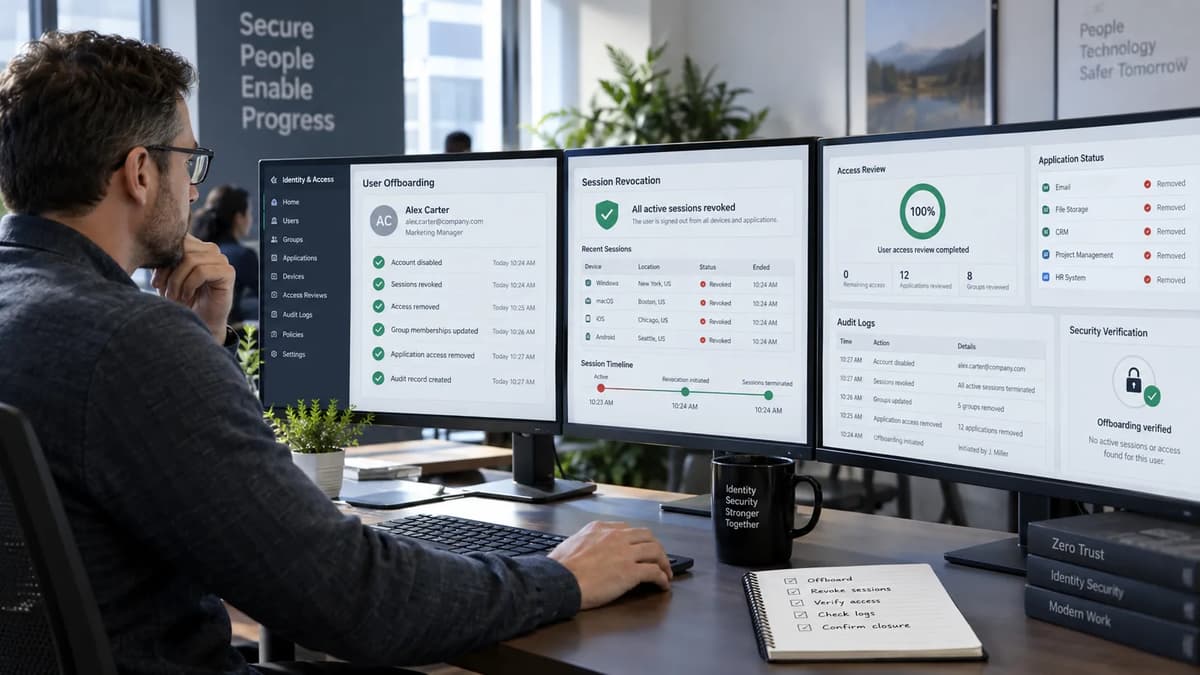
A workforce identity can be disabled in Microsoft Entra ID while an already-open application tab still looks perfectly normal. That observation is ambiguous. The page may be cached, the application may be rendering data already present in the browser, an access token may still be accepted by the resource, or an application-issued session cookie may remain valid. Only one of those possibilities proves continuing server-side authorization: an authorized, harmless request that reaches the application or resource and succeeds after the offboarding action.
That distinction is the foundation of this runbook. Microsoft documents different revocation and enforcement paths for directory state, refresh tokens, access tokens, Continuous Access Evaluation (CAE), application sessions, and provisioning. Those paths have different owners and different timing characteristics; they do not collapse into a universal “disable means instant logout” rule. Microsoft explicitly notes that there can be a period between initiating revocation and effective loss of access, and that an application-issued session token is controlled by the application, not directly by Entra. Microsoft Learn, Revoke user access in Microsoft Entra ID, updated June 19, 2026; accessed September 17, 2026.
The operating model below therefore closes access per application and per enforcement path. It uses only sanctioned test tenants or approved canary identities, synthetic content, and low-impact resource checks. The goal is evidence: administrative action, expected enforcement mechanism, authoritative resource result, elapsed observation window, and unresolved owner. A green identity-admin status is an intermediate control state; it is not, by itself, proof that every session, local credential, device cache, or downloaded file has become inaccessible.
Define what offboarding completion must prove
Offboarding should be expressed as a set of independently testable outcomes rather than one account-state checkbox. At minimum, a reviewer needs to know whether new Entra sign-in is blocked, whether refresh-token redemption is prevented, what happens to already-issued access tokens, whether application-owned sessions are terminated or reevaluated, whether downstream provisioning disabled the application account, and what residual data remains outside online authorization controls. Microsoft’s revocation guidance separates token and session behavior in essentially this way, including the warning that an application’s own session cookie is outside Entra’s direct control.
The proposed operating model is to define “complete” at the application level. A case may be complete for one resource and held for another. That is more defensible than a tenant-wide claim because an app that relies on CAE-aware resource enforcement behaves differently from a SaaS product that keeps its own long-lived browser session, and both behave differently from an app with a direct local password.
Outcome to prove | Primary owner | Minimum acceptable evidence |
New Entra sign-in denied | Identity operations | Directory state plus an approved canary sign-in attempt that is denied |
Refresh-token renewal no longer succeeds | Identity operations / app team | Revocation action record plus a later authorized renewal attempt that fails or requires reauthentication |
Existing resource request denied | Resource or application owner | Harmless server-side request with timestamp and authoritative denial |
Downstream app identity disabled | Provisioning / app owner | Provisioning log plus target-side account state |
App-owned session terminated or reevaluated | Application owner | Existing canary session tested after the relevant app-side event |
Residual or offline data addressed | Data / endpoint owner | Recorded scope, owner, and compensating action where applicable |
Routine offboarding and emergency containment can share evidence fields but not necessarily the same change sequence. Emergency procedures may justify faster or broader controls, while routine departures often follow scheduled lifecycle orchestration. This article does not prescribe a destructive production checklist. Any write action against a real user should remain subject to your organization’s approval, privileged-role, and incident-handling requirements.
Inventory every access path and its accountable owner
The most common offboarding failure is not a broken revocation API. It is an access path nobody put on the list. Start with the identity relationship, then map the application, resource, authentication method, application-local credential options, device dependencies, provisioning connector, and evidence owner. The inventory should distinguish workforce members from B2B guests because Microsoft documents guest-specific limitations for CAE and revokeSignInSessions.
For each human identity, record the home tenant and resource tenant, especially when guest access is involved. A guest object in the resource tenant does not make that tenant the authority for every sign-in artifact. Microsoft Graph’s revokeSignInSessions documentation says the operation does not revoke sign-in sessions for external users because those users sign in through their home tenant. CAE documentation separately states that guest accounts are not supported for instantaneous CAE revocation enforcement. Those are different limitations and should be recorded separately.
Application inventory should also identify bypasses: direct local passwords, recovery accounts, API keys tied to a person, SSH keys, database-native users, shared accounts, and device-stored credentials. Those are not automatically governed by a Microsoft Entra user disable. Workload identities and service principals should be split into a separate review because this runbook is scoped to human workforce access. The same goes for shared credentials, which require ownership and rotation controls rather than pretending they belong to one departing employee.
Inventory field | Example canary value | Accountable owner | Close condition |
Identity type | Member workforce user | Identity team | Type confirmed |
Tenant relationship | Home tenant only | Identity team | Home/resource ownership known |
Application | SaaS-A | App owner | App owner named |
Authentication | Entra federation + app cookie | App owner | Both paths tested |
Direct credential | None / local password present | App owner | Presence verified, not assumed |
Provisioning | SCIM connector | IAM provisioning | Job healthy and target state checked |
Resource check | Read synthetic record | App owner | Server-side denial observed |
Device dependency | Managed browser on test device | Endpoint team | Device scope recorded |
This is where broader identity and access-control foundations are useful conceptually, but Microsoft behavior in this runbook is grounded in Microsoft’s own documentation, not in an AWS-specific procedure. The inventory is also the place to mark unknown rather than infer control. An unknown high-impact login path is not a green result.
A practical rule is that every row needs a named human or team that can answer, “What system actually decides whether this request is allowed?” If the answer is “Entra” for sign-in but “the SaaS session store” for an existing browser session, both authorities belong in the matrix.
Follow the session rather than only the directory account
A directory object is the starting point, not the entire session. An already-authenticated browser or native client can hold several artifacts with different issuers and enforcement points. Microsoft’s access-token reference says access tokens are intended for the resource and should be treated as opaque by clients; the resource validates them. Microsoft’s revocation guidance separately describes refresh tokens and both identity-provider and application-issued session cookies. Microsoft Learn, Access tokens in the Microsoft identity platform, last updated May 14, 2025; accessed September 17, 2026.
Artifact | What it enables | Who ultimately enforces | What revocation evidence means |
Access token | Current call to a protected resource | Resource provider | Resource rejects or stops honoring token under its rules |
Refresh token | Obtaining new access tokens | Microsoft Entra ID | Redemption fails or user must reauthenticate |
Entra session cookie | Identity-provider web session | Microsoft Entra ID | Future Entra authentication flow no longer silently succeeds as before |
Application session cookie | Application-local browser session | Application | App rejects existing session or reevaluates user state |
Separate access, refresh and identity-provider session state
The first distinction is between an existing resource request and future token acquisition. Microsoft’s access-token reference documents a default variable lifetime of 60–90 minutes, averaging 75 minutes, while also documenting exceptions and a separate treatment for CAE sessions. The emergency revocation guide uses a simpler “one hour” default description. Those statements should not be flattened into one universal tenant-wide expiry. They come from different documentation contexts, and the access-token reference itself limits its scope for registered APIs.
revokeSignInSessions is likewise not proof that every current resource request has already failed. Microsoft Graph says the operation invalidates refresh tokens and Microsoft identity session state by updating signInSessionsValidFromDateTime, and that a delay of a few minutes can occur before token revocation takes effect. A successful 2xx response is therefore evidence that the administrative operation was accepted, not that every resource has denied access at the same timestamp. Microsoft Graph REST API v1.0, user: revokeSignInSessions, last updated July 23, 2025; accessed September 17, 2026.
Trace the application-owned session
Browser federation often creates two session layers. Microsoft’s revocation guide states that a user can receive one session token from Entra and another from the application, and that Entra cannot directly revoke a session token issued by the application. The application decides when it sends the user back to Entra for reevaluation and can, depending on its configuration, keep accepting its own session until that session expires or is explicitly invalidated.
That means every federated SaaS app needs two authorized canary tests: an already-open session and a new session. The new-session test asks whether a fresh authentication path is blocked. The already-open-session test asks whether an existing app-owned cookie continues to authorize a harmless server-side action. If the vendor documentation or application owner cannot explain the session store, logout-all behavior, user-disable behavior, or reevaluation interval, record “application session termination: unknown” and hold closure rather than inferring that federation equals logout.
Turn the documented timing differences into a test plan
There are at least three timing statements that are frequently conflated. Microsoft’s access-token reference documents a default variable 60–90 minute lifetime, averaging 75 minutes, subject to exceptions. The CAE page says critical-event propagation can show up to 15 minutes of latency. Microsoft’s provisioning reporting guidance says incremental provisioning synchronizations typically occur every 20–40 minutes after the initial cycle. Those are descriptions of different mechanisms, not numbers to add together into an “offboarding takes X minutes” formula.
Source | Documented timing | Scope | What it does not prove |
Access-token reference | Default variable 60–90 minutes, average 75 | Access-token lifetime in documented scope | App cookie expiry or CAE behavior |
Revocation guide | Uses an approximately one-hour default description | Explanatory revocation workflow | Universal token lifetime for every resource |
CAE guide | Up to 15 minutes may be observed for critical-event propagation | Supported CAE critical-event paths | Universal app/session enforcement |
Provisioning reporting | Typically 20–40 minutes after initial cycle | Provisioning synchronization cadence | When an app terminates its existing sessions |
The organization should choose its observation windows as policy. For example, a team might sample an authoritative resource check every few minutes for a limited approved period, then hand off to an exception process. That chosen window is not a Microsoft SLA unless Microsoft explicitly publishes it as one for the exact feature and path being tested.
Keep three timestamps in the evidence ledger: when the administrative action was accepted, when the downstream state changed, and when the resource first denied the canary request. Those timestamps let reviewers see which layer introduced delay. They also prevent a provisioning success at minute 24 from being misrepresented as proof that an application cookie was terminated at minute 24.
Prepare an authorized canary and safe evidence capture
A canary is an approved test identity whose access can be changed without affecting a real employee or production data. It should have only the permissions needed to exercise the selected applications, and its test content should be synthetic. The purpose is not to imitate a former employee or to collect reusable secrets; it is to reproduce the session topology under controlled conditions.
Before the rehearsal, establish sessions deliberately. Open the federated SaaS app in one browser profile, establish a supported Microsoft 365 or other CAE-eligible path where applicable, and confirm the SCIM-provisioned application account exists. For every path, define one harmless server-side request, such as reading a synthetic record or listing a canary-only object. A cached page rendering is never the sole authoritative check.
Evidence field | Safe capture | Avoid |
Canary identity | Alias or synthetic object ID | Real former employee identity |
Application | Stable app alias | Sensitive customer data |
Client | Product/version/browser profile | Browser cookie contents |
Token metadata | Issue/expiry timestamps where safely available | Full bearer tokens |
Action | Admin audit/correlation ID | Secrets in screenshots |
Resource result | HTTP status or app denial plus server time | Full sensitive response body |
Provisioning | Job ID, event ID, target state | Connector credentials |
Ownership | Team/on-call or ticket queue | Unnecessary personal details |
The canary’s clock matters. Record the test workstation timezone, server or service timestamps, and the time source used by the evidence platform. Correlation becomes unreliable when one system logs UTC, another logs local time, and the worksheet silently mixes them. Normalize timestamps in the ledger, ideally to UTC, while preserving original event timestamps in the attached evidence.
The sampling plan should also be explicit. “We checked later and it was denied” is weak evidence. A stronger record says: baseline request succeeded at T0; directory disable accepted at T1; refresh-session revocation accepted at T2; first authoritative denial observed at T3; observations continued until T4 according to the organization’s selected window. No full access token, session cookie, password, or confidential payload needs to be stored to establish that sequence.
Finally, separate expected from observed. Before the test, write the expected enforcement path based on documentation and application-owner knowledge. After the test, write the observed outcome. If the test has not run, label it unverified assumption, not “passed.”
Verify CAE coverage instead of assuming instant enforcement
Continuous Access Evaluation can shorten enforcement time for supported combinations because resource providers can react to critical events before a conventional token expires. Microsoft documents user disable/delete and explicit refresh-token revocation among CAE critical events, with near-real-time intent and possible event-propagation latency up to 15 minutes. But the same page says not every client/resource combination is supported and that guest accounts are not supported for instantaneous CAE revocation. Microsoft Learn, Continuous access evaluation, updated April 8, 2026; accessed September 17, 2026.
CAE evidence question | Required answer before “supported” |
Identity | Member user or guest? |
Resource | Which exact resource provider? |
Client | Which app and version/platform? |
Event | Disable, delete, explicit refresh revocation, risk, or policy change? |
Capability | Does Microsoft document this client/resource combination? |
Result | Did the authoritative canary request receive challenge/denial? |
Measure a supported critical-event path
For a supported cohort, capture a pre-change request that succeeds against a harmless resource. Then execute the approved canary action, such as disabling the canary account or invoking the sanctioned session-revocation control, under the required administrative role. Record when the action was accepted separately from when the resource first denies access. Microsoft documents the CAE event path as a conversation between Entra and an enabled resource provider, which can reject a still-unexpired token and issue a claims challenge to a capable client.
The verification criterion is resource behavior, not merely a sign-in log. The resource denial might manifest as a challenge, reauthentication requirement, or denied operation depending on the selected implementation; record only what the actual client/resource pair demonstrates. Do not hard-code one expected HTTP code across every application unless that application’s contract documents it.
Handle unsupported combinations and guest identities
Unsupported or unknown combinations belong in a separate cohort. Do not label them “CAE protected” because the tenant has CAE enabled somewhere. Microsoft’s CAE support tables are client-and-resource specific, and Microsoft separately documents limitations for guest users.
Guests need two ownership fields: the home tenant, where authentication originates, and the resource tenant, where the guest object and application access may exist. Microsoft Graph states that revokeSignInSessions does not revoke external-user sessions from the resource tenant because external users sign in through their home tenant. That limitation is independent of the CAE guest limitation.
For a guest canary, therefore, a resource-tenant disable can still be a meaningful access control, but do not claim the same refresh-session semantics as a member user. The close decision must reference the exact guest path that was tested and the owner who can act in the home tenant if home-tenant revocation is part of the required control.
Rehearse the approved administrative sequence
For an Entra-only member canary, Microsoft’s emergency revocation guidance shows two relevant administrative actions in the portal: block new sign-ins by clearing the enabled state, and revoke sessions. The same guidance provides Microsoft Graph PowerShell examples, but this runbook deliberately avoids a blanket write script. The safest operational pattern is to use approved procedures for the write actions and keep the rehearsal’s reusable examples focused on verification.
Step | Intended effect | Owner | Evidence to retain |
Baseline app/resource checks | Prove the canary had access | App/resource owner | Success timestamp and correlation ID |
Disable canary sign-in | Stop new Entra token issuance/sign-in path | Identity admin | Audit event / directory state |
Revoke sign-in sessions | Invalidate documented refresh/session state | Identity admin | Graph/portal operation result and timestamp |
Observe CAE resource if supported | Detect resource-side critical-event enforcement | Resource owner | First denial/challenge timestamp |
Observe SaaS existing session | Test app-owned session behavior | App owner | Server-side request result |
Observe provisioning target | Verify target disable or deprovisioning | Provisioning/app owner | Provisioning event + target state |
Close or hold each app | Convert evidence into decision | Access-review lead | Signed ledger row |
Prerequisites should be written into the change record: approved canary identity; test tenant or sanctioned production canary; named application owners; least-privileged administrative role; known rollback for the canary only; and a predeclared observation window. Microsoft documents role requirements for account disable and other emergency actions, and the Graph endpoint exposes User.RevokeSessions.All as the least-privileged permission for its supported call patterns.
A technical rollback is appropriate for a canary if the test design requires restoring access after evidence capture. That is not the same as re-enabling a genuinely offboarded employee. Automation must never assume that “test failed” means “restore the user.” For real departures, restoration is a business authorization decision, not a script error handler.
Escalate if the administrative action succeeds but the application remains accessible beyond the organization’s selected observation policy. At that point the question changes from “did Entra accept the change?” to “which authority is still permitting the request?”
Validate deprovisioning and application session termination
Provisioning is another independent state machine. Microsoft’s provisioning service can disable or delete users in target applications based on scope and mappings. Its documentation says that, for SCIM applications, a disable is a request to set the user’s active property to false; it also notes that the exact meaning of disable/delete depends on the target application’s implementation. Microsoft Learn, How Application Provisioning works in Microsoft Entra ID, last updated March 4, 2025; accessed September 17, 2026.
A useful synthetic test design, not an executed result, is a three-application portfolio:
Synthetic app | Primary control path | Independent evidence |
Federated SaaS-A | Entra federation + app cookie | New sign-in denied; existing cookie checked separately |
Microsoft resource-B | Supported CAE path | Critical event accepted; authoritative resource denial observed |
SCIM SaaS-C | Entra provisioning | Provisioning event; target account disabled; existing app cookie retested |
The point is not to show that these three paths all end at the same time. It is to prove that they can be observed independently. The connector error handling and reconciliation mindset is useful here, but connector behavior in this runbook should still be validated against Microsoft and the target application’s primary documentation.
Test SCIM state, connector health and retries
First verify that the canary is in the connector’s scope and that the relevant disable mapping is configured. Microsoft’s provisioning documentation says users removed from scope or disabled in the source can be disabled in the target through an update, but it also notes that target-object actions and mappings can change this behavior. Provisioning errors are retried, and jobs with broad persistent failures can enter quarantine, reducing sync frequency.
Next, observe the provisioning record and the target-side account state. A provisioning log saying an update was sent is necessary but not sufficient if the target still considers the account active. The target-side readback is the authoritative application state.
For SCIM specifically, IETF RFC 7643, System for Cross-domain Identity Management: Core Schema, September 2015; accessed September 17, 2026 defines active as a boolean administrative-status attribute and explicitly leaves its definitive meaning to the service provider. A typical false value means a suspended account, but the standard does not promise that every application will immediately kill every existing session when the flag changes.
After a transient failure, require reconciliation: healthy connector status, a later successful event for the canary, target state readback, and another application-session check. Microsoft’s reporting guidance says incremental synchronization typically occurs every 20–40 minutes after the initial cycle; quarantine can alter normal cadence. That number is therefore not a hard end-to-end offboarding SLA.
Test existing cookies, new sessions and alternate credentials
Once the target account shows disabled, repeat the two application tests. First, use the already-open canary browser session to perform the predefined harmless server-side action. Second, start a clean browser profile and attempt the normal federated entry path. These tests answer different questions: whether an old app session was terminated or reevaluated, and whether a new session can be established.
Then test any authorized alternate credential path recorded in the inventory. If the application supports a local password, recovery login, or another direct authentication mode, the app owner must verify whether the target-side disable blocks it. Never invent a direct-login test against an application you do not own or lack authorization to probe.
A sign-out page is not enough. “User was redirected to sign-in” can be useful evidence, but the close criterion should be the inability of the previously authorized session to complete the designated server-side operation. If one browser session is denied and another remains authorized, preserve both results; that asymmetry is exactly the evidence the owner needs.
Separate cloud denial from device and residual-data exposure
Revoking online authorization does not remotely erase information already downloaded to a laptop, synchronized to an offline client, exported to removable media, copied into another authorized system, or captured in a screenshot. Microsoft’s revocation model is about access to services and tokens; it should not be stretched into a claim that data already outside the service has been destroyed.
Likewise, a cached browser page can remain visible after authorization has ended. That is why this runbook defines denial using a fresh, harmless, server-side action. The presence or disappearance of stale UI content is supporting context at most.
Exposure plane | Controlled by this runbook? | Required owner/action |
Entra new sign-in | Yes, in scope | Identity operations verify denial |
Online resource request | Yes, per resource | Resource owner verifies |
App-issued browser session | Partly; app-controlled | Application owner tests termination |
Downloaded files/offline cache | No, not by Entra revocation alone | Endpoint/data owner assesses |
Direct database/local account | Only if separately inventoried | Database/app owner disables |
Shared credentials | No single-user guarantee | Credential owner rotates |
Workload identity/service principal | Out of human-user scope | Platform owner reviews separately |
Endpoint controls can still reduce risk, for example device disablement, device management actions, disk protection, or corporate-data controls, but those are separate enforcement planes and should be evidenced by their own tools. Similarly, separate workload authorization controls should remain outside a human Entra-user closure claim unless the workforce identity directly controls those paths.
Residual-data handling therefore becomes an exception register rather than a hand-wave. Record the type of offline copy, system or device owner, retention/legal requirements, and remediation status. Do not mark the application “access fully erased” when what you actually proved was “new server-side requests are denied.”
Build evidence that a reviewer can independently follow
A good offboarding record should let a second reviewer reconstruct the decision without trusting the operator’s memory. That requires stable identifiers, timestamps, evidence pointers, and a distinction between administrative events and resource authorization results. SIEM data is useful for correlation, but absence of a log entry is not proof that access did not occur unless the logging contract guarantees complete coverage for that event type.
A proposed evidence ledger looks like this:
Field | Purpose |
Action ID | Ties the test to approved change/incident work |
Canary alias | Identifies the synthetic test principal without exposing secrets |
App/resource alias | Defines the thing being closed |
Enforcement path | Directory, refresh revocation, CAE, app session, SCIM, local credential |
Admin action timestamp | Records control-plane acceptance |
First observed denial | Records resource-side effect |
Observation end | Defines how long the cohort was checked |
Connector health | Captures provisioning state where relevant |
Evidence pointer | Links to immutable or controlled evidence |
Owner | Names who can explain/remediate the path |
Exception | Records residual access or unknown behavior |
Decision | Close, hold, or escalate |
Correlate identity audit events, provisioning events, application logs, and authoritative resource checks around the same canary and request identifiers. SIEM evidence and response orchestration can help centralize that timeline, but the SIEM should not replace the resource’s own authorization result when you are deciding whether a session still works.
Use evidence pointers rather than copying secrets into the case. A pointer can reference an audit-event ID, provisioning event, sanitized application log, screenshot of a target account state, or a test harness result containing only status, time, and correlation ID. If the resource response includes sensitive data, store only the minimum metadata needed to prove success or denial.
Finally, protect against false negatives. A quiet SIEM after disablement might mean “no access attempts occurred,” “the connector stopped shipping,” or “the application logs the event elsewhere.” The ledger should record telemetry health separately from access denial so reviewers do not confuse missing evidence with negative evidence.
Respond to a path that remains open
An open path after the expected control change is not automatically a breach, but it is never a reason to force the ticket green. The response depends on which authority still appears to permit access and whether the behavior is documented, temporary, or unknown.
Observation | Decision | Containment / next owner |
Existing app cookie still authorizes; app owner knows kill-session control | Hold | App owner invokes approved app-side termination and retests |
SCIM update failed or connector quarantined | Hold | Provisioning owner repairs connector, reconciles, retests target and session |
Guest refresh revocation attempted in resource tenant | Escalate | Coordinate home-tenant authority and resource owner |
Direct local credential still works | Escalate | App owner disables/rotates local path under approved procedure |
Supported CAE path exceeds internal observation policy | Escalate | Identity + resource owner examine capability, event, client, logs |
Unknown high-impact path with no owner | Escalate | Access-review lead assigns ownership; do not close |
Containment should be targeted. The existence of one long-lived SaaS cookie does not justify an improvised tenant-wide password reset script. Use the least disruptive approved control that acts on the authority still granting access, preserve the evidence, and retest.
For the canary, a controlled rollback may restore test access after evidence capture. For a genuine leaver, however, re-enablement is not rollback; it is a new access-grant decision. Never automate real-user restoration simply because a validation step returned an unexpected result.
If the application owner cannot explain how sessions are invalidated, the correct status is hold or escalate, not “probably expired.” That is especially important for privileged, finance, source-code, customer-data, and administrative applications, where an unknown session path can be materially significant.
Close per application and maintain the exception register
Closure should happen at application granularity. The access-review lead should require the application owner to sign off the tested path, the observed denial, any residual limitations, and any exclusions. A single tenant-level “user disabled” event cannot substitute for app-owner evidence where the application holds its own session or local credentials.
A compact close checklist can be used for each application:
1. Confirm the identity type and tenant relationship.
2. Confirm the app/resource owner and the authoritative server-side check.
3. Record directory disable and, where in scope, refresh-session revocation.
4. Verify CAE only if the exact client/resource/identity combination is documented and tested.
5. Verify provisioning state independently of session state.
6. Test the existing app session and a clean new session.
7. Test approved alternate credentials if the inventory says they exist.
8. Record offline, database, shared-account, or workload exclusions.
9. Attach evidence pointers and observation timestamps.
10. Choose close, hold, or escalate; unknown high-impact paths cannot be closed.
Database-native access deserves an explicit exclusion or test because Entra offboarding does not necessarily govern a local database principal. The same is true for credentials embedded in operational tools. Database access and operational ownership is therefore an ownership concern that should appear in the exception register when discovered, not be silently absorbed into an identity-provider conclusion.
Retest triggers should be structural, not calendar-only. Rehearse again when the provisioning connector changes, the application changes session technology, an authentication method is added, a client version changes CAE capability, a Conditional Access design changes, a federation or SSO configuration changes, or the vendor changes logout/session-revocation semantics.
The exception register should carry expiry or review dates, named owners, compensating controls, and the exact reason closure was withheld. This turns “we think offboarding works” into a maintainable control: every green row points to evidence, every amber row has an owner, and every red or unknown high-impact path remains visible until resolved.
Build the security foundations behind the audit
This exercise depends on several broader capabilities: understanding network and cloud security boundaries, reasoning about incident response, documenting risk, and automating evidence collection without automating unsafe access changes. Those are foundational disciplines rather than Entra-specific product tricks.
A useful learning map is:
Foundation | How it supports this runbook |
Cloud and network security | Distinguishes identity-provider, client, and resource enforcement points |
Incident response | Separates containment action from evidence of effect |
Risk mitigation | Prioritizes unknown or high-impact application paths |
Threat modeling | Identifies alternate credentials and bypasses |
Workflow automation | Collects timestamps, IDs, and evidence consistently |
Refonte Learning’s verified program page lists a three-month format at 12–14 hours per week and names network and cloud security, incident response and risk mitigation, threat modeling, and security workflow automation among the competencies. It does not establish that Microsoft Entra administration, SCIM connector labs, Microsoft Graph workshops, or this exact offboarding exercise are included. Refonte Learning, Cybersecurity Program, accessed September 17, 2026.
For readers building those foundations, the single relevant next step is the Refonte Learning Cybersecurity & DevSecOps Program. Treat this runbook as an independent identity-security application of those general foundations, not as a representation of an unverified Entra or SCIM syllabus.
Answer the questions that determine close or hold
Does disabling the account end every session? No. Microsoft documents that application-issued session cookies are controlled by the application, and Entra cannot directly invalidate them. A directory disable is important evidence for new sign-in control, but existing sessions still require resource- or application-specific verification.
Is a successful Graph response enough? No. revokeSignInSessions can return a successful 2xx response while Microsoft still documents a possible delay of a few minutes before revocation takes effect. The response proves that the administrative operation succeeded; the runbook still requires an authoritative resource test. The same API also does not revoke external-user sessions from the resource tenant.
Does SCIM active=false mean immediate denial? Not universally. Microsoft provisioning uses active=false as the SCIM disable operation for relevant applications, while RFC 7643 says the definitive meaning of active is determined by the service provider. You must verify target account state and existing-session behavior separately.
Can revocation erase offline files? No. An online identity or token control can prevent future authorized access to a service, but it is not a remote deletion guarantee for files already downloaded or copied. Residual data must be handled through endpoint, data-governance, legal, or application controls appropriate to that copy.
Final per-application decision | Required condition |
Close | New access blocked; existing relevant session denied or documented as terminated; provisioning/target state verified where applicable; alternate paths tested; residual limitations recorded |
Hold | Expected control is still processing, app-side termination is pending, or a connector/application retry is required within an owned remediation path |
Escalate | Access remains open beyond policy, guest/home-tenant authority is unresolved, a direct credential bypass works, telemetry is unreliable, or a high-impact path has no accountable owner |
The decisive principle is simple: close on observed denial at the authoritative resource, not on the administrative action alone. Directory state, refresh-token revocation, CAE, application sessions, and provisioning are related controls, but they are not interchangeable evidence. When one required test has not run, the honest status is unverified, not successful.