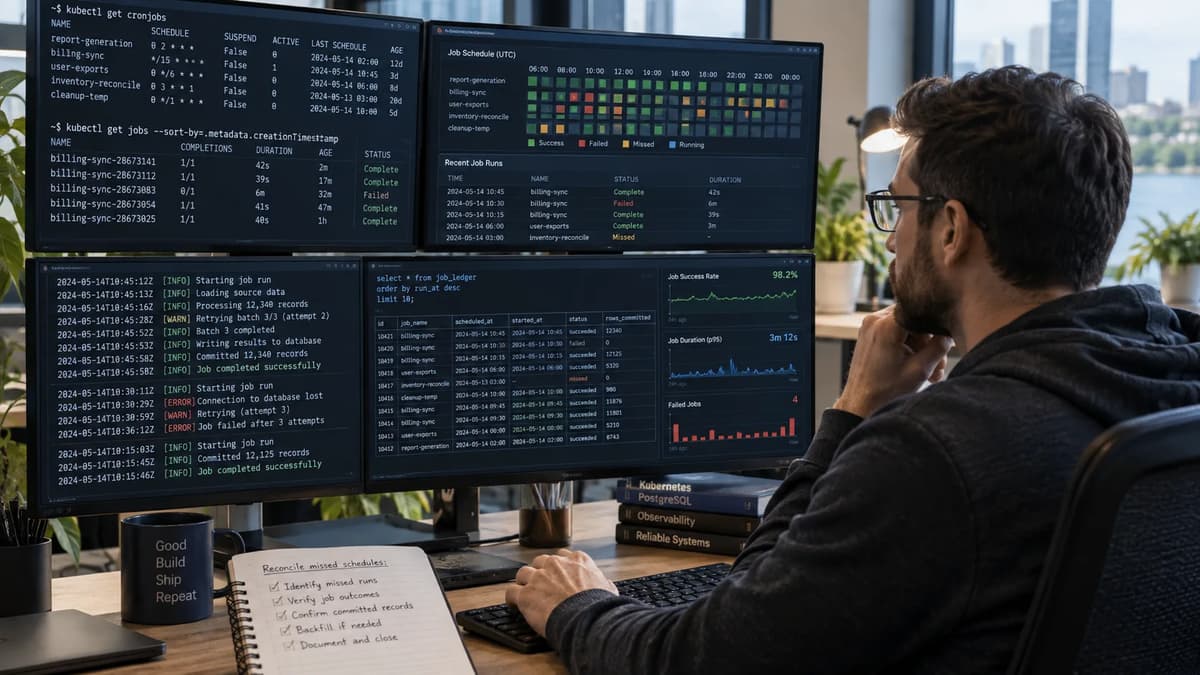
As Kubernetes platform engineers, we sometimes see a CronJob Pod report success while the intended business work is incomplete. Suppose a synthetic hourly rollup has completed Jobs for 02:00 and 04:00 UTC, but the 03:00 period has no committed ledger row. Did the 03:00 batch run and fail, was it skipped, or did it commit before the container lost its acknowledgment? Should an operator replay it or hold the period for investigation? The narrow decision is whether every intended UTC business period has an approved result, supported by the schedule, Job and Pod attempts, and durable database evidence. This playbook fixes the version and manifest inputs, enumerates expected periods independently, interprets deadlines and concurrency, carries period identity into the application, and classifies each period as proceed, replay, hold, or recover. It does not assume exactly-once semantics. It also does not assume that a CronJob will backfill every missed window or that one completed Job proves one committed business result.
Define the business period before reading Job status
First, treat each scheduled interval as a business period with its own identity. In our example, assume an hourly UTC rollup; each period has a start timestamp (e.g. 2026-09-21T03:00:00Z) and an expected output (a ledger revision or count). We define four identities for each period: the period ID (e.g. “2026-09-21T03:00+00h” plus a revision label), the CronJob object (Kubernetes resource name/UID), the Pod attempt (Pod UID), and the committed business result (ledger row ID or digest). For instance:
Period ID | CronJob Name | Job UID | Pod UID | Committed Output ID |
2026-09-21T02:00Z-v1 | hourly-rollup | 289a3fe4-... | a5b6c7d8-... | rollup-20260921-02 |
2026-09-21T03:00Z-v1 | hourly-rollup | None observed | None observed | Missing |
2026-09-21T04:00Z-v1 | hourly-rollup | 3f18a1b2-... | e8f9a0b1-... | rollup-20260921-04 |
In this synthetic example, the 03:00 period has no Job or Pod recorded, but the 02:00 and 04:00 periods do. A gap in committed output must be explained before recovery begins: the Job might never have been created, it might have failed before committing, or its Kubernetes evidence might have been cleaned up. Workload maintenance and scheduled-result acceptance are separate questions; planned node-drain acceptance addresses the former. Here, the question is whether the 03:00 rollup produced the approved result, and the answer comes from correlating the independent period grid, execution attempts, and the durable ledger.
Freeze scheduling and execution settings
Begin by freezing the cluster and workload configuration that define the proposed evidence window. The unexecuted synthetic lab below pins Kubernetes v1.37, the batch/v1 CronJob API, the manifest values, and the application image digest:
Field | Pinned Value | Scheduling or Execution Effect |
apiVersion | batch/v1 | CronJob API used on the version-pinned Kubernetes v1.37 cluster. |
schedule | 0 * * * * | Creates an hourly schedule at minute zero. |
timeZone | Etc/UTC | Interprets the schedule in UTC. |
concurrencyPolicy | Forbid | The same CronJob skips a new run while its previous Job is still active. |
startingDeadlineSeconds | 300 | A Job may start up to five minutes late; later starts are skipped. |
suspend | false | New scheduled executions are active; suspension would not stop already started Jobs. |
successfulJobsHistoryLimit | 3 | Retains up to three successful finished Jobs. |
failedJobsHistoryLimit | 1 | Retains up to one failed finished Job. |
restartPolicy | Never | A failed container is not restarted in the same Pod; the Job controller may create another Pod. |
backoffLimit | 3 | Bounds failed-Pod retries before the Job is marked failed. |
activeDeadlineSeconds | 1800 | Bounds total Job runtime at thirty minutes; separate from the late-start deadline. |
ttlSecondsAfterFinished | Unset | Preserves lab Job objects; a value of zero would make them immediately eligible for TTL cleanup. |
container image | myapp@sha256:<digest> | Pins immutable application code for the evidence window. |
namespace | cron-reconcile-demo | Restricts the proposed test to a disposable namespace. |
service account | cron-runner-sa | Allows only the required metadata reads; database permissions are scoped separately. |
The manifest inventory separates scheduling controls from execution controls. The Kubernetes CronJob documentation defines the schedule, time zone, late-start deadline, suspension behavior, and same-CronJob concurrency policy. startingDeadlineSeconds limits how late a Job may start; it does not stop work that is already running. concurrencyPolicy: Forbid applies only to Jobs created by the same CronJob, so another CronJob or a manual recovery Job is outside that mutex. Apply Kubernetes hardening foundations to the evidence path: scope the service account to the exact metadata reads it needs, and scope database credentials separately to the required tables and operations.
Enumerate expected periods independently
Independently of what Jobs appear, explicitly compute the grid of expected business periods from the fixed schedule and time zone. For example, if we review 6 hours (2026-09-21T00:00Z through 05:00Z) on an hourly schedule in UTC, we list:
Period Start (UTC) | Expected? | Job Created? | Pod Started? | Commit Time | Status |
2026-09-21T00:00Z | Yes | Yes | Yes | 00:00:10Z | Succeeded |
2026-09-21T01:00Z | Yes | Yes | Yes | 01:00:05Z | Succeeded |
2026-09-21T02:00Z | Yes | Yes | Yes | 02:00:15Z | Succeeded |
2026-09-21T03:00Z | Yes | No | No | Not committed | Missing |
2026-09-21T04:00Z | Yes | Yes | Yes | 04:00:20Z | Succeeded |
2026-09-21T05:00Z | Yes | Yes | No | Not committed | In progress |
In this table, “Expected Run” comes from the schedule (every hour). “Job Created?” is observed in the cluster; “Pod Started?” is when its Pod began. “Commit Time” is when the synthetic application wrote the result in the database. We note that 03:00 has no Job/Pod at all (a gap), while 05:00 has a Job created but no commit yet (in-flight). Building this table manually or via a script confirms our baseline of 6 expected runs. We do not infer this from what Jobs exist (there could be extra Jobs if, say, the schedule were reconfigured). By enumerating periods ourselves, we avoid being misled by missing or duplicate resources. Also, we keep the schedule in UTC so that daylight-saving shifts (if any) don’t sneak in. This independent grid will be our reference for reconciliation.
Interpret deadline and concurrency behavior without overpromising
Interpret each period against the pinned settings and an evidence timeline. Consider a preconstructed lab record in which the 02:00 Job ran from 02:00 to 02:01 and the controller was unavailable from 02:10 to 03:30. At 03:30, the intended 03:00 start is thirty minutes late. With startingDeadlineSeconds set to 300, that opportunity is outside the documented late-start deadline and the controller skips it. A 04:00 occurrence observed by 04:05 remains within the five-minute window and can still be created. This is a proposed interpretation of the pinned timeline, not a report that a production controller was disrupted.
The controller checks on a roughly ten-second cadence, and Kubernetes documents a catch-up limit when more than 100 schedules are missed. The applicable look-back matters: when startingDeadlineSeconds is set, the controller counts missed schedules within that deadline window; otherwise it counts from the last scheduled time. The documented catch-up behavior is a controller limit, not a promise to recreate every business period. Keep the business-period grid independent even when the controller considers a narrower set of eligible starts.
Concurrency is a separate decision input. With concurrencyPolicy: Forbid, a new occurrence can be skipped while an earlier Job from the same CronJob is still running, and Kubernetes counts that scheduled time as missed. The period remains unresolved in the business ledger; a policy-compliant skip is not a committed result. A manual Job or a Job created by another CronJob is unaffected by this same-CronJob policy, so application-level work identity must still prevent duplicate business output.
Separate a late-start deadline from a runtime limit
startingDeadlineSeconds limits when a late Job may begin; it does not bound how long the application may run. A Job that starts at 02:04 for the 02:00 period can continue past 03:00 unless a separately pinned application timeout or Job activeDeadlineSeconds ends it. Record those runtime controls independently. backoffLimit and restartPolicy govern execution retries after a Job exists; they do not change the identity of the business period being processed.
Scope Forbid to its controller relationship
concurrencyPolicy: Forbid only evaluates Jobs created by that CronJob. It does not serialize a manually created recovery Job for the same business period. If the CronJob skipped 03:00 because the 02:00 Job was still active, 03:00 remains a period to reconcile. The policy can explain why no new Job was created, but it cannot establish whether business work committed through another attempt or recovery path.
Carry scheduled identity into the application explicitly
The application must receive the intended period explicitly. Starting with Kubernetes v1.32, the Kubernetes CronJob documentation says that a CronJob-created Job carries the batch.kubernetes.io/cronjob-scheduled-timestamp annotation in RFC3339 form. The annotation belongs to the Job object; it is not automatically available as a container environment variable. The Pod downward API exposes the Pod’s own metadata, not its parent Job annotation. An approved implementation can resolve the parent Job through the Pod owner reference and perform a least-privilege API read, or use a trusted controller to copy and validate the value. Manual recovery must inject the original period explicitly rather than deriving it from the current clock.
When manually replaying a missed period, we must preserve the original period identity, not “now”. For instance, if recreating the 03:00 rollup, we should pass period="2026-09-21T03:00Z" to the new Job (and perhaps annotate it similarly), so that it doesn’t overwrite or mislabel the ledger entry. We also validate that the requested period matches the schedule pattern to avoid human error. Keep an auditable log of who triggered the replay and which period was targeted, so we have lineage from operator to business output. Never blindly use date in the app to assign a period; always use the explicit, expected period provided.
For the app to remain idempotent, it should check for an existing committed result for that period (using the ledger key) before inserting. In short: pass the CronJob’s scheduled timestamp into the job’s logic, validate it, and tie it to the committed output. Do not rely on the Pod’s start time or Job name; use the provided period key.
Build the schedule-attempt-commit ledger
Keep diagnostic attempts separate from the canonical committed result. The following PostgreSQL 18 schema is illustrative and unexecuted: work_attempt records Job and Pod evidence, while work_result stores one accepted database-local output for each work type, UTC period, and revision.
CREATE TABLE work_attempt (
attempt_id UUID PRIMARY KEY,
work_type TEXT NOT NULL,
period_start TIMESTAMPTZ NOT NULL,
revision INTEGER NOT NULL,
job_uid UUID,
pod_uid UUID,
state TEXT NOT NULL,
started_at TIMESTAMPTZ NOT NULL DEFAULT clock_timestamp(),
finished_at TIMESTAMPTZ
);
CREATE TABLE work_result (
work_type TEXT NOT NULL,
period_start TIMESTAMPTZ NOT NULL,
revision INTEGER NOT NULL,
output_count BIGINT NOT NULL,
output_digest TEXT NOT NULL,
committed_at TIMESTAMPTZ NOT NULL DEFAULT clock_timestamp(),
PRIMARY KEY (work_type, period_start, revision)
);
The canonical business key is (work_type, period_start, revision). work_attempt may contain several rows for failed Pods, retries, and manual recovery runs. work_result permits one canonical row for that key and carries the accepted output count and digest. Job UID, Pod UID, and attempt ID remain diagnostic identities; none of them replaces the scheduled period key.
For the synthetic hourly_rollup period 2026-09-21T03:00:00Z at revision 1, the diagnostic attempt record might read:
Attempt | Job / Pod IDs | State | Output Evidence | Commit Evidence |
attempt-1 | 289a3fe4 / a5b6c7d8 | Started | No canonical result | None |
attempt-2 | 289a3fe4 / a5b6c7d8 | Failed | Count 0; no commit | Retry evidence |
attempt-3 | 6b19ef42 / f0e1d2c3 | Started | No canonical result yet | None |
attempt-4 | 6b19ef42 / f0e1d2c3 | Committed | Count 42 | 2026-09-21T03:00:10Z |
The first execution path failed, while the later attempt committed output count 42. The Kubernetes Job documentation warns that the same program can sometimes start twice even when parallelism and completions are both one and restartPolicy is Never. That is why Job and Pod identifiers are correlation evidence rather than the business deduplication key. Metrics, logs, and traces remain useful for observability for operational correlation, but the canonical result table is the authority for this specified database output.
Make the constrained database effect atomic
For this constrained example, PostgreSQL 18 ON CONFLICT behavior and PostgreSQL transaction semantics provide the database-local boundary. Assume one PostgreSQL 18 database, READ COMMITTED isolation, the primary key shown above, and no external side effect inside the claim. The following proposed sequence prevents a retry from overwriting an existing canonical result and lets the application compare the stored count and digest before it commits:
BEGIN TRANSACTION ISOLATION LEVEL READ COMMITTED;
INSERT INTO work_result (
work_type, period_start, revision, output_count, output_digest
)
VALUES (
'hourly_rollup',
'2026-09-21 03:00:00+00',
1,
42,
'sha256:<synthetic-digest>'
)
ON CONFLICT (work_type, period_start, revision) DO NOTHING;
SELECT output_count, output_digest, committed_at
FROM work_result
WHERE work_type = 'hourly_rollup'
AND period_start = '2026-09-21 03:00:00+00'
AND revision = 1
FOR SHARE;
-- Commit only if the returned count and digest match the approved result.
COMMIT;
The primary key arbitrates concurrent inserts for the same logical identity. ON CONFLICT DO NOTHING prevents a retry from rewriting a committed row. The application then reads the canonical row and commits only when its count and digest match the approved result; a mismatch is a nonzero failure signal that requires rollback and a Hold decision. This gives an atomic database outcome for the constrained row, not proof that Kubernetes executed only once.
Claim and commit one period with its output
The canonical row contains the accepted database output and its commit evidence for one period key. Attempt events are written separately. If the work_result transaction fails before commit, no canonical result becomes visible. If two contenders use the same key, the primary key allows one row and forces the other path to read and verify it. This is a one-row database contract under the stated schema, not an exactly-once claim for the broader business process.
Handle a crash after commit before acknowledgment
If the database commits and the container crashes before reporting success, a retry must use the same logical key. PostgreSQL ON CONFLICT behavior leaves the existing row intact; the retry reads the row, verifies the count and digest, and returns without applying the output again. The transaction semantics cover the statements in this database only. They do not establish whether an email, API call, object-store write, or second database changed. Those effects require destination-supported idempotency or independent reconciliation.
Classify periods before approving replay
Before deciding to replay any period, classify its evidence as Proceed, Replay, Hold, or Recover (manual intervention). A decision table helps:
Evidence Condition | Decision | Required Interpretation |
Complete evidence shows no attempt and no canonical result. | Replay | Approve only the finite period and revision after prerequisites are checked. |
Attempts failed and no canonical result exists. | Replay | Review every retained attempt and confirm that none committed. |
Canonical result exists; Job acknowledgment or object is missing. | Proceed | Validate count and digest; do not repeat the database output. |
Committed result conflicts with logs, source data, or another result. | Hold | Preserve evidence and assign application and data owners. |
Completed Job has no approved canonical result. | Hold / Recover | Job completion is not business acceptance; determine whether correction or replay is authorized. |
Evidence is incomplete, expired, or cannot exclude an external effect. | Hold | Do not infer no execution from missing Kubernetes objects or logs. |
Canonical result is known to be wrong. | Recover | Use a separately approved correction plan; do not overwrite silently. |
Use the decision table as a review gate, not as an automatic rerun rule. The platform owner explains controller and object evidence, the application owner validates attempt behavior and revision, and the data owner approves the committed output. A successful Job with an empty or incorrect canonical result fails the gate. These roles reflect disciplined system-administration operating practices: preserve the disagreement, identify the responsible owner, and replay only after evidence establishes that no approved result exists.
Rehearse suspension, overlapping attempts and missed windows
Test edge cases in a lab namespace to validate your understanding. For example, consider these scenarios:
Suspension: In a disposable namespace, suspend the synthetic CronJob for a bounded window. Already started Jobs continue, while scheduled executions during suspension count as missed. On resume, eligibility depends on startingDeadlineSeconds; without a starting deadline, the documented suspension behavior warns that missed Jobs are scheduled immediately. Resuming the CronJob is controller behavior, not a business-history repair procedure.
Long-running overlap under Forbid: Make the synthetic 02:00 Job run through the 03:00 schedule in the disposable lab. The 03:00 occurrence is skipped by the same-CronJob concurrency policy. A later occurrence can run only when the previous Job has finished and the later start remains eligible under the deadline. The expected-period grid must still show 03:00 as unresolved.
Repeated attempts: Launch two approved lab Jobs with the same period key. Manual Jobs are outside the CronJob’s Forbid policy, so both may reach the application. Verify that the database primary key leaves one canonical work_result row and that the losing attempt records the existing result rather than writing a second one.
Preconstructed missed gap: Load a synthetic evidence set with an expected period but no Job attempt. Alternatively, use an approved disposable control-plane lab. Do not alter clocks or pause a production controller to create the condition. Confirm that reconciliation still derives the gap from the independent schedule grid.
Keep the expected-period grid unchanged across every case. Do not assume that unsuspending or restoring a controller will recreate every expired period. Proposed verification can use read-only kubectl get jobs,pods -o wide output plus database queries, with any failure injection restricted to the disposable namespace and synthetic data. A production run requires a separately approved change, named owners, and stop conditions.
Run manual recovery with the original work identity
When a period is approved for replay, create a recovery Job with the original period_start and revision, the pinned image digest, and the approved parameters. Record the recovery run as a new attempt while preserving the period it rebuilds. A synthetic manifest could use an annotation such as reconcile.example/period-start: "2026-09-21T03:00:00Z" and the same myapp@sha256:<digest> image. This separation also clarifies ownership of background work and backend performance: a new Job object is an execution vehicle, not a new business period.
Bound and record the recovery request
Before creating the replay Job, clearly list the exact period(s) and revision to replay, the Git commit or build of the app image to use, and the operator’s identity. For instance:
Replay Period: 2026-09-21T03:00Z (revision v1), because ledger shows no commit.
App Image: myapp@sha256:<digest> (confirm no code change).
Approved By: Application owner (synthetic approval record), 2026-09-22.
Stop Condition: Once ledger has a committed output for this period, do not run again.
Record the request in an issue or runbook entry before creating the Job. The action is a finite replay, not an open-ended sweep. A new Job for 03:00 does not authorize a second canonical result. If a hidden retry already committed the period, ON CONFLICT must preserve that row and the recovery attempt must verify it. Stop immediately on a conflicting digest, changed prerequisite, or unapproved external effect.
Stop when external effects are uncertain
If the CronJob’s work involves external side effects (API calls, emails, etc.), the replay must be done carefully. Do not assume that writing the database means external tasks succeeded. Either the external destination must support idempotency (e.g. deduplication keys), or you must have a separate way to verify external delivery. For example, if the job sends a notification email, check the mail system logs or use a “notification ledger” to see if it was sent. If you cannot confirm whether the external effect happened in the first attempt, do not blindly replay it. Instead, escalate to the owners of that service to resolve the inconsistency. In summary, our ledger-based replay contract only covers the database-local result; any uncertain external effect must be handled by its own idempotency or reconciliation process.
Retain evidence after Job history is cleaned up
Kubernetes CronJob history limits retain three successful and one failed Job by default, while the TTL-after-finished controller can make a finished Job and its dependents eligible for cascading deletion after the configured interval. Those controls clean Kubernetes objects; they do not retain business evidence. Keep the schedule grid, canonical result, attempt lineage, output digest, and decision record for at least the approved replay horizon. A missing Job does not prove that no execution occurred, and a retained Pod log does not prove that the database commit did or did not happen.
Test the recovery contract at each failure boundary
Develop automated tests or manual exercises covering all critical edges before trusting the system. For example:
Before claim: Simulate the case where the Job Pod fails before database write. The ledger should have no committed row, and the decision should be “Replay”.
After claim, before commit: Raise a synthetic failure after opening the transaction but before COMMIT. The transaction should roll back, leaving no canonical work_result row. A retry with the same key can then create one canonical row.
After commit, before acknowledgment: Commit the database-local result and then terminate the synthetic container before it reports success. The retry should read the existing canonical row, verify its count and digest, and avoid another write.
During manual replay: Launch a manual Job for a known missing period and verify that it writes the row. If we run it twice (by mistake), ensure it doesn’t duplicate the result.
Concurrent attempts: Start two disposable Pods with the same period key. Both may reach the INSERT, but the unique constraint must leave one canonical work_result row. The other attempt must detect and verify that row or fail with a conflict; Kubernetes status is not the acceptance signal.
For every proposed test, assert the database and ledger state independently of kubectl status. Expected outcomes include one matching canonical row, no canonical row after rollback, or a conflict that produces a Hold. Record the setup files, pinned image digest, exact period key, query results, nonzero failure signal, and safe cleanup command. Do not report a passing result until the test has actually been executed.
Issue a proceed, replay, hold or recover decision
Finally, for each period in question, use the evidence and tests to make one of four decisions: Proceed (accept it), Replay (re-run), Hold (investigate), or Recover (manual intervention). An example checklist:
Proceed: A canonical row exists with the approved output count and digest, and the application or data owner validates it. Missing Kubernetes acknowledgment or cleaned-up Job history does not justify another write.
Replay: Complete evidence shows no canonical result, earlier attempts did not commit, the source data and application revision remain approved, and an owner authorizes the finite period list.
Hold: Evidence is incomplete or contradictory, the output is unexpected, the revision or prerequisites changed, or an external side effect cannot be reconciled. Do not proceed or replay.
Recover: A committed result is disputed or wrong, or the database and an external system disagree. Use a separately approved correction or coordinated recovery procedure owned by the application and data teams.
Record the decision and owner for every period. A completed Job with mismatched business output fails the gate. Conversely, a correct committed row with missing controller acknowledgment should not be replayed blindly; it is a Proceed decision with an evidence note. Close the period only after the decision record, replay outcome, and any corrective action agree.
Keep schedule recovery in the operating runbook
Put this reconciliation flow in the operating runbook. The next bounded action may be an approved replay, a Hold for disputed evidence, or a configuration change reviewed for a future window. This proposed contract applies only to the pinned Kubernetes v1.37 installation, UTC hourly schedule, image digest, PostgreSQL 18 schema, work type, and evidence window described here; revalidate it before applying it elsewhere.
The Refonte Learning DevOps Engineer Program page describes a three-month commitment of 12 to 14 hours per week and a curriculum covering Linux and scripting, Git and GitHub, CI/CD, Docker and Kubernetes, Terraform, cloud platforms, and monitoring and logging. Review the published curriculum to assess how those foundational areas align with your learning goals.