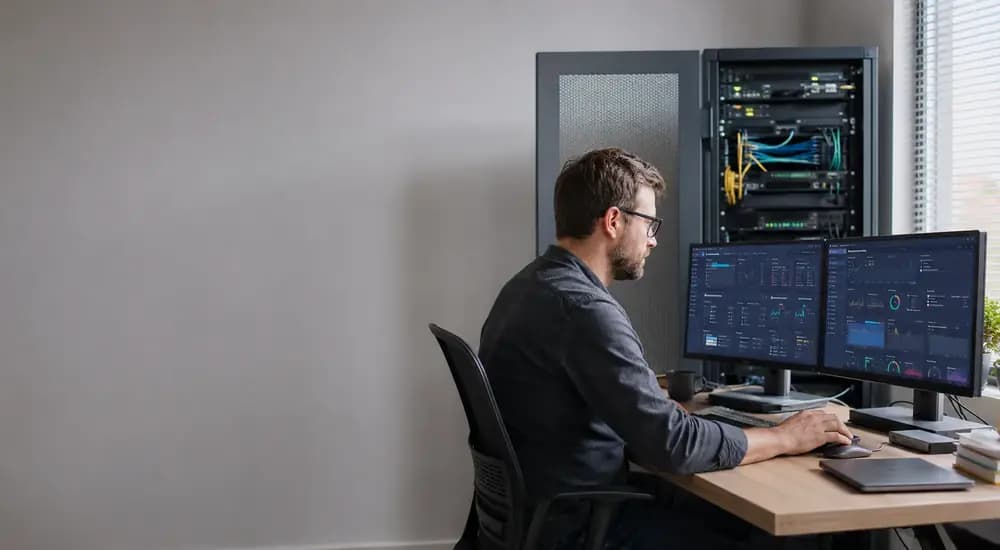
System Administration in 2026 matters because modern organizations still run on identities, endpoints, servers, cloud instances, backups, network services, and business-critical applications that must remain available, secure, and recoverable. What has changed is the environment: administrators now work across on-premises and cloud systems, manage stricter security expectations, and increasingly rely on automation to keep pace with scale and complexity. The U.S. Bureau of Labor Statistics describes the core occupation in practical terms: installing, configuring, maintaining, securing, optimizing, and troubleshooting systems. Those fundamentals remain the foundation of the role.
This guide explains what a System Administrator does, how the role has changed, what AI is likely to automate, which skills and tools matter most, which projects build credible proof of skill, how salary and outlook look in the U.S. benchmark data, and how structured training can fit into a practical learning plan. Refonte Learning offers guided options for learners who prefer a curriculum, labs, and career-focused projects, while the rest of this article remains useful for independent study.
Key Takeaways
System administration is still a real career in 2026, but it now blends operating-system work with cloud operations, security controls, identity, automation, and resilience.
AI is most useful for repetitive operational tasks, drafts, summaries, pattern detection, and first-pass troubleshooting; it does not remove the need for human judgment in access control, production changes, recovery decisions, and incident handling.
The most durable beginner skill stack is Windows + Linux + networking + scripting + backups + security + cloud fundamentals.
Kubernetes, containers, hybrid infrastructure, and zero-trust thinking are now part of the sysadmin conversation, even if not every administrator manages them directly.
Portfolio projects matter because they demonstrate operational thinking, documentation habits, and troubleshooting ability better than a long list of watched tutorials.
In the United States, BLS reports median annual pay of $96,800 in May 2024 and projects about 14,300 openings per year on average from 2024 to 2034, despite an overall employment decline.
What Is System Administration in 2026?
System Administration in 2026 is the practice of installing, configuring, securing, automating, monitoring, and recovering the systems and services that organizations depend on, across Windows, Linux, networked infrastructure, cloud resources, identity platforms, and backup workflows. It is broader than old-school server maintenance because reliability and security now extend across hybrid environments, not just one machine room.
The old stereotype of the sysadmin as “the person who fixes servers” is incomplete. A modern administrator may still manage servers, but they are just as likely to deal with user provisioning, patch windows, endpoint policy, secrets handling, monitoring alerts, storage growth, disaster-recovery testing, cloud permissions, service hardening, and automated remediation. That broader interpretation is also reflected in the Refonte Learning curriculum, which includes Windows and Linux systems, networking, security, troubleshooting, virtualization and containers, backup and disaster recovery, command-line work, and cloud management rather than a single narrow platform focus.
What Does a System Administrator Do?
At a practical level, a System Administrator keeps systems usable, secure, and recoverable. BLS says administrators install, configure, and maintain networks and systems; maintain security; evaluate performance; add users and assign permissions; train users; and diagnose problems raised by users or monitoring systems. That definition is useful because it captures both day-to-day maintenance and the operational judgment that makes the role resilient.
A working mental model is to split the job into recurring rhythms: daily operational checks, weekly maintenance and review, monthly patching and access review, and incident-driven troubleshooting. That rhythm changes by company size, but the pattern is remarkably consistent across environments.
Time horizon | Typical responsibilities | Why it matters |
Daily | Review alerts, check backups, validate service health, respond to tickets, manage users and permissions | Prevents small issues from becoming outages |
Weekly | Apply routine updates in approved windows, review capacity and storage trends, audit changes, update documentation | Keeps systems stable and understandable |
Monthly | Larger patch cycles, privilege reviews, restore testing, policy validation, cleanup of stale assets/accounts | Supports compliance, security, and recoverability |
Incident-driven | Triage, isolate faults, communicate impact, recover service, document root cause and follow-up tasks | Turns operational chaos into managed recovery |
This responsibility mix also explains why system administration overlaps with neighboring roles but does not disappear into them. A network administrator may go deeper on routing and switching. A cloud engineer may go deeper on provisioning and architecture. A DevOps engineer may go deeper on CI/CD and platform delivery. But the sysadmin remains central wherever stable user access, system integrity, and operational continuity are required.
How System Administration Has Changed in 2026
The biggest change is not that “the role moved to cloud.” It is that organizations now run mixed estates: on-premises servers, directory services, SaaS identities, virtual machines, containers, cloud backups, and remote endpoints. NIST’s zero-trust guidance explicitly frames modern defense around users, assets, and resources instead of trusting location-based perimeters, which changes how administrators think about access, device posture, session validation, and least privilege.
System administrators are also more tied to formal security and resilience disciplines than before. NIST SP 800-53 organizes core control families around areas such as configuration management, contingency planning, identification and authentication, incident response, maintenance, access control, and assessment/monitoring. Those are not abstract governance words; they map directly to daily sysadmin work such as patching, backup testing, account lifecycle control, log review, system baselining, and secure change management.
Containers and cloud-native platforms added a second major shift. Kubernetes describes itself as an open-source system for automating deployment, scaling, and management of containerized applications, and highlights service discovery, secret/configuration handling, storage orchestration, self-healing, and scaling across on-premises, hybrid, and public cloud environments. Not every sysadmin becomes a Kubernetes operator, but sysadmins increasingly work near container platforms, either by supporting the underlying hosts, storage, access model, monitoring, or adjacent services.
Automation has also changed the economics of the role. Routine checks, ticket triage, reporting, and standard remediation can be accelerated or partially automated. That trend should be read correctly: repetitive work is being compressed, not operational accountability. The more automation an environment adopts, the more it needs careful permissions, safe defaults, monitoring, rollback paths, and human oversight.
Will AI Replace System Administrators?
No. AI is more likely to reshape system administration than erase it.
The evidence points in two directions at once. AI tools are becoming more capable in IT support. Reuters reported that Serval said its technology automates more than half of IT support tickets for customers through an employee-facing agent and administrator-approved backend automations. That is a company claim, not proof that every environment can automate at the same rate. The realistic near-term model is AI-assisted operations with human accountability for access, risk, and production changes.
What AI can help with well:
Summarizing alerts and logs
Drafting scripts or command sequences for review
Converting documentation into standard operating procedures
Suggesting first-pass troubleshooting steps
Flagging configuration drift
Assisting with patch and dependency analysis
Generating knowledge-base drafts and incident summaries
What AI should not be trusted to do unsupervised in most real environments:
Approve privileged access changes
Execute destructive remediation in production
Interpret business-critical outage tradeoffs alone
Decide risk acceptance during incidents
Redesign security boundaries without review
Replace restore testing, audit evidence, or human sign-off
That is also consistent with zero-trust thinking. If modern architectures assume no implicit trust, then AI agents themselves must be treated as tools within a governed system, not magical substitutes for accountable operators. In practice, the strongest administrators in 2026 will be the ones who can use AI to move faster without surrendering control, reproducibility, or security.
Essential System Administrator Skills in 2026
The modern skill stack is layered. Beginners should not try to master everything at once, but they do need a competency frame that reflects the real job, not a nostalgia version of it.
Operating-system fluency
You need to read system state, manage users, inspect services, understand process behavior, work in the shell, and make controlled configuration changes. Refonte Learning’s syllabus direction reflects this well by explicitly including Windows server administration, Linux administration essentials, and command-line work.
Networking fundamentals
A surprisingly large number of “server” problems are really DNS, routing, firewall, name-resolution, or connectivity problems. BLS also keeps networking inside the core occupation definition rather than treating it as optional background knowledge.
Security, identity, and recovery
Modern sysadmins need to think in terms of least privilege, authentication, authorization, auditability, breach containment, and recovery testing. NIST’s zero-trust and control-family guidance makes this impossible to ignore.
Automation and cloud awareness
Automation is now a baseline expectation. That does not mean becoming a full-time software engineer. It means being able to script repeatable tasks, avoid brittle manual repetition, and understand the operational implications of cloud resources, containers, and monitoring systems. Refonte’s own adjacent DevOps curriculum reinforces that modern infrastructure work increasingly touches scripting, CI/CD, cloud platforms, Terraform, Docker, Kubernetes, and monitoring.
Skill | Why it matters | Example tools | Beginner learning task |
Windows administration | Supports user access, policies, services, and enterprise server workflows | Windows Server, PowerShell | Create users, groups, shares, and service checks in a lab |
Linux administration | Core platform for servers, tools, automation, and cloud workloads | Ubuntu, RHEL-compatible distros, Bash | Manage permissions, services, packages, and logs |
Networking | Enables diagnosis of connectivity and name-resolution issues | DNS tools, ping, traceroute, ipconfig/ifconfig, netstat/ss | Build and troubleshoot a small subnet and DNS lab |
Identity and access | Controls who can do what and where | AD DS, Microsoft Entra-style IAM concepts, local groups | Apply least-privilege roles and document them |
Security hygiene | Reduces attack surface and supports auditability | MFA, patching, baselines, logging | Harden a VM and write a validation checklist |
Backup and recovery | Makes outages survivable | File-level backups, snapshots, restore tests | Run a backup, simulate a failure, and restore cleanly |
Troubleshooting | Converts symptoms into root causes | Event Viewer, journalctl, log files, monitoring dashboards | Write an incident report after reproducing a fault |
Automation | Makes operations repeatable and less error-prone | PowerShell, Bash, task schedulers, cron | Script a user-creation or health-check workflow |
Virtualization and containers | Reflects real infrastructure patterns | Hyper-V, VirtualBox, VMware, Docker | Deploy a service in a VM and then in a container |
Monitoring and observability | Detects degradation before users escalate it | Dashboards, logs, metrics, alerts | Set CPU, disk, and service alerts in a lab |
Documentation and communication | Preserves operational knowledge | Runbooks, tickets, diagrams, change logs | Write a step-by-step SOP for a simple admin task |
A practical learning rule follows from this table: if you cannot explain what a system is doing before you automate it, you are not ready to automate it. That mindset prevents fragile scripting, accidental privilege escalation, and poorly documented “fixes” that create bigger future incidents.
System Administration Tools to Learn in 2026
Tool selection should follow responsibilities, not trends. Many weak career guides publish long “top tools” lists that ignore context. A better approach is to learn categories and then develop fluency in representative tools.
Windows and Linux administration
These are still the two essential operating-system domains for a generalist sysadmin. Even if your employer is mostly cloud-native, the admin logic of services, users, permissions, logs, updates, and shell work still matters. Refonte’s system administration path explicitly includes both environments.
Scripting and shells
PowerShell remains central for Windows-heavy environments, and Bash remains baseline for Linux and many automation contexts. The important distinction is not brand loyalty but repeatability: scheduled tasks, safe remoting, parameterized scripts, logging, and idempotent execution.
Identity and access
Directory-backed access control remains one of the most operationally sensitive areas in enterprise IT. Whether you are using classic Windows directory services, cloud IAM, or a hybrid pattern, the operational principles are the same: account lifecycle management, group-based access, role assignment, privileged-account discipline, and auditability. NIST’s zero-trust model makes identity central because access should be continuously grounded in verified context rather than trusted location.
Virtualization, containers, and orchestration
Server admins still need virtual machines, but container awareness is now worth learning even for non-platform roles because application teams increasingly deploy services in containerized patterns. Kubernetes’ official documentation positions it as infrastructure that can run on-premises, in hybrid setups, or in public cloud, which is exactly why administrators increasingly encounter it even when they are not cluster specialists.
Monitoring, logging, backup, and recovery tooling
A mature administrator does not just “configure a server.” They create feedback loops. That means metrics, logs, alerts, backup status, restore confidence, and change records. NIST’s control families around assessment/monitoring, contingency planning, incident response, and configuration management all point in this direction.
A simple tool-priority model is:
Category | Learn first | Learn next |
OS administration | Native tools, shell, package/service management | Policy automation, remote management |
Networking | DNS and connectivity diagnostics | Firewalling, deeper routing concepts |
Identity | Local users/groups, directory basics | Privileged access workflows, hybrid identity |
Automation | Task scheduling, simple scripts | Modular scripts, reusable admin tooling |
Containers | Docker basics | Kubernetes concepts and access patterns |
Monitoring | Service checks, disk/CPU alerts | Log pipelines, anomaly analysis, SLO-style thinking |
Recovery | File backup, snapshots, restore testing | Disaster-recovery drills and documentation |
For adjacent skill expansion, readers who want to move deeper into automation may want to explore Refonte's DevOps Engineering program. Readers drawn to infrastructure at larger cloud scale may be more interested in the Cloud Engineering program.
Linux vs. Windows vs. Cloud System Administration
The most useful way to compare these paths is not by asking which one is “better,” but by asking what kind of operational environment you want to support.
Dimension | Linux administration | Windows administration | Cloud administration |
Typical environment | Web servers, tooling hosts, containers, infrastructure services | Enterprise identity, file services, Windows-heavy business apps | Managed compute, storage, IAM, networking, backups, cloud-native services |
Core responsibilities | Services, permissions, packages, logs, shell automation | User/admin policy, directory services, updates, services, PowerShell | Resource provisioning, IAM, governance, cost awareness, backups, monitoring |
Common tools | Bash, systemctl, package managers, journal logs | PowerShell, Windows Server tools, service and event management | Cloud consoles/CLI, IAM policies, infrastructure templates |
Best for | Learners drawn to command-line depth and server workflows | Learners in Microsoft-heavy enterprise environments | Learners targeting hybrid or public-cloud operations |
Beginner difficulty | Moderate if new to shell work | Moderate if new to enterprise identity concepts | Moderate to high because it mixes many disciplines |
Overlap | Networking, security, backups, monitoring, scripting | Networking, security, backups, monitoring, scripting | Networking, security, automation, monitoring, identity |
The key insight is that these are not mutually exclusive silos. Many strong system administrators start with Windows or Linux, then add cloud operations as their environments expand. Refonte’s own curriculum design reflects that overlap by pairing Windows and Linux learning with networking, security, virtualization, backup and recovery, and cloud management rather than isolating them into separate beginner tracks.
System Administrator vs. DevOps Engineer vs. Cloud Engineer
These job titles overlap, but they are not interchangeable.
Role | Main focus | Typical operational scope |
System Administrator | Stable, secure, recoverable systems and user access | OS management, identity, updates, backups, monitoring, support |
DevOps Engineer | Faster, safer software delivery and platform automation | CI/CD, IaC, containers, release pipelines, developer enablement |
Cloud Engineer | Cloud resource design, operation, scaling, and governance | IAM, compute, storage, networking, cloud automation, resilience |
In practice, careers often flow between these roles. A System Administrator who gets strong at scripting, infrastructure as code, containers, and delivery workflows can migrate toward DevOps. A sysadmin who becomes fluent in cloud networking, identity, governance, and operations can move toward cloud engineering. The Cyber Security & DevSecOps program can complement infrastructure operations for learners who want a stronger security focus. The Database Administrator program is another relevant path for learners who want to specialize in data platforms.
System Administrator Career Roadmap for 2026
A realistic roadmap is sequential. It respects dependencies. You do not need to know everything before applying for junior work, but you do need a coherent foundation.
Here is a practical version of that roadmap:
1. Learn how computers, operating systems, and networks actually work.
2. Build comfort in both Windows and Linux, even if one becomes your primary lane.
3. Use the shell every week, not once a month.
4. Practice user, permission, service, and process management until it feels routine.
5. Add troubleshooting discipline: logs, symptoms, hypotheses, rollback.
6. Learn security baselines and access-control habits early.
7. Automate the tasks you repeat.
8. Add virtualization, monitoring, and backup validation.
9. Learn the operational basics of cloud resources and hybrid identity.
10. Turn everything into visible portfolio proof: diagrams, scripts, incident notes, lab write-ups, and short SOPs.
The beginner mistake is trying to “skip ahead” into advanced tools before understanding systems behavior. The stronger path is slower at first but much faster later because each new layer has somewhere to attach.
10 System Administration Projects for Beginners
Project work is strategically important because it demonstrates competence in a way résumé bullet points rarely do. The most useful projects are small enough to finish but realistic enough to discuss in an interview.
Linux user and permission management lab
Objective: Build confidence controlling access, ownership, groups, and service accounts on a Linux server.
Skills demonstrated: User lifecycle, least privilege, file permissions, documentation.
Suggested tools: Ubuntu or a RHEL-compatible VM, Bash.
Main steps: Create standard and admin users, assign groups, configure directory ownership, test restricted access, and document the access model.
Security consideration: Never normalize working as root for routine operations.
Portfolio deliverable: A short runbook showing users, groups, permission decisions, and verification commands.
Extension: Add a script that creates users from a CSV template and logs each action.
Windows Server administration and directory-services lab
Objective: Practice Windows user and policy management in a domain-style environment.
Skills demonstrated: Account provisioning, organizational structure, policy thinking, service checks.
Suggested tools: Windows Server evaluation lab, PowerShell.
Main steps: Create organizational units, test user/group structures, apply basic policy settings, validate logon behavior, and record administration steps.
Security consideration: Keep privileged groups minimal and explicit.
Portfolio deliverable: A one-page architecture diagram plus a change log.
Extension: Add onboarding and offboarding scripts.
DNS and DHCP configuration lab
Objective: Understand how name resolution and address assignment affect everything else.
Skills demonstrated: Core network troubleshooting, service validation, documentation.
Suggested tools: Windows Server or Linux server services, virtual machines.
Main steps: Configure DHCP scopes, create DNS records, test client leases, confirm name resolution, and reproduce a failure scenario.
Security consideration: Document which changes affect multiple hosts before making them.
Portfolio deliverable: A troubleshooting note that explains symptoms, root cause, and fix.
Extension: Add secondary DNS or split internal/external naming examples in a lab.
Automated backup and restore workflow
Objective: Move beyond “backup exists” to “restore works.”
Skills demonstrated: Backup planning, scheduling, validation, recovery discipline.
Suggested tools: Native OS tools, backup scripts, snapshots.
Main steps: Define backup targets, schedule jobs, retain versions, simulate file loss, and restore from backup with verification.
Security consideration: Store credentials safely and keep backup targets access-controlled.
Portfolio deliverable: Backup policy note, restore checklist, and proof screenshots or logs.
Extension: Add alerting on backup failure.
PowerShell administration toolkit
Objective: Create a reusable script set for Windows administrative tasks.
Skills demonstrated: Scripting, parameters, logging, operational repeatability.
Suggested tools: PowerShell.
Main steps: Write small scripts for account checks, disk usage, service status, and report generation; add comments and error handling.
Security consideration: Do not hardcode secrets.
Portfolio deliverable: Git repository with README, usage examples, and sample output.
Extension: Turn one script into a small module.
Bash system health script
Objective: Monitor Linux basics from the shell.
Skills demonstrated: Shell scripting, service inspection, process awareness, cron usage.
Suggested tools: Bash, cron, common Linux monitoring commands.
Main steps: Check disk usage, memory, failed services, and log anomalies; write results to a file or send a local alert.
Security consideration: Keep the script readable and reviewable; do not automate destructive actions.
Portfolio deliverable: Script plus a short explanation of thresholds and assumptions.
Extension: Add rotating logs and simple notification logic.
Web-server deployment and hardening lab
Objective: Deploy a simple internal web service and harden it.
Skills demonstrated: Service setup, firewall basics, TLS awareness, configuration validation.
Suggested tools: Linux VM, Nginx or Apache in a lab environment.
Main steps: Install the web server, host a test page, restrict exposed ports, review service logs, and document hardening decisions.
Security consideration: This should stay in an isolated lab unless you fully understand public exposure risk.
Portfolio deliverable: Before/after configuration summary and service-check evidence.
Extension: Add a reverse proxy or basic access control.
Centralized logging and alerting mini-project
Objective: Stop troubleshooting with guesswork.
Skills demonstrated: Logging strategy, observability thinking, dashboard basics.
Suggested tools: Native logs plus a lightweight log collection or dashboard approach in a lab.
Main steps: Collect logs from two or three systems, define alert conditions, trigger a test event, and document the response path.
Security consideration: Logs may contain sensitive data; protect access and retention.
Portfolio deliverable: A simple dashboard screenshot and incident walk-through.
Extension: Add correlation between service failure and user-facing impact.
Containerized service deployment
Objective: Understand how application packaging changes operations.
Skills demonstrated: Docker basics, networking awareness, configuration handling.
Suggested tools: Docker Desktop or Linux Docker engine.
Main steps: Containerize a basic app or internal utility, map ports, manage environment configuration safely, and restart or update the service.
Security consideration: Keep secrets out of images and public repositories.
Portfolio deliverable: docker-compose or equivalent lab documentation with deployment notes.
Extension: Add health checks and resource limits.
Cloud infrastructure and access-control lab
Objective: Experience modern administration patterns in a small cloud footprint.
Skills demonstrated: IAM basics, compute provisioning, storage, public/private exposure decisions.
Suggested tools: Free-tier or sandbox cloud resources.
Main steps: Provision a small VM, define a minimal access policy, secure network access, attach storage, and document cleanup steps.
Security consideration: Use budget controls, safe defaults, and strict access scope.
Portfolio deliverable: Architecture diagram, provisioning notes, and teardown checklist.
Extension: Add infrastructure-as-code after you can explain the manual version first.
These projects are intentionally designed to teach systems thinking, not tool collecting. They also align well with the practical emphasis on labs, real-world projects, troubleshooting, virtualization, cloud management, and a capstone that appears on the Refonte system administration page.
Certifications for System Administrators
Certifications can help, but they should support hands-on evidence rather than replace it.
A useful way to choose certifications is by role direction:
Linux administration: RHCSA is a performance-based credential that validates core system administration skills in Red Hat Enterprise Linux environments.
Vendor-neutral server fundamentals: CompTIA Server+ covers server hardware, operating systems, virtualization, security, and recovery concepts.
Cloud operations: choose the administrator or operations certification track for the cloud platform you intend to use most.
Certification catalogs and exam versions change. Check the provider’s current requirements before enrolling, and remember that labs, troubleshooting stories, and clear documentation usually strengthen a portfolio more than certificates alone.
System Administrator Salary and Job Outlook in 2026
For a transparent public benchmark, this section uses United States data from the Bureau of Labor Statistics. Salaries vary widely across countries and regions, so the figures below should not be treated as a global average.
Metric | United States benchmark |
Occupation benchmark | Network and computer systems administrators |
Median annual wage | $96,800 in May 2024 |
Employment in 2024 | 331,500 jobs |
Projected employment change | -4% from 2024 to 2034 |
Average annual openings | About 14,300 per year over 2024-2034 |
BLS projects an overall employment decline but still expects thousands of openings each year, largely because employers must replace workers who transfer to other occupations or leave the labor force. The right interpretation is nuanced: some traditional standalone admin work is being automated, shifted toward DevOps, or delivered through managed services, while organizations still need people who can run identity, access, resilience, hybrid systems, and recovery disciplines well.
Pay varies sharply by geography, sector, clearance requirements, cloud exposure, automation ability, and the amount of security or infrastructure complexity the role owns. Compare the U.S. benchmark with reliable local salary data when evaluating an offer.
How to Get System Administration Experience Without a Job
The best answer is to build evidence before permission.
Start with a homelab. Two local virtual machines are enough to begin: one Windows, one Linux. Add user creation, services, backups, DNS tests, and one intentionally broken setup you can repair. Then create public proof. Put scripts in a repository. Publish a diagram. Write a short incident report. Record what you changed, why you changed it, and how you verified the result.
You can also build experience by:
progressing from help desk into systems work,
volunteering for internal documentation or backup validation,
using cloud free tiers carefully,
contributing to open-source documentation,
creating restore-test notes,
turning every lab into a mini case study.
The strongest candidates do not merely say “I learned Linux” or “I know cloud basics.” They can explain a real problem, the controls they chose, the mistake they made, how they rolled back, and what they would improve next time.
Common Beginner Mistakes
Beginners rarely fail because they lack ambition. They fail because they learn out of order.
Common mistakes include:
memorizing commands without understanding system behavior,
ignoring networking until something breaks,
using administrative privileges for convenience,
changing production-like environments without a rollback plan,
treating backups as complete without restoring from them,
storing secrets in scripts or notes,
automating a process they do not understand,
learning only one operating system,
collecting certifications without building visible projects,
failing to document what actually changed.
The pattern behind all these mistakes is the same: speed without operational discipline. Good system administration is not flashy. It is controlled, repeatable, and recoverable.
Learning System Administration with Refonte Learning
Refonte Learning’s dedicated system administration page describes a curriculum covering system installation and configuration, network administration, security best practices, troubleshooting, virtualization, backup and recovery, command-line work, cloud management, and Windows and Linux systems. The curriculum also includes networking fundamentals, system security implementation, containers, disaster recovery, and a capstone project.
The program page lists potential career outcomes such as System Administrator, Network Administrator, and IT Support Specialist. Because course details can change, readers should review current admissions, scheduling, certification, and pricing information before enrolling.
If you learn best with a defined curriculum, labs, and a capstone, explore the System Administration training and internship program as a structured next step. If you are still validating the career, complete several roadmap stages and beginner projects first, then decide whether guided training would accelerate your progress.
Is System Administration a Good Career in 2026?
Yes, for people who like operational ownership.
System administration remains a good career when you enjoy troubleshooting, stable systems, documented processes, access control, and the satisfaction of keeping real infrastructure available and recoverable. It is especially attractive if you want a path that can later branch into cloud engineering, DevOps, cybersecurity, SRE, platform operations, or database administration. Refonte’s adjacent program structure reflects those natural expansion paths across cloud, DevOps, cybersecurity, and data infrastructure.
It may be a poor fit if you dislike on-call responsibility, change control, structured troubleshooting, or continuous learning. The role is not glamorous in the social-media sense. Its value comes from reliability. For many organizations, reliable is exactly what matters most.
Frequently Asked Questions
What is System Administration in 2026?
It is the discipline of keeping systems, identities, services, and infrastructure secure, available, and recoverable across Windows, Linux, networks, cloud resources, and operational tooling.
What does a System Administrator do?
A System Administrator installs, configures, secures, maintains, and troubleshoots systems and user access, while monitoring performance, updates, backups, and incident response.
Is system administration still a good career?
Yes. The role is changing, but organizations still need people who can manage access, security, recovery, and operational reliability.
Will AI replace System Administrators?
Not completely. AI can automate repetitive tasks and speed up first-pass operations, but human oversight remains essential for privileged access, production changes, recovery decisions, and security governance.
How can Refonte Learning support System Administration training?
The Refonte Learning page describes a program that covers Windows and Linux systems, networking, security, troubleshooting, virtualization and containers, backup and disaster recovery, cloud management, and a capstone project.
Conclusion
System Administration in 2026 is not a relic. It is a modern operations role shaped by cloud, automation, zero-trust thinking, identity, and resilience. The strongest administrators are no longer just “server people.” They are operational generalists with enough depth to secure access, automate routine work, recover from failure, and keep complex environments understandable.
That is why the best next step is practical, not abstract: build a lab, complete portfolio projects, document what you learn, and then decide whether you want a self-directed path or a structured one. If you want guided progression, Refonte Learning has a system administration curriculum built around the exact areas that matter most now, Windows, Linux, networking, security, troubleshooting, virtualization, backup and disaster recovery, cloud management, and capstone work. In other words, the opportunity in System Administration in 2026 belongs to people who can combine disciplined fundamentals with modern operational judgment.