There is a particular kind of spreadsheet risk that experienced analytics teams learn to fear: a workbook behaves one way when you build it, then behaves differently months later even though nobody changed the formula.
That is essentially the governance problem Microsoft documented for its experimental =COPILOT() worksheet function. Microsoft warns that the model behind the function can evolve and that results may therefore change over time even when the formula receives the same arguments. It also tells users to use conventional Excel formulas for work requiring accuracy or reproducibility.
Now the experiment is ending. As of August 17, 2026, the function has not disappeared yet, but Microsoft 365 Message Center notice MC1454373 says it will be retired on September 14, 2026. The notice directs users toward the Copilot side pane instead.
That does not mean Copilot in Excel is being retired. Quite the opposite.
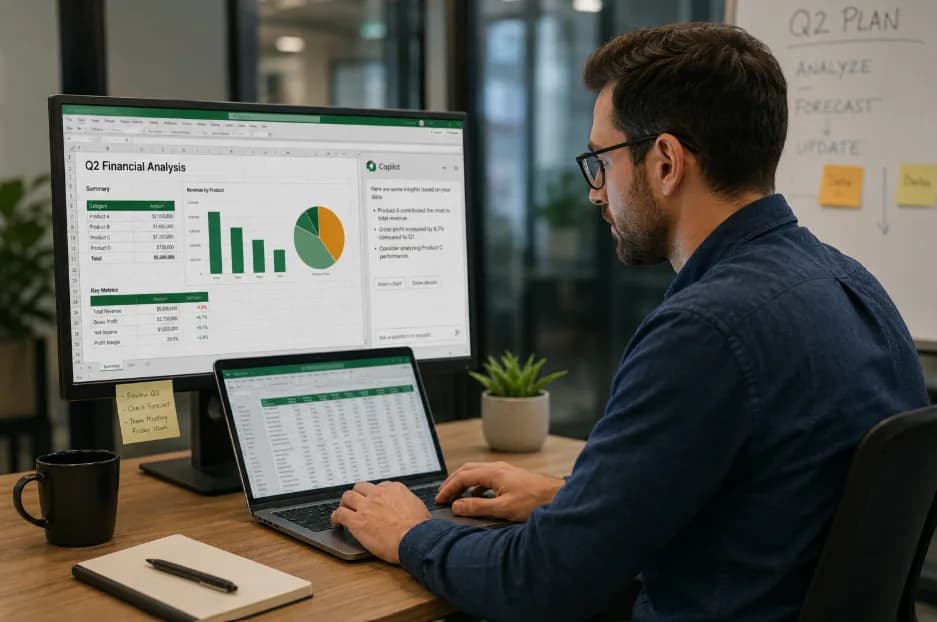
The real story of Copilot in Excel in 2026 is that Microsoft is simultaneously killing one AI interface while making another dramatically more ambitious. The cell-level generative formula is going away while the side-pane experience is gaining reusable skills, workbook rules, personalization, financial-data connectors, Power BI grounding, citations, planning controls, and multiple frontier models.
For business analysts, that distinction matters more than the headline. It changes how I would design an enterprise workflow, how I would test one, and what I would teach analysts to trust.
It also reinforces the logic behind the Refonte Learning Business Analytics Program: durable Excel, data-management, analysis, visualization, storytelling, and business-domain fundamentals matter more than betting a career on whichever AI feature happens to sit on top of Excel this quarter. Refonte Learning's live curriculum lists advanced Excel and related analytics competencies, but it does not currently claim to teach Copilot itself.
The useful question, then, is not “Did Copilot launch in Excel in 2026?” It did not. The useful question is: what is dying, what is growing, and which Microsoft Copilot Excel features are reliable enough to put into real business-analytics workflows?
No, Copilot in Excel Didn't Launch in 2026: Here's What Actually Changed
Any article claiming Microsoft introduced Copilot in Excel for the first time in 2026 is starting from the wrong timeline.
Microsoft publicly introduced the broader Microsoft 365 Copilot concept on March 16, 2023, and its announcement already demonstrated Copilot in Excel analyzing datasets through natural language, suggesting formulas, exploring what-if scenarios, finding trends, and producing visualizations.
There is another date that frequently gets simplified incorrectly: September 21, 2023. Microsoft used that date to announce general availability plans, but its own announcement said Copilot for Microsoft 365 would become generally available to enterprise customers on November 1, 2023. The same September announcement described Excel capabilities including analyzing and editing data, adding formula columns, highlighting, filtering, sorting, forecasting, and advanced analytics.
So the clean chronology looks like this:
Date | What actually happened | Why it matters in 2026 |
March 16, 2023 | Microsoft introduced Microsoft 365 Copilot and publicly demonstrated Copilot in Excel. | Establishes that Excel Copilot predates 2026 by more than three years. |
September 21, 2023 | Microsoft announced enterprise general availability for November 1 and described expanded Excel capabilities. | September 21 was an announcement date, not the date Excel Copilot suddenly appeared in 2026. |
August 2025 | Microsoft publicly previewed the separate =COPILOT() worksheet-function concept for Insider users. | This was a different interface from the established Copilot pane. |
June 25, 2026 | Microsoft announced its “Frontier Finance” expansion for Copilot in Excel. | Skills, financial connectors, personalization, rules, planning, and traceability became the major growth story. |
July 2026 | Microsoft added further Excel Copilot capabilities including inline citations, synced connectors, Power BI grounding, design skills, and frontier-model choices. | The side-pane experience continued expanding. |
September 14, 2026 | =COPILOT() is scheduled for retirement. | Microsoft is consolidating around the pane rather than abandoning AI in Excel. |
The 2026 story therefore belongs beside, rather than underneath, broader coverage of data analytics trends and tools in 2026. Generic “AI copilots are growing” commentary misses the operationally interesting part: within one application, individual Copilot interfaces have different life cycles, reliability properties, and governance implications.
That pattern is familiar in enterprise analytics. A vendor can be fully committed to an overall technology direction while retiring a specific implementation that does not fit the mature architecture.
From a business-analytics standpoint, there are now several concepts that people casually call “Excel Copilot,” even though they should not be treated as interchangeable:
· Copilot in the Excel pane can analyze and edit workbooks conversationally, including formulas, charts, PivotTables, transformations, filtering, web information, and work-file context. Microsoft currently describes edit, plan, and chat modes.
· The =COPILOT() function is a generative worksheet function operating from the grid. It is the component scheduled for retirement.
· Copilot skills and connected-data capabilities extend the pane into repeatable workflows and external enterprise or financial information.
· Python in Excel is a separate Excel capability. It should not be confused with the =COPILOT() function simply because both involve newer technology inside Excel.
That final distinction matters. Python in Excel is essentially a programmatic analytics environment; Copilot is an AI-assisted interaction and workflow layer. Treating them as the same category leads to poor architecture decisions and muddled security reviews.
When evaluating business analyst AI tools in 2026, the lesson is straightforward: evaluate the actual surface and workflow, not the product-family logo.
I would ask four questions before approving any “Copilot in Excel” use case: Where does the result live? Can the same input be expected to return the same result? What data can the AI actually see? And can another analyst reconstruct how the workbook got from input to final decision?
Those questions lead directly to why the formula is such an instructive failure case.
The =COPILOT() Formula Is Dying: Reproducibility Is the Lesson
The =COPILOT() function was appealing because it made generative AI look like native spreadsheet logic.
Instead of opening a separate pane and asking a question, an analyst could write a formula such as:
=COPILOT("Classify sentiment", B2:B100)
Microsoft's documentation gives comparable examples for summarizing text, generating sample data, classifying or tagging records, generating descriptions, and looking up web information. The function could also return dynamic-array results that spilled across cells.
For certain tasks, that interface is elegant. Imagine categorizing several hundred customer comments, generating short product descriptions, or prototyping labels from unstructured text: putting the instruction in the grid feels naturally “Excel-like.”
But there is a difference between something looking like a formula and behaving like one.
A conventional formula such as:
=SUM(B2:B100)
is expected to obey deterministic calculation rules. Given the same workbook state, an analyst, auditor, manager, or model validator expects the same numerical answer.
Microsoft's own COPILOT Function documentation draws precisely that boundary. It tells users to use native formulas such as SUM, AVERAGE, and IF for tasks requiring accuracy or reproducibility, and it says the AI model can produce incorrect responses.
More strikingly, Microsoft explains that the model used by the function can evolve and that the formula's results can change over time even with the same arguments. The support page suggests converting outputs to fixed values when users do not want them to recalculate.
That is the line I would highlight in any design review.
A spreadsheet formula is not merely a convenient UI element. In finance, operations, pricing, workforce planning, regulatory reporting, supply-chain analysis, or incentive calculations, a formula often becomes part of an organization's evidence trail.
Consider this simplified control question:
Spreadsheet behavior | Traditional deterministic formula | Generative =COPILOT() output |
Same inputs should produce same result | Normally yes | Not guaranteed |
Logic can be inspected directly | Usually | Prompt is visible, but model behavior is not fully encoded in workbook logic |
Model can change independently of workbook | No | Yes |
Suitable as authoritative numerical calculation | Yes, when correctly designed | Microsoft explicitly advises against this use |
Suitable for high-stakes compliance output without review | Depends on controls | Microsoft advises against it |
Easy to reproduce months later | Generally | Potentially problematic if underlying AI behavior has changed |
The retirement is more than a footnote. It is a useful case study in why analysts cannot automatically treat AI output as ordinary workbook logic.
There is also an important factual nuance in Microsoft's explanation.
Microsoft 365 Message Center notice MC1454373, published on August 14, says the function will become unavailable beginning September 14 and frames the decision as helping streamline the Copilot experience around the supported side pane. The notice does not, in the material I could verify, explicitly say “we are retiring it because of non-reproducibility.”
So I would not put that causal claim into Microsoft's mouth.
What we can say with high confidence is that two things are documented at the same time: Microsoft is retiring the function and consolidating users around the pane, while Microsoft's own support documentation acknowledges that identical formula arguments can return changed results as the model evolves. For an analytics practitioner, the resulting reproducibility concern is an obvious architectural weakness even if Microsoft describes the formal retirement rationale primarily as simplification.
Independent coverage reinforces the distinction. Windows Report, in its August 15, 2026 report “Microsoft Is Retiring Excel’s COPILOT() Function After Just One Year,” cited Message Center notice MC1454373, described roughly a year of testing, and reported that Microsoft considers the function redundant because equivalent AI capabilities remain available through other Excel Copilot interfaces.
The function also carried practical restrictions that make it a poor foundation for large-scale operational automation. Microsoft documents a maximum of 100 COPILOT function calculations within 10 minutes, requires internet access, and says the function cannot calculate in workbooks labeled Confidential or Highly Confidential.
Microsoft further advises against using it for legal, regulatory, compliance, and high-stakes financial-reporting tasks. It recommends standard Excel functions for numerical calculations and XLOOKUP rather than asking Copilot to perform workbook lookups that deterministic spreadsheet logic already handles.
From an enterprise-control perspective, that leads to a simple hierarchy:
· Use deterministic Excel logic for calculations that must reconcile, repeat, audit, and survive model changes.
· Use AI assistance for interpretation, drafting, categorization, exploration, and workflow acceleration where human review is practical.
· Convert transient AI output to controlled values when the business needs a stable historical record.
· Never assume that because an AI capability appears after an equals sign, it has acquired the reliability characteristics of a conventional spreadsheet formula.
That principle survives the =COPILOT() retirement. In fact, it becomes even more important as Microsoft's preferred side-pane experience grows more capable.
What Replaces It: Side-Pane Copilot, Skills, Rules, and Frontier Finance
Microsoft is not replacing =COPILOT() with a different generative worksheet function. It is steering users toward a broader Copilot experience that can understand a task, formulate a plan, operate across the workbook, connect to external information, and expose more of its changes for review.
Microsoft's current support documentation describes Copilot in Excel as capable of building and editing workbooks, creating formulas, charts and PivotTables, applying formatting, generating and transforming data, filtering and sorting records, fetching information from the web, and searching work files for context. It supports edit, plan, and chat modes rather than forcing every AI interaction into a cell.
That matters because the pane is structurally better suited to complex analytical work.
A formula asks, essentially, “what value belongs in this cell?” A pane can ask, “what is the user trying to accomplish across this workbook, which sheets and assumptions are involved, and what sequence of actions should I propose?”
That evolution fits the broader direction of generative AI in enterprise applications, but Excel adds a difficult constraint that generic chat tools do not face: the output has to coexist with a calculation engine, structured tables, finance conventions, dependencies, version history, and users who may make consequential decisions from the workbook.
Microsoft made that finance orientation explicit on June 25, 2026.
In the official Microsoft 365 Blog post “Copilot in Excel: Built for the era of Frontier Finance,” Brian Jones, Vice President of the Excel Product Group, announced new capabilities targeted at FP&A, accounting, tax, compliance, and treasury workflows. Microsoft highlighted repeatable skills, new financial-data connectors, personalization, workbook rules, planning, and improved traceability.
The frontier-finance framing is not third-party branding. It comes directly from Microsoft's 2026 positioning.
The major additions break down like this:
Capability | What it changes | Why analysts should care |
Prebuilt skills | Encodes repeatable processes for common workflows | Reduces the need to reconstruct a long prompt every reporting cycle |
Custom SKILL.md files | Lets teams describe their own workflow in an open-standard Markdown file stored in OneDrive | Moves AI instructions toward reusable organizational process assets |
Personalization | Stores preferences about how a user likes to work | Can reduce repetitive instructions |
Workbook rules | Captures structural, naming, and formula conventions with the workbook | Brings some process context closer to the analytical artifact |
Plan with Copilot | Lets Copilot outline intended ranges, sheets, formulas, assumptions, and questions before acting | Gives reviewers an opportunity to challenge the approach before edits happen |
Show Changes attribution | Makes Copilot edits traceable alongside collaborator changes | Improves reviewability compared with invisible AI intervention |
Financial connectors | Brings third-party market and company information into the workflow | Reduces manual data gathering for eligible customers |
Microsoft's examples for skills are revealing. The company cites workflows such as building a discounted-cash-flow model, closing books, refreshing monthly reporting models, producing variance analysis, constructing three-statement models, and preparing board packages.
That is a much more serious proposition than “ask Excel a question.”
It means Microsoft is trying to move Copilot from a prompt-response assistant toward a workflow layer. In practical terms, an FP&A analyst could eventually have a documented process for updating a monthly model, reconciling changes, identifying the material variances, and producing a management narrative rather than independently prompting the AI through every stage.
Custom skills are particularly interesting for enterprise teams. Microsoft says users can create an open-standard Markdown SKILL.md file in OneDrive to define a process that Copilot should follow, while partner-built skills are also part of the roadmap.
From a governance standpoint, that is directionally healthier than burying business methodology in somebody's private prompt history.
A team can potentially review a reusable skill like another process artifact: What assumptions does it encode? Who owns it? When was it changed? Does the logic match finance policy? Which parts still require human judgment?
Microsoft's workbook rules push in the same direction by allowing the file itself to carry conventions for structure, naming, and formulas. Personalization handles user-level preferences, while rules travel with the workbook.
Then there is Plan with Copilot. Microsoft says users can see which ranges, worksheets, formulas, and assumptions Copilot intends to update before allowing it to act, while the Show Changes pane can attribute resulting edits to Copilot.
For a senior reviewer, this is one of the most useful Microsoft Copilot Excel features announced in 2026.
I care less about whether an AI can generate a sophisticated-looking model in 20 seconds than whether another analyst can understand what it intended to change, challenge the assumptions, see what it actually changed, and reconcile the final result.
That is also why I would not describe the side pane as merely “what replaces the formula.” It represents a different product philosophy: move AI out of individual volatile cells and into a workflow where intent, context, action, and review can be separated.
The replacement, in other words, is not another formula. It is a more agent-like Excel experience.
Trusted Data Moves Into Excel: Connectors, Power BI Grounding, Citations, and New Models
The second major shift in Copilot in Excel in 2026 is grounding.
Generative models are often impressive at interpreting the information you provide and much less useful when the necessary business context lives somewhere they cannot see. For a real analyst, “good reasoning” over the wrong, incomplete, or stale data is still a bad analysis.
Microsoft's June 25 Frontier Finance announcement therefore devoted substantial attention to external financial-data connectors. LSEG and Moody's connectors had already been released in May, and Microsoft announced additional integrations covering CB Insights, Daloopa, FactSet, Morningstar, PitchBook, and S&P Global's Deterministic Retrieval technology developed by Kensho.
The official list is worth looking at functionally:
Data provider | Microsoft-described analytical role |
LSEG | Financial and market-data grounding |
Moody's | Financial and risk-oriented external data |
CB Insights | Private-company and market intelligence |
Daloopa | Fundamentals extracted from public-company materials for modeling and comparison |
FactSet | Financial and alternative data for modeling, screening, market analysis, and research |
Morningstar | Investment research, ratings, and portfolio analytics |
PitchBook | Private-capital company, deal, fund, and research information |
S&P Global / Kensho | Structured deterministic retrieval for company research and financial analysis |
Microsoft notes that third-party connectors and data providers can require separate licenses or subscriptions. It also said FactSet was in preview at the June announcement, with general availability planned for July.
This is strategically important because it changes the analyst's bottleneck.
In many finance teams, the model itself is not the slow part. The expensive work is finding the approved source, downloading the current data, reconciling identifiers, checking dates, pasting numbers, documenting origin, and repeating the exercise next month.
A grounded Copilot workflow can reduce some of that friction, but it does not eliminate source governance. The analyst still needs to know whether the connector represents the approved source for that metric, whether licensing permits the intended use, which date or definition was retrieved, and whether external values reconcile to controlled internal data.
Microsoft's own June announcement recognizes the importance of traceability and “trusted data.” That is exactly the right design target for finance, although each organization still has to implement controls around it.
This is also where Microsoft takes a different architectural route from products such as Databricks Genie for business analytics. Genie is centered on governed analytics in the Databricks ecosystem, whereas Excel Copilot is increasingly trying to bring governed internal and external context into the spreadsheet environment where business users already work. Refonte Learning's existing comparison of Genie, Power BI Copilot, and other governed-data approaches emphasizes that the correct choice depends heavily on an organization's underlying data platform and semantic layer.
Microsoft accelerated the Excel side again in July.
The Microsoft Tech Community's July 28, 2026 “What's New in Excel” update listed inline citations, synced connectors, Power BI grounding, brand and theme design skills, and broader workbook support among that month's Copilot changes.
Power BI grounding in Excel Copilot may sound like a narrow feature. Architecturally, though, it points to something bigger: Microsoft is reducing the separation between the spreadsheet where many analysts perform ad hoc and financial work and the governed context maintained elsewhere in the Microsoft analytics stack.
Power BI grounding does not mean analysts can forget semantic modeling. It means the value of a well-governed Power BI model can increasingly travel into an Excel-Copilot workflow rather than requiring the user to recreate the same business definitions manually.
Inline citations attack another familiar problem: fluent AI output can appear authoritative even when the analyst cannot quickly establish where a statement came from. Microsoft's July update describes citations becoming more actionable so users can validate Copilot responses.
That does not make a citation automatically correct. It makes verification cheaper, which is valuable.
The July release cycle also brought meaningful model choice. Microsoft's Excel update says two frontier models became available in Copilot in Excel: OpenAI's GPT-5.6 and Anthropic's Claude Opus 5.
GPT-5.6 had been announced for Microsoft 365 Copilot on July 9, with Microsoft and OpenAI describing Excel use around deeper or more complex analysis. OpenAI's own announcement says GPT-5.6 became the preferred model in Microsoft 365 Copilot across Word, Excel, PowerPoint, Chat, and Cowork.
Claude Opus 5 followed in Microsoft 365 Copilot on July 24. Microsoft's current Excel FAQ now confirms more generally that the product supports both Anthropic Claude and OpenAI GPT models, that eligible users can use a model switcher or choose Auto, and that enterprise administrators must enable Anthropic as a Microsoft subprocessor before users can select Claude.
I would resist the temptation to turn this into a simplistic “which model wins?” contest.
The more mature interpretation is that Excel is becoming a multi-model orchestration surface. The business workflow, workbook context, source grounding, controls, and review process increasingly matter at least as much as the model label in the dropdown.
For business analysts using AI in Excel, model optionality is useful. Model dependency is not.
A workflow that only functions because one particular July 2026 model happens to interpret an ambiguous workbook correctly is fragile. A workflow that gives any capable model clear tables, explicit business definitions, governed data, documented assumptions, and validation checks has a much better chance of surviving the next model change.
Excel Copilot Limitations: What I Would and Wouldn't Put Into Production
This is the section that product demos usually hurry past.
Microsoft itself does not describe Copilot in Excel as an infallible analytical system. Its current FAQ says AI-generated results can contain mistakes, misinterpret information, or be inaccurate, and Microsoft tells users to avoid relying on Copilot for decisions in sensitive areas including finance, legal, and medical topics. It explicitly advises users to review, edit, and verify Copilot-generated insights and formulas.
That warning deserves more attention now that Microsoft is simultaneously marketing the product for sophisticated finance workflows.
There is no contradiction in saying “Copilot can accelerate FP&A work” and “Copilot should not be the unreviewed authority on a sensitive financial decision.” The distinction is between assistance and control ownership.
These are the Excel Copilot limitations I would put into an enterprise operating guide:
Limitation or control issue | Practical implication |
AI can generate inaccurate results | Never equate fluent explanations with validated analysis. |
=COPILOT() is non-deterministic over time | Do not use it as controlled calculation logic; in any case, it is scheduled for retirement. |
Microsoft advises standard formulas for accuracy/reproducibility | Keep core calculations in inspectable Excel logic where possible. |
Sensitive finance/legal decisions require caution | Copilot can prepare or explore; accountable humans should approve. |
Direct workbook editing can modify shared files | Use plan/review/version controls before accepting material changes. |
Calculation options must be Automatic for current Copilot editing | Workbook configuration can affect whether features work. |
Structured data quality affects results | Clean headers, consistent tables, and disciplined workbook design still matter. |
Legacy guidance has cited an approximately 2-million-cell analysis ceiling for Excel tables | Very large datasets may require a more appropriate analytical layer rather than assuming Copilot scales indefinitely. |
=COPILOT() has a 100-calculations-per-10-minutes limit | The retiring formula was never a sensible high-volume inference engine. |
Feature and model availability varies by license, tenant, region, and rollout | A demo in one environment does not guarantee production availability in another. |
On scale, Microsoft's earlier Copilot-in-Excel support guidance cited support for Excel tables of up to roughly 2 million cells for certain analysis scenarios, while noting that some other operations had different limits. Because Copilot capabilities are changing rapidly in 2026, I would treat that as a documented planning boundary rather than assuming every new Copilot action shares one universal hard limit.
Workbook structure remains equally important.
Microsoft guidance for preparing data for Copilot has emphasized structured tables or supported ranges, proper headers, consistent formatting, and avoiding problematic layouts such as blank rows or columns and merged cells inside analytical data ranges. These are not glamorous AI skills; they are spreadsheet engineering basics.
That is precisely the point.
The better AI gets, the more expensive poor data structure becomes because automation can propagate bad assumptions much faster than a person manually clicking through the workbook.
A merged heading that a human instinctively understands as decorative may confuse machine interpretation. A blank row used as a visual spacer may unintentionally separate logical data regions. A metric labeled “Revenue” may conceal whether it means booked revenue, recognized revenue, gross billings, recurring revenue, or budgeted revenue.
AI does not remove semantic ambiguity. It makes resolving it more urgent.
Where would I use Copilot confidently?
· First-pass variance investigation, where the analyst subsequently reconciles material findings.
· Drafting management commentary from already validated results.
· Suggesting formulas that a knowledgeable analyst then inspects.
· Producing an initial chart or PivotTable that a human reviews.
· Categorizing qualitative comments where occasional classification error is acceptable and measurable.
· Exploring a dataset to identify hypotheses worth checking.
· Building the outline of a model through Plan mode before accepting changes.
· Pulling connected market information as an input to a controlled process, with source verification.
Where would I keep deterministic controls in charge?
· Regulatory or statutory reporting calculations.
· Tax calculations and filings.
· Covenant calculations.
· Compensation or incentive formulas.
· Treasury instructions or payment decisions.
· Revenue-recognition logic.
· Final valuation assumptions approved by an investment committee.
· Any KPI whose historical reproducibility is required for audit or formal governance.
Microsoft's own function documentation is unusually clear on the first principle: native formulas should handle numerical work requiring accuracy or reproducibility, while high-stakes legal and compliance use is inappropriate for unreviewed AI output.
The current side-pane FAQ adds that Copilot editing is supported with Excel's calculation setting on Automatic and that saved Copilot changes become visible to others who can access the workbook. Microsoft recommends undo/version history where changes need to be reversed.
For team leads, I would formalize a “Copilot control boundary” before rollout.
Define which cells or sheets constitute system-of-record calculation logic, which areas Copilot may edit, which outputs require reviewer signoff, which external data sources are approved, and how material changes are reconciled. Do not leave those questions to individual prompting style.
The practical value is substantial for FP&A.
Copilot can help investigate actual-versus-plan differences, refresh reporting structures, summarize drivers, prepare draft narratives, and support forecasting workflows. Microsoft's Frontier Finance examples explicitly include close, forecast, valuation, acquisition screening, portfolio monitoring, and earnings analysis.
Compliance teams can benefit differently. The attractive capabilities are not “let AI decide compliance”; they are accelerating evidence gathering, structuring information, comparing records, documenting changes, or summarizing material for a qualified reviewer.
Treasury has a similar distinction. Copilot may help analyze liquidity scenarios, surface trends, assemble supporting information, or prepare summaries, while the controls around bank instructions, exposure calculations, approved limits, and actual transactions remain deterministic and accountable.
Everyday business analysts outside finance benefit from the same principle.
A sales analyst can use Copilot to explore territory performance and draft commentary. An operations analyst can ask for unusual cycle-time patterns. A product analyst can categorize feedback. A workforce analyst can investigate attrition patterns.
But where Excel fundamentals still matter more than the AI layer is everywhere the analyst must determine whether the answer makes sense.
Can you read the formula Copilot created? Can you identify a denominator problem? Do you recognize a many-to-many relationship? Can you distinguish correlation from causation? Can you explain why a total changed? Can you spot a duplicated key or a date-granularity mismatch?
Those are analyst skills, not prompt tricks.
That is why I would rank the capabilities behind the strongest Excel AI Copilot workflows for business analysts in this order:
1. Sound business definition and decision context.
2. Clean, structured, governed data.
3. Correct Excel and analytical logic.
4. Validation and reconciliation.
5. Clear visualization and communication.
6. Copilot acceleration.
Putting Copilot first produces a faster demo. Putting it sixth produces a safer analytical workflow.
Adoption and Business Analyst Salary in 2026: What the Data Actually Says
Copilot adoption figures are a good example of why source quality matters.
One number circulating in 2026 is 15 million paid Microsoft 365 Copilot seats. Contrary to some aggregator summaries that make this figure look secondhand, Microsoft itself reported 15 million paid seats during its fiscal 2026 second-quarter earnings reporting in January. By Microsoft's fiscal fourth-quarter earnings call on July 29, 2026, the company said it had more than 30 million paid Microsoft 365 Copilot seats, with net seat additions more than doubling quarter over quarter.
That is high-confidence first-party evidence for Microsoft 365 Copilot adoption overall.
It is not evidence that 30 million people regularly use Copilot in Excel.
Nor is it evidence about how many users employ the finance skills, model selector, connectors, or any other specific Excel feature.
I found third-party pages circulating figures such as roughly 23% daily Excel Copilot adoption, but I could not trace that metric to a transparent Microsoft disclosure with a definition, denominator, methodology, and reporting period. For decision-making, I would therefore classify such a number as unverified at source, not repeat it as a Microsoft statistic.
A practical confidence framework looks like this:
Market claim | Confidence | How I would use it |
Microsoft 365 Copilot exceeded 30M paid seats by July 29, 2026 | High: direct Microsoft earnings statement | Useful evidence of broad commercial scale |
Microsoft 365 Copilot had 15M paid seats in January 2026 | High: direct Microsoft earnings reporting | Useful historical growth point |
23% “daily Excel Copilot adoption” | Low unless original methodology is produced | Do not use for ROI modeling or an executive business case |
Excel-specific enterprise penetration | Unknown from the broad seat figures | Measure internally rather than infer from M365 totals |
Usage of individual Excel Copilot features | Unknown without tenant/product telemetry | Pilot and track by workflow |
This sourcing discipline should carry into career research too.
Current U.S. sources do not provide one universal business analyst salary for 2026 because they measure compensation differently.
As of August 17, 2026, ZipRecruiter reports an average U.S. Business Analyst pay figure of $98,662 per year, or about $47.43 per hour. It says most salaries in its data fall between $74,000 at the 25th percentile and $123,500 at the 75th percentile, and explains that its estimates draw on its database of millions of active job postings.
Glassdoor, meanwhile, currently shows approximately $108,000 median total pay, with a $85,000–$138,000 total-pay range on its U.S. Business Analyst page. Its displayed breakdown includes a $70,000–$110,000 base-pay range plus additional-pay estimates, while experience-specific figures are based on salary contributions and Glassdoor's modeling.
The approximately $9,300 difference between the headline ZipRecruiter and Glassdoor numbers is therefore not necessarily evidence that one is “wrong.”
Source | Current 2026 headline figure | Metric/context |
ZipRecruiter | $98,662/year | Average annual pay estimate based heavily on job-market data |
Glassdoor | ~$108,000/year | Median total pay, incorporating base and additional compensation |
Refonte Learning program page | “$80K+ starting” | Refonte's own program marketing claim, not an independently verified labor-market statistic |
The methodologies, sampling, job-title matching, geography, seniority composition, and treatment of bonuses differ. A candidate should therefore use salary sources as ranges and market signals, then compare them with actual roles in the relevant city, industry, and experience band.
Glassdoor's current page illustrates the spread particularly well. It reports a much lower entry-level range in one experience-specific estimate while showing experienced-business-analyst compensation that can run substantially higher, which makes a single headline average a poor forecast for any individual candidate.
Refonte Learning's live Business Analytics program page separately advertises “$80K+ Starting” and “85K+ jobs annually.” Those are the provider's marketing claims, not figures I would treat as equivalent to independent salary or labor-market research.
For candidates, the more important connection between AI and compensation is not “learn one Copilot feature and earn a particular salary.”
Employers pay for the ability to solve business problems using available tools.
Excel Copilot may increase an analyst's throughput. It can make somebody who already understands models, KPIs, business logic, data quality, and stakeholder needs more productive.
It cannot turn an analyst who does not understand those things into a reliably senior one.
Skills Business Analysts Need Regardless of Which AI Tool Wins: Where Refonte Learning Fits
The =COPILOT() episode should change how analysts think about career development.
A feature entered preview, looked sufficiently Excel-native that teams could imagine building workflows around it, and Microsoft has now scheduled it for retirement while investing aggressively in a different interface. Meanwhile, the side pane itself is changing quickly enough that GPT-5.6, Claude Opus 5, Power BI grounding, synced connectors, new skills, and citation behavior can appear within the space of a few weeks.
That is not a reason to ignore AI.
It is a reason to build skills in the right order.
My durable skill stack for analysts evaluating business analyst AI tools in 2026 would look like this:
· Excel fluency: tables, references, formulas, lookup logic, conditional aggregation, PivotTables, error checking, model structure, and clean workbook design.
· Data management: knowing what a record represents, how fields relate, how duplicates arise, how missing data affects analysis, and where the authoritative source lives.
· Exploratory analysis: distributions, outliers, trends, segments, relationships, assumptions, and the discipline to test rather than merely narrate.
· Visualization and reporting: selecting the right view for a decision instead of producing whatever chart an AI happens to suggest.
· Business-domain knowledge: understanding revenue, margin, cost, working capital, customer behavior, operational constraints, or whichever economics govern the problem.
· Data storytelling: converting analysis into a decision-relevant narrative without hiding uncertainty.
· Communication and collaboration: eliciting requirements, challenging ambiguous metrics, documenting assumptions, and explaining results to nontechnical stakeholders.
· AI verification: prompting well, inspecting output, identifying hallucination or semantic error, reconciling calculations, documenting sources, and knowing when not to use AI.
Notice what is missing from the top of that list: memorizing the syntax of whichever AI feature happens to be fashionable this month.
The strongest analysts I would put on an AI-enabled workflow are not the people who can write the cleverest prompt. They are the people capable of noticing that the prompt produced a result inconsistent with the underlying business.
That requires fundamentals.
Suppose Copilot builds a margin analysis and produces an impressive explanation. A competent analyst still has to ask whether revenue is gross or net, whether currency effects were normalized, whether returns are included, whether the comparison period contains the same number of trading days, whether mix effects were separated from price effects, and whether the margin denominator matches management reporting.
No frontier model can compensate for a team that never defined those questions.
The =COPILOT() retirement also illustrates why Excel knowledge remains valuable even when employers standardize on AI.
When Microsoft tells users that numerical work requiring accuracy and reproducibility belongs in native formulas, it is effectively drawing a boundary around a core analytical competency: somebody still needs to understand how the deterministic workbook works.
The side pane may generate that formula for you. A model may propose a workbook structure. A skill may automate ten steps of the monthly reporting cycle.
But accountability does not disappear.
An analyst needs to inspect:
AI-assisted task | Durable human competency behind it |
“Create a variance formula” | Understand variance definitions, signs, absolute vs. percentage change, and Excel formulas |
“Find the biggest performance drivers” | Know materiality, causal limits, segmentation, and business context |
“Build a DCF” | Understand cash flow, discounting, terminal value, assumptions, sensitivities, and valuation logic |
“Summarize customer feedback” | Understand taxonomy design, sampling, bias, and validation |
“Create an executive chart” | Understand audience, scale, visual encoding, and the business decision |
“Refresh this monthly model” | Understand source controls, reconciliations, change management, and period logic |
“Explain this KPI movement” | Know how the KPI is defined and what operational processes create it |
“Use a connected external data source” | Know source provenance, licensing, date conventions, and reconciliation requirements |
This is where the Refonte Learning Business Analytics Program fits honestly.
The live program page describes a three-month format requiring 12–14 hours per week and combining training with an immersive virtual-internship model. Its stated admission prerequisite is that participants are currently working toward a bachelor's degree or higher-level/postgraduate qualification.
Its published competencies include Advanced Excel, Data Management and Analysis, exploratory data analysis and visualization, Tableau, Data Storytelling, Business Domain Knowledge, Communication and Collaboration, and Data Visualization and Reporting.
Those areas map closely to the durable layers beneath an AI-enabled analytics workflow.
The program page currently lists the following learning areas:
· Intro and Focused Expertise
· Advanced Excel
· Data Management and Analysis
· Exploratory Data Analysis and Data Visualization
· Tableau
· Data Storytelling
· Business Domain Knowledge
· Communication and Collaboration
· Data Visualization and Reporting
There is an important disclosure for anyone arriving at the program from this article: the current curriculum does not name Copilot, generative AI, SQL, or Python as taught tools. I would not market it as a “Copilot certification,” because the verified page does not support that claim.
That is not necessarily a weakness for the career strategy described here.
The spreadsheet AI layer is demonstrably volatile. =COPILOT() is scheduled to disappear; the side pane is gaining new models and connectors; model choice changes; licensing changes; tenant configuration matters; new skills arrive; limits evolve.
Advanced Excel, data structure, exploratory analysis, visualization, reporting, storytelling, business knowledge, and communication remain useful whether an employer eventually chooses Microsoft Copilot, Databricks Genie, another enterprise AI platform, or no generative-AI layer for a particular workflow.
The program's named mentor, PhD Anthony Hall, is described by Refonte Learning as having more than 16 years of experience covering areas including advanced regression analysis, financial econometrics, quantitative risk forecasting, customer-retention algorithm development, and big-data applications in banking and financial services.
The current program page lists a $300 one-time enrollment cost, with installment payments of $204 plus $98. It also displays the program in its course listings at $300 versus $387 and names Data Scientist, Data Analyst, and ML Engineer among career outcomes.
Again, the career statistics displayed alongside it, including “$80K+ starting” and “85K+ jobs annually,” should be read as Refonte Learning's marketing claims rather than as substitutes for independent U.S. salary datasets such as ZipRecruiter or Glassdoor.
For somebody entering business analytics in 2026, that distinction between foundation and tool layer is the most useful way to think about training.
Copilot can suggest a formula; you should know whether the formula is correct.
Copilot can alter a workbook; you should know which changes require reconciliation.
Copilot can produce a chart; you should know whether the chart supports the decision.
Copilot can summarize a variance; you should know whether it has identified a cause or merely produced a plausible narrative.
Copilot can connect external financial data; you should know whether the data is authoritative for the decision being made.
And Copilot can disappear from one part of Excel while expanding rapidly in another.
That is ultimately what Microsoft has demonstrated in 2026.
The =COPILOT() formula is scheduled to be retired on September 14, 2026. Microsoft's formal notice emphasizes consolidating users around the side pane, while its technical documentation separately acknowledges the deeper issue every experienced spreadsheet practitioner will recognize: generative output can change as models evolve, which is fundamentally different from deterministic calculation logic.
At the same time, Microsoft's June “Copilot in Excel: Built for the era of Frontier Finance” announcement and July Excel update show investment accelerating elsewhere: reusable skills, workbook rules, personalization, traceable planning, external financial connectors, Power BI grounding, inline citations, and a choice between frontier models including GPT-5.6 and Claude Opus 5.
So Copilot in Excel in 2026 is neither a launch story nor a death story.
It is a maturation story.
Microsoft is learning which AI interactions belong inside the spreadsheet grid, which belong in a higher-level workflow surface, and which require more explicit grounding, planning, traceability, and human review. Business analysts should be learning the same lesson.
Do not build your professional value around a button, formula, or model name.
Build it around the ability to turn business questions into structured data, defensible calculations, reliable analysis, clear visualizations, and decisions that can withstand scrutiny. Then use Copilot wherever it makes that process faster without surrendering the controls that make the analysis trustworthy.