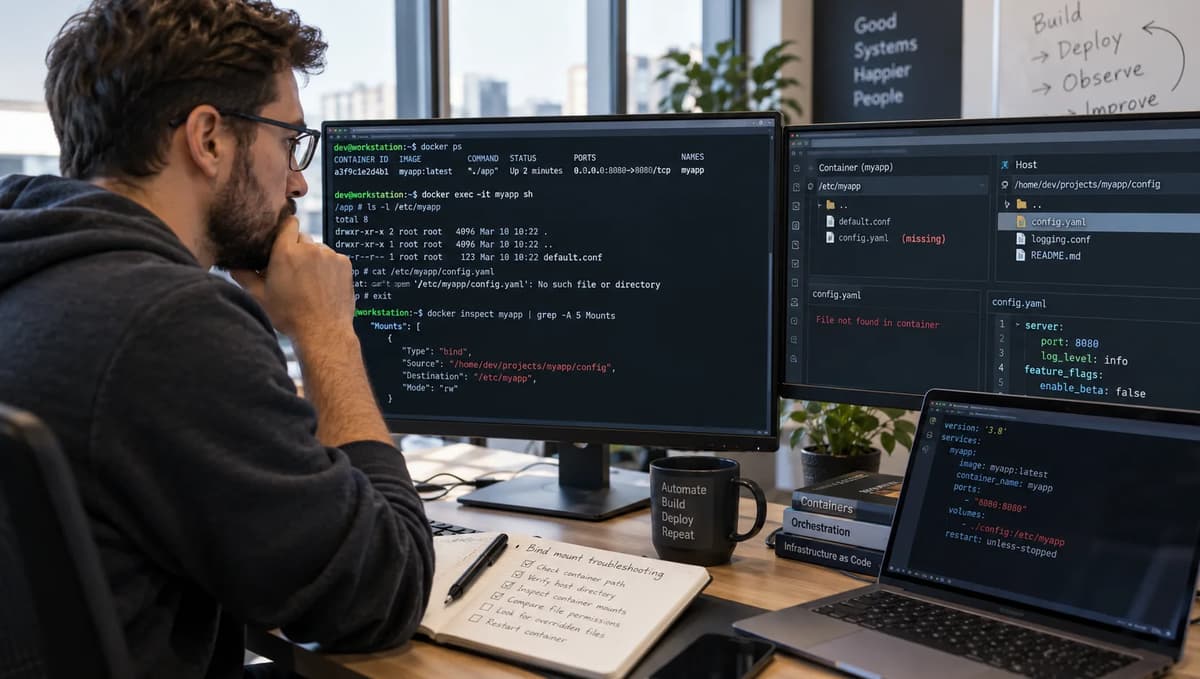
Separate baked contents from the runtime view
In Docker, a container’s runtime filesystem can be very different from the image contents. A file baked into the image can be hidden at runtime by a bind mount from the host. Thus seeing an empty path inside the container does not mean the image lost that file; it may simply be obscured. Our playbook collects four pieces of evidence for each container run: which Docker daemon host is used, the absolute host directory (the bind source), the container’s Mounts metadata, and the bytes read by the application. Only the combination of these four facets confirms what was actually in play.
For example, a Docker CI/CD pipeline might build an image with a configuration file, push that image to a registry, and then deploy it to a cluster. Any troubleshooting of a missing file must tie back to the container image and the deployment step. We do not repeat the full “DevOps toolchain” tutorial here, but we acknowledge that a container run is typically part of a larger workflow. In our focused lab, we keep the image and its output fixed, and alter only the bind mount at runtime. The application will print its config path, contents, and SHA-256 hash; we compare those to the expected values from the image (or from the approved host content). A readable “app.conf” in the image is one claim, but approved configuration on the host is another. They yield different accept/repair decisions.
Establish the local daemon and owned filesystem boundary
All bind mounts refer to directories on the Docker daemon host, not the client machine. First confirm you are on a local Linux Docker context. For example, on a typical Linux host:
$ docker context show
default
$ docker context ls
NAME        DOCKER ENDPOINT
default     unix:///var/run/docker.sock
The above shows the “default” context pointing to the local daemon socket. In other words, CLI commands go to /var/run/docker.sock. If this were a remote or Docker Desktop context, the endpoint would differ. Next check Docker versions to ensure our assumptions hold:
$ docker versionA sample output (client and server) might show Docker Engine 25.x, for instance. We expect a local Docker Engine running on Linux. If the context is not local, or if the user does not own the source directory on that daemon host, pause the experiment. We must establish ownership: create a fresh temporary root directory on that same host. For example:
$ BASEDIR=$(mktemp -d)
$ REALBASEDIR=$(cd "$BASEDIR"; pwd -P)   # e.g. /tmp/tmp.abC123Xy
$ ls -ld "$REALBASEDIR"
drwx------ 2 user user 40 Oct  2 12:00 /tmp/tmp.abC123Xy
The REALBASEDIR is on the Docker host filesystem and is empty. We will create all test directories under it. Use no colon or comma in the path, and record the absolute path (here $REALBASEDIR). All mount sources in this lab must be subdirectories of this owned path, ensuring no ambiguous host involvement.
Prove the source belongs to the daemon host
Before proceeding, verify each test path on the host itself. For example, define and check:
$ EMPTY=$REALBASEDIR/empty
$ APPROVED=$REALBASEDIR/approved
$ TYPO_V=$REALBASEDIR/typo-v
$ TYPO_MOUNT=$REALBASEDIR/typo-mount

$ mkdir "$EMPTY"   # an existing empty directory
$ mkdir "$APPROVED"
$ echo "mode=APPROVED" > "$APPROVED/app.conf"   # approved content
$ [ -d "$EMPTY" ] && echo "EMPTY exists (should be empty)"
$ [ -d "$APPROVED" ] && ls "$APPROVED"
$ [ ! -e "$TYPO_V" ] && echo "TYPO_V does not exist"
$ [ ! -e "$TYPO_MOUNT" ] && echo "TYPO_MOUNT does not exist"Expected results: $EMPTY is an empty dir, $APPROVED contains app.conf with mode=APPROVED, and both typo paths are absent. These preconditions confirm the host state. Only after verifying these (and recording the outputs) do we create containers. If any precondition is off (e.g. a typo path already exists), correct it before continuing. This guarantees we know exactly which host directory will be mounted.
Build one synthetic configuration image
We use a small base image with a shell, cat, and sha256sum. For example, Ubuntu 22.04 LTS (or a similarly minimal Linux image) fits this requirement. Ensure it is already pulled locally. In the build context (on our host), create the following three files:
# app.conf
mode=BAKED
# run.sh
set -eu
config=/opt/app/config/app.conf
printf 'configuration-path=%s\n' "$config"
cat "$config"
sha256sum "$config"# Dockerfile
ARG BASE_IMAGE=ubuntu:22.04
FROM ${BASE_IMAGE}
COPY app.conf /opt/app/config/app.conf
COPY run.sh /opt/app/run.sh
ENTRYPOINT ["/bin/sh", "/opt/app/run.sh"]app.conf is the baked configuration (here just the line mode=BAKED\n).
run.sh prints the config path, cats the file, and prints its SHA256 hash (with a trailing newline considered).
The Dockerfile uses ARG BASE_IMAGE; it does not install anything additional.
Build the image with a tag and capture its ID in an iidfile:
$ docker build --iidfile image_id.txt -t bindmount-test .
$ image_id=$(cat image_id.txt)
Record BASE_IMAGE=ubuntu:22.04 (or whichever base was used) and the resulting image ID ($image_id). The test container will always use this exact image ID (no rebuild between arms). Now we have an immutable baseline: any output from the image without mounts should be identical.
Demonstrate the no-mount and empty-mount difference
With the image built, run two arms without changing the image. First, Arm A (no mount): create and start the container normally, with no volume or bind flags:
$ docker create --name armA -l testlab=bind2 bindmount-test
$ docker start --attach armA
Expected output (stdout) shows:
configuration-path=/opt/app/config/app.conf
mode=BAKED
<hash-of-"mode=BAKED\n">  /opt/app/config/app.conf
The container prints the path and the baked content, followed by the SHA-256 of the bytes mode=BAKED\n. The exit code should be 0 (successful). Next, inspect the container’s mounts:
$ docker inspect armA --format '{{json .Mounts}}'Since no bind was used, .Mounts should be an empty array ([]). This confirms we saw the file from the image itself. Keep the logs of Arm A as evidence of the baked-file output. Do not use this run alone to assume the file was absent later; it simply shows the image contains that file.
Now Arm B (empty bind): use --mount to bind-mount the empty host directory at the container config path in read-only mode:
$ docker create --name armB -l testlab=bind2 --mount type=bind,src="$EMPTY",dst=/opt/app/config,readonly bindmount-test
$ docker start --attach armB
The container’s run.sh will still try to read /opt/app/config/app.conf, but the bind of $EMPTY hides the image’s file. Expected output:
configuration-path=/opt/app/config/app.conf
cat: /opt/app/config/app.conf: No such file or directory
Here, cat fails because $EMPTY/app.conf doesn’t exist. The SHA256 line will not appear (the script exits on error due to set -e), and the exit code should be nonzero (e.g. 1). This matches the documentation: a bind mount into a non-empty container directory obscures the pre-existing files, rather than deleting them. Docker’s docs even warn that there is “no straightforward way to remove a bind” from a running container; the file is hidden, not removed.
Inspect Arm B:
$ docker inspect armB --format '{{json .Mounts}}'This should show one mount entry: Type = "bind", Source = the full host path of $EMPTY, Destination = "/opt/app/config", and RW = false (because we used readonly). Keep this inspect JSON. The evidence for Arm B: the container logs show the path and missing-file error, and inspect shows the bind mount from the empty host directory.
Distinguish obscured files from deleted image contents
Comparing Arm A vs Arm B highlights a key distinction: the absence of app.conf in Arm B is due to the bind, not because the image lacked it. If one only inspected the container’s filesystem, one might wrongly think the image was built incorrectly. Instead, we know from Arm A that the image has mode=BAKED. The bind mount effectively “hides” it. In practice, to reveal the baked file, you could remove the mount (or use Arm A), but that is only valid if the baked value (BAKED) is what you want. If the real-world contract is to use the approved host config, then obscuring the baked file is part of the failure, not a bug in the build. This separation of baked vs runtime view is crucial before taking any action.
Test a missing source with -v and --mount
Next we test two ways of specifying a non-existent source. Both use readonly binds:
Arm C (absent source with -v): using the legacy -v syntax on a path that does not exist, e.g. $TYPO_V. By default -v will create that directory on the host if needed. We ensured $TYPO_V was absent. Run:
$ [ ! -e "$TYPO_V" ] && echo "TYPO_V is absent (precondition verified)"
$ docker create --name armC -l testlab=bind2 -v "$TYPO_V":/opt/app/config:ro bindmount-test
$ docker start --attach armC
The first line confirms the precondition. Then, Docker will automatically create "$TYPO_V" as an empty directory on the host (visible after the run). The container is created and started. Its output should be the same as Arm B: cat cannot find the file, so:
configuration-path=/opt/app/config/app.conf
cat: /opt/app/config/app.conf: No such file or directory
The exit code is nonzero. Inspecting the host after Arm C:
$ [ -d "$TYPO_V" ] && echo "Host directory created by -v"
$ ls "$TYPO_V"
We should see that $TYPO_V now exists and is an empty directory (no app.conf). This is the host-side creation behavior of -v (bind) defaults. Inspecting the container:
$ docker inspect armC --format '{{json .Mounts}}'This shows a mount of type "bind", with Source equal to the newly created $TYPO_V path, Destination /opt/app/config, and RW=false. The evidence for Arm C is nearly identical to B’s, except the source directory was auto-created. The key difference is that we did not create the host dir ourselves before; Docker did so. Nevertheless, from the container’s perspective it’s just an empty bind mount like Arm B.
Arm D (different absent source with --mount): now try the new --mount syntax on another non-existent path ($TYPO_MOUNT). By default, --mount type=bind does not create the source directory if it’s missing. We first ensure $TYPO_MOUNT is absent:
$ [ ! -e "$TYPO_MOUNT" ] && echo "TYPO_MOUNT is absent (precondition verified)"
$ docker create --name armD -l testlab=bind2 --mount type=bind,src="$TYPO_MOUNT",dst=/opt/app/config,readonly bindmount-test 2>&1
Since $TYPO_MOUNT does not exist, Docker will reject this mount. We expect an error like:docker: Error response from daemon: invalid mount config for type "bind": bind source path does not exist: /tmp/tmp.../typo-mount.
The exit code from docker create itself will be non-zero (often 1 or 125). No container is started or created. There is no armD container to inspect or to produce logs. The evidence here is the failure message. It matches the documentation:
“If you use --mount to bind-mount a file or directory that does not yet exist on the Docker host, Docker does not automatically create it and instead produces an error.”
We do not proceed to start or inspect armD because the container was never made. This demonstrates the difference: -v quietly made the directory (as in C), whereas --mount flagged it as an error (as here).
Keep the two nonexistent-source preconditions independent
Note that we used two distinct paths (typo-v and typo-mount). This prevents the behavior of one test from interfering with the other. If we had reused the same path for both, the first step (Arm C) would have created it, and Arm D might erroneously succeed or test the wrong default. By isolating them, we validate the true defaults of -v and --mount. In summary, Arms B and C both ran but had no file, Arm D could not even create a container.
Reconcile the inspected mount with the approved directory
Collect the mount metadata from each container (Arms A, B, C, E) and compare to the known host paths. The docker inspect ...Mounts output includes fields: Type, Source, Destination, and RW. For example, after the above steps we could format inspect as:
$ docker inspect armB --format 'Type={{.Mounts.[0].Type}} Source={{.Mounts.[0].Source}} Dest={{.Mounts.[0].Destination}} RW={{.Mounts.[0].RW}}'We find:
Arm A: no mounts (empty Mounts list).
Arm B: Type=bind, Source=$EMPTY, Destination=/opt/app/config, RW=false.
Arm C: Type=bind, Source=$TYPO_V, Destination=/opt/app/config, RW=false.
Arm E (next section) will show Source=$APPROVED.
Collecting this in a table clarifies the contrasts:
Arm | Image ID | Mount Source | Type | Destination | RW | File Content Observed | Exit |
A | <image_id> | (no mount) | n/a | n/a | n/a | mode=BAKED (from image) | 0 |
B | <image_id> | $EMPTY (empty dir) | bind | /opt/app/config | false | (no file, error) | ≠0 |
C | <image_id> | $TYPO_V (created) | bind | /opt/app/config | false | (no file, error) | ≠0 |
D | n/a | N/A | N/A | N/A | N/A | (create error, no run) | create error |
E | <image_id> | $APPROVED (populated) | bind | /opt/app/config | false | mode=APPROVED (host file) | 0 |
Each <image_id> is the same value (from our build). The critical comparison is between Mount Source and the directory we intended. For Arms B and C, the source is not $APPROVED; those containers were bound to wrong hosts (empty or wrong path). Arm E (below) will show $APPROVED. We also see that RW=false in all cases since we used readonly binds. This means the container could not write to the host directories (consistent with Docker’s bind-mount documentation). The RW flag only governs container writes, not host-side changes; we assume no one else was modifying these paths during the test. Collect this inspect output for our records; it ties each container run to exactly which host directory was mounted.
Require the application to read approved bytes
Finally, we test the correct case. Arm E (approved populated bind): bind-mount the $APPROVED directory which contains mode=APPROVED.
$ docker create --name armE -l testlab=bind2 --mount type=bind,src="$APPROVED",dst=/opt/app/config,readonly bindmount-test
$ docker start --attach armE
Expected output:
configuration-path=/opt/app/config/app.conf
mode=APPROVED
<hash-of-"mode=APPROVED\n">  /opt/app/config/app.conf
The application reads the host’s app.conf and prints its contents and SHA256 sum. The exact hash is the SHA256 of the bytes mode=APPROVED\n (which we can compute independently). The exit code should be 0. Inspecting this container shows Source=$APPROVED, confirming the mount was as intended. The application’s content (mode=APPROVED) and hash should match what we expect from the host file. For example, if one computes:
$ echo -n 'mode=APPROVED\n' | sha256sumthe output is the expected hash for mode=APPROVED. Our run’s second line should exactly match it. This proves that the container truly read the approved config from the host.
No other content or error message appears; Arm E cleanly succeeded. Its evidence (log and inspect) is collected separately. We also retain Arm A’s output as a control: it shows the image’s baked file (mode=BAKED and its hash). Arm B/C show that the baked file was inaccessible, but Arm E shows the host’s file instead. Together, these five arms fully characterize the behavior.
Do not accept a running container as a configuration check
Note: we rely on the application’s own output and exit status, not on a generic “container is running” signal. In real deployments, you might see the container’s health or a metric (e.g. via Prometheus/Grafana) to infer that the app loaded. However, as the Prometheus and Grafana monitoring tutorial notes, metrics are a separate evidence layer. Metrics can tell you an app is alive, but not what file it read. Here, the only definitive evidence is in the logs (stdout) and exit code of our finite run.sh program. We explicitly capture and verify those values. Do not rely on “it didn’t crash” or a stopped container being present as proof.
Interpret read-only scope without overclaiming stability
Every bind we used was declared readonly. This means the container process could not modify the host’s directory or file, but it also means the container could not mask any missing permissions issues by writing. In our controlled lab, we keep the host config owned by us and not modified by anything else, so permissions should not block reading. Note that RW=false in the inspect output only speaks to container writes: it does not protect against someone on the host changing the file at runtime. We exclude any such concurrent modifications from this test. In short, the readonly flag just ensures our test container sees the host filesystem without alteration. The observed missing-file errors are not due to write protections, but simply because there was no app.conf in the mounted host directory or it was hidden by the mount.
Keep bind mounts separate from named-volume behavior
It is important not to confuse bind mounts with Docker volumes. With a bind mount, the container sees exactly the host directory content (no automatic copying from the image). Docker’s docs clarify that if you mount an empty volume over a directory in the image, Docker will copy existing files from the image into that volume by default. That copy-up behavior does not happen with a bind mount. In our context, if we had accidentally used a named volume instead of a host bind, an empty volume would be populated with mode=BAKED from the image, making the file visible in the container (this is a feature of volumes). But since we use bind mounts, the host’s empty dir stays empty and the image’s file stays hidden. Switching from --mount type=bind to --mount type=volume mid-experiment would change the semantics entirely (and is not part of our test).
Moreover, notice that our --mount binds all had readonly. This prevents the container from writing to the host config. We deliberately avoid any shortcuts like using chmod or privileged flags to “fix” permission issues; such actions are out-of-scope security workarounds. We exclude any environment-specific failures: if the container cannot read a file due to permissions or SELinux on the host, the test lab should be paused rather than overriding the system. The key is that our lab focuses on mount identity and visibility, not on making the container writeable. For completeness, automated DevSecOps practices would include scanning the container image itself for configuration vulnerabilities, but that only checks the image layers (and would find the baked file); it does not inspect what the host bind provides at runtime. Thus we treat bind mounts as requiring this dedicated check.
Hold environment-specific permission failures safely
Finally, note that any permission or SELinux mismatch preventing file access is not fixed here. If the container fails due to host-side permissions, do not proceed with sudo hacks. Instead, treat it like a “hold”: address host permissions separately outside this playbook. For example, if /opt/app on the image were owned by root and a bind fails, that would need a separate host fix. Our scenario assumes a correctly set up host directory ($APPROVED owned by the same user). If not, skip or repair that outside scope; do not confuse it with mount/source logic.
Recreate the container with the reviewed source contract
Once the correct source has been identified (as in Arm E), the fix is straightforward: launch a new container with that bind. In practice, repair means recreate the container, not alter a running one. For example, if an operation requires the approved host config, stop and remove the faulty container and make a new one with the --mount to $APPROVED. For instance:
$ docker rm armB armC  # or 'docker rm $(docker ps -aq --filter label=testlab=bind2)' to target our lab containers
$ docker create --name armFixed -l testlab=bind2 --mount type=bind,src="$APPROVED",dst=/opt/app/config,readonly bindmount-test
$ docker start --attach armFixed
This new container should now print mode=APPROVED (and its SHA256) just like Arm E. We do not attempt to “unmount” or modify an existing container. If the intended configuration was to use the baked value, one could redeploy without any bind (like Arm A); but that is a different contract. Here, since “APPROVED” on the host is the desired config, the rollback is this new container. We keep the old stopped containers (e.g. Arm B/C) around as evidence. We do not delete or truncate the host directory contents as a fix. Only by replacing the container deployment do we achieve the correct state.
Capture an evidence bundle for every arm
For thoroughness, compile all results from the above steps. The evidence should include:
Docker context and versions: output of docker context show and docker version. (Example: context default with endpoint unix:///var/run/docker.sock, Docker Engine 25.x).
Base image: the reference (ubuntu:22.04) and its image ID.
Application image ID: from image_id.txt (same for all arms).
Host preconditions: listing of each path under $REALBASEDIR, their existence and contents, as we did.
Container creation commands and labels: which flags were used for each arm (-v vs --mount, src/dst, name).
Command exit statuses: especially note nonzero exit for Arm B, C, D (creation error for D, run errors for B/C).
docker inspect JSON: the full mount entry (or empty) for Arms A, B, C, E. Record the fields Type, Source, Destination, RW (we already summarized).
Container logs (stdout/err): what each run.sh printed or error it produced. (Arms A/E should have 3 lines each; B/C have path+error; D has the create error).
File digests: the expected SHA256s for mode=BAKED\n and mode=APPROVED\n (computed offline) and the matching output from Arms A/E.
Cleanup manifest: list which containers to remove (armA, armB, armC, armE etc) and to delete the $REALBASEDIR.
To illustrate, our table above concisely shows the essential inspect and output summary. We also store the raw docker inspect and docker logs outputs (not all pasted here). Having both the JSON and the CLI output ensures we don’t rely on one format only. For Arm D, note in the evidence that “Arm D creation failed with error about missing source path”. This is evidence in itself.
All these pieces together let us “reconcile” what happened in each arm. For example, we see that Arms B and C ran the same image ID as A/E (so no rebuild changed the app), but their Mounts[0].Source was not $APPROVED. The logs confirm they read nothing. Thus the table entries must match: correct source (APPROVED) leads to correct content (mode=APPROVED); wrong or empty source leads to no content (and failure). If any discrepancy arises (say an inspect showed a different image ID, which shouldn’t happen), that would warrant a repeat or pause. Here all fields line up as expected per Docker’s documentation for bind mounts and volumes.
Decide whether to accept, repair, hold or reject
Based on the evidence, we map the situation to one of four decisions:
ACCEPT the verified runtime source: If the container is reading exactly the approved content and everything matches. In our case, Arm E should be accepted. The mount type is bind, Source=$APPROVED, the application prints mode=APPROVED and the SHA256 matches the expected “APPROVED” digest. The image ID is known and the only output is from the host file. This satisfies the configuration contract. From Docker’s bind-mount documentation, we know a mount can hide files, but here we see the correct file. We accept because all relevant fields align: host path, mount metadata, content and hash.
REPAIR and recreate the container: If the container started but did not read the correct file, yet the situation can be fixed by using the right host source. For example, Arms B and C ran (exit code ≠0) but had no app.conf. We saw in Arm A that the image did have the file baked, and we know what the approved file should contain. So the fix is to point the mount at $APPROVED. In practice, we would repair by stopping the container and launching it again with --mount=src="$APPROVED". In other words, recreate with the proper bind. Note we consider this a repair, not a failure: nothing unsafe happened except a configuration mismatch. Also, in Arm B and C, the host $APPROVED was already set up, so we don’t even need to create or copy files; just use it. The evidence shows the source was empty or wrong; the remedy is clear and deterministic.
HOLD an unknown mount source: If the source directory exists but is unexpected, or if we cannot trust the context, we pause. In our scenario, none of the mount sources were “unknown” data-wise: $EMPTY and $TYPO_V were known empty dirs we created, $TYPO_MOUNT was absent. However, imagine a variation: what if the mount path on the host pointed to some directory with unknown contents? We would “hold” and inspect that directory manually before accepting or rejecting. For our test arms, one might say Arm C’s auto-created dir $TYPO_V is an “unknown new source” (though we know it’s empty). If $TYPO_V had other files, we would treat it as suspicious; hold to investigate. In general, unknown or unintended host sources should not be blindly trusted. We might verify their contents against policy first. (In our case, $TYPO_V is known empty, but if this were production, one might still double-check no one else wrote a file there.)
REJECT an unsafe or missing source: If the container could not start due to a missing bind or other illegal configuration, reject that deployment. For example, Arm D failed to create because the source path didn’t exist. That indicates a typo or mis-specification in the mount flag; the container never ran. Such a deployment is unsalvageable without changing the source path. It should be flagged as a rejected configuration (or held until the path is corrected). We do not accept a container that never ran, nor do we automatically recreate it here; the operation failed outright. The documentation’s failure message is evidence enough.
In short, each container is mapped: Arm E→Accept, Arm B/C→Repair, Arm D→Reject (with a note to correct the mount), and even Arm A by itself would be a Reject or Repair in a host-config-required scenario because it didn’t use the host source at all. (If, conversely, the policy was to use the baked file, then Arm A would be Accept and others Repair/Reject accordingly. The key is “approved source” vs “baked image” as the contract.)
Recover only to an explicitly approved prior source
A final note on rollback: if somehow we wanted the baked value instead of the host config, we should explicitly declare that. Removing the bind (as with Arm A) does reveal mode=BAKED, but that is only a valid “restore” if BAKED was the known good config. One cannot simply “reveal baked file again” as a fix when the approved host file is missing. The rollback path must always target a previously validated config (image or host) and create a fresh container accordingly. We do not permit in-place fixes like deleting the host directory or modifying the container state. All recovery is via new deployment with a known-good source. This mirrors how rolling back to a prior tested image would work in deployment pipelines.
Assign release and cleanup ownership
Who should handle each part of this? In a real organization, the responsibilities are usually split:
Application owners/Dev team: They built the image and define what config should be used. They verify the image contents (Arm A shows the baked file). They typically own the content of app.conf and approve its bytes. In our lab, they would compute the expected SHA256 for mode=APPROVED as part of the acceptance criteria.
Ops/Platform team: They manage the Docker host and filesystem. They create the $APPROVED directory on the host (or ensure it exists and has correct content). They also run the containers on the daemon. They are responsible for confirming the Docker context and managing mounts. Essentially, they set up the boundaries and run the commands.
DevOps/QC team: They conduct the actual checks and enforce policy. They gather the evidence above and make the Accept/Repair/Hold/Reject decision based on documented criteria. For example, if a CI/CD pipeline fails the deploy step (similar to our Arm D), the DevOps engineer should catch that error and not proceed, logging it as a reject. If a nonzero exit is seen (Arm B/C), they should replace the container (repair) rather than ignore it.
For cleanup: after the review is complete, the person running these tests (often a QA or release engineer) should remove only the resources they created. For example:
$ docker rm armA armB armC armE armFixed
$ rm -rf "$REALBASEDIR"
We do not perform docker system prune or remove unrelated containers/images. Only the specific containers and the temporary directory are deleted (since they were labeled or named explicitly). Ownership of the content (like $APPROVED/app.conf) may remain with the application config repository or ops team.
Also, on any change (context, mount paths, image version), revalidate. If someone updates the container image (a new release), one must run this entire checklist again with the new image ID. If the host directory changes (different path or new cluster), re-run the verification. The evidence steps are repeatable safeguards; treat them as part of the release gate.
Strengthen the surrounding DevOps foundations
This diagnostic is a deep-dive into Docker bind mounts, but it relies on solid foundations in Linux and container workflows. The Refonte Learning DevOps Engineer Program covers exactly these fundamentals: Linux scripting, containerization with Docker (and Kubernetes), CI/CD pipelines, and monitoring. For example, learning to “Containerize with Docker & Kubernetes” and “Monitoring and Logging Tools” helps one understand both how containers are built and how they can be observed at runtime. Similarly, the program’s focus on Infrastructure as Code (like Terraform) and cloud platforms is the broader context in which this lab lives. For DevOps practitioners aiming to master such topics, Refonte’s DevOps Engineer Program provides structured training. It teaches how to build container images, automate deployments, and verify them, all skills needed to apply this bind-mount playbook in real scenarios.
For the broader Linux, container and delivery skills surrounding this diagnostic, review Refonte Learning’s DevOps Engineer Program. This program covers Docker, Kubernetes, CI/CD and more, giving context to the container development and deployment practices used here.