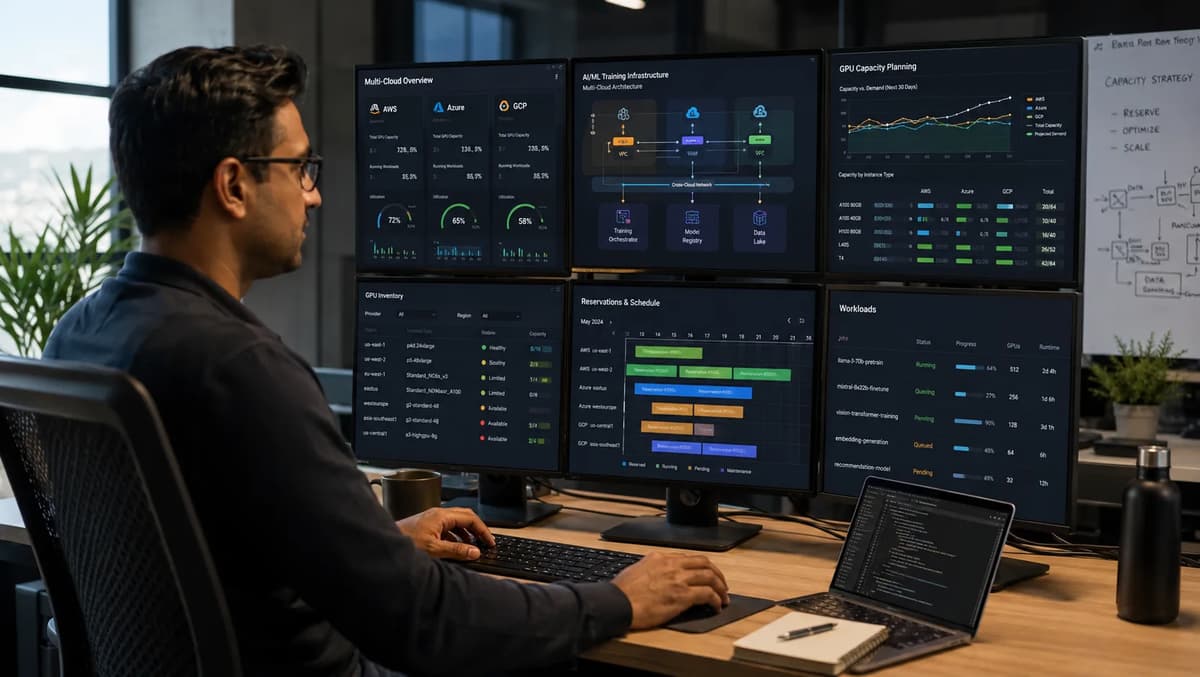
Trying to spin up a large AI-training VM and hitting an “insufficient capacity” error is a rite of passage for modern cloud engineers. After 9+ years provisioning on AWS, Azure, and GCP, I know that GPU and accelerator capacity is now scarce enough that reserving it is a distinct skill. Each cloud offers a unique reservation system, but each has its quirks. In this article we’ll show how AWS, Google Cloud, and Azure each solve the GPU-scarcity problem, where each system’s limits lie, and how a savvy multi-cloud engineer plans around them. We’ll also explain why this fits into broader Infrastructure-as-Code practice and even talk about how this specialized know-how can boost your cloud-engineering career. Along the way, we’ll reference the Refonte Learning Cloud Engineering Program for context: it covers foundational topics (like IaC and cost optimization) that prepare engineers to face these issues, even if it doesn’t teach “GPU capacity reservation” by name.
Why GPU Capacity Became a Provisioning Problem
Surging demand. The explosion of generative AI and large-model training has driven unprecedented demand for GPUs and AI accelerators. Deep learning model sizes have grown from millions to trillions of parameters, and cloud training runs now routinely use dozens or hundreds of GPUs. Every major vendor is flooding the market with new GPU instance families (A100, H100, H200/Blackwell, Trainium, etc.), but supply is still catching up to demand.
Limited supply. Accelerated computing hardware takes time to manufacture and install. Even as NVIDIA and AMD ramp up production, cloud data centers must install new servers, power, and networking for each generation. Geopolitical supply issues and chip shortages don’t help. Cloud providers can’t instantly add massive GPU capacity on demand; they need advance planning.
One-day demand spikes. Often teams need dozens of GPUs for a short model-training run. On-demand (“just spin it up”) often fails because capacity is tied up. For example, I’ve launched a test training job only to see Azure or AWS report “no available GPUs” even though I needed fewer than my quota. These bottlenecks happen when everyone tries to train big models at once.
No more hot-switch reserves. In the past, engineers could sometimes bypass shortages with spot instances or by juggling around quotas. But for big training jobs, spot volatility or capacity errors can ruin runs. Now providers have built explicit reservation tools so you can plan ahead.
Related skills. Alongside modernizing chip architecture (e.g., AWS Graviton5: What ARM Migration Means for Cloud Engineers), cloud engineers must master GPU capacity procurement. This is a new kind of skill under the broader umbrella of cloud cost and resource planning. Next, let’s explore each cloud’s reservation system in detail.
AWS EC2 Capacity Blocks for ML, Explained
Amazon’s answer to GPU scarcity is EC2 Capacity Blocks for ML, a feature introduced in 2025. It lets you reserve a block of GPU/accelerated compute in advance. In practice, you pick an instance family and cluster size (1 to 64 VMs) inside an EC2 UltraCluster, and schedule the whole block for a future date. Key points include:
Instance families covered: AWS exposes Capacity Blocks for select GPU instance types: P6e-GB200, P6-B300, P6-B200 (all NVIDIA Blackwell GPUs), P5/P5e/P5en (NVIDIA H100/H200, depending on subfamily), P4d (NVIDIA A100), and AWS’s Trainium instances (Trn1/Trn2). In effect, this covers the major AWS AI-training VMs up through H100/A100 generations (see below).
Cluster sizes: You can reserve from 1 up to 64 instances as a unit. That means up to 512 GPUs or 1,024 Trainium chips per block. All instances in a block are provisioned together on an EC2 UltraCluster (low-latency, high-speed fabric).
Scheduling window: Reservations can be made up to 8 weeks (56 days) in advance. You can set a specific start date. Each block can last up to 6 months (182 days).
Pricing: Capacity Blocks use dynamic pricing. You pay an upfront fee (the price is locked in) based on supply and demand at purchase time. In other words, prices fluctuate with current demand for those GPUs.
Billing: The total block cost is charged up front, but you only run VMs when needed. Any unused block time is paid (like a reservation), but you can plan exactly when to use it. AWS also allows sharing capacity blocks across accounts for team projects.
The main benefit is predictable capacity. Once your block is scheduled, AWS guarantees those GPUs will be available at your start time. A user testimonial notes: “Availability of up to 512 NVIDIA H100 GPUs via EC2 Capacity Blocks is a game-changer.” By contrast, launching on-demand could fail on short notice. AWS’s approach is similar to Reserved Instances but specialized for short-term ML workloads.
What Instance Families Are Actually Covered
AWS’s Capacity Blocks support a specific list of GPU/accelerator families. In practice, the covered families are:
P6e-GB200 (UltraServers). The newest “UltraServer” class accelerated by NVIDIA Grace Blackwell (GB200) SuperChips. These are extremely high-end (up to 72 GPUs per UltraServer). EC2 Capacity Blocks supports P6e-GB200 UltraServer instances, currently available only in the Dallas Local Zone, via the UltraCluster Capacity Blocks.
P6-B300 and P6-B200 (Blackwell GPUs). AWS launched P6-B200 (8x NVIDIA Blackwell GPUs per instance) in May 2025, and P6-B300 (8x NVIDIA Blackwell Ultra B300 GPUs) in Nov 2025. Both are covered by Capacity Blocks. These handle large distributed FM (foundation model) training.
P5, P5e, P5en (H100 GPUs). These are previous-gen 8x NVIDIA H100-GPU instances (P5 family launched in 2023). They remain supported.
P4d (A100 GPUs). AWS’s 8x A100 instance family (P4d) is supported as an older baseline for large AI.
Trainium (Trn1/Trn2). AWS’s custom AI accelerators (Trainium) have block support: Trn2.3xlarge, Trn2.48xlarge, and Trn1.32xlarge are listed.
In summary, all current high-end GPU families up to H100/A100 plus Trainium are block-reservable. Critically, AWS has already added the latest hardware (Blackwell GPUs) to Capacity Blocks. For example, the P6-B200 blog notes you can reserve them via Capacity Blocks. The AWS documentation explicitly lists support for the exact instance types above in supported regions. This is why startups building AI on AWS praise the “availability of up to 512 H100 GPUs” via blocks.
How Far Ahead You Can Actually Reserve on AWS
AWS allows fairly flexible scheduling of Capacity Blocks. Key limits are:
Lead time: You can schedule a block up to 8 weeks (56 days) ahead. That means you must plan roughly two months in advance.
Block duration: Each block can run from 1 day up to 182 days (about 6 months). In the console or CLI, durations are expressed as specific buckets: 1 to 14 days, 21 days, 28 days, or multiples of 7 up to 182 days. For example, you can request a block for exactly 30 days, or any 7-day multiple, up to 182.
Cluster size: Each block can cover 1 to 64 instances (up to 512 GPUs). You can have multiple overlapping blocks up to a total of 256 instances reserved across all your blocks.
Booking constraints: When you create a block, AWS immediately checks if capacity is available. If it is, the block is scheduled (guaranteed to exist). If not, the reservation fails (so plan early). Once purchased, the block’s price is set and doesn’t change even if market prices later rise.
In practice, AWS’s eight-week window means short-notice needs (like needing GPUs tomorrow) still may fail. Engineers should check block availability weeks in advance when they know they have a big run. A useful feature: you can choose a start date down to the day (a block can start, say, 2026-09-15), giving predictability. As one user put it, knowing you can get a cluster “within a couple days and without a long-term commitment has been game-changing.”
In the EC2 console, after selecting Capacity Reservations, you can pick “Purchase Capacity Blocks for ML” and specify the instance type, quantity, and dates. The UI then shows which dates have availability. AWS’s user guide has a detailed process.
GCP’s Dynamic Workload Scheduler
Google Cloud’s approach is Dynamic Workload Scheduler (DWS), a Borg-based resource scheduler launched in late 2023. Unlike AWS’s block-based reservation, DWS provides both flexible queues and calendar reservations for GPUs/TPUs. Key points:
Two modes: DWS has Flex Start and Calendar modes. Flex Start is a “pay-as-you-go” queue where you request capacity and the system provisions VMs once available. Calendar mode is a fixed-reservation system (currently 7- or 14-day blocks, up to 8 weeks in advance). We’ll detail these below.
Resources covered: DWS works for both NVIDIA GPUs and Google TPUs. It integrates with GCP services, so you can request, say, 8 A100 GPUs or 8 TPU v4 chips. It’s a general solution for any high-demand accelerator.
Integration: DWS is integrated into many GCP products. You can use it via Compute Engine (instance groups/MIGs), Google Kubernetes Engine (GKE) with the ProvisioningRequest API and Kueue, Vertex AI training jobs, and Cloud Batch. In fact, DWS powers the back end for Vertex AI’s hyperparameter tuning or custom training, and Kubernetes schedulers like Kueue can automatically queue pods until GPUs are free. We’ll cover this integration separately below.
History: DWS was announced Dec 6, 2023. It builds on Google’s internal scheduling from its own AI fleet. By 2026, it’s a mature tool that cloud engineers use regularly for GPU queuing, not a brand-new beta.
In short, DWS gives GCP users flexible scheduling of scarce GPUs. Flex Start is akin to “waiting in line” until a GPU cluster frees up. Calendar is a true reservation (with set start date). Both complement on-demand instances.
Flex Start vs. Calendar Mode
DWS’s Flex Start and Calendar modes address different needs:
Flex Start mode: This is for flexibility and “best effort” allocation. You submit a capacity request with the number/type of GPUs/TPUs you need, a duration (up to 7 days), and a preferred region. DWS then persists that request in its queue. As soon as enough capacity opens up, it automatically provisions the VMs and runs your job for the whole duration. You pay only for the time actually used; if your job finishes early, you stop the VMs without paying more. There is no minimum reservation time. Typically short requests (minutes to hours) get filled quickly. This is essentially “on-demand” but with an automated backfill: rather than manually refreshing until GPUs appear, DWS does it for you. (You might use Flex Start for quick experiments or fine-tuning jobs where start time is flexible.)
Calendar mode: This is the formal reservation option (currently in preview). You specify a start time, a duration (7 or 14 days), and the number of GPUs. Calendar reservations can be made up to 8 weeks in advance. If capacity is available, GCP confirms the reservation and guarantees the GPUs on your chosen start date. Your VMs can then be tied to that reservation at launch. At the block’s end, the reservation automatically ends. Think of Calendar mode as “buying a seat on a known flight date”; once booked, those GPUs are yours for that period.
Below is a quick comparison table of the two modes:
Feature | Flex Start (DWS) | Calendar (DWS) |
Reservation type | On-demand queue (best-effort provisioning) | Fixed start-date reservation |
Duration | Up to 7 days | 7 or 14 days |
Lead time | None (fulfills as soon as available) | |
Payment | Pay-as-you-go (only for actual VM runtime) | Upfront for the block (like reserved) |
Guarantees | No guaranteed start time (queued) | Guaranteed at start if confirmed |
Use case | Flexible experiments, short training runs | Scheduled long trainings, batch jobs |
Both modes use Google’s pricing. Flex Start follows standard pay-as-you-go VM rates (you pay hourly for the VMs actually running). Calendar mode pricing details aren’t published widely yet, but you pay for the reserved block (likely at known rates). Unlike AWS’s dynamic market pricing, Google’s model is simpler and usage-based.
How DWS Integrates With GKE, Vertex AI, and Kueue
Dynamic Workload Scheduler is built into Google Cloud’s stack, so you can use it through multiple interfaces. Key integrations include:
Compute Engine (MIGs): You can create a Managed Instance Group (MIG) with GPUs and enable “queued provisioning” on it. DWS will then schedule instances in that MIG when GPUs are free. This works even for single-VM jobs: your script can label the instance group to trigger DWS.
Google Kubernetes Engine (GKE): Kubernetes can use DWS via the ProvisioningRequest API and the open-source Kueue framework. In practice, you annotate a Pod (or Job) to indicate it needs GPUs via DWS. Kueue then automatically creates a DWS capacity request on your behalf. When DWS allocates capacity, Kueue provisions a node and schedules your pods. This decouples pod scheduling from immediate availability, which is useful for ML pipelines. (For more on running ML pipelines in Kubernetes, see AI Workloads on Kubernetes: MLOps Pipelines.)
Vertex AI: If you use Vertex AI for training jobs or pipelines, DWS is already under the hood. When you submit a Vertex custom job with GPUs (or a training pipeline), Vertex can use DWS to fulfill the request. This ensures your managed AI jobs get the required GPUs when ready.
Cloud Batch: Google’s batch/HTC service can also use DWS for GPU scheduling. If you submit a large GPU batch, it will transparently request capacity via DWS.
In summary, if your workload lives in GCP (Compute, Kubernetes, Vertex, or Batch), DWS can hook into it. This makes DWS a “foundation service”: you don’t have to manually book or pay for calendars if you’re running through these platforms. It simply improves your chance of getting GPUs when needed.
Azure’s On-Demand Capacity Reservation System
Azure’s solution is different: On-Demand Capacity Reservations for Virtual Machines. Instead of ML-specific blocks, Azure provides generic VM reservations that can include GPU sizes. Main features:
Any time, no term: You reserve capacity for a specific VM size in a region (or AZ) and for a duration of your choosing. There’s no minimum term: create or delete reservations at will. You do not need a 1- or 3-year commitment (unlike Reserved Instances). You pay at pay-as-you-go rates for the reserved time.
Scope and SLA: Reservations can target a region or a specific availability zone. Once created, Azure guarantees the capacity for that VM size within the scope (region/AZ). This is backed by an SLA: if the capacity isn’t available, you get credits. In effect, it secures deployment capacity similarly to how AWS blocks do, but for any eligible VM.
GPU VM families: Crucially, not all GPU VMs are eligible. Azure’s doc (June 2026) lists which GPU VM series support reservations and which don’t.
Supported families: Many NVIDIA-based VMs are supported, including NC v3 (Intel GPUs), NCasT4_v3 (NVIDIA T4s), NCADSA10_v4, NC_A100_v4 (the AMD-based A100 series), and NV-series v3+ for visualization. It also includes newer Azure Machine Learning VM families like NVadsA10_v5, NVads V710 v5, NGads V620_v1, etc. In short, most earlier A100 and some T4/V100 classes.
Unsupported (GPU) families: ND-series (V100 GPUs), NCads H100 v5-series (the H100 VMs), HB-series, HC-series are not supported. These include Azure’s most recent heavy ML instances (ND and H100) and HPC-optimized nodes. We’ll discuss this gap next.
Deployment: You request a reservation by specifying VM size, region/AZ, and count. If Azure already has the capacity, the reservation is created immediately; otherwise it fails (so plan well). After that, any matching VM you launch will consume the reservation if specified. Both used and unused reserved capacity are billed at the same rate as on-demand VMs.
Pricing: You pay standard pay-as-you-go rates on reserved capacity. For example, reserving 10 D2s_v3 units bills you as if you were running 10 D2s_v3 VMs, even if idle. If later a VM is deployed against the reservation, you pay for that VM instead of the reservation. There’s no discount by reserving (unlike Azure Savings Plans/Reserved Instances, which Azure allows on the reservation).
Azure’s reservation system is essentially a “capacity locker” without long-term commitment. You get an SLA-backed promise of capacity at on-demand pricing. It works for many GPU VM sizes (see above), but as we’ll see, it omits some critical ones.
The GPU Families Azure’s Own System Doesn’t Cover
As noted, Azure’s reservation support explicitly excludes certain new/high-end GPU families. This means:
ND-series (V100 GPUs): The older NDv2/V100 instances are not reservable. These were Azure’s first deep learning instances.
NCads H100 v5-series: Newer NCads instances that combine AMD CPUs with NVIDIA H100 GPUs (Azure’s top ML VMs as of 2025) are not supported. This is striking because H100s are the current ML workhorse.
HB-series, HC-series: These are Azure’s HPC-optimized VMs (HB for AMD-based HPC, HC for Intel-H100 HPC), also not reservable.
In summary, Azure lets you reserve older NC/A100 and many NV-series GPUs, but not its latest NVL72x H100 or HPC machines.
Why Azure’s Coverage Gap Actually Matters in Practice
This exclusion has real impact. The ND and H100 series are precisely the machines data scientists and AI teams crave for the largest models. By not supporting them in reservations, Azure forces teams to use best-effort capacity for these instances. Practically, this means:
No guaranteed ML training capacity: If your project needs an H100-based VM on a schedule, you can’t reserve it. You must either launch on-demand (and hope capacity is free) or fallback to older machines. This undermines planning: even with an SLA, you get nothing because it’s not reservable at all.
Regional risk: Even if a region has an H100 VM available now, you have no way to lock it in. On busy days, you may find the region sold out. Some customers have reported having to switch regions or wait when ND/H100 VMs are in high demand.
Workarounds are limited: You might try contacting Azure sales to increase dedicated capacity for ND/H100, but that’s not a self-service solution. Or you might shift to AWS/GCP for H100 runs. In effect, multi-cloud teams often end up using Azure reservation for baseline needs (e.g., A100 or CPU VMs) and run the hottest ML jobs on AWS/GCP where they can reserve H100 (AWS supports H100 via P5/P5en blocks) or use GCP’s A3 H100 with DWS.
Startup advantage: AWS and GCP both offer ways to plan for H100 compute (via Capacity Blocks or DWS), but Azure only lets you try luck on-demand. For organizations banking on Azure for AI, this gap means they cannot rely on reservations to guarantee their largest model training runs.
In short, the capacity reservation gap is a “practitioner gotcha.” Azure’s documentation is clear on what’s supported, so engineers need to plan: either avoid workloads that need those excluded families on Azure, or accept best-effort and possible delays.
Comparing the Three Systems Side by Side
It helps to contrast AWS, GCP, and Azure reservation features in one place. The table below highlights key attributes of each GPU reservation solution:
Feature | AWS EC2 Capacity Blocks (ML) | GCP Dynamic Workload Scheduler | Azure On-Demand Capacity Reservation |
Service name | Dynamic Workload Scheduler (Flex & Calendar modes) | ||
Scope | Specific GPU/Trainium instances in EC2 UltraClusters | Any GPUs/TPUs via GCP Compute/GKE/Vertex infrastructure | Any VM size in a region or zone (no commitment needed) |
Families supported | NVIDIA Blackwell (P6e, P6), H100 (P5/P5e/P5en), A100 (P4d), AWS Trainium (Trn1/2) | All GCP GPU/TPU types (e.g., NVIDIA A100/H100, TPUs) | Many Azure GPU series (NCv3, NC_A100_v4, NV-series, etc.), excludes ND, NC H100 v5, HB, HC |
How to purchase | Via EC2 console/CLI: choose “Capacity Blocks for ML,” pick type and dates | Via GCP console/CLI or APIs: Flex (automatic queue), or Calendar reservations (gcloud future-reservations API) | Azure portal/CLI: create a “capacity reservation” for a VM size in a region/AZ |
Lead time (max) | Flex: immediate (queued); Calendar: up to 8 weeks | No restriction (you can reserve immediately; or any date since no calendar mode) | |
Duration | 1 to 182 days (1 day or multiples of 7 up to 6 months) | Flex: up to 7 days per request; Calendar: fixed 7 or 14-day blocks | Unlimited (you can keep a reservation as long as needed until you delete it) |
Pricing model | Dynamic market price (charged upfront) | Flex: pay-as-you-go (only for actual use); Calendar: fixed block (upfront) | Pay-as-you-go (billed at same rate as VMs) |
Commitment | No long-term commitment (you pay for the block’s duration only) | No term (on-demand or short-term blocks) | No term (create/delete anytime) |
Guarantee | Capacity guaranteed once block is scheduled | Calendar blocks guaranteed at start; Flex is best-effort | SLA-backed guarantee in region/zone for reserved capacity |
Region/AZ scope | Each block is per region (uses UltraClusters in certain AZs) | Specified zone or region per request | Per region or specific AZ (you specify where) |
Additional notes | Organizations can share blocks across accounts; block time paid even if idle | Used automatically by GKE/Kueue, Vertex AI, etc. | Integrates with Reserved Instances or savings plans for discounts |
This table highlights each system’s approach: AWS is cluster-based (UltraClusters) with flexible block sizes; GCP is service-integrated with both ad-hoc and fixed reservations; Azure is general VM-capacity locking with no contractual term. Each has its own trade-offs, as we’ll see in pricing and planning.
Pricing Models: Dynamic vs. Fixed vs. Pay-As-You-Go
The three systems also differ in how they charge for reserved GPUs. In simple terms:
AWS Capacity Blocks: Dynamic pricing. Block prices vary with supply/demand. When you buy a block, AWS shows a price that reflects current market conditions. You pay that up front, and the price is locked in. (If demand spikes later, you’re grandfathered in at the lower price.) As AWS says: “Capacity Blocks prices are dynamic and change based on available supply and demand.” This is akin to an auction or brokerage model for compute.
GCP Flex Start: Pay-as-you-go. In Flex mode, you pay normal on-demand rates only for the VMs you actually run. If your job finishes early, you stop paying. There are no upfront fees; it’s pure consumption billing. (Essentially, it’s like running normal Compute Engine VMs with automated scheduling.)
GCP Calendar: Fixed block pricing. While GCP hasn’t publicly detailed Calendar pricing, the concept implies you pay for the fixed-duration reservation whether or not VMs run the full time. This would be a known fixed cost akin to an AWS block.
Azure Reservation: Pay-as-you-go (no discount by default). Azure simply bills the reserved capacity at the same hourly rate as running VMs. For example, if a VM costs $X/hour on demand, a reservation of one VM for 10 hours costs 10×$X. There’s no special reservation discount (though you can apply your own Reserved Instance/Savings Plan pricing to it later).
In summary, AWS’s model is dynamic upfront, GCP Flex is dynamic during use, GCP Calendar is dynamic upfront (per block), and Azure is static hourly. Below is a comparison table of pricing approaches:
Pricing model | How it works |
AWS (Capacity Blocks) | Dynamic (market-based): Price is quoted at purchase time based on supply/demand; total is charged upfront and fixed thereafter. |
GCP Flex Start (DWS) | Pay-as-you-go: You pay standard VM rates only for the time your workloads actually run. If you terminate early, you stop paying. |
GCP Calendar (DWS) | Fixed block: You pay for the reserved 7/14-day block (upfront). Pricing details not public yet, but you effectively pre-pay for the block. |
Azure (Reservations) | Pay-as-you-go: Billed like normal VMs at each hour. E.g. 10 reserved units × $X/hr = $10X/hr, whether used or not. No commitment discount. |
This illustrates why AWS advertising “dynamic pricing” is unique. In practice, some teams prefer the predictability of fixed pricing (GCP Calendar/Azure), while others tolerate variable pricing for greater flexibility (AWS dynamic blocks).
For general cloud cost planning, note that reserving capacity does not necessarily save money in these models; it mainly saves time and reduces availability risk. (That’s in contrast to traditional Reserved Instances, which trade up-front commitment for lower rates.) Indeed, AWS charges upfront for blocks whether you use them or not, and Azure charges for idle reservations, so you still pay for unused time. Capacity reservation is more about availability assurance than cost-savings.
For further reading on cost approaches beyond GPU reservation, see FinOps Practices for Cloud Cost Optimization. That article provides general FinOps advice, while this article focuses on strategic accelerator-capacity procurement.
Planning a Multi-Cloud GPU Procurement Strategy
Given the differences above, how should a cloud engineering team approach GPU procurement? A multi-cloud strategy is often best, since each provider has strengths:
Forecast demand. Estimate the GPU resources you’ll need (type, count, duration) for each project. This is akin to capacity planning in on-prem datacenters, but in the cloud you have these reservation tools to help.
Early reservation. For AWS workloads, plan at least 4 to 6 weeks ahead and purchase Capacity Blocks in advance. Use the AWS console or CLI to find available dates for your needed instance type. For GCP, if you have flexible start times, submit DWS Flex requests as soon as the job is ready to run; if you have fixed schedules, book Calendar blocks up to 8 weeks out. For Azure, reserve VM capacity as soon as you have your VM sizes and region locked down.
Diversify clouds. If one cloud is sold out (e.g., your region’s AWS blocks are full on your date), pivot to another. For example, if you can’t get AWS H100 GPUs, try GCP A100 or TPU, or Azure A100 (which is reservable). Conversely, if GCP is congested, AWS or Azure might have slack. Using multiple clouds lets you treat them as back-up pools of capacity.
Check quotas vs. capacity. Make sure your account quotas permit the instances you reserve. Azure warns that a reservation will fail if you lack quota or if the VM size isn’t available. In AWS, ensure your account’s instance limits are high enough to allocate the block.
Automate IaC where possible. Use Terraform or other IaC tools to codify reservations. AWS’s CLI/SDK lets you script aws ec2 purchase-capacity-reservation for capacity blocks. GCP’s CLI supports gcloud compute reservations. Azure’s PowerShell/CLI has az capacity reservation create. Embedding these in your deployment code ensures reservations are repeatable.
Fallback plans. Always have a fallback. In a pinch, you might train a smaller model or split runs. For instance, if Azure blocks were impossible for H100, you might start the job on AWS or even NVIDIA DGX on-prem. Document these contingencies.
Mix cost strategies. Remember that capacity reservations don’t usually save money. Use them when meeting deadlines is critical. Otherwise, lean on spot instances or pay-as-you-go for experimental workloads. Balance your reserved (predictable but fixed-cost) and on-demand (flexible but no guarantee) spend.
What to Do When Your Preferred Cloud Is Out of Capacity
Despite planning, situations arise where even reservations can’t cover your needs. If your first-choice cloud is out of capacity:
Try another region or zone. GPU shortages are often regional. For example, a shortage in us-east-1 might not exist in us-west-2 or Canada. GCP’s flexibility allows easily switching zones. AWS can be more rigid due to UltraCluster placement, but some instance types (like P5/P6) are in multiple regions. Azure can sometimes move to a different AZ.
Use multi-cloud pipelines. Architect your ML pipeline so parts can run on different clouds. For example, run data preprocessing on Azure CPUs while queued GPU training on GCP, then inference on AWS.
Queue the request. In GCP, leave a Flex Start request pending; it might fill if someone’s job finishes or if new machines come online. Kubernetes jobs with Kueue will wait until a slot opens. This is riskier on a fixed deadline.
Scale down temporarily. If you only need capacity today and won’t meet the deadline, consider reducing model size (use fewer GPUs) or migrating to a smaller instance. Sometimes doing two half-sized runs is easier to fit than one giant run.
Contact sales/support. If you frequently hit walls, engage with cloud account reps. They can sometimes arrange additional capacity (especially in AWS). For critical enterprise workloads, this often works.
Refine IaC triggers. Automate monitoring of capacity. For example, have a script check AWS block availability daily. If it opens up, auto-buy it. Or use GCP APIs to monitor queued request status.
The key is proactive planning and flexibility. Engineers should view “GPU capacity availability” as another resource to manage, much like VPC quotas or storage. It’s part of the job now, and tools like Terraform, CloudFormation, Azure ARM, or GCP Deployment Manager can help manage these reservations as code.
Common Mistakes Engineers Make Reserving Capacity
Even seasoned engineers stumble on these new systems. Common pitfalls include:
Not understanding the tool differences. Confusing reserved instances (billing) with capacity reservations. In Azure, for example, Reserved Instances are purely cost discounts, while Capacity Reservations guarantee deployment capacity. Assume the wrong one can cost you.
Skipping advance purchase. Waiting too long to reserve. For example, not realizing AWS blocks need an eight-week lead time and trying to reserve one day before the job. Engineers sometimes launch jobs immediately instead of queuing them.
Quota vs. capacity confusion. Forgetting to raise your cloud account’s GPU quota before reserving. In Azure, if you exceed quota, reservation creation fails, so you won’t get the capacity. Always check both.
Assuming reservation means guarantee. Even after reserving, mistakes happen. Azure note: If Azure physically lacks capacity, the reservation request will fail. Similarly, in AWS, a Capacity Block reservation could technically be cancelled if AWS reallocates resources (rare, but you must actually launch into the block). Also, note that reserving a block doesn’t auto-launch VMs; you still have to start the instances in that block. The reservation just holds space.
Ignoring shared accounts. Not sharing AWS blocks across accounts when you should. If your company has multiple AWS accounts, you can share a block; otherwise, one account might have “free” reserved GPUs while another starves.
Overallocating assumption: Thinking “the reservation gives me extra quota.” Actually, creating a block uses quota, so you must maintain quota for the reserved instances plus any extra.
Termination timing errors: Forgetting to delete or scale down once training is done. If you don’t shut down your reserved VMs, you keep paying (and tying up the reservation).
Not leveraging integration: For GCP, engineers new to DWS might manually try to script multiple checks instead of using the built-in Kueue/GKE integration. Similarly, not using Azure’s portal/CLI commands correctly can lead to misconfigured scope (region vs zone).
Assuming Reserved Capacity Means Guaranteed Availability
A particularly subtle mistake is assuming a reservation always succeeds. For example, one might think “I reserved it, so I’m good.” But if the underlying hardware wasn’t available at reservation time, Azure will simply reject the request (not queue it). AWS also requires availability at booking (no backordering). The documentation warns: “If Azure doesn't have capacity available that meets the request, the reservation deployment fails.” In short, always verify the reservation went through at creation time.
Where This Fits Into Broader Infrastructure-as-Code Practice
Reserving GPU capacity is really part of automated provisioning. It fits naturally into the Infrastructure-as-Code (IaC) workflow that Refonte’s curriculum teaches (Terraform, CloudFormation, etc.). For example:
Automating reservations. You can script AWS Capacity Blocks via the CLI/SDK (purchase-capacity-reservation). Terraform may have a provider or community module. On GCP, you can use gcloud compute future-reservations for calendar blocks or DWS API calls. Azure’s CLI/PowerShell can create az reservations capacity group and az reservations create. Including these in your deployment templates means capacity gets locked in as part of your infrastructure pipeline.
Connecting to quotas and policies. IaC lets you codify quotas and policies, which is important since reservations consume quotas. Refonte’s program covers setting up quotas and tags, which would apply here.
Monitoring and alerts. Part of IaC/DevOps is monitoring. You should track reservation utilization (CloudWatch Events, Azure Monitor, GCP Logging) to alert if a training run doesn’t start (maybe capacity was freed up) or if you’re approaching the start date of a reservation.
Multi-account management. Larger organizations use Infrastructure-as-Code to manage multiple accounts. Since AWS allows sharing blocks across accounts, IaC can help assign and break out reservations by team.
In essence, capacity planning becomes another dimension of “as code” management. The Refonte Cloud Engineering Program’s modules on Infrastructure as Code, automation, and monitoring are directly applicable: with those skills, an engineer can treat GPU reservations as first-class resources in the same way they treat networks or databases.
Cloud Engineer Skills and Salaries in 2026
Specialized cloud procurement skills like these can set an engineer apart in today’s market. According to Refonte Learning’s program page, Cloud Engineering graduates target roles like Cloud Engineer, Cloud Architect, or DevOps Engineer, with a cited starting salary of $92,500+ and roughly 160,000 cloud-related job openings per year (marketing claims). For context, independent salary data shows:
Cloud Engineer (mid-level): Glassdoor reports a median total pay around $152K in the US (range roughly $121K to $194K).
·Senior Cloud Engineer: median total pay about $180K (range $150K to $218K).
These figures (Aug 2026 data) confirm cloud roles are well-compensated, reflecting the high demand.
Multi-cloud skills premium. Being able to navigate AWS, Azure, and GCP nuances is especially valuable. Employers recognize that reserving scarce GPUs requires experience beyond basic deployment; it’s operational savvy. Demonstrating knowledge of Capacity Blocks, DWS, and reservations can justify higher pay within the cloud-engineering band.
Path: The Refonte program emphasizes exactly this breadth: AWS, Azure, GCP, IaC, cost optimization and automation. Mastery of GPU reservation systems is an extension of those core topics. An engineer who has hands-on done multi-cloud provisioning (like reserving GPUs) will excel on interviews and on the job.
In short, adding accelerator capacity planning to your skill set not only avoids training delays, it also boosts employability. Cloud jobs are plentiful and pay well; specialized know-how in AI compute provisioning can position you at the higher end of those ranges.
Building This Skill Set: The Refonte Learning Cloud Engineering Program
If you’re inspired to master these multi-cloud provisioning skills, consider a structured program. Refonte Learning’s Cloud Engineering Program (3 months, ~12 to 14 hours/week) is designed to build exactly the foundation needed:
Curriculum highlights: The program covers Introduction to Cloud Computing, deep dives into AWS, Azure, and GCP, Infrastructure & Networking, Virtualization & Containers, Infrastructure as Code (Terraform & CloudFormation), Cloud Security, Serverless Architectures, Cloud Cost Optimization, Automation & Monitoring, and a Capstone project. These modules give you the tooling (Terraform, Docker, etc.) and practices (automation, monitoring, IaC) needed to handle real-world cloud scenarios. While it doesn’t explicitly list “EC2 Capacity Blocks” or “Dynamic Workload Scheduler,” the skills you learn, especially IaC and cost management, are directly applicable to reserving GPU capacity across clouds.
Tools covered: AWS, Azure, GCP, Terraform, CloudFormation, Docker are all part of the curriculum. You’ll get hands-on with each platform’s console and CLI, which is crucial when juggling reservations.
Mentorship: The course is led by Charlotte Smith, an MSc and Lead Cloud Architect with 12+ years across all three clouds. Having an expert instructor helps clarify complex topics like resource quotas and reservations.
Outcomes: Graduates aim for roles like Cloud Engineer, Cloud Architect, DevOps Engineer. The program explicitly notes the cloud job market numbers. Upon finishing, you should be ready not only for certification exams but also to handle tasks like GPU capacity planning for machine learning projects, a task we’ve detailed above.
In summary, Refonte Learning’s program lays the multi-cloud foundation. If you go through its Infrastructure as Code and Cost Optimization modules, you’ll be well-prepared to implement GPU capacity reservation strategies (even if the exact tools aren’t named in the syllabus). For more info, check out the Refonte Learning Cloud Engineering Program page. It could be the structured step you need to take your provisioning skills to the next level.
By understanding AWS Capacity Blocks, GCP’s Dynamic Workload Scheduler, and Azure’s reservations (and their limitations), you gain a powerful edge in cloud engineering. It’s a concrete, job-critical skill set that complements what programs like Refonte teach. In the evolving cloud landscape of 2026, knowing how to secure compute, not just how to write code, will keep your AI projects running and your career on track.