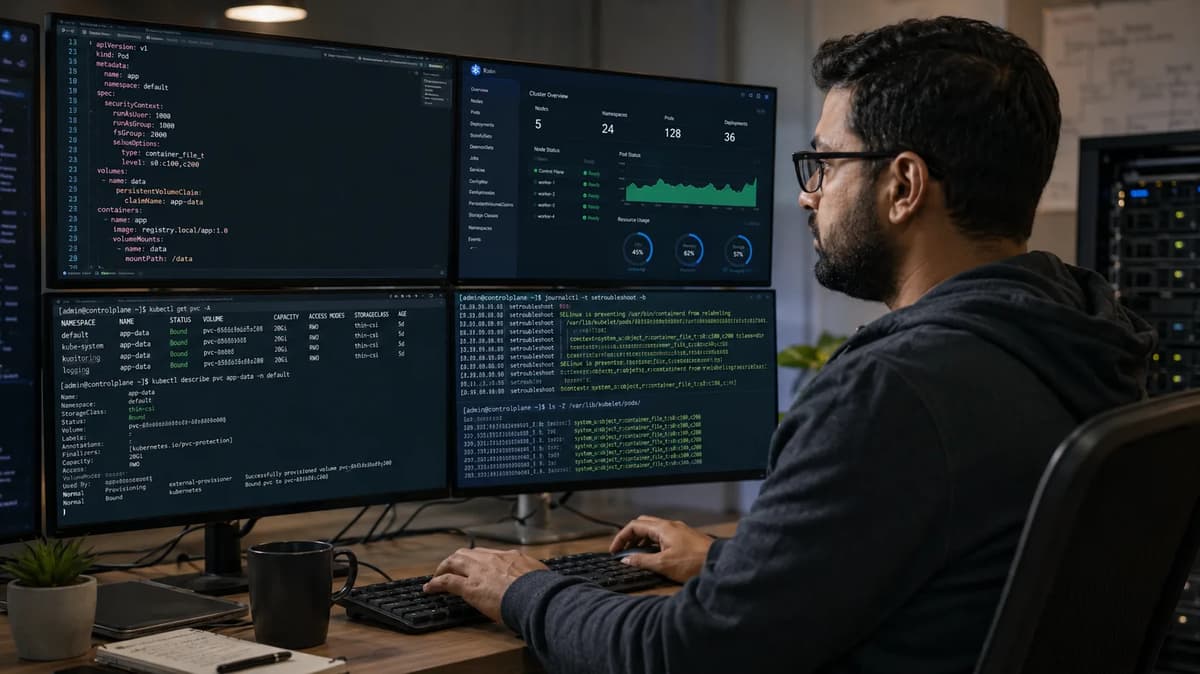
As you plan your Kubernetes 1.37 upgrade (released on August 26, 2026), be aware of a subtle storage change that can break existing workloads. In this release, the SELinux volume relabeling optimization (feature flag SELinuxMount) becomes GA and is on by default. That means any pods on Linux with SELinux enforcing that share a volume must now use the same SELinux label, or one of them will be stuck in ContainerCreating. In practice, clusters with mixed SELinux contexts on shared PVCs will see pod startup failures after upgrade.
This article is written for platform/SRE engineers (who know Linux, Kubernetes storage, namespaces, and security contexts) who need a migration plan now. We’ll show how to discover affected workloads, test the new behavior, use the Recursive policy selectively, update manifests and admission controls, and safely roll out (or roll back) before the global disable escape hatch disappears in Kubernetes 1.38. (For a broader guide to Kubernetes infrastructure, see the Refonte Learning DevOps Engineering: Kubernetes, Jenkins, Docker, Helm, Terraform guide.) In short, by the end you will know exactly which pods break under 1.37, how to fix them, and how to canary the upgrade step by step.
1. The 1.37 Upgrade Can Expose a Hidden Storage Assumption
Many existing applications assume that any pod can access a shared volume because Kubernetes used to relabel the volume recursively to whatever the first pod’s SELinux label was. In Kubernetes 1.37, however, if a volume’s CSI driver opts into the new behavior, volumes will be mounted with an -o context=<label> option rather than being recursively relabeled. In effect, one mount can only carry one SELinux context. This breaks the old assumption: two pods with different SELinux labels using the same PVC on the same node can no longer coexist. The first pod will mount the volume and mark it with its SELinux label, and the second pod (with a different label) will fail to start (stuck in ContainerCreating) until the first one is gone. In legacy clusters, you might have relied on multi-user mounts or subPath sharing, but under 1.37 those cross-label scenarios will surface as broken workloads.
At a high level, this change means you need to rediscover any multi-pod volumes and ensure their SELinux labels match, or explicitly opt them out. Think of it like an implicit crash risk hidden in shared volumes. The table below summarizes typical scenarios: if two pods share a volume but have different SELinux types, one will be blocked on 1.37. Pods can still share a volume if and only if they explicitly set spec.securityContext.seLinuxChangePolicy: "Recursive" to fall back to the old behavior, but that must be applied selectively.
Scenario | Pod A SELinux Label | Pod B SELinux Label | Outcome on Kubernetes 1.37+ |
Both pods use default mount option (MountOption) | container_file_t | container_file_t | Both run (labels match) |
Both pods use default, labels differ | spc_t (privileged) | container_file_t | Pod B stuck ContainerCreating (conflict) |
One pod opts out (Recursive), other default | container_file_t (Recursive) | spc_t (MountOption) | Pod B (MountOption) stuck until Pod A ends |
Both pods set Recursive | container_file_t | spc_t | Pod A relabels volume to first label, Pod B relabels to second; both can run but careful with data consistency |
For more on Kubernetes best practices and trends that relate to this kind of platform change (including multi-cluster and K3s usage), see Refonte’s DevOps Engineering: Kubernetes, K3s, and Best Practices.
2. Understand SELinuxMount and SELinuxChangePolicy
Kubernetes 1.37 introduces two key concepts: CSIDriver.Spec.seLinuxMount and PodSecurityContext.seLinuxChangePolicy. These work together to change how SELinux labels are applied to volume mounts.
CSI Driver Opt-In (seLinuxMount). In Kubernetes, only CSI drivers that explicitly opt in can use the new -o context mount option. You must create or update the CSIDriver object for each CSI plugin with spec.seLinuxMount: true if it supports mount-time relabeling. When set, Kubernetes will then mount volumes for that driver using -o context=<label> (so the kernel applies the SELinux label at mount time) instead of using :Z recursion by default. If seLinuxMount: false or unset, Kubernetes falls back to old behavior: mount without context and let the container runtime recursively relabel the volume (using :Z).
For example, AWS EBS (CSI) typically sets seLinuxMount: true. In the example table below from KEP 1710, an in-tree iSCSI plugin and an EBS CSI driver with seLinuxMount: true will both mount with -o context=XYZ. But an EBS driver without seLinuxMount, or an NFS CSI driver without context support, will not set the option and rely on :Z relabeling. Any new or custom CSI driver you deploy must handle this: it should include the host’s SELinux config inside its driver pods (e.g. via a HostPath volume) so that /bin/mount inside the driver sees /sys/fs/selinux and honors -o context options.
Example Volume & Driver | CSIDriver.seLinuxMount | Mount Options Used |
In-tree iSCSI plugin | (N/A, built-in) | -o context=<label> by default (supports SELinux) |
AWS EBS CSI driver | true | -o context=<label> (driver opts in) |
AWS EBS CSI driver (old) | false or unset | No -o context; kubelet mounts normally and container runtime relabels with :Z |
NFS CSI driver (with context) | true | -o context=<label>,nosharecache (allows multi-mount) |
NFS CSI driver (no context) | false or unset | No context options, no SELinux labeling support |
Pod-level SELinux Policy (seLinuxChangePolicy). Kubernetes adds a field in the Pod spec: spec.securityContext.seLinuxChangePolicy, which can be "MountOption" (default) or "Recursive". By default (or if set to "MountOption"), the Pod will use the CSI driver’s new mount-time relabeling if available. If a workload needs the old recursive behavior (for example, a privileged pod sharing data with an unprivileged pod), set seLinuxChangePolicy: "Recursive" in that Pod or Deployment’s manifest. This tells kubelet to opt out of the fast mount option for that pod, causing Kubernetes to relabel the volume recursively as before. For instance, a privileged container running as system_u:object_r:spc_t and a non-privileged one as container_file_t sharing a volume can only run together if at least one uses "Recursive". In other words, use "Recursive" selectively on those pods that truly need to mix labels on one volume. The trade-off is performance (recursive relabeling is slower and heavier) versus compatibility.
In summary, CSI drivers opt in globally, and Pods opt out individually. When both are in play, the new default applies (mount-time labeling) everywhere on SELinux-enabled nodes. Only pods with seLinuxChangePolicy: Recursive will instead do the old recursive relabel. Understanding these fields is crucial: the cluster-wide switch will enable the mount-time behavior, so you must rely on the Pod-level changePolicy to retain old behavior in specific cases.
3. Determine Which Clusters Are Actually Affected
Not every Kubernetes cluster needs action. First, check whether any worker nodes use SELinux in enforcing mode. Nodes running Windows or Linux with SELinux disabled or permissive won’t change behavior. The 1.37 release notes make this clear: “Clusters without SELinux enabled see no effect at all”. To verify, list your nodes’ OS and SELinux status. For example:
# List each node and its operating system
kubectl get nodes -o custom-columns='NAME:.metadata.name,OS:.status.nodeInfo.operatingSystem,KERNEL:.status.nodeInfo.kernelVersion'
# On Linux nodes, verify SELinux mode on the host with: getenforce
If none of your nodes report SELinux as “Enforcing” (or if all are Windows), you can safely skip the rest of this migration, as 1.37’s change won’t apply.
If you do run Linux with SELinux (common on RHEL, Fedora, CentOS, etc.), proceed to the next step. Also consider whether your clusters are multi-tenant or run any scenarios with multiple pods sharing volumes. A cluster that only has one pod per PersistentVolumeClaim (e.g. typical per-pod PVs) may not see any issues. But if you allow multiple pods in different namespaces to mount the same PVC (for data processing jobs, backup sidecars, etc.), that’s where the hidden assumption lives.
In practice, teams should treat this as a platform change: audit your clusters now to see if any workloads would hit this condition. A practical audit uses queries like:
# List pods with pod-level SELinux options and any PVCs they mount
kubectl get pods -A -o json | jq -r '
  .items[]
  | [(.spec.volumes[]? | select(.persistentVolumeClaim) | .persistentVolumeClaim.claimName)] as $pvcs
  | select(.spec.securityContext.seLinuxOptions != null and ($pvcs | length) > 0)
  | {
      ns: .metadata.namespace,
      pod: .metadata.name,
      label: .spec.securityContext.seLinuxOptions.type,
      pvcs: $pvcs
    }'
and then cross-check for PVCs shared by more than one pod. Finding any PVC used by two pods with different seLinuxOptions labels is a red flag.
4. Inventory Shared Volumes and Conflicting Pod Labels
Once you know you have SELinux enforcing nodes, inventory which volumes are shared by pods with differing labels. This often means PVCs mounted in multiple pods (possibly via subPath or in different namespaces). Start by listing all PVC names and their consuming pods, then gather each pod’s SELinux label. For example:
kubectl get pvc --all-namespaces \
  -o jsonpath='{range .items[*]}{.metadata.namespace}{"\t"}{.metadata.name}{"\n"}{end}'

kubectl get pods -A \
  -o jsonpath='{range .items[*]}{.metadata.namespace}{"\t"}{.metadata.name}{"\t"}{.spec.volumes[*].persistentVolumeClaim.claimName}{"\t"}{.spec.securityContext.seLinuxOptions.type}{"\n"}{end}'
This yields a table of Namespace, Pod, PVCs, and seLinuxOptions.type. Join that data to see which PVCs are used by multiple pods with different types.
PVC Name | Pod (Namespace) | SELinux Type | Conflict? |
data-vol | app (ns:frontend) | container_file_t | No (all using container_file_t) |
data-vol | worker (ns:backend) | container_file_t | No |
logs-vol | log-agent (ns:infra) | spc_t (privileged) | Yes (other pods use default type) |
logs-vol | metrics (ns:monitoring) | container_file_t | Yes |
In this illustrative inventory, logs-vol is a shared PVC. One pod (log-agent) runs with a privileged SELinux type spc_t, and another (metrics) with the default container_file_t. Under Kubernetes 1.37’s default, these labels conflict and only one pod can run on the same node. Our cluster query above would catch this: it sees logs-vol mounted by two pods with different SELinux types, marking it Yes under “Conflict”.
Keep this table or report handy: it shows which PVCs/pods need attention. For each “Yes” conflict, plan to adjust one or both pods. Usually the fix is to let one pod proceed with recursive relabel by setting seLinuxChangePolicy: Recursive, so both can run (albeit with slower relabeling). In contrast, PVCs marked “No” with uniform labels can upgrade without change. This targeted approach keeps most pods on the faster mount path and only opts out where necessary.
5. Reproduce the Failure Before the Production Upgrade
Before touching production, reproduce the issue in a test or staging environment. This ensures your fixes really work. Create a minimal example of two pods sharing a volume with different SELinux labels. For instance:
# namespace.yaml
apiVersion: v1
kind: Namespace
metadata:
  name: test

---
# pvc.yaml - requires a StorageClass that supports ReadWriteMany
apiVersion: v1
kind: PersistentVolumeClaim
metadata:
  name: test-pvc
  namespace: test
spec:
  accessModes: ["ReadWriteMany"]
  resources:
    requests:
      storage: 1Gi

---
# pod-a.yaml - first pod with SELinux type spc_t
apiVersion: v1
kind: Pod
metadata:
  name: pod-a
  namespace: test
spec:
  securityContext:
    seLinuxOptions:
      type: spc_t
  containers:
  - name: app
    image: nginx:1.27-alpine
    volumeMounts:
    - name: vol
      mountPath: /mnt/data
  volumes:
  - name: vol
    persistentVolumeClaim:
      claimName: test-pvc

---
# pod-b.yaml - second pod with container_file_t
apiVersion: v1
kind: Pod
metadata:
  name: pod-b
  namespace: test
spec:
  securityContext:
    seLinuxOptions:
      type: container_file_t
  containers:
  - name: app
    image: nginx:1.27-alpine
    volumeMounts:
    - name: vol
      mountPath: /mnt/data
  volumes:
  - name: vol
    persistentVolumeClaim:
      claimName: test-pvc
Apply these manifests on a Kubernetes 1.37 cluster or a 1.36 cluster with SELinuxMount enabled. You should see pod-a start successfully, but pod-b will remain in ContainerCreating with an event like:
Warning FailedMount 10s kubelet MountVolume.MountDevice failed for volume "vol" ...
Warning SELinuxWarning 10s selinux-warning-controller SELinuxLabel "spc_t" conflicts with pod pod-b that uses the same volume
This matches the expected failure mode. Now, modify pod-b.yaml (or your Deployment) to include the opt-out:
spec:
  securityContext:
    seLinuxChangePolicy: Recursive
    seLinuxOptions:
      type: container_file_t
Delete and recreate pod-b. It should now start (the kubelet will let the runtime relabel the volume recursively). Testing shows that only the pods marked Recursive are fixed, validating the solution. Use this exercise as a blueprint: for each real workload, run a pre-upgrade test to catch breakages.
6. Apply Recursive Policy Only Where It Is Needed
Blindly disabling SELinuxMount everywhere is not ideal. Instead, apply seLinuxChangePolicy: Recursive only on pods that truly need it, as identified in your inventory. This maintains performance and security elsewhere. Update your Pod/Deployment specs (or Helm charts) for the conflicting workloads. For example:
apiVersion: apps/v1
kind: Deployment
metadata:
  name: example-app
spec:
  selector:
    matchLabels:
      app: example-app
  template:
    metadata:
      labels:
        app: example-app
    spec:
      securityContext:
        seLinuxChangePolicy: Recursive  # workload-specific exception
      containers:
      - name: worker
        image: registry.example.com/worker:1.0.0
        # volumeMounts as before
Alternatively, for an existing Deployment, you can use kubectl patch:
kubectl patch deployment example-app --type=merge -p '
{"spec":{"template":{"spec":{"securityContext":{"seLinuxChangePolicy":"Recursive"}}}}}'
(Adjust path if your chart places securityContext under containers or Pod template; the key is setting it at the Pod level.)
After patching, redeploy those pods and confirm they coexist as expected. Note: The Recursive policy has no effect if a Pod does not share its volume with any different-labeled pod; it simply causes the slower fallback path. Use it only for the workloads from section 4 that need it. All other pods should leave seLinuxChangePolicy unset (or as MountOption) to get the performance gain of mount-time relabeling.
7. Use the Cluster-Wide Flag as a Temporary Bridge
As a safety net, Kubernetes 1.37 allows disabling the new behavior cluster-wide for one more release. If a large number of workloads will break and you need more time, you can disable the feature gate on all kubelets (or in the KubeletConfiguration). This effectively reverts to recursive relabeling everywhere (as in 1.36). For example, set in each node’s config:
kind: KubeletConfiguration
apiVersion: kubelet.config.k8s.io/v1beta1
featureGates:
  SELinuxMount: false
Or start each kubelet with --feature-gates=SELinuxMount=false. Restarting the kubelets with this flag means all volumes will be relabeled recursively as before, avoiding immediate failures. This can buy time if you have many pods to patch. Important: This is a temporary escape hatch only. The 1.37 release notes warn that disabling SELinuxMount is only possible “for one more release” (until 1.38). Plan to remove this override before upgrading to 1.38, as the feature will be locked on by default then. In practice, use this global flag only to buy an extra testing window. Your end goal should be a solution without it.
The 1.38 Deadline for Removing the Escape Hatch
Mark your calendar: Kubernetes 1.38 will lock the SELinuxMount behavior to on. You won’t be able to disable it anymore. That means any workload still relying on recursion (via the flag) must be fixed before upgrading to 1.38. Given typical Kubernetes support lifecycles (1.37 is EOL Oct 28, 2027), you effectively have about a year or less to remediate. Document this deadline for your team. A sample timeline: upgrade to 1.37 with the flag set, apply fixes selectively (sections 5–6), then disable the flag (re-enable SELinuxMount) only when all conflicts are resolved. If too many clusters still require the flag by 1.38, consider delaying that upgrade or holding special fixes.
8. Validate CSI Drivers and Storage-Class Behavior
Next, verify that all your CSI drivers and storage classes will work correctly with the new mount behavior. First, list your CSIDriver objects and check the seLinuxMount field:
kubectl get csidrivers.storage.k8s.io -o jsonpath='{range .items[*]}{.metadata.name}{"\t"}{.spec.seLinuxMount}{"\n"}{end}'
Every CSI driver that provides file volumes (ext4, XFS, NFS, etc.) and can support mount-time labeling should have seLinuxMount=true. If any familiar driver shows false or is missing, consider upgrading it. For example, older NFS CSI drivers may not support -o context, which means they won’t help with SELinux labeling and will still force recursion. You might upgrade to a newer driver or substitute one that supports SELinux context (e.g. rook-ceph or modern NFS provisioners).
Also ensure the CSI driver containers see the host SELinux configuration. KEP 1710 warns that driver pods should mount the host’s /sys/fs/selinux and /etc/selinux/config; otherwise, the driver’s own mount binary may ignore context options. Check your driver Deployments/DaemonSets: they often include volumeMounts for these paths. If not, update the driver spec (or open an issue with the vendor).
For storage classes, verify access modes. Mount-time labeling can work with ReadWriteOncePod, which restricts a volume to a single Pod cluster-wide, and with ReadWriteMany, where multiple consumers may share the volume, provided their SELinux contexts are compatible and the driver supports the required mount behavior. Pay special attention to block and local volumes. In most cases, no StorageClass field changes are required.
Finally, test mounting on at least one node of each type. You could use a quick Pod test for each storage class: create a Pod with a known SELinux label and ensure it mounts with the label (you can run mount | grep <volumename> inside the pod to see the context). This confirms that the CSI driver honored -o context.
9. Update Manifests, Helm Charts, and Platform Policy
With conflicts identified and CSI drivers ready, update your configuration management. In your Git-controlled manifests or Helm charts, make the following changes:
Manifests: For each Deployment, StatefulSet, or Pod spec that needed opt-out, add securityContext.seLinuxChangePolicy: Recursive at the pod level (as shown in section 6). Remove any old annotations or sidecar hacks that attempted to relabel SELinux (these are no longer needed).
Helm Charts: If your teams use Helm, add a chart value (e.g. .Values.selinuxChangePolicy) and template the securityContext accordingly. Ensure upgrades of charts include this new field, and bump the chart’s Kubernetes version requirement if necessary.
RBAC/Admission: Enforce the exception process at namespace or cluster scope. OPA Gatekeeper, Kyverno, or a validating webhook can reject a pod that consumes a shared PVC with an incompatible SELinux label unless an approved Recursive exception is present. Admission runs before scheduling, so compare the incoming pod with known consumers of the same PVC; use a controller or the pre-upgrade inventory for node-specific conflict detection.
Admission Controls for Exceptions and Label Conflicts
Review your platform’s security policies in light of SELinux. Ideally, pods should not arbitrarily choose SELinux labels; they should follow namespace or role conventions. If you allow developers to request random labels, consider restricting this. For multi-tenant clusters, you might create an admission rule that forces a default label per namespace (via pod/default templates or a mutating webhook) so tenants stay isolated. If a shared service truly needs a special label (like a sys-admin service running as spc_t), require a formal exception (review by security team) before applying it. These measures prevent one team from inadvertently (or maliciously) blocking others on shared storage.
Treat seLinuxOptions as a fine-grained privilege. Admission policy should reject SELinux types that are not approved for the namespace, while Role-Based Access Control (RBAC) limits who can manage policy objects and exception records. Each Recursive exception should document its owner, business reason, affected PVC, review date, and removal condition. This keeps multi-tenant isolation explicit and auditable.
(In platform engineering terms, this is analogous to the discussions in Platform Engineer vs DevOps Engineer about who enforces shared infrastructure policy. Here, the platform team should bake in the SELinux labeling policies so individual DevOps teams can rely on consistent behavior.)
10. Canary the Upgrade Across Nodes and Workloads
Don’t flip the switch on all clusters at once. Use a canary strategy to roll out 1.37. Here’s an example phased approach:
Phase | Cluster/Nodes | Workloads | Checks |
Pre-flight | Unchanged (1.36) | Run warning checks on 1.36 | Ensure the SELinux volume-conflict metric is 0; fix any finding. |
Canary 1 | Control-plane | Only system pods (no user workloads) | Upgrade control plane components; verify API and scheduler healthy. |
Canary 2 | Dev/Test nodes | A few non-critical apps (with known SELinux volumes) | Upgrade a subset of worker nodes; run selected pods; confirm no SELinux mount errors. |
Canary 3 | Staging (prod-like) | Representative production workloads (volume-sharing apps) | Monitor for container-creation failures or events; run load test; check metrics. |
Canary 4 | Production | Remaining workloads | Final rollout; continuously monitor system health and logs. |
At each phase, observe both application stability and SELinux-specific indicators. Before any upgrade, enable the SELinuxWarningController and check that selinux_volume_conflict metrics are zero. After upgrading some nodes to 1.37, run pods that share volumes. If any new pods report conflicts or remain pending, pause and address them (use patches from section 6). Only proceed to the next wave once the current wave shows no regressions. Document each wave’s acceptance criteria and ensure rollback readiness at each step.
In particular, look at these signals during canary: no new entries in the selinux_warning_controller_selinux_volume_conflict metric, no volume_manager_selinux_volume_context_mismatch_errors_total spikes on kubelets, and no new ContainerCreating pods due to SELinux errors. If any are seen, use kubectl describe pod to get event details and apply fixes before advancing. By phasing the upgrade, you limit impact and gain confidence that your remediation steps work.
11. Observe Scheduling, Mount, and Pod-Startup Failures
Throughout your canary waves (and beyond), instrument your cluster for storage/SELinux events. Key things to watch:
Kubelet events: When a pod is blocked, kubectl describe pod <pod> may show an event like Warning VolumeMountConflict reason="conflicting SELinux labels". The SELinuxWarningController also emits events to pods in conflict. Track these events in your logging or alerting.
Metrics: Kubelet exposes counters like volume_manager_selinux_volume_context_mismatch_errors_total (pods failed due to context mismatch) and selinux_warning_controller_selinux_volume_conflict (pods that would fail if on same node). Monitor these metrics via Prometheus. Zero is expected in success.
Pod status: Watch for pods stuck in ContainerCreating. Use kubectl get pods -A | grep ContainerCreating periodically. If you see a new pod stuck after upgrade, immediately inspect its events.
For example, a kubelet log snippet on failure might look like:
MountVolume.SetUp failed for volume "mydata" : SELinuxMount failed: conflicting SELinux labels of volume mydata: system_u:object_r:spc_t:s0 vs system_u:object_r:container_file_t:s0
and the event in kubectl describe pod might be:
Type | Reason | Age | From | Message |
|---|
Warning SELinuxVolumeConflict 30s selinux-warning-controller SELinuxLabel "spc_t" conflicts with pod 'pod-b' that uses the same volume...
Seeing these confirms the exact conflict. Use these diagnostics to refine your fixes.
Worked scenario: enable Kubernetes 1.37 on a test node and create two pods that share a PVC, one privileged and one unprivileged. The second pod remains in ContainerCreating, and the kubelet log reports that the volume is already mounted with a different SELinux label. Add seLinuxChangePolicy: Recursive to that pod specification and recreate it. Use the same log signature as a rollback trigger in production, then apply the Recursive exception only to the affected workload.
Finally, ensure you also check that pods which should succeed are still running. The easiest acceptance check: after upgrade, run kubectl get pods -A and kubectl get events -A; if all pods report Ready and no SELinux-related warnings or errors appear, you’re in good shape.
12. Protect Multi-Tenant Isolation
The interplay of SELinux labels and shared volumes has security implications in multi-tenant environments. SELinux is often used to isolate tenants or privilege levels. With -o context mounts, a privileged container (e.g. running as spc_t) could mount a volume and prevent any other tenant’s pod (with a different label) from using it. To maintain strict isolation:
Enforce least privilege: Only run pods as privileged (spc_t or similar) when absolutely necessary. Regular workloads should use the default container types (container_t, container_file_t). This limits how often label conflicts can happen.
Separate privileged workloads: If a backup or monitoring pod must be privileged, consider running it in a dedicated namespace or even on dedicated nodes so it doesn’t block other tenants’ access.
Admission review of SELinux labels: Implement policies (e.g. with OPA/Gatekeeper or Kyverno) that audit or restrict the use of custom SELinux labels by namespace. Ensure tenants cannot elevate their permissions by hijacking volume mounts.
Review exception policies: Any pod that is granted Recursive or an unusual SELinux type should go through a security review. Keep an exception list so that these are not abused.
In practice, this change reinforces the idea that sharing a volume is a security boundary unless labels match. Educate teams that SELinux on volumes is not just a performance detail but a security control. As part of platform hardening, consider aligning with general container security best practices (certifications like those covered in Best Cloud Security Certification Comparison may be relevant).
13. Execute the Upgrade and Rollback Runbook
When you’re finally ready to apply Kubernetes 1.37 cluster-wide, follow a formal runbook. Here is a simplified checklist and rollback plan:
Upgrade Checklist:
Backup: Ensure etcd and critical data are backed up.
Pre-checks: All targets from section 4 (conflicting PVCs) have a plan (e.g. pod patched). SELinuxWarningController reports zero conflicts.
Node preparation: Drain one control-plane node, upgrade API server, scheduler, controller-manager to 1.37. Verify control-plane health.
Worker upgrade: Cordon and drain one worker node at a time, install 1.37, and restart kubelet. Uncordon and let workloads reschedule. Verify pods run (no new ContainerCreating errors). Continue across all nodes in waves.
Exit Criteria: All pods scheduled and running with status Ready. No SELinux conflict metrics. No new errors in logs/events referencing “SELinux label” or “context mismatch.” On each node, kubectl get pods and kubectl get events should show only expected transitions.
Rollback Plan: If something breaks catastrophically on a node or cluster (e.g. core services fail or most pods are stuck):
Quick rollback: If recently upgraded, restart kubelet with --feature-gates=SELinuxMount=false (the escape hatch) on the affected nodes. This often allows pods to start by forcing recursive relabeling again.
Revert Kubernetes version: Ideally have node images/rollbacks ready (e.g. with kubeadm rollback, or replacing the node with a previous-version VM). Downgrading cluster components can be complex; use distribution guidance (many tools like kubeadm allow at least kubelet version pinning).
Mitigate individual pods: For high-priority workloads, manually patch them with Recursive as needed even under 1.37, then reprovision the kubelet if safe.
In any case, do not skip fixing root causes. A rollback can restore service temporarily, but you must still address the pod label mismatches before retrying 1.37. The key is to have metrics and logs ready to signal when rollbacks or fixes are needed.
14. Build a Kubernetes Storage-Security Portfolio Lab
Finally, turn this exercise into learning and documentation. Creating a lab or demo of the SELinux volume migration not only cements your knowledge but can be a strong portfolio project. For example:
Setup: Use a local Kubernetes cluster (K3s on a SELinux-enabled Linux VM, or kind with a host SELinux context).
Scenario A: Demonstrate two pods with different labels sharing a volume, showing the failure.
Scenario B: Apply Recursive to one pod and show both run.
Scenario C: Show metrics and events (selinux_volume_conflict metric, controller events) catching the conflict.
Document: Write a step-by-step guide (with config YAML and commands) of your experiment. Explain the before/after behavior.
This lab involves Linux (configuring SELinux, mount contexts), Kubernetes volumes/CSI, YAML scripting, and security contexts. It also touches on CI/CD (you could script the setup with Terraform or GitHub Actions) and monitoring (collecting the Kubelet metrics). Use this as a capstone: push code/config to GitHub, perhaps build a short video demo, and share it as part of your job-ready portfolio. (Tech portfolio builders often showcase such projects; see tips in the Job-Ready Tech Portfolio resource.)
By mastering this migration, you’ll demonstrate skills in Kubernetes upgrades, CSI, security contexts, and troubleshooting, all of which are core competencies in Kubernetes-centric DevOps roles. These map directly to the learning outcomes in Refonte’s DevOps Engineer Program, which covers Linux, containers, Kubernetes, infrastructure-as-code (like Terraform) and monitoring.
Conclusion
Kubernetes 1.37’s SELinuxMount change forces us to reconcile a hidden assumption: that a shared volume can have only one SELinux context. The first steps are to identify any pods/volumes that rely on the old behavior, and to test and patch them (using seLinuxChangePolicy: Recursive) before the upgrade. Next, plan a careful rollout using canaries and cluster flags, and watch for conflicts with metrics and events. The biggest caveat: this is a temporary bridge strategy; by 1.38 the fallback will disappear. Time your fixes before then.
With these steps in place, your clusters can safely cross the migration path. And for teams looking to build their own Kubernetes expertise (in storage security, CI/CD, cloud, etc.), training programs like Refonte’s DevOps Engineer Program offer guided learning in exactly these areas (learn more about selecting internships and training in How to Choose the Best Virtual Tech Internship). Empower your team with the right skills, and the upgrade will feel routine rather than risky.