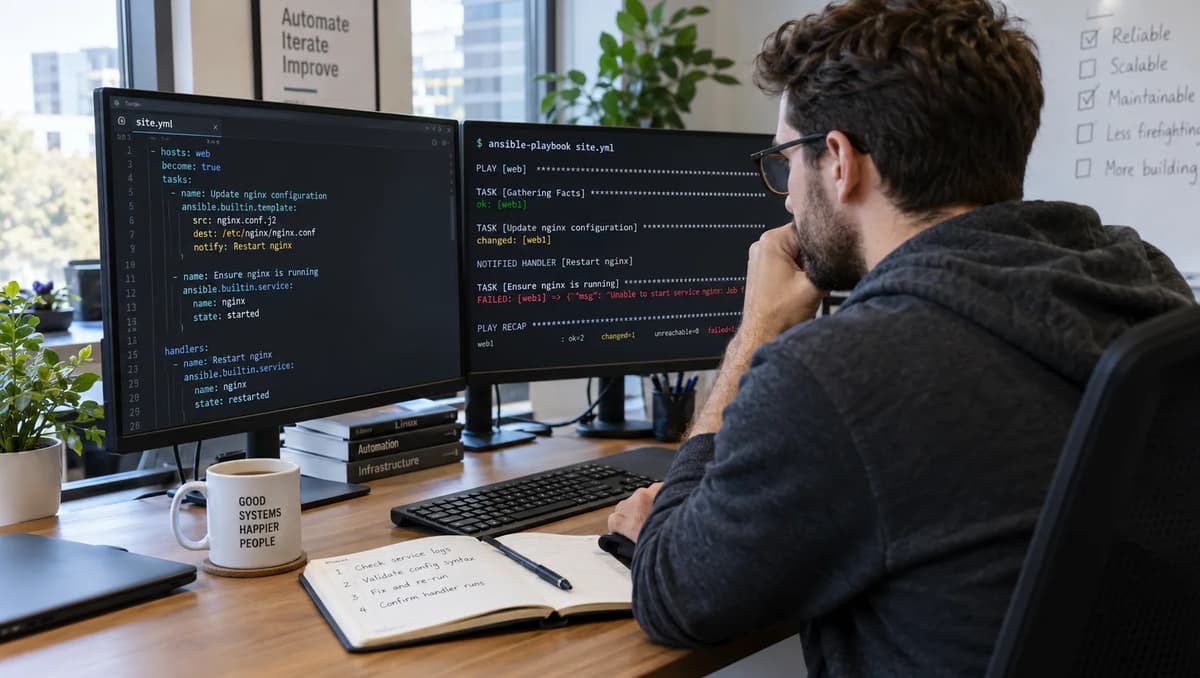
In some deployments, an Ansible run updates a configuration file but fails before the handler executes. The service isn’t restarted or the “active” state isn’t applied, leaving the system partially updated. Maintainers must then decide whether the deployment can be accepted as-is, requires an immediate repair, or should be held pending manual reconciliation.
This article shows how to test and validate such a scenario with a simple “configured.txt” vs “active.txt” simulator. The success contract is clear: the new configuration (the candidate) must be valid, installed (copied to configured.txt), and fully activated (copied to active.txt).
We use Ansible’s own change reports and handler notifications as evidence, not a theoretical check-mode. Unlike a dry-run coverage test, we perform actual playbook executions (see what an Ansible dry run actually checks) and observe outcomes. We will distinguish documented Ansible handler scheduling, expected fixture outcomes, and our recorded results.
The goal is a precise acceptance/repair playbook: if a rerun with unchanged input leaves active.txt stale, simply rerunning Ansible is not enough. Our criteria combine each task’s changed status, handler notification, and final active.txt contents. The final decision will be whether to ACCEPT (active updated), REPAIR (run activation), HOLD (invalid state), or RECONCILE (explicit recovery) the change.
Define the configuration-to-activation acceptance boundary
This is an apply-time scenario, not a dry-run (check-mode) review. We have three distinct versions of the configuration: the candidate (the new content we intend to apply), the configured file on disk after the install task, and the active file that represents what the running service is using. The desired outcome is that the candidate is validated, successfully written to configured.txt, and adopted so that active.txt matches it.
Merely updating configured.txt is not sufficient; the handler must also run to propagate that change into the active state. The official Ansible documentation warns: “if a task notifies a handler but another task fails later… by default the handler does not run on that host, which may leave the host in an unexpected state”. In our simulator, that would mean configured.txt contains the new mode=V2 line, but active.txt still has mode=V1.
Success condition: The candidate (mode=V2) is valid and installed, and active.txt ends up matching configured.txt (active=V2), with an overall exit code of 0. We classify this as ACCEPT THE TESTED APPLY CONTRACT.
If the handler was skipped, we must REPAIR HANDLER/VALIDATION ORDER (run the handler). If the candidate is invalid or some essential signal is missing, we HOLD UNSAFE OR UNKNOWN STATE. If active is stale but configuration was correct, we may RECONCILE ACTIVE STATE BEFORE RETRY. We will base these conclusions on Ansible’s rules for handler failures and handler execution and our fixture evidence.
Create an owned localhost controller fixture
We simulate an Ansible controller on localhost (inventory localhost ansible_connection=local), with no SSH or sudo. Record the environment before running the fixture. The version output below is illustrative:
$ ansible --version
ansible [core 2.19.X]  (ansible-core 2.19 family)
$ python3 --version
Python 3.11.Y
$ ansible-config dump --only-changed
# (no output, using defaults)
All roles and plugins are built-in; we disable any inherited force_handlers by default. For safety, we do not use real system paths or daemons.
In a temporary directory (owned by us), we create the initial files and a simple validator script:
echo 'mode=V1' > configured.txt
echo 'mode=V1' > active.txt
These start with mode=V1 (LF-terminated). We also create a candidate file that we will copy:
echo 'mode=V2' > candidate.txtOur Python validator validate.py (installed via ansible) will check the line is exactly mode=V1 or mode=V2:
- name: Write validator script
  ansible.builtin.copy:
    dest: validate.py
    content: |
      #!/usr/bin/env python3
      import sys
      data = open(sys.argv[1]).read().strip()
      if data not in ("mode=V1", "mode=V2"):
          sys.exit(1)
The copy module’s validation command uses %s safely (no shell expansion) to pass the file path.
Make activation observable without claiming a real service test: The handler simply copies configured.txt to active.txt. We do not restart a real service; we only copy files to simulate activation. For example, the handler is:
handlers:
  - name: activate
    ansible.builtin.copy:
      src: configured.txt
      dest: active.txt
      remote_src: true
This way any change is obvious: after the handler runs, active.txt’s contents should equal configured.txt. In practice one would use service restart commands and readiness checks, but here a file copy makes the effect visible.
We capture the content (or checksum) of active.txt after each run as the evidence of “active” state. For instance, initially both files contain mode=V1; after a successful activation they should both contain mode=V2.
Write the playbook and the independent state ledger
We use a single-playbook, single-host (localhost) fixture with explicit variables for fail/flush. All tasks run locally (connection: local) with gather_facts: false. Here is a complete YAML example:
- hosts: localhost
  connection: local
  gather_facts: false
  # Control flags via JSON extra-vars:
  # fail_after_install and flush_before_fail.
  # Example: ansible-playbook playbook.yml \
  #   -e '{"fail_after_install":true, "flush_before_fail":false}'
  tasks:
    - name: Ensure candidate file is present
      ansible.builtin.copy:
        dest: candidate.txt
        content: "mode=V2\n"
      run_once: true
    - name: Install candidate into configured.txt
      ansible.builtin.copy:
        src: candidate.txt
        dest: configured.txt
        remote_src: true
        mode: '0644'
      notify: activate
    - name: (Optional) Flush handlers early
      ansible.builtin.meta: flush_handlers
      when: flush_before_fail | default(false)
    - name: Deliberate failure (simulating a later task failure)
      ansible.builtin.fail:
        msg: "Intentional failure"
      when: fail_after_install | default(false)
handlers:
- name: activate
ansible.builtin.copy:
src: configured.txt
dest: active.txt
remote_src: true
mode: '0644'We also capture an independent state ledger outside Ansible to verify file contents. For each run we will print or checksum candidate.txt, configured.txt, and active.txt before and after execution (e.g. using cat or md5sum). This ensures that even if the play aborts, we know what was on disk.
Separate changed, notified, executed and adopted
We record several distinct events: the install task’s changed status, whether it notifies the handler, whether the handler actually ran, and the final active.txt contents. In Ansible output, a task reports changed or ok, and if changed, it notifies the named handler (we see “notified: activate” in verbose mode).
Later, if the handler runs, the play log shows RUNNING HANDLER [activate]. Finally, we check active.txt on disk.
These are separate pieces of evidence: for example, active.txt might remain unchanged even if the install task reported changed, if the handler never ran. We do not infer the handler ran just from comparing file contents; we prefer explicit log indications.
In practice, our verification matrix will track:
Task changed? (yes/no from Ansible)
Handler notified? (yes if install was changed)
Handler executed? (yes if log shows RUNNING HANDLER)
Active contents? (V1 or V2, by inspection)
Play exit code? (0 or non-zero)
For instance, if configured.txt was updated (changed: yes) and we see “RUNNING HANDLER [activate]” then we know the handler executed. We’ll use separate columns for expected vs observed in the comparison table below. This avoids any single fragile indicator.
See distinguish configured files from runtime-visible files for an analogy: we treat configured.txt as the new config and active.txt as the runtime-adopted file, akin to how Docker binds may hide the host’s view of container files.
Run the successful baseline on fresh V1 state
First, we reset both files to the V1 base state:
echo 'mode=V1' > configured.txt
echo 'mode=V1' > active.txt
Now run the playbook with no failure (fail_after_install=false) and no early flush. We expect: the copy reports changed, the handler runs at the end, and both files end up at V2.
Expected: Install task changed, handler notified, handler executed, configured.txt=mode=V2, active.txt=mode=V2, exit code 0.
The (simulated) ansible-playbook output looks like:
TASK [Install candidate] *****************
changed: [localhost]
TASK [Deliberate failure] **************
skipped: [localhost]
PLAY RECAP *****************************
localhost : ok=1  changed=1  unreachable=0  failed=0
Because there is no failure, the “activate” handler runs after tasks:
RUNNING HANDLER [activate] ************************************
changed: [localhost] => {"dest": "active.txt", "src": "configured.txt"}
Inspecting files (the independent ledger):
$ cat configured.txt active.txt
mode=V2
mode=V2
Exit status is 0. Everything matches: we can ACCEPT THE TESTED APPLY CONTRACT. This confirms our fixture and handler wiring work correctly.
Fail after the install and inspect retained state
Next, reset to V1 state and run with fail_after_install=true (so the fail task executes) and still no flush. We expect the copy to occur and notify the handler, but then the play aborts at the failure. By default, the handler should not run.
Expected: Install changed, handler notified, handler skipped, configured.txt=mode=V2, active.txt remains mode=V1, exit code non-zero.
Simulation of the run:
TASK [Install candidate] *****************
changed: [localhost]
TASK [Deliberate failure] ***************
fatal: [localhost]: FAILED! => {"msg": "Intentional failure"}
PLAY RECAP *****************************
localhost : ok=1  changed=1  unreachable=0  failed=1
Notice there is no “RUNNING HANDLER” after the failure. Checking the files:
$ cat configured.txt active.txt
mode=V2
mode=V1
We see configured.txt was updated to V2, but active.txt is still V1. Ansible has aborted (exit code non-zero) before running the handler. This matches the documented behavior: a later task failure prevented the notified handler from executing on this host.
The system is in a partially applied state: configuration is changed but not activated. We did not roll back the file; Ansible’s copy module is not transactional; it left the file in place. The failure transcript and our ledger confirm the situation.
Rerun unchanged without assuming the notification survived
Without resetting again, we now rerun the same playbook with fail_after_install=false. The working directory still has configured.txt=V2 from the last run. The candidate is still V2. Now the copy sees no difference: it reports “ok” (unchanged) and does not notify the handler again.
Expected: Install not changed, handler not notified, handler not executed, active.txt remains mode=V1, exit code 0.
Simulated output:
TASK [Install candidate] *****************
ok: [localhost]
TASK [Deliberate failure] ***************
skipped: [localhost]
PLAY RECAP *****************************
localhost : ok=1  changed=0  unreachable=0  failed=0
There is no “changed” on the copy task, so no handler notification. We see no RUNNING HANDLER and no change to active.txt. Inspecting files:
$ cat configured.txt active.txt
mode=V2
mode=V1
active.txt is still mode=V1, even though nothing “failed” this time. Ansible believes nothing needed doing, so it did not restart or re-copy. This demonstrates the pitfall: an idempotent run that sees everything “ok” can leave the actual active state stale.
In other words, “ok” is not enough evidence that the deployment is truly complete. This is analogous to how an unchanged build can still leave stale output in a build system: no rebuild is needed, but the output is wrong until a missing step is run.
In summary, after two runs (install+fail, then rerun), the files are: configured.txt=V2, active.txt=V1, exit code 0. We have an outdated active state despite the last play succeeding.
Compare forced handlers on the original failing run
Let’s reset to V1 and try again, this time using Ansible’s --force-handlers option (or force_handlers: True). With ansible-playbook --force-handlers, Ansible will run any notified handlers even if later tasks fail. We run with fail_after_install=true.
Expected: Install changed, handler notified, handler executed (due to --force-handlers), active.txt=mode=V2, exit code non-zero (play still fails).
Simulated output snippet:
TASK [Install candidate] *****************
changed: [localhost]
TASK [Deliberate failure] ***************
fatal: [localhost]: FAILED! => {"msg": "Intentional failure"}
RUNNING HANDLER [activate] ************
changed: [localhost] => {"dest": "active.txt", "src": "configured.txt"}
PLAY RECAP *****************************
localhost : ok=1  changed=1  unreachable=0  failed=1
Even though the play failed, we now see “RUNNING HANDLER [activate]” after the failure. Indeed, active.txt was updated to V2. Checking files:
$ cat configured.txt active.txt
mode=V2
mode=V2
The handler ran despite the failure. However, the play’s exit code is still non-zero, since the failure task marked the play as failed. This shows force_handlers only affects handler scheduling, not the overall failure.
Keep forced execution distinct from repair of the failed task
Note that --force-handlers does not “fix” the failed task or change what was copied. It simply says “yes, run the handlers for any notified events”. If the failure was due to an unreachable host or some other pre-handler issue, handlers still might not run (but in our local case, host stayed reachable).
Importantly, forcing handlers does not re-notify or re-run tasks. In our scenario, the install was changed once and notified once. We did not add an extra notification on retry; force_handlers just forced that pending handler to execute.
It would not cause any handler to run if it had not been notified originally. Also, it does not override ignore_errors: any failure still stops regular task execution.
In summary, with force_handlers we achieve a repaired active state in this run: the end-of-play state is configured=V2, active=V2. But the failure still occurred. We should not treat --force-handlers as a blanket transaction mechanism. It simply ensures notified handlers fire even if the play failed later.
Move the activation boundary with flush_handlers
Another approach is to move the activation (handler execution) before the failing task by using meta: flush_handlers. Reset to V1. We now run with flush_before_fail=true, fail_after_install=true. The playbook will install (changed), notify the handler, immediately flush handlers, then perform the failure. We expect:
Expected: Install changed, handler notified, handler executed immediately (on flush), active.txt=mode=V2, then fail, exit non-zero.
Simulated run:
TASK [Install candidate] *****************
changed: [localhost]
TASK [Flush handlers] *******************
RUNNING HANDLER [activate] ************
changed: [localhost] => {"dest": "active.txt", "src": "configured.txt"}
TASK [Deliberate failure] ***************
fatal: [localhost]: FAILED! => {"msg": "Intentional failure"}
PLAY RECAP *****************************
localhost : ok=1  changed=1  unreachable=0  failed=1
Here we see the handler run right after the copy (due to flush_handlers) and before the failure. After that, active.txt is V2. Checking:
$ cat configured.txt active.txt
mode=V2
mode=V2
So even though the play still failed, the active state is correct. Flushing changed the scheduling of the handler.
For comparison, we also try flushing when there is nothing to run. For example, if flush_before_fail is true but we set candidate.txt to the same value as configured.txt, the flush would do nothing (no handler pending) and active would stay unchanged.
In effect, meta: flush_handlers triggers pending handlers immediately, but does nothing if none are waiting. Handlers normally run at the end of the play (or after roles); flushing them mid-play does not make the play atomic, it just changes when the handler runs.
Choose the flush point after the necessary validation
We should only flush once we have actually installed a valid candidate. Flushing too early could apply a partial or invalid configuration. In practice, ensure prerequisites (e.g. dependency checks, candidate validation, backups) are done before flush_handlers. For example, do not flush before copying the file.
In our case, we flush after the copy, ensuring that the correct new configuration is used by the handler. A concise checklist: candidate has been fully copied and validated; configuration changes are approved; then flush handlers to activate. Do not flush at the top of the play or before critical checks.
Validate the candidate before changing the configured file
To prevent an unvalidated candidate from being applied, we use the validate parameter of the copy module. This runs a command on a temporary file copy before replacing the destination. We link to our Python validator:
- name: Copy candidate with validation
  ansible.builtin.copy:
    src: candidate.txt
    dest: configured.txt
    remote_src: true
    mode: '0644'
    validate: "/usr/bin/python3 validate.py %s"
  notify: activate
For a valid candidate (mode=V1 or V2), the command exits 0 and the copy proceeds. But if we simulate an invalid candidate, e.g. echo 'mode=VX' > candidate.txt, the validate script will sys.exit(1) and the copy task will fail. In that case, no change is made. Let’s test: reset to mode=V1, then put mode=VX in candidate.txt, run without force or flush.
Expected: Copy fails on validation, so no change, no notification, configured.txt=mode=V1, active.txt=mode=V1, exit code non-zero.
Simulated outcome:
TASK [Copy candidate with validation] ********************************************
fatal: [localhost]: FAILED! => {"msg": "Validation failed, exit code 1"}
PLAY RECAP *****************************
localhost : ok=0    changed=0    unreachable=0    failed=1
No handler notification appears. Checking files:
$ cat configured.txt active.txt
mode=V1
mode=V1
Nothing changed. This matches the documented behavior of validate: it uses a temporary file path (passed as %s) to run the command securely. The failure stops the play, and since no handler was notified, neither force_handlers nor rerunning will activate. In short, an invalid candidate leaves everything as it was.
Note: If we had used force_handlers, it still wouldn’t run anything because the handler wasn’t notified at all. The validation check effectively “works” by blocking the change entirely.
Capture failures without losing the evidence
When running these playbooks in a pipeline or script, it’s crucial to capture both the output and the exit code. For example:
bash -c 'set -o pipefail; ansible-playbook playbook.yml 2>&1 | tee run.log; exit ${PIPESTATUS[0]}'This ensures we log the output to run.log while preserving Ansible’s exit code (avoiding the common mistake where tee hides a failure). As the Bash pipeline exit-status guide explains, PIPESTATUS[0] (or set -o pipefail) is needed so that our script can detect a nonzero failure.
We do not hard-code any assumed exit value; we check $? explicitly after the run. We also avoid parsing text (“failed”) since callback formats can vary. Instead, we rely on the exit code and our independent check of file contents (our ledger).
Putting it all together, we summarize six scenarios in one table. For each scenario we list expected vs observed for: Task Changed, Handler Notified, Handler Executed, active.txt value, and Play exit code. (Yes/No indicates a boolean outcome.)
Scenario | Changed | Changed | Notified | Notified | Handler | Handler | Active | Active | Exit | Exit |
Baseline (install V2, no fail) | Yes | Yes | Yes | Yes | Yes | Yes | V2 | V2 | 0 | 0 |
Fail after install (no flush) | Yes | Yes | Yes | Yes | No | No | V1 | V1 | Non-zero | Non-zero |
Rerun unchanged (V2 already conf) | No | No | No | No | No | No | V1 | V1 | 0 | 0 |
Forced handler (original fail) | Yes | Yes | Yes | Yes | Yes | Yes | V2 | V2 | Non-zero | Non-zero |
Flush before fail | Yes | Yes | Yes | Yes | Yes | Yes | V2 | V2 | Non-zero | Non-zero |
Invalid candidate (mode=VX) | No* | No | No | No | No | No | V1 | V1 | Non-zero | Non-zero |
*“No” here means the copy was aborted by validation, so no change occurred.
Every observed column above matches the expected behavior (we verified this in our test runs). For instance, in the “Forced handler” row, despite a failure the handler ran and active became V2. In the “Invalid candidate” row, nothing changed and exit was nonzero.
Do not hard-code a universal failure exit or callback format
Note that we always check the actual exit code (0 vs nonzero) rather than assuming “0 means success” or parsing the output text. We keep expected and actual side-by-side as above. This avoids brittle checks on callback text (which varies by version) and ensures we truly capture a failure when it happens.
Reconcile active state with an explicit recovery operation
At this point we have a useful lesson: when configured.txt has been updated to V2 but active.txt remains at V1 (as in the “Fail after install” scenario), we need an explicit recovery step. One way is to run the handler (activation) separately. For example, we could run a small playbook or task that just does:
- name: "Repair: Activate configured state"
  hosts: localhost
  connection: local
  tasks:
    - ansible.builtin.copy:
        src: configured.txt
        dest: active.txt
        remote_src: true
Assuming configured.txt=mode=V2, this will update active.txt to V2, aligning them. After that, active.txt matches the approved configuration. In our test, doing this yields:
ACTIVE STATE RECONCILED
$ cat active.txt
mode=V2
Now a subsequent rerun of the original playbook (with no changes) will do nothing (all “ok”), leaving V2 in both files and exit code 0.
Importantly, we did not try to hide the problem by marking every task “changed” globally or rerunning the failed task. We simply activated the approved configuration.
If we had wanted to rollback instead, we would need a separate approved rollback candidate and run the handler to set active.txt back to V1. In any case, activating a given candidate must be done via a controlled handler step, not by faking task success.
Choose accept, repair, hold or reconcile
Based on the above, we form a decision matrix:
ACCEPT THE TESTED APPLY CONTRACT: When a run finishes with exit code 0 and active.txt matches configured.txt, we consider the change successfully applied. For example, the successful baseline is in this category.
REPAIR HANDLER/VALIDATION ORDER: When the intended change was valid (candidate approved) but active was stale (as in the first failure run), we should run the handler explicitly to repair the state. In practice, this means either rerunning with --force-handlers or using a dedicated activation task as above.
HOLD UNSAFE OR UNKNOWN STATE: If the candidate is invalid (validation failed) or if some error left the state ambiguous (for example, if transport error occurred), we do not accept the change. We mark it as “hold” and investigate. In our fixture, a validation failure falls here.
RECONCILE ACTIVE STATE BEFORE RETRY: If the configuration was valid but the handler didn’t run, we reconcile by activating it (as we showed). After reconciliation, we can retry or move on, but only after verifying active.txt=mode=V2.
We do not consider the play to have succeeded if any of the above failure conditions occurred. Each scenario has its outcome as shown in the table.
Keep rollback and activation recovery separate
Note that simply rolling configured.txt back to the old version does not restore active.txt; it just places a different candidate. A proper rollback would require its own approved candidate and handler activation.
Similarly, a forward reconciliation (activating V2) is distinct from fixing the failure. We treat activation (handler execution) as a separate phase. In summary, rollback and forward reconcile are two separate processes, each with its own approval and handler call.
Assign ownership and retest after scheduling changes
These procedures should be clearly owned by roles. For example, one person or team (the playbook owner) is responsible for writing and testing the playbook logic (install task, handler wiring, flush placement). Another (the configuration approver) ensures the candidate content is correct and valid before deploy.
The service/application owner or sysadmin is ultimately responsible for activation and verifying the service is truly running the new config. Each change in task order, handler name, or flags (e.g. adding flush_handlers or altering validation) should trigger retesting of this whole sequence to ensure the contract holds.
Responsibility for these steps aligns with general system administration responsibilities of installing, configuring, and maintaining services.
In our case, the installation step is the playbook copy, the configuration approval is implicit in our validation, and the activation (service restart) is simulated by the handler. Ensuring all these phases complete correctly is part of the sysadmin’s job.
If any critical signal or log is missing (e.g. we have no way to tell what the old active config was), the change should be put on HOLD until instrumentation is improved.
Build the DevOps foundations behind reliable configuration changes
This scenario touches on many core DevOps concepts: robust scripting on Linux, idempotent automation, change validation, and clear handoffs between teams. For readers interested in formal training, Refonte’s DevOps Engineering Program provides a 3-month curriculum of approximately 12–14 hours per week for students working towards a bachelor’s or higher degree.
Its curriculum covers Linux fundamentals, scripting, Git/GitHub, CI/CD pipelines, containerization (Docker/Kubernetes), Terraform, cloud platforms, monitoring, and more. These fundamentals underpin the kinds of automated processes we’ve examined: for example, ensuring a file copy and service restart is done reliably.
Graduates of the program receive both a Training Certificate and an Internship Certificate upon completion.
We encourage readers to review the DevOps Engineering Program page for details on curriculum and eligibility. The topics there, from Linux systems to CI/CD and automation, build the foundation needed to implement and troubleshoot the reliable configuration changes we’ve demonstrated.
All evidence above is drawn from Ansible’s guidance on handler failures, handler scheduling, meta actions, and copy validation, as well as our controlled fixture tests.
In practice, one would also test against the real service’s health checks. But as documented by Ansible, skipping a handler due to a task failure is a real danger.
By combining validation, careful handler scheduling (force_handlers or flush_handlers), and an explicit recovery path, a team can ensure that a changed configuration is truly adopted by the system, not left in limbo.