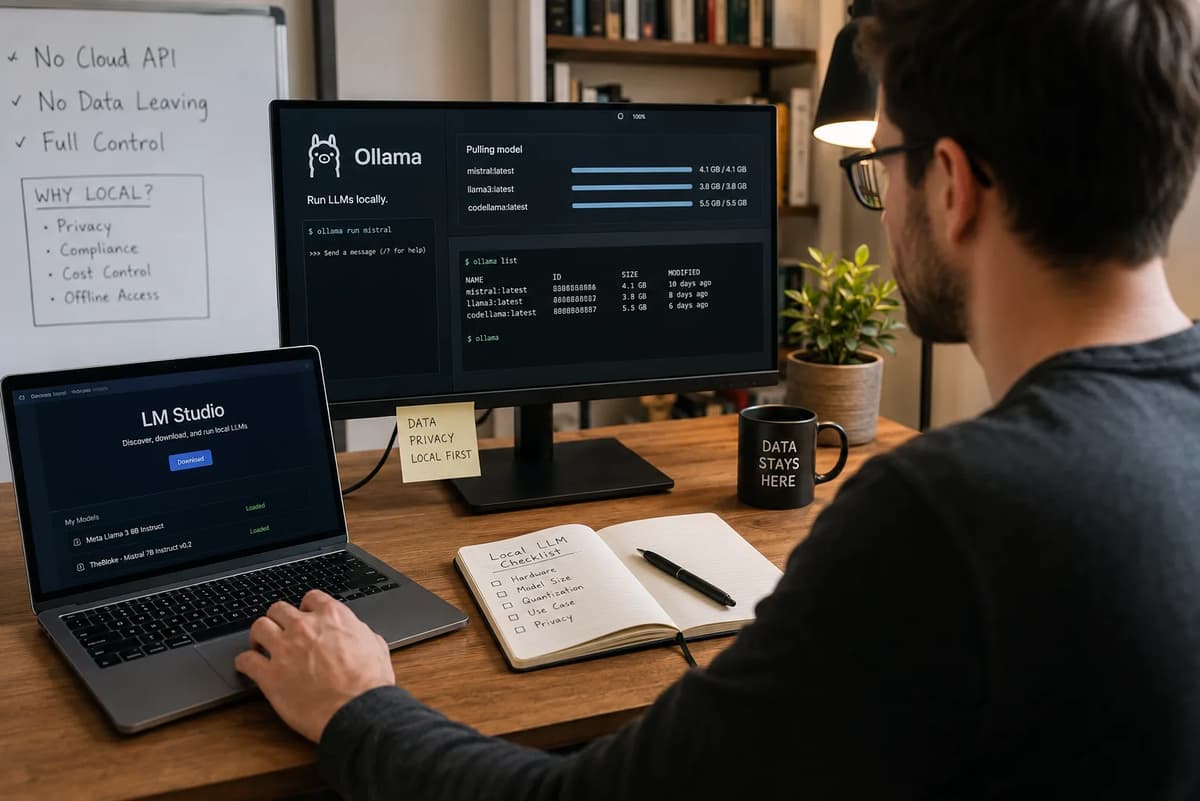
In one of the demos I did recently, a client stopped me mid-presentation and asked bluntly: “Is any of this data leaving our building when the app calls the model?” The honest answer was “Yes, to a cloud provider,” and that admission literally stalled the deal. As a seasoned AI developer, I’ve been in that situation before. It’s a situation that increasingly matters in 2026. In this article I’ll explain why so many teams now want local inference tools like Ollama or LM Studio, what their frenzy of updates means, and what trade-offs you’ll face. We’ll dive into the compliance angle (yes, zero-data retention is a real thing now), the hardware you actually need, and how much money you could be making as an AI developer (hint: likely more than the program’s brochure claims). By the end, you’ll understand why running LLMs on-device is suddenly more than a hobbyist stunt; it’s a strategic choice for privacy, cost control, and capability. (For context, this piece expands on deployment topics beyond the Refonte Learning AI Developer Program’s current curriculum, which focuses on cloud deployment.)
The Demo That Stalled Over One Honest Answer
I’d finished walking the client through a slick AI assistant demo when they hit me with the privacy question. They weren’t asking about encryption or GDPR compliance jargon; they just wanted to know if their proprietary code and user data were zipping off to someone else’s servers. I gave them the unvarnished truth: the demo used a cloud LLM and yes, their inputs were leaving the building. The look on their face said it all. They paused, shook their head, and said, “I don’t think we can do this if that’s the case.” That was the moment I realized an uncomfortable truth: data residency trumps cool tech if you can’t guarantee confidentiality.
Many teams face this dilemma: powerful new LLM features driven by cloud APIs, but unforgiving clients or regulations that demand full data control. The lesson? Local inference tools, which run models on-premises with no cloud call at runtime, have gone from “nice to have” to deal-breaker. This article will map out that shift: why local AI stacks (Ollama, LM Studio, etc.) are taking off in 2026, what problems they solve (and introduce), and how to approach them in your own work. The scenario above isn’t hypothetical; it’s the real reason I started researching these tools.
What “Local Inference” Actually Means in Practice
When we say “local inference,” we mean running an LLM entirely on your machine or private server, with no outbound API call. In practice this involves a few key pieces: (1) a model that can fit on local hardware (possibly quantized or distilled), (2) an inference engine or runtime (like llama.cpp, vLLM, or a packaged tool), and (3) the hardware (CPU/GPU/accelerator) to do the computation. Local inference is not a cloud API; it’s often accessed via a program you install (e.g. an Ollama or LM Studio app, or a CLI tool) that pulls models and runs them in-process. The data and queries stay inside your network or device; nothing is sent back to a third party.
In concrete terms, this might look like: downloading a model weight file (say, a 7B-parameter or 30B-parameter open model) and then using a local runtime to answer prompts. Frameworks like llama.cpp make it easy to run quantized models on a CPU, and others (vLLM, Hugging Face’s Text Generation Inference, etc.) target GPU or cluster setups. The effect? Your inference requests turn into local CPU/GPU work instead of HTTP requests. The payoff is complete data privacy and control: as Ollama’s team puts it, with local models “your data never has to leave your machine.”
Of course, local inference is still just an inference engine; you still provide the prompt and the model computes an answer. But it’s different infrastructure. If you’ve seen Refonte’s Small Language Models vs Frontier Models article, that piece talked about cost and accuracy of smaller models in theory. This article takes the next step: the focus here is on the tools that run those models locally (Ollama, LM Studio, etc.) and the deployment consequences. In summary, local inference means no cloud call, no per-token billing, and no third-party seeing your data, at the price of owning the hardware and setup yourself.
Ollama’s Near-Daily Release Pace in 2026
Ollama (a popular local AI platform) has been exceptionally active in 2026. Their GitHub releases show almost daily updates through the summer. Some highlights:
v0.32.15 (Aug 19, 2026): New desktop onboarding flow and smarter model loading. Ollama now caches model metadata between runs, slashing the “time-to-first-token” latency by nearly half (from about 995ms to 524ms in their benchmarks). In practice this means much snappier first responses when you try a model.
v0.32.12 (Aug 14, 2026): Added support for Qwen 3.8 (27B) on Apple Silicon. This release specifically optimized Ollama’s new MLX engine for Apple hardware to get maximum performance and output quality for coding/agent tasks. (We’ll discuss MLX/Apple in more detail later.)
v0.32.11 (Aug 14, 2026): Introduced ollama launch dsh (DeepSeek Harness integration) and ollama launch muse (Meta’s Muse Code integration), plus an OpenAI-compatible Responses API that now includes web search results. In short, Ollama can now directly invoke these agentic workflows from your desktop.
v0.32.9 (Aug 11, 2026): Added NVIDIA Nemotron 3.5 Lightning (30B MoE) to the library. Nemotron is a sparsely activated model (30B total, 3B “active”) designed for always-on agent tasks. This means Ollama can run this agent-optimized model locally if your hardware permits.
In fact, every few days Ollama has been shipping something: they’ve tacked on new models (Gemma, Muse, etc.), improved Apple Silicon performance, and refined their APIs. For users this means faster features and new options coming out of nowhere, but also that you need to update frequently.
What the Time-to-First-Token Fix Actually Changes
The jump from ~995ms to ~524ms TTFT in v0.32.15 may seem minor, but it’s significant for interactivity. Each prompt now returns the first token roughly 470ms faster. For an AI assistant, that means more fluid conversation and less dead time. In practical terms, this release means you no longer have to sit and wait after hitting “run”; the app UI flows smoother. Beyond latency, the new onboarding screens make getting started (downloading and pulling your first model) easier for non-technical users. Together, these tweaks highlight how even infrastructure tweaks (like metadata caching) can improve developer experience.
Agentic Capabilities Arriving in Local Tools
Local inference isn’t just about basic chat or Q&A anymore; it’s getting agentic. Both Ollama and LM Studio are adding support for multi-step, tool-enabled workflows that rival cloud agents. In Ollama’s 0.32.11 release, they integrated two notable agent frameworks: DeepSeek Harness and Meta’s Muse Code.
DeepSeek Harness (DSH): This is an open-source agent framework where “everything is a plugin.” Models, tools, skills, and more are all modular. Ollama’s ollama launch dsh command now spins up a DeepSeek-based agent locally. This means you can configure a coding assistant or personal agent using DeepSeek’s plugins (search, code execution, web browsing, etc.) without leaving your workstation. Think of it as GitHub Copilot Agent Mode (cloud-based) but on your own machine. (For a refresher, see GitHub Copilot’s agent mode explained; Ollama is doing something analogous with open tools.)
Meta Muse Code: Muse Code is Meta AI’s new agentic coding assistant (CLI) that runs on Muse Spark models. It orchestrates “persistent subagents” to plan, write, test, and iterate code on large repositories. Ollama’s ollama launch muse hooks into this, so you can run the Muse Code CLI with an Ollama-provided model under the hood. In effect, your local machine can now handle a Meta-grade coding agent without an internet call.
These additions mean you’re no longer limited to one-shot LLM replies: local tools are gaining the ability to perform multi-turn planning, execute code, and even call external tools, just like cloud-based agents. It’s a big shift. For example, with DeepSeek Harness, everything the model does (tool calls, edits, context injections) is logged and traceable, making debugging agent behavior easier. And Muse Code’s async agent loop (with background workers) is now runnable in a terminal session. Together, these features underscore that “running local” doesn’t mean dumbed-down AI; you can now get full agentic workflows without touching a cloud API.
DeepSeek Harness and Meta Muse Code, Explained
Briefly, here’s what the above terms mean:
DeepSeek Harness: A flexible open-source agent framework. Its core idea is that “Every capability is a plugin”: models, tools, storage, even the UI itself can be swapped out. By installing ollama launch dsh, you’re effectively getting a turnkey DeepSeek agent environment. This means you can run complex coding agents or data retrieval bots locally. DeepSeek keeps a transparent log of every step so you can inspect the agent’s reasoning. The bottom line: Ollama’s integration gives developers a powerful local agent template without piecing it together themselves.
Meta Muse Code: The first agentic coding CLI from Meta. It’s designed to tackle large engineering tasks: planning code changes, writing and testing code, optimizing kernels, etc. Muse Code runs on the Muse Spark 1.x models, which Meta co-trained with the agent. It uses asynchronous background agents to preemptively work on subtasks. Ollama’s new feature lets you invoke Muse Code from your terminal using an Ollama model. Practically, that means you can use Muse Code’s agent loop (plan, edit, approval-gated execution) on a downloaded open model (like Gemma or Llama) on your own hardware. It brings a “stateful, restartable agentic coding assistant” to your local dev environment.
These agent capabilities arriving in local tooling show that the gap between cloud AI and on-device AI is narrowing. Where previously you might have said “my assistant uses a web search API and a code execution sandbox,” now you can plug those capabilities into a local agent harness. It’s still early days, but the pace of integration (Ollama in August, LM Studio in July) indicates this is a major priority for AI platform developers in 2026.
LM Studio’s Parallel Push: Bionic and Beyond
Ollama isn’t alone: LM Studio (another local AI platform) has been shipping major features on a similar timeline. Notably:
LM Studio Bionic (July 16, 2026): This is an AI agent app for running “open” models on your PC. It comes with a slick GUI, voice input, even transcription. The key point is Bionic can run models entirely locally or use open-source cloud models, and it emphasizes user privacy. The Bionic announcement explicitly commits to Zero Data Retention (ZDR), ensuring any inference data isn’t logged or used for training. In short, Bionic is an agentic interface designed from the ground up for on-device use and trust.
Kimi K3 Support: Kimi K3 (a 2.8T-parameter open model from Moonshot AI) was added to Bionic in late July. LM Studio notes their inference servers are US-based with ZDR by default. K3 is described as ideal for “long-horizon, agentic work” (1M token context, vision support, etc.). In practice this means Bionic users can plug in Kimi K3 (as a cloud model) and get all the ZDR privacy benefits. A follow-up post (Aug 4) even showed using K3 to create slide decks.
DeepSeek V4 Flash (Aug 2, 2026): This enormous model (284B MoE) is now available in LM Studio Bionic. The blog explains you can run it in the cloud or download it locally, but crucially notes: the cloud inference is US-hosted with Zero Data Retention by default. (DeepSeek V4 requires ~156GB of RAM, so local usage is for serious hardware.) Essentially, LM Studio is saying: if you run DeepSeek in our cloud, we guarantee no logs by default. That’s a concrete compliance offering (more on that next).
Meta’s Muse Glimmer (Aug 10, 2026): The day Muse Glimmer launched, LM Studio added it to Bionic. Muse Glimmer is Meta’s new 30B agentic model optimized for local use. LM Studio’s post shows you can download it and run it entirely on your laptop. This is significant: a 30B agentic model, fully open-source, running without cloud. They emphasize Muse Glimmer works great with Bionic’s interface, letting you run 24/7 agentic workloads on your own hardware.
In summary, LM Studio has been pushing the same frontier: a local AI agent ecosystem. Bionic launched the architecture (with ZDR guarantees), and within weeks they added the top cutting-edge models (Kimi, DeepSeek Flash, Muse Glimmer). Their releases often call out the infrastructure, such as US hosting with ZDR, or optimized for Mac/PC hardware. This parallel push means that by August 2026 both Ollama and LM Studio have abundant cutting-edge models and agent features, all targeting local inference.
The Zero Data Retention Detail That Actually Matters
One thread above stands out: Zero Data Retention (ZDR). Why are these companies banging on about it? Because it’s a real compliance distinction, not just marketing fluff. Both LM Studio and Ollama position local inference as a solution to data privacy concerns. For LM Studio, “ZDR by default” means no one is keeping your query data or training on it unless you explicitly opt in. They make this explicit: Bionic’s cloud models (including Kimi and DeepSeek) run on U.S. servers with zero data retention unless you change the setting. Similarly, Ollama’s philosophy is that with truly local inference, nothing leaves your machine.
Why does ZDR matter? In regulated industries (healthcare, finance, legal), it can be mandatory to avoid multi-party data flows. HIPAA, GDPR Article 28, and other regulations require either full on-premises processing or very strict contracts. ZDR simplifies that: if your tool doesn’t store data at all, it sidesteps a lot of legal complexity. (By contrast, most SaaS LLMs may claim privacy but still log data for “improvements” unless you pay extra for an enterprise agreement.) For example, a SitePoint analysis notes that healthcare and finance often force local deployment due to these rules.
Even outside strict regulations, ZDR is appealing. Think about development: if a bug causes your sensitive data to leak, an audit trail showing “no data was retained” can be a lifesaver. LM Studio’s repeated guarantees (“we never train on your data”) and Ollama’s local-only architecture put the onus on the platform to prove they’re not storing anything. In effect, they’re selling peace of mind as a feature: run the model on your laptop or via an API that deletes logs, and you remain the only custodian of the data.
Why This Is a Compliance Story, Not Just a Feature
This isn’t merely an academic distinction. In regulated contexts, “zero retention” can be the difference between passing an audit or not. For example, GDPR requires clear data processing agreements. Some providers offer “business associate” clauses or promise not to train on your data, but those are still contract caveats. In contrast, pure local inference inherently avoids third-party data sharing. As the SitePoint brief observes, certain regulations effectively mandate local deployment: “data residency and processing rules force local deployment regardless of cost.” Zero retention tools make compliance easier to achieve without extra bureaucracy.
For most developers, the takeaway is: if you’re handling any sensitive user data, local or ZDR-enabled inference should be on your checklist. It’s not just about speed or cost; it’s a control knob for risk. (Many teams end up using a hybrid architecture: keep PII and proprietary code on local models, use cloud APIs only for non-sensitive tasks.) In short, “no data leaves the building” is a tangible policy guarantee, not just a buzzword, and AI platforms are recognizing that. LM Studio and Ollama both highlight this because enterprises and privacy-conscious startups are listening.
Reading Ollama’s Funding and Adoption Numbers Skeptically
With all these features and a large user base, it’s natural Ollama wants to highlight growth. Their July 2026 blog post boasts 8.9 million developers served and an $88M funding round. They also claim “85% of the Fortune 500” uses Ollama. These are eye-popping numbers, but as a practitioner I’ll note: these are Ollama’s own claims, not independently audited.
We should interpret them cautiously. For instance, “8.9M developers” could mean installs or registrations; it doesn’t necessarily imply active daily users. Likewise, “85% of Fortune 500” is lofty, but companies might allow permissive use without official adoption. The funding news ($88M from Benchmark, Theory, etc.) is real, but that’s about investors’ confidence more than product metrics. In context, this shows Ollama has both hype and capital; they claim to be the “leading platform for open models.”
From a strategic standpoint, their message is: “Lots of people are using local AI and they gave us money to grow it.” We’ll relay these figures as Ollama-reported data, but we won’t present them as verified facts. For our purposes, it means the local inference market is hot and the startups in it are well-funded, even if “8.9M developers” might include free users and curious testers. In summary: Ollama’s blog says they’re big; take that as color indicating momentum, not gospel truth.
Where This Differs From the “Small Language Models” Conversation
It’s worth clarifying how this topic differs from the “small vs frontier models” debate Refonte has covered elsewhere. That discussion focused on choosing compact models for cost and speed (and indeed showed SLMs can be orders of magnitude cheaper for narrow tasks). Here, our focus is not model size per se, but the infrastructure layer that runs any model locally. We’re looking at Ollama, LM Studio, llama.cpp: the actual tools and engines, rather than at Llama-3B vs GPT-4.
In short, the small-model article was about model selection; this article is about where you run the model. It’s possible to use a small model (like a 2.5B classifier) either via cloud API or locally; our angle is: what changes if you run it on-device? Conversely, you can run large models locally now too (e.g. 30B models on a Mac). So consider this piece a complement to that one. For a given model deployment decision, both cost/accuracy (small vs big) and deployment target (cloud vs local) matter, but we’re zooming in on the latter.
To put it concretely: Refonte’s Small Language Models article showed that in many business apps, a 2.5B model is dramatically cheaper than a frontier API. This one says: if you choose that 2.5B model and run it on your own hardware, you gain privacy and potentially even lower costs (no API fees), but you take on hardware costs and ops. We avoid repeating the small-model numbers discussion; instead, we leverage it as background. (For example, if your task is narrow, local small models could save even more money by eliminating API charges altogether, a point we’ll touch on.)
Small Language Models vs. frontier models: cost and speed covered the economics of model size. Here, we assume you already value small models for cost, and now we ask: “cloud API or on-device?” The key difference is the inference engine choice.
What You’re Actually Trading Away Running Models Locally
Local inference offers big perks (privacy, fixed cost, low latency), but it also has trade-offs that teams must consider. Here’s what you give up or have to manage:
Upfront Hardware Investment: Unlike cloud APIs (no capital expense), running models locally means buying GPUs/CPUs. Even a “light-tier” setup can cost thousands. For example, a consumer rig with an RTX 5090 (~32GB VRAM) might run ~$3.5K (under MSRP). A high-end Mac Studio M4 Ultra with 192GB memory lists for ~$6,150. These are one-time costs, but still significant.
Maintenance & Ops Overhead: You now handle electricity, cooling, and system updates. The SitePoint analysis warns that power and cooling costs (and labor) are often underestimated. For instance, an idle RTX 5090 rig draws ~120W, rising to 450W under load. Running it 24/7 can add ~$570/year in power alone. Multiply that by dual-GPU workstations or servers, and it’s non-trivial. Cloud APIs avoid that headache; you just pay per call.
Performance Limits: A local model may not match the cutting-edge cloud model. Big proprietary models (GPT-4o, Claude 4) still require specialized servers that you can’t host yourself. Even open models at 30B scale require fancy hardware. So if your task needs a frontier model’s capability (e.g. highly complex coding help or multimodal reasoning), local might lag behind. SitePoint notes that “cloud APIs maintain the advantage of access to frontier proprietary models… that cannot yet be run locally due to model weight unavailability.”
Scaling and Reliability: If your usage spikes suddenly (say, a viral app), a local GPU rig is fixed capacity. You could outrun it. Cloud APIs auto-scale to meet demand (with extra cost). There are ways around this (hybrid architectures), but it’s a factor: local setups require capacity planning.
Latency vs Throughput: On the plus side, local inference eliminates network latency (the first token often appears in ~50–200ms locally, compared to ~200–800ms for cloud APIs depending on load). This consistency benefits interactive apps. But cloud can serve many requests in parallel when you pay for it, which is ideal for batch workloads. So you trade jitter (and maybe some average speed) for full control.
Development Flexibility: With local inference, every query is effectively “free” to call, so you can experiment heavily without worrying about per-request bills. That said, you must still manage model deployments and updates yourself. Cloud providers handle infrastructure patches and availability.
In table form, the core tradeoffs are roughly:
Local Inference: Pros: Fixed costs at scale (no per-token fees), ultimate privacy, lower latency, full control over model choice and fine-tuning, no dependency on an external service. Cons: Capital expenditure on hardware, ongoing power/maintenance cost, potential memory limits (e.g. VRAM caps model size), less access to the latest proprietary models.
Cloud APIs: Pros: Virtually infinite scale, instant access to frontier models and updates, no hardware to buy. Cons: Per-token costs, potential data retention, network latency, less control over infrastructure or fine-tuning.
In short, running locally trades the unlimited elasticity of the cloud for certainty and control. You commit to buying and managing your own hardware, but in exchange you gain predictability and privacy. Teams should weigh this: if you can afford the gear, local can save money at high volume and keep data in-house. But if you need the absolute bleeding-edge model or unpredictable spikes, cloud might still win.
Hardware Reality: What You Genuinely Need
If you’re sold on local inference, let’s talk hardware. The era of “throw it on any laptop” is over once you get past small hobby models. By 2026, top open models demand serious specs. In practice, expect to invest in one of the following tiers:
Light Tier (Desktop/Workstation): For models up to roughly 15–20B parameters (active), including Mistral 7B, Qwen 3 32B with quantization, or Llama 4 Scout 17B. A high-end workstation here might be:
o Apple M4 Ultra Mac Studio: 192GB unified memory, 80-core GPU, ~$6,150 total. Pros: unified RAM means no VRAM limits and great performance on large context models. Cons: very high cost.
o Custom PC with RTX 5090: 32GB VRAM GPU plus ~64–128GB system RAM, ~$3,350 (MSRP). Pros: cheaper, high throughput if model fits in 32GB. Cons: VRAM limit means models above ~27B (unquantized) are out, and multi-GPU setups are complex without NVLink.
Medium Tier (Prosumers / Small Server): For very large models (30B+) or dual-user environments. Two approaches:
o Dual-GPU PC: e.g. two RTX 5090s ($4k for GPUs) + Threadripper workstation ($2.5k) = ~$6,900. This hits ~64GB combined VRAM. Good for ~20–25B models with 4-bit quant. Lacks NVLink, so splitting models across cards is slower.
o High-end GPU Server: E.g. one AMD MI325X (256GB HBM3e) at $15–20k plus chassis ($4k) = ~$20–24k. This can run truly enormous models single-GPU (no sharding needed). Obviously expensive, but it removes model-size limits.
Heavy Tier (GPU Clusters): For enterprise-scale or very high throughput: multi-GPU servers ($130k+ total). These use NVIDIA H200s or multiple AMD MI325X units. Only large companies or cloud-like services do this.
It’s not just GPU count; it’s also memory. LM Studio’s DeepSeek Flash (284B) example notes “plan at least 156GB” of RAM to run it locally. Many big models need over 80GB, which is beyond typical desktops. This is why Apple’s unified memory or expensive HBM GPUs shine for big-model tasks.
Another piece: quantization. Most local engines support cutting model weights in half or more to fit smaller RAM. Ollama, for instance, supports GGUF quantized models via llama.cpp format. This can allow, say, a 70B model to run at 4-bit precision in 35GB. It’s a big enabler for running big models on limited hardware, but with some accuracy cost. Both Ollama and LM Studio leverage such quantization (Ollama via llama.cpp GGUF support, LM Studio via its inference engine).
Apple Silicon, MLX, and Where That Optimization Matters
An interesting wrinkle: Apple’s M-series chips are now competitive AI workhorses, thanks to their unified memory and new MLX accelerator. In practical terms: a Mac Studio M4 Ultra (192GB unified) can feed large models without the VRAM fragmentation issues of PCs. Ollama’s Qwen3.8-27B release is a case in point: it specifically says “for Apple Silicon devices, Ollama has optimized for maximum performance” using MLX. Apple’s MLX is a new extension that accelerates neural nets, so Ollama’s update targets exactly that. Similarly, LM Studio’s Bionic and Muse releases point out Mac compatibility.
Performance trade-off: the Mac route is more expensive: the Mac Studio setup listed is ~$6,150 versus ~$3,350 for a comparable PC (two goals being 32GB VRAM vs 192GB unified). The Mac wins on model flexibility (no VRAM limit) and ease-of-use (runs on battery, silent, etc.), but at roughly double the cost. For example, with a Mac you could run Muse Glimmer (30B) fully locally, whereas on an RTX 5090 you might have to rely on 16-bit or QAT tricks.
In summary, “where Apple shines” is handling very large context or MoE models on a single chip, thanks to MLX and unified memory. Ollama’s release notes explicitly show they’re squeezing out that power (MLX updates, <500ms TTFT). If you have a strong M-series Mac, you may get away without a discrete GPU for many workloads. But if you need multi-user throughput, or want to serve many requests in parallel, traditional GPUs (or multiple of them) will still be more cost-effective per-flop.
To the average AI developer today: yes, your Mac or PC can run some impressive models, but know your limits. If you aim to run, say, a 70B model like Llama-3 70B, you’ll need either a beefy multi-GPU setup or a quantized variant; it won’t fit on even the biggest Mac (no such product with >200GB memory exists yet). The hardware reality is that consumer rigs handle up to ~30B models with quantization, prosumer gear gets you deeper, and anything beyond tends toward datacenter-grade.
When Local Inference Is the Right Call (and When It Isn’t)
Local inference isn’t a one-size-fits-all solution. Here’s a simple decision checklist derived from usage patterns (based on a 2026 cost/usage analysis):
Light Usage (<0.5M tokens/day, low compliance needs): Stick with cloud APIs. At this scale, fixed costs dominate, so avoiding any capital outlay is wise. Use open-weight hosted APIs or even proprietary ones if needed.
Medium Usage (1M–5M tokens/day): Consider a hybrid approach. Run predictable baseline load on local hardware you own, and fall back to cloud for overflow or the occasional need for a frontier model. Analysis shows this often hits break-even around 18–24 months.
Heavy Usage (>10M tokens/day) or Strict Privacy Requirements: Local-first deployment. Handle day-to-day inference in-house and reserve cloud only for overflow or unreproducible tasks. At 50M/day, this can save $70K+/yr over paying for equivalent cloud volume. Also, if you’re under HIPAA/GDPR, “local-first” may be the only safe choice.
Pre-Launch or Prototyping: Use cloud. When you’re still experimenting, use the freedom of APIs (no CAPEX, quick setup). Revisit the decision once usage stabilizes.
These guidelines aren’t rigid, but they capture the essence. In flowchart form:
Condition | Recommendation |
Low usage (<500K tokens/day), no regulatory constraints | Cloud APIs: simplest and lowest risk. |
1M–5M tokens/day, growing scale | Hybrid: local hardware + cloud for spikes. |
>10M tokens/day or strict compliance needed | Local-first: on-prem inference, cloud backup. |
Early development / PoC | Cloud: maximize agility, revisit later. |
(This framework is adapted from a SitePoint TCO analysis.)
In plain language: if you’re still in doubt about your volumes or require top-tier model access, start in the cloud. If your app is mission-critical and uses LLMs heavily (or deals with sensitive data), lean heavily on local. Many teams end up in the middle: they run critical, high-volume tasks on local, and rely on cloud only for extra horsepower.
A Simple Decision Checklist
To make this actionable, here’s a quick checklist:
Expected monthly tokens: If well under ~15M tokens/month and you have no hard data constraints, cloud is generally fine.
Data sensitivity: If any data cannot leave your servers, require local inference (or a provider with strict ZDR).
Performance needs: If ultra-low latency (<100ms) is critical (e.g. in-IDE assistants or autocomplete), local has the edge.
Upfront budget: Do you have ~$5K–$10K+ to invest in hardware? If not, start cloud.
Long-term scale: If you project tens of millions of tokens per month, run the numbers; local may pay off by year two.
Ultimately, it often comes down to a hybrid approach: use local inference for the predictable, high-volume part of your workload, and cloud for one-off needs. This blends the best of both worlds (as several analyses conclude). But that also means learning both worlds, which is exactly why understanding tools like Ollama is valuable.
Getting Started: A Realistic First Local Deployment
Ready to try it out? Here’s how a typical developer might pilot a local LLM setup:
Inventory Your Hardware: Check what GPUs or accelerators you have. A modern consumer GPU (e.g. RTX 3080/4080/5090, or an M1/2/4 Mac chip) can handle many open models with quantization. If you have nothing fancy, try a small 7B model first.
Pick a Model for Your Task: Choose an open-weight model that fits your needs and hardware. For example, Gemma 4 7B or Mistral Small can fit in 16GB easily; Qwen 3.6 27B or Mosaic MPT 30B might need 24–40GB, especially with 4-bit quantization. (Check the model docs: many will list VRAM requirements.)
Install an Inference Tool: Easiest route is to use Ollama or LM Studio. For Ollama, download their app or CLI. For LM Studio, install Bionic. These tools handle model management. Alternatively, for a code-based approach, install llama.cpp or Hugging Face’s transformers/TGI.
Download and Load the Model: Using Ollama CLI: ollama pull <model-name> or in LM Studio’s app, find and download the model. If your hardware is limited, use a quantized version (Ollama and LM Studio often have GPTQ/AWQ models). The tool will fetch and cache it locally.
Run a Test Prompt: Try a simple query to verify it works. For example, with Ollama CLI: ollama run <model-name> "Hello, world!". Measure the response time and ensure no errors. If it fails due to memory, consider a smaller model.
Integrate or Experiment: Once running, you can use Ollama’s OpenAI-compatible API (ollama serve) or LM Studio’s API to connect it to your code or app. You might point your chatbot’s API calls to localhost instead of an external endpoint. If you want agentic behavior, try ollama launch dsh or ollama launch muse as we discussed.
Key tips: begin with the simplest setup. LM Studio’s blog (for example) cautions that DeepSeek Flash needs ~156GB; don’t attempt that on a laptop unless you have a server. Instead, try one of the many ~10–30B models listed in Ollama’s cloud model list (Gemma, Qwen, MPT, etc.) that can run quantized on, say, 32–40GB. If your rig is smaller (like 16GB GPU), stick to ≤13B parameter models or highly quantized versions.
One advantage: these tools support quantized models out of the box. Ollama’s stack uses llama.cpp’s GGUF format, and LM Studio’s stack supports GPTQ/AWQ, which can cut VRAM needs dramatically. A tip is to try both 4-bit and 8-bit versions: 8-bit is safer for fidelity, 4-bit saves more memory.
Finally, remember this is newer territory. Your first deployment might involve trial and error (install drivers, figure out memory flags, etc.). But once set up, it often “just works” like an API. The learning curve is mostly in upfront configuration and understanding hardware limits. For example, some local engines may require setting PER_DEVICE_QUANTIZATION=true or similar to use CPU-friendly kernels. Check the docs of Ollama/LM Studio.
llama.cpp note: The llama.cpp project (and its derivatives) is the core runtime behind many local tools. You can experiment directly with it: run ./main -m 7B/model.gguf -t 4 --prompt "Hello" on CPU. This will prove local inference works at the base level. But tools like Ollama wrap all that complexity and offer a polished interface.
In sum, starting local is very doable in 2026. Ensure your hardware is realistic, pick an open model that fits, use the automated tools for inference, and verify privacy. It’s often easier than people think; the ecosystems are improving rapidly. If you know Docker or Kubernetes, some teams even containerize llama.cpp services. But for most AI developers, the graphical or CLI tools suffice. As an exercise, try running Muse Glimmer or Gemma on your machine and compare the cost with using a GPT API. This will ground you in the reality behind the hype.
AI Developer Salaries in 2026
It’s not just compliance and features; there’s also personal incentive to gain these skills. AI development remains a lucrative field. Indeed’s data (US, updated Aug 16, 2026) lists the average AI Developer salary at $151,970/year, with a typical range from about $92,864 to $248,695 (based on ~3.1k salary reports over 36 months). This suggests that the entry-level figure of ~$92.5K touted by training programs is just scraping the bottom of the market’s pay scale. In other words, most AI developer roles pay well above that; it’s common to see postings well into six figures, and rare to stay under $100K for full-time positions.
For example, Indeed shows San Francisco and Silicon Valley AI roles averaging ~$195K/year. While local salaries vary globally, even in the US data above the midpoint is ~$150K. Refonte’s program claims a “$92.5K+ starting salary”, which aligns with their conservative marketing; reality seems to be higher. We mention this because extending your skills into areas like on-device AI could make you more valuable. Companies are willing to pay premiums for developers who can handle both cloud and edge AI solutions.
Also note the job market: Refonte cites ~65,000 annual openings in the AI space, but Indeed’s count (for “AI Developer” in the US) was only ~3.1k postings. That 65k number likely includes all related roles (AI Engineer, ML Engineer, data scientist, etc.) worldwide. The main takeaway: as an AI developer, you’re in a high-demand career, and the ability to architect solutions (cloud or local) is a strong resume point.
In short, mastering local LLM deployment isn’t just about technical challenge; it’s also about career leverage. Companies budget for these skills, and compensation tends to reflect that.
Building This Skill Set: The Refonte Learning AI Developer Program
If you’re interested in formal training to get up to speed (especially on the fundamentals and cloud side), the Refonte Learning AI Developer Program is an option to consider. It’s a 3-month intensive (12–14 hours/week) led by Dr. John Anderson (17-year AI veteran). The curriculum covers AI/ML basics, deep learning, NLP, and AI in Cloud Environments, among other topics.
A couple of notes:
Cloud focus: As advertised, the program emphasizes cloud AI deployment (AWS/Azure/GCP). Local inference and tools like Ollama/LM Studio aren’t taught currently, which is why this article extends those concepts. If you enroll, expect to learn how to deploy models to cloud endpoints and services.
Fees and format: The program costs $300 (one-time, 30% off the $387 list price) or $204+$98 installments. It’s a self-paced format with instructor mentorship.
Outcomes: Graduates aim for roles like AI Developer or ML Engineer, and the program’s marketing cites a “$92.5K+ starting salary” with ~65K jobs annually. (Remember, that’s their claim; market data suggests higher pay.)
Prerequisites: You need a bachelor’s in CS or related (or in progress).
In context, the AI Developer Program provides a foundation: you’ll learn Python ML libraries, model deployment in the cloud, and broader AI topics. To specialize in on-device AI, you’d complement that with this local focus. In practice, an AI developer might do the Refonte course, then add a project or self-study on tools like Ollama, to round out their portfolio.
If you’re weighing training options, remember: being cloud-savvy and skilled at local inference will make you stand out. One of the mentors, Dr. John Anderson (Senior AI Engineer at Refonte), emphasizes industry-readiness. Deploying models in any environment, whether cloud or edge, is part of that.
In summary: the Refonte program covers 90% of the modern AI stack (including cloud deployment), and this article’s content is a logical next step for those grads to master local inference. Think of it as extending your toolbelt.
Always check the latest on the program page before enrolling. And if local AI deployment piques your interest, consider it supplemental to what the program teaches.