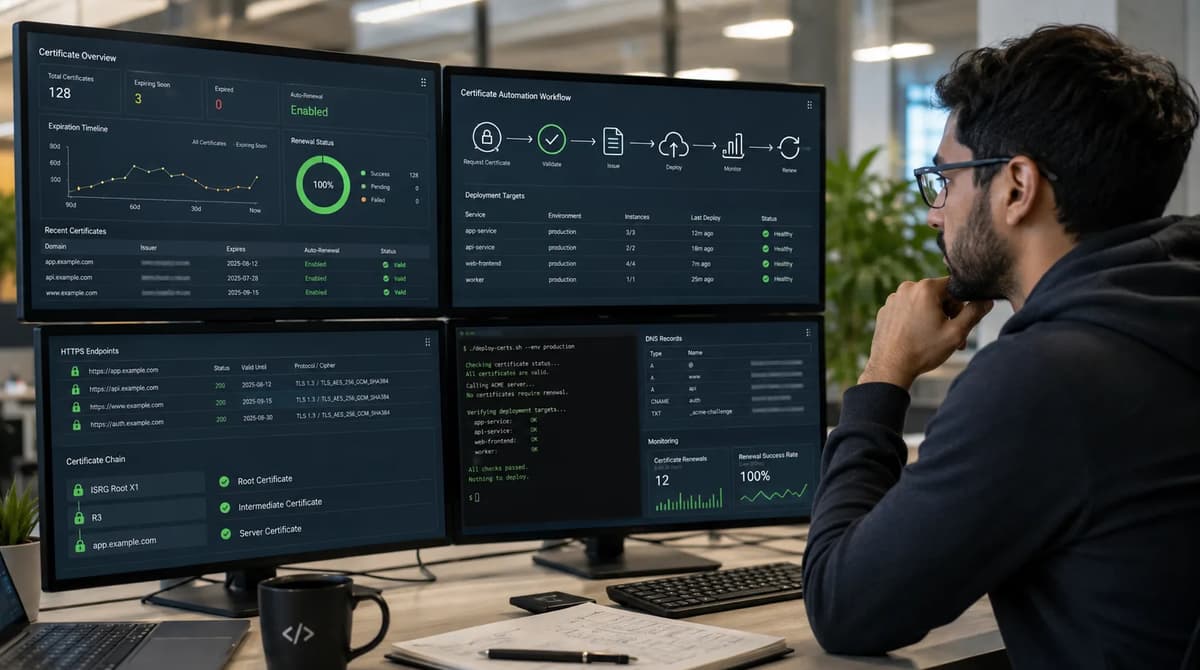
A few months ago we had a classic incident: our CA console showed a freshly renewed TLS certificate, but users suddenly got browser warnings because the production API’s SSL certificate had expired. The missing piece was deployment; we had renewed the cert in the CA portal but never pushed it to an overlooked service in a staging cluster. This outage underscored three distinct success states in a certificate lifecycle: issuance (getting the CA to sign a new cert), deployment (pushing that cert to the actual server or load balancer), and live endpoint verification (clients actually seeing the new certificate). All three must succeed for truly automated renewal. Today, with the CA/Browser Forum’s new schedule already in force, we have at most 200 days for a cert to remain valid. That means any weak link (like manual steps or single points of failure) now materializes quickly as downtime. The march toward 100-day (Mar 15, 2027) and 47-day (Mar 15, 2029) certificates makes matters worse: there is less slack and more frequent renewals. In this playbook, we treat certificate lifecycle management as a first-class control plane, not a one-off task. We’ll start by scoping the program to public Internet TLS certificates, build an authoritative inventory, then pick or build an automation pipeline (ACME, managed services, etc.) with ACME Renewal Information (ARI) support. We’ll automate domain validation (HTTP-01/DNS-01/TLS-ALPN), ensure every load balancer, CDN, ingress, and server has the updated cert, and set up post-deployment checks. We’ll separate privileges (CA accounts, DNS API keys, deployment rights), and engineer against failures (CA outage, DNS failure, rate limits, deployment errors). Finally, we define renewal SLOs and run practical game-day drills to meet the new schedule. By the end, we want a migration plan that converts our estate to a fully automated, production-grade TLS lifecycle well before the 100-day deadline.
1. The 200-Day Rule Has Already Changed the Operating Model
The CA/Browser Forum Baseline Requirements now cap public TLS certificates at 200 days for any cert issued March 15, 2026–March 14, 2027, down from the previous 398-day limit. In practice this means CAs “SHALL NOT issue Subscriber Certificates… greater than 200 days” in that period. Looking ahead, starting March 15, 2027 that hard limit drops to 100 days (with a SHOULD NOT exceed 99-day clause for March 2027–March 2029), and from March 15, 2029 onward to 47 days. Parallel to certificate validity, domain/IP validation reuse (how long a CA can reuse proof of domain control) is also tightened: 200 days after March 2026, 100 days after March 2027, and only 10 days after March 2029. In short, certificates and their domain validations must happen more often.
Effective Date | Max Certificate Validity | Domain/IP Validation Reuse |
Mar 15, 2026 – Mar 14, 2027 | 200 days MUST NOT exceed | 200 days MUST NOT exceed |
Mar 15, 2027 – Mar 14, 2029 | 100 days SHOULD NOT exceed | 100 days MUST NOT exceed |
Mar 15, 2029 onward | 47 days MUST NOT exceed | 10 days MUST NOT exceed |
This schedule applies only to publicly trusted server certificates for internet-accessible services. The adopted CA/Browser Forum Ballot SC081v3 states that the requirements “address… only for certificates which are intended to be used for authenticating servers accessible through the Internet.” Internal PKI (self-signed or internal CA certificates, private mTLS, VPN, or IoT certificates) is outside this Web PKI rule. Public-facing TLS for websites, APIs, gateways, and SaaS endpoints still needs automated renewal; manual processes will not keep pace with 200-day and soon 100-day cycles. A vendor-sponsored Keyfactor/Wakefield Research survey reported that 86% of surveyed organizations experienced a certificate-related outage or disruption in the prior year, while 10% reported one weekly. Shorter lifetimes are not merely a calendar nuisance; they require a reliable automation pipeline.
2. Scope the Right Certificates Before You Automate
Not all certificates are born equal in the Web PKI schedule. The first step is a decision tree: Is this certificate a publicly-trusted TLS server cert (Subject Alternative Name of type DNS, IP, or URI, intended for internet clients)? If yes, it’s in scope. If no, it’s out of this project and needs a separate program or policy. Broadly speaking:
In-scope (Web PKI): Certificates for web or API endpoints, load balancers, CDNs, or gateways serving internet traffic under public domain names or IPs. These are issued by public CAs and trusted by browsers/OSes. They are covered by the CA/Browser Baseline Requirements (the 200/100/47-day rule).
Out-of-scope: Anything not a public server cert. This includes:
Private/internal PKI: Internal services, intra-network TLS, service-mesh mTLS, VPNs, load balancers behind corporate firewalls. These often use private CAs or self-signed certs, with separate policies (often much longer lifetimes). They must be renewed too, but they do not have to follow the public 200/100/47-day limits and typically use different tools/pipelines.
Client certificates: Any cert used for client authentication (browser or device client auth) or S/MIME. These are covered by different rules.
Code signing / IoT / specialized X.509 uses: These fall under other PKI domains (code signing, device certs, etc.) and are managed separately (different trust stores, CA requirements, lifetimes).
Email certificates (S/MIME), document signing, etc. Out-of-scope.
Server certificates for non-public domains or IPs: If you issue a cert with a public CA for an internal name (like VPN.company.local) that might violate CA policy, but even if allowed, it’s outside “internet-accessible server” scope.
A practical scoping checklist:
Does the certificate’s purpose show up in a browser’s address bar or a mobile app’s TLS connection from the open internet? If yes, include it.
Does the cert chain up to a public root (e.g. DigiCert, Let’s Encrypt, AWS Trust Services, etc.)? If yes and it’s for a server identity, include it.
Is the endpoint hostname resolvable by public DNS and reachable by clients on the internet? If yes, include it.
If the cert is for an intranet or uses an internal-only CA or PKI, or for client auth, log it for inventory but exclude it from the 200-day automation plan; handle it under separate processes (perhaps referenced in your governance, but not in this migration).
Every in-scope endpoint should be inventoried. Adjacent certificate populations (e.g. internal server certs, client certs, service-mesh certs, code-signing certificates) each need their own lifecycle plans, but do not mix their renewal processes. In-scope certs should be clearly labeled “public TLS (Web PKI)” in your inventory, with owners and termination points noted. (For an overall view on the cloud and PKI landscape, see established cloud-security architecture guides like the Cloud Security Engineering Best Practices and zero-trust models.)
Public Web PKI Versus Private PKI
To enforce this scope, maintain a clear scope boundary. For example, use tags or categories in your inventory to flag “Web PKI (public)” vs “Internal PKI.” Train teams to recognize that the 200/100/47-day rule does not apply to certificates issued by an internal CA or used only within a private network. An internal cert might legally live a year or more, but your monitoring should still catch its expiry (even if less risky). Conversely, any cert chained to a public root must follow the public limits if it’s for a public server. Keep a documented policy: e.g., “Only certificates signed by a public-trusted CA and used on Internet-facing servers fall under this automation program and the CA/B Baseline schedule.”
If an internal workload currently uses a public CA cert (unusual), decide whether to migrate it to a private CA or treat it as public (since the rules target the intended use, not just the chain). The safest approach: if external clients or partners expect to trust it, treat it as public. Otherwise, consider segregating it under an internal PKI with its own management.
Server Certificates Versus Client Certificates and Workload mTLS
On a related axis, distinguish server TLS certificates from client or workload certificates. Server certs (with the TLS Web Server Authentication EKU) are in-scope. Client certs (TLS client auth, code signing certs, etc.) fall under different CA/Baseline Requirements (e.g. CA/Browser Client requirements, which don’t have the same 47-day limit) or other frameworks. Similarly, certificate-based service-to-service authentication (mTLS) typically uses short-lived certs issued by internal CAs or workload PKIs (like Istio Citadel, AWS Private CA, HashiCorp Vault). These are outside the “public Web PKI” scope, though they also deserve strong automation. In short: this article is about automating the life cycle of public Web PKI server certs. Any other certificate type should be clearly scoped out so teams don’t mix processes.
3. Build an Authoritative Certificate Inventory
Before automating, know what you have. Most certificate outages start with “we didn’t know that cert existed.” You need an authoritative inventory of every in-scope certificate. The inventory schema should capture at least the following fields:
Field | Description / Notes |
Certificate ID | Unique identifier (e.g. SHA-256 fingerprint or serial number) to differentiate certs, even if they share names. (Useful to detect duplicates or ghost certs.) |
Subject Names (SANs) | List all domain names/IPs in the certificate. (Each cert can have multiple SANs.) This identifies which hostnames the cert covers. |
Issuing CA | The CA or ACME server that issued it (e.g. “Let’s Encrypt”, “DigiCert ACME”, “AWS ACM”). Useful to know trust chain and API endpoint for renewals. |
ACME Account/CA Account | If using ACME or other automated CA, note the account (or account name/ID) under which it was issued. This ties certs to CA credentials and rate-limit contexts. |
Owner/Team | The responsible person or team for the certificate. (For example, the application or service owner.) Who to call if something breaks. |
Environment | e.g. Production, Staging, QA. This flags which change management or downtime policies apply. (You might treat staging cert renewals differently.) |
Termination Point | Where the cert is deployed: e.g. “api.example.com on AWS ALB”, or “k8s ingress-nginx in prod cluster”, or “Azure Front Door: *.frontend.example.com”. A concise description of the endpoint. |
Deployment Mechanism | How the cert is put into place: e.g. “AWS ACM Import”, “Kubernetes secret via cert-manager”, “Manually uploaded to appliance via GUI”, “Terraform script to update Nginx config”, etc. |
Key Storage / Location | Where the private key resides or is generated: e.g. “HSM (YubiKey) held by ACME client”, “AWS KMS key (non-exportable)”, “Vault KV store”, “stored on nginx host at /etc/ssl/private”, etc. |
Validation Method | How domain control is proven: e.g. “ACME DNS-01 using DNS API”, “ACME HTTP-01 via nginx”, “CAA lock plus DNS TXT-01”. (This indicates what systems/credentials are used for renewal.) |
Renewal Window | When the cert is scheduled to be renewed. This could be a period (e.g. “renewed at ~60% life”) or it could record the ACME Renewal Info (ARI) if used (next recommended renewal date). |
Last Successfully Deployed | Timestamp (and version) of last known good certificate in place on the endpoint. This helps detect staleness. |
Last Live Verification | Timestamp of last successful live check (see Section 10). If some days pass beyond expected schedule, alerts should fire. |
Dependencies | E.g. if multiple certs need to rotate together (APIs and frontends, certificate chain prerequisites). Or if a TLS cert renewal requires rotating related cookies, etc. |
Escalation Route | Who to contact if this cert fails to renew or verify. Often same as owner/team, but may include security/PKI ops. |
This detailed schema ensures you can answer “What cert covers this hostname?”, “Who issued it?”, “Where is its key and how is it deployed?”, etc. Use this inventory to identify certificate silos and outdated processes. For example, make sure every public hostname (even subdomains) is covered in the inventory. The same survey highlights, lack of certificate visibility is a common failure mode. Track certs by unique ID (fingerprint) to detect duplicates or “shadow” certs that might not have been renewed. Automate inventory collection if possible: many CAs (Let’s Encrypt, AWS, cloud CDNs) and load balancers have APIs to list certs; tools like certspotter, crt.sh, or internal logs can also help discover missing certs.
To keep the inventory up to date, integrate it with your CI/CD or configuration management: e.g. generate/update entries when new certs are ordered or deployed. Tie each record to a ticket or change request so you know who approved it. In the inventory, highlight any manual exceptions (for instance, hardware devices that cannot automate) and label them for accelerated replacement or special handling.
4. Model Renewal Load Through the 100-Day and 47-Day Phases
With an inventory in hand, model the renewal workload. The move to 200, 100, then 47 days means roughly a 4× increase in renewal frequency over time. For example, if you have N certificates, at 200 days you renew ~N/200 per day; at 100 days it doubles, at 47 days ~4.3×. A quick example: an estate of 10,000 evenly staggered certificates would require ~50 renewals per day at 200-day lifetimes, ~100 per day at 100-day lifetimes, and ~213 per day at 47-day lifetimes (assuming a uniform distribution). (Of course real-world renewals often cluster around issuance dates, so you need to smooth this.)
Consider the consequences of this increased cadence:
DNS API calls: If you use DNS-01, each renewal often requires one DNS TXT update per domain (fewer if you reuse validations before the 200/100/10-day limit). At 200 days, 10k certs might mean 50 updates/day; at 47 days, ~213 updates/day. Ensure your DNS provider’s API quota can handle this (and think about rate limiting in code). For wildcards, DNS-01 is mandatory (HTTP-01 doesn’t support them). Plan to parallelize or batch DNS updates, or delegate zones to split the work.
CA Account Throughput: Many CAs impose rate limits per account (e.g. X orders per minute). To meet a high renewal load, you may need multiple ACME accounts or multiple CAs. For instance, if a CA allows 50 orders/min, but you need 100 renewals/day, single account can handle that with time to spare; but at 213/day with clustered spikes, you might hit burst limits. Plan to create extra ACME accounts and spread domains across them.
Order validation spikes: Without spread, if all certs expire same day, the CA would see a flood of domain validations. That’s where ACME Renewal Information (Section 7) or jittered schedules help, but budget for peak traffic. Coordinate with your CA if needed, or break renewals across accounts.
Deployment load: Each renewal means pushing a new cert to the endpoint. If you have 50 servers behind a load balancer, and 100 certs terminate there, that’s 100 certificate uploads to handle within the renewal window. Ensure your deployment pipeline (APIs, scripts, ansible jobs) can run concurrently without interference.
Monitor/alert capacity: Your monitoring system will see more events (CertificateIssued events, expiry warnings, live check results). Ensure dashboards and alerts can scale (e.g. don’t send 213 simultaneous emails if all renewals log at once).
Change windows & approvals: If any renewal path has manual approvals or downtime requirements, more frequent renewals means more planning. Aim to minimize manual steps (move toward automated pipelines) or consolidate renewals so they don’t always coincide with quarterly change windows.
Human overhead: Tasks like verifying DNS permissions or handling exceptions may scale up. Consider if extra ops person-hours are needed daily/weekly.
As an exercise, build a simple model table for your environment:
Asset Count | Certs per Day (200d) | Certs per Day (100d) | Certs per Day (47d) | DNS-01 Updates per Day (max) | Approx. ACME Orders per Day |
1,000 certificates | ~5 | ~10 | ~21 | ~5 (if unique domains) | ~5 (one per cert) |
10,000 certificates | ~50 | ~100 | ~213 | ~50 | ~50 |
50,000 certificates | ~250 | ~500 | ~1,064 | ~250 | ~250 |
(Values assume uniform stagger; your real distribution will vary.)
From this, extrapolate requirements. For 10,000 certs at 100-day, ~100 certs (and thus ~100 DNS-01 challenges) daily might be typical. Can your DNS API do 100 updates/day on 100+ zones? If not, consider delegating, caching, or running renewals off-hours. Can your CA accounts handle ~100 orders/day? If not, obtain multiple accounts or use multiple CA solutions.
The point of this exercise is to force planning for capacity. Talk to network and cloud teams about quotas (Route53 API calls, Cloudflare API rate limits, etc.), and to CAs about their policies. Plan additional ACME accounts in advance. Likewise, ensure your CI/CD or orchestration can spawn enough concurrent deployment tasks (e.g. parallel jobs for Kubernetes ingresses, rolling updates for LBs) to meet the schedule. Label any high-density renewal targets (e.g. a CDN with thousands of subdomains) and plan them as a separate pilot to avoid overloading systems.
5. Choose the Certificate Control Plane
With scope and inventory clear, it’s time to pick how we issue and renew certificates. In general, there are four approaches:
Managed Certificate Services (Cloud Provider CAS): Use cloud-provider services (AWS ACM, Google Managed SSL, Azure App Gateway Certificates) or CDN-managed certs. These services automatically issue public certificates (often via their own CA) and integrate with their load balancers/CDNs. Pros: Minimal maintenance, integrated deployment, often free or low cost, built-in renewal. Cons: Keys often non-exportable (you can’t easily use that cert outside the platform), limited to that cloud’s resources, and ARI support depends on provider. For example, AWS ACM now supports ACME as well. AWS announced in June 2026 a fully managed ACME endpoint that issues Amazon Trust certs and logs all requests to CloudTrail. This gives centralized logging, IAM-scoped access, and automated renewals, but keys remain in ACM and you can only use the certs on AWS resources. Multi-cloud or hybrid scenarios get tricky.
Commercial PKI/Platform (SaaS or On-Prem): Use a dedicated certificate management platform (e.g. DigiCert CertCentral, Venafi, Keyfactor, or others). These centralize inventory, issuance (via either their own CA or external CAs), and deployment (often via integrations). Pros: Enterprise features (reporting, multi-CA support, approval workflows), multi-cloud support, and often key export. Cons: Cost, complexity, potential vendor lock-in. Key custody varies (some act as CA, others just orchestrate), and ARI support is uneven (check whether the platform and underlying CAs support it). For instance, Keyfactor’s solutions claim to handle automation at scale with visibility, citing that most outages happen due to fragmented tools, but you’d need to verify ARI and ACME support in their docs.
Decentralized ACME Clients: Run your own ACME clients on each platform or cluster (Certbot on servers, cert-manager in Kubernetes, acme.sh, etc.). Pros: Full control and key custody, flexible (each team or environment can manage its own certs), immediate support for ARI and multiple profiles. Cons: More fragmented: each client needs configuration, inventory coordination, and monitoring. You’ll need to ensure each is correctly set up, which is more operational overhead. But tools like cert-manager bring Kubernetes-native automation with ACME, and acme.sh can run on VMs or containers.
Hybrid/Mixed Approach: In practice, many organizations use a mix. For example, AWS-infrastructure workloads might use ACM (managed), while on-prem or multicloud apps use cert-manager with Let’s Encrypt or an internal ACME CA. Or use a SaaS PKI for some projects and ACME clients for others. The hybrid model can balance control vs convenience, but requires careful role separation to avoid confusion (inventory must note which system handles each cert).
We should compare these options on key criteria: ownership of keys, ability to export, multi-cloud reach, ARI support, monitoring/observability, and failure isolation. For example:
Control Plane Model | Key Ownership | Multi-Cloud | Exportable Keys | ARI Support | Observability & Control |
Cloud-managed (e.g. AWS ACM, Azure Key Vault) | Keys held in cloud HSM (non-exportable) or managed by service | Limited to that cloud’s resources (multi-cloud needs multiple systems) | Generally no (cannot download private key) | Varies by provider; AWS announced ACME (likely ARI-capable) | Integrated (cloud logs, alerts). Example: AWS logs all ACME cert requests to CloudTrail and provides CloudWatch metrics. |
Commercial PKI Platform | Can be hybrid (some store keys centrally, some allow CSR-based generation on client) | Designed for multi-CA / multi-cloud usage | Often yes (can retrieve certificates/keys via API) | Depends on CA; many now support ARI if based on public ACME. Must verify per vendor. | Central dashboard/logs, usually robust metrics; may allow splitting responsibilities (discussed in Section 11). |
Decentralized ACME Clients | Team or system running client holds the keys (e.g. Kubernetes Secret, file system, HSM) | Fully flexible (can run anywhere ACME client can run) | Yes (you create CSR locally) | Yes (cert-manager and others implement ARI) | Monitoring is per-client; you must consolidate logs. Tools like cert-manager emit Kubernetes events; you’ll need sidecar or external tools to aggregate. |
Hybrid (mix) | Varies by component | Requires orchestration | Varies by component | Varies | Varies; adds complexity so only do if needed. |
(This table is illustrative; evaluate specific products/providers.)
For example, AWS Certificate Manager now provides a built-in ACME server and even supports profiles like Let’s Encrypt does. As noted in the AWS announcement, an ACM ACME endpoint can be centrally provisioned, with IAM roles binding ACME accounts and domain scopes, and all certificate actions are logged in CloudTrail. This offers high observability (“one dashboard for all ACME certs”) and fine-grained control. The tradeoff is keys stay in AWS-managed storage (you don’t see them), and it only covers AWS-integrated endpoints. If you have multiple clouds or on-prem, you’d need another system there.
When deciding, consider: Who “owns” the certs? Will the PKI team handle everything, or do application teams have their own ACME accounts? Who holds the private keys? Exporting keys may be a requirement for certain load balancers or legacy servers. Can we use the same tool across clouds? Does it support ARI profiles? (Important as we’ll discuss next.) How do we monitor and audit certificate requests? AWS ACM’s CloudTrail integration means every order is logged (ownership control, as shown in). If using cert-manager, you’ll need to capture its events and logs yourself.
Cloud architecture skills pay off here: tying PKI controls into your broader security architecture (see, e.g., Cloud Security Architecture Practitioner Roadmap) is essential for sound decisions. For example, a zero-trust perspective suggests minimizing who can request certs and how they do domain validation (more on that later). And DevSecOps foundations (e.g. CI/CD pipeline design from DevSecOps Roadmap) will inform how you integrate ACME into your builds and deployments.
6. Implement ACME as a Production Workflow
Given ACME is the industry standard for automated TLS, we’ll assume use of ACME (RFC 8555) for issuance. The ACME protocol defines a sequence of resources: Account, Order, Authorization, Challenge, Certificate. In practice, a client (like Certbot or cert-manager) follows these steps:
1. Create or use an Account. The client generates (or reuses) an ACME account key and registers it with the CA (ACME’s newAccount). The private key identifies the client to the CA for all further requests.
2. Place a Certificate Order. The client sends a newOrder request including the list of identifiers (domains) for the cert. The CA responds with an Order object containing URLs to one or more Authorization objects and a Finalize URL.
3. Fetch Authorizations. For each domain (identifier) the server provides an Authorization resource, initially in “pending” state. Each Authorization lists one or more Challenge options (e.g. http-01, dns-01, tls-alpn-01).
4. Choose and Perform Challenge. The client selects an appropriate challenge type (DNS-01 or HTTP-01 are most common for automation). For DNS-01, it creates or updates a DNS TXT record with the given token; for HTTP-01, it places a specific file or response at http://<domain>/.well-known/acme-challenge/<token>; for TLS-ALPN-01, it temporarily presents a special TLS certificate on port 443. The client then tells the ACME server to validate the challenge (POSTing to the challenge URL).
5. Poll for Validation Completion. The ACME server periodically checks the challenge (e.g. queries the DNS or tries an HTTP connection). The client polls the Challenge URL until the status is “valid” (or an error). Once all challenges for an Authorization are valid, that Authorization moves to “valid”. If any fail (or time out), the order fails. The client handles retries and “100: Retry-After” instructions as needed.
6. Finalize the Order. With all authorizations valid, the client sends its CSR (Certificate Signing Request) to the Order’s finalize URL. The CSR includes the public key that will appear in the certificate.
7. Download the Certificate. The CA then issues the certificate. The client retrieves it from the Certificate URL provided in the Order (or from the finalize response). It receives the certificate (and possibly intermediate chain) in PEM or DER format.
8. Deploy Certificate. Finally, the client (or a CI/CD pipeline) installs the certificate and private key to the termination points (load balancers, servers, etc.) as described in inventory.
Here is an illustrative workflow table:
Step | ACME Resource | Client Action | Example Command/URI |
Account Setup | Account | Register or retrieve ACME account key | POST new-account |
Place Order | Order | Request certificate for domain(s) | POST new-order { "identifiers":[{"type":"dns","value":"api.example.com"}] } |
Get Authorizations | Authorization objects | Poll ACME for each auth URL listed in the Order | GET /authz/<id> |
Perform Challenge | Challenge (http-01 or dns-01) | Provision challenge (create DNS TXT or HTTP file), then trigger validation | (e.g. certbot --dns-hook, or upload file for http-01) |
Poll for Validation | Challenge | Poll challenge URL until status = “valid” | Check Challenge object until status="valid". |
Finalize Order | Finalize URL | Submit CSR (with private key) to get final certificate | POST /finalize/<order-id> { "csr": "<base64-der>" } |
Download Certificate | Certificate | Retrieve issued cert and any intermediates | GET /cert/<cert-id> |
Deployment | N/A | Deploy cert+key to servers or LB (see Section 9) | (Depends on environment: CLI, API call, K8s secret apply) |
Live Verification | N/A | Verify from clients (see Section 10) | openssl s_client -connect api.example.com:443 etc. |
In practice, use a well-supported ACME client in your environment. For example, on Linux servers one might use Certbot or acme.sh with scripts for deployment; in Kubernetes use cert-manager (which provides Kubernetes Certificate custom resources backed by ACME). These clients already implement the above state flow and retry logic. Ensure the client you choose supports ACME v2 (for wildcard DNS-01 and profile support) and handles rate limits and retries per RFC 8555.
As you implement this pipeline, integrate it into your CI/CD or infrastructure provisioning. For example, a GitOps approach can store desired certificate configs in code; upon merge, an automation job runs the ACME client to update the cert and then triggers a rollout of updated secrets/configmaps. If using managed services, leverage their APIs (e.g. AWS CLI or Terraform for ACM). Document example commands in your runbook. For instance, a cert-manager YAML snippet might look like:
apiVersion: cert-manager.io/v1
kind: Certificate
metadata:
 name: example-com
spec:
 secretName: example-com-tls
 issuerRef:
 name: letsencrypt-prod
 kind: ClusterIssuer
 commonName: example.com
 dnsNames:
 - example.com
 - www.example.com
This tells cert-manager to use the Let’s Encrypt ACME ClusterIssuer to automatically obtain a cert for example.com, and store it in a Kubernetes secret. When cert-manager’s ACME client finishes, the secret is auto-updated and any pods referencing it will reload the certificate (or be restarted, depending on setup).
Crucially, instrument observability into each step: log the ACME orders and validation status, and track failures. Ensure retries are logged. Each phase (account creation, order, challenge) should generate metrics or at least logs so you can reconstruct the state flow in a post-mortem. Integrate with your alerting so that failed authorizations or finalization errors trigger immediate attention.
(For design and integration of automation pipelines in a cloud DevOps practice, see related DevSecOps resources.)
7. Use ARI Instead of Hard-Coded Renewal Dates
A common pitfall is assuming “I’ll just renew at fixed intervals (say 60 days) and I’m done.” With 200-day and soon 100/47-day certificates, those hard schedules fail. Instead, use ACME Renewal Information (ARI) (RFC 9773, June 2025) to let the CA tell clients when to renew. ARI allows an ACME server to embed suggested renewal windows, avoiding premature or clustered renewals.
Without ARI, clients typically schedule renewals by one of three heuristics: a fixed cron, parsing the expiry date, or renewing at a percentage (often 80%) of the certificate’s life. These methods have downsides: they may not adjust if the CA changes cert lifetimes (for example, if a CA shortens max validity further), and they can cause “thundering herd” spikes when everyone renews at the same time.
RFC 9773 defines an ACME extension where the ACME server’s directory object may include a renewalInfo URL. When clients request a certificate, the CA can return metadata like “recommended to renew between day X and day Y.” This allows “dynamic time-based load balancing” of renewals. For example, a CA planning a mass revocation or maintenance could temporarily move recommended renewal earlier to spread load. In practice, when an ACME client obtains a certificate, it should check for ARI data. If present, schedule the next renewal within the suggested window (usually something like “two-thirds of the certificate’s lifetime, plus a random jitter of ±j days” to avoid synchronicity). If no ARI is provided, fall back to the default (e.g. 66% of lifetime). Let’s Encrypt’s certificate-lifetime guidance warns: “If your client doesn’t support ARI yet, ensure it runs on a schedule… renewing at a hardcoded 60 days will no longer be sufficient”.
In implementing ARI, pay attention to:
Early Renewal and Jitter: Don’t renew right at first allowable moment. Add randomness so not all clients renew the instant they’re allowed. RFC 9773 suggests clients shouldn’t cluster exactly at the earliest recommended time.
Clock Skew: ACME servers and clients may have slight time differences. ARI typically gives times in seconds or as time offsets. Build in a safety margin (e.g. consider ARI “start time” minus a few minutes) to avoid accidental lateness.
Fallback Behavior: If you encounter an ACME server that doesn’t support ARI (older CA or client), treat it as “no ARI” and use your standard logic (e.g. renew at 60% lifetime). Conversely, if a client supports ARI but the CA doesn’t publish it, the client’s ARI implementation should simply ignore and use its default. Most modern ACME clients like cert-manager (v1.18+) do support ARI if advertised.
ARI Caching: Store the ARI data in your state (the ACME client usually does). If multiple parallel instances of renewal run (e.g. scaled-out cert-manager controllers), ensure each respects any ARI data (or use one leader).
Multiple Profiles: If you use ACME profiles (e.g. Let’s Encrypt’s tlsserver vs classic profiles), each profile’s certificates have different lifetimes. ARI data must align with the profile used. Make sure your client requests (or defaults to) the correct profile so it gets the right ARI window (e.g. tlsserver-profile certs will come with ARI suggesting 30-35 days if it’s 45-day lifetime).
In short, shift from “renew every N days” to “renew when CA tells me to (ARI) or else at a safe point.” This change greatly reduces risk of out-of-sync or overloaded renewals.
8. Automate Domain Control Validation Safely
Each ACME renewal requires proving you control the domain(s) involved. With shorter lifetimes, this proof (Authorization) happens more often, so we must automate it securely. The main challenge types are HTTP-01, DNS-01, TLS-ALPN-01, and in special cases “delegated” validations. We should minimize blast radius by following least-privilege principles for each.
HTTP-01: The ACME client must provision a token (file) under http://<domain>/.well-known/acme-challenge/. This requires the client to upload to a web server (or have a specialized HTTP handler). Pros: No DNS changes needed; works with existing web infrastructure. Cons: The client needs rights to modify the web content or server config. If done poorly, an attacker with access could replace that content to issue certs. Mitigation: run the ACME client with only file-write access to the challenge directory (not full root), or use a dedicated container/sidecar that serves the challenge token. For example, cert-manager’s HTTP01 solver creates a temporary pod that responds on port 80. Also ensure the web server does not expose the private key or other sensitive files. HTTP-01 only proves control of port 80 of that host, so it inherently trusts the server’s integrity.
DNS-01: The client creates a specific TXT record under acme-challenge.<domain>. Pros: Doesn’t depend on an HTTP server or port; works for wildcards. Cons: Requires access to the DNS zone via API or credentials. The key risk is the DNS credentials: a token with zone-update privileges could in theory modify any record, not just the challenge. Use DNS APIs with limited scope: for example, many providers allow API keys that can only change TXT records in a specific domain. At minimum, isolate permissions to only update acme-challenge records (some providers allow such fine-grained control via IAM). Also, delegate a sub-zone for challenges: e.g. create acme.example.com as a separate DNS zone and delegate acme-challenge.example.com to it. Then give your automation keys only to the acme.example.com zone. This way, even if the key is stolen, it can only modify records under acme-challenge and not affect your actual DNS. Rotate the DNS API key regularly, and audit its use (log every API call). DNS updates may take time to propagate; ensure your ACME client waits appropriately or retries (letsencrypt clients normally wait 30-60s before telling the CA to check).
TLS-ALPN-01: Similar to HTTP-01 but on port 443 using a special TLS certificate for the token. It requires the ACME client to bind port 443 to serve a one-time cert. This can work if you can temporarily replace the server’s TLS cert on that host. It’s less commonly used; some clients (like older certbot) support it. It's mostly useful when HTTP/80 is blocked or you want to prove TLS directly. If you use it, ensure no downtime: ideally the solver certificate is valid only for the short duration and the system can hot-reload certificates (like nginx can).
CAA Records: As a one-time setup, publish CAA DNS records to specify which CAs can issue for your domain. This is not a challenge type, but ensures only authorized CAs can issue. It protects against rogue issuance by other CAs. For ACME, consider using CAA accounturi tags (RFC 8657) to tie your ACME account to domains (often auto-handled by CAs).
Always log and monitor domain validation attempts. If a challenge fails (e.g. DNS update didn’t propagate in time), make sure the client reports it, and trigger an alert if a cert is nearing expiration without successful validation. Use least-privilege for all credentials involved in DCV. Certificate authorities must log how domain validation was done (as per Baseline Requirements 3.2, including which token was served and how the CA checked it). For internal teams, store proof-of-control artifacts for audit (ACME clients usually keep token and response).
In summary: automate HTTP and DNS challenges with tightly-scoped permissions and monitoring. Consider DNS delegation or limited API keys to contain risk. Ensure your DNS zone allows rapid updates (low TTL on _acme-challenge records if possible). Document in your runbook exactly how each challenge is fulfilled in your setup (e.g. “We use DNS-01 via Cloud DNS API with a read/write key limited to TXT for *.example.com”).
9. Deploy Certificates Across Every Termination Point
Issuance is only half the battle. We must distribute the renewed certificate to every place it’s used, without error. In a modern infrastructure that likely includes:
Cloud Load Balancers and CDN Endpoints: AWS ELB/ALB/NLB, Azure Load Balancer/App Gateway, Google Cloud LB, Cloudflare CDN, Fastly, Akamai, etc. Each has its own API or UI for uploading certs. Ideally, script or automate these via CLI or IaC. Note that some cloud LBs (e.g. AWS) tightly integrate with their own CA (ACM), while others (e.g. GCP) allow importing external certs. For example, on AWS you might aws acm import-certificate or use Terraform’s aws_acm_certificate. The important part is to make uploads idempotent (e.g. only push a new cert if it’s actually different). Use immutable references if possible (like naming the cert resource with a version). Rollouts: do them in stages if possible (update one region’s LB, test, then others). Document if any have stateful connections that require careful draining.
Reverse Proxies / API Gateways: Nginx, HAProxy, Envoy, AWS API Gateway custom domains, Kong, etc. For self-hosted proxies, deployment might be via SCP/SSH and config reload, or via configuration management. We need a reload strategy: e.g. graceful reload for nginx (nginx -s reload) once the new cert is in place. Ensure zero-downtime if possible (e.g. use two proxies and flip traffic). For API gateways (like AWS API GW or Apigee), there are platform-specific commands or UI steps to update the cert on the custom domain.
Kubernetes Ingress and Services: If using Kubernetes, cert-manager can automatically create or update Kubernetes Secret objects (type tls). You must then configure your Ingress resource or Service (with certificate-secret) to use that secret. When the secret is updated, the Ingress controller (nginx, contour, etc.) should detect the change. You may have to annotate for hot-reload, or roll pods if necessary. An idempotent approach is to apply the same manifest: if the secret data hasn’t changed, nothing happens; if it has, the ingress resource updates automatically. Remember to set the secret’s tls.crt and tls.key fields correctly.
Serverless and Custom Domains: For example, AWS CloudFront custom domain distributions, or Google Cloud Endpoints with custom certs. These often require pushing the cert to an ACM or similar service, then linking it to the distribution. Automate via Terraform or CLI: e.g. aws cloudfront update-distribution --distribution-id ABC --default-root-object index.html --viewer-certificate Certificate=XYZ.
Bare-Metal or Legacy Servers: Traditional web servers (Apache, IIS) or devices (F5, Cisco, etc.) often need manual steps. You can script it with Ansible/SSH or use vendor APIs (e.g. F5 has iControl REST). For example, uploading a cert to an F5 Big-IP requires a POST to its REST API. Ensure your deployment scripts can detect service readiness; after installing a cert, run a health check on the service. Plan for any required reboots.
In all these cases, follow these best practices:
Idempotency: Design scripts so running them multiple times has no ill effect. For example, if a cert is already the latest version, skip the upload. Use checksums or version labels.
Staged Rollout: Never update all endpoints at once. For globally distributed systems, update one region or node, verify, then proceed. This limits blast radius if something is misconfigured.
Zero-Downtime Reload: Use zero-downtime reload mechanisms if available (e.g. nginx -s reload vs full restart). Test that old connections drain gracefully before shutting the old cert out.
Rollback Plan: Always keep a copy of the old cert (and key) until the new one is verified working. Many systems allow you to simply re-import the old cert if needed. Document the rollback steps in the runbook.
Audit the Deployment: Just like issuance, log deployment events. For instance, after pushing a cert to a load balancer via API, log the API response. CloudTrail/Stackdriver etc. will capture it. In custom scripts, write to a log with timestamp and cert fingerprint. This helps in postmortems.
Below is a deployment matrix to capture checks:
Endpoint Type | Deployment Method | Staging Strategy | Reload/Rollback |
AWS/Cloud LB or ACM | Via AWS CLI/Console/Terraform (ACM import) | Use separate ACM certificate, then switch alias | ACM auto-propagates; no reload needed |
Kubernetes Ingress (e.g. nginx) | Update Secret (kubectl apply) | Deploy to one namespace first | Ingress controller will hot-reload on secret change; if not, restart pods gracefully |
CDN (e.g. Cloudflare, Fastly) | API call/CI job | Update one domain or edge location | Usually instantaneous; keep old cert in UI for quick revert |
Nginx/Apache servers | SCP + config file change + reload | Test on a dev server if possible | Use nginx -t/apachectl configtest; reload gracefully; keep backup of old key/cert files |
API Gateway (AWS, Azure) | CLI or SDK (associate cert with domain) | Do on a test endpoint | Revert by reassociating old cert via CLI if needed |
Legacy devices (F5, Citrix) | Vendor API or GUI (some scripting needed) | Use test or tenant devices | These often need restart; schedule in maintenance window; have admin credentials ready |
(This checklist guides how to push certificates. Adjust for your specific stack.)
After deploying, immediately verify on the target endpoints (next section). Do not assume success because no error was thrown. Only proceed to mark a renewal as “done” when post-deployment checks pass.
10. Verify the Certificate That Clients Actually Receive
Automation is only reliable if we continuously check that the deployed certificate matches expectations. For each endpoint, build a post-deployment verification checklist and run it after every renewal. This often requires doing a client-side TLS handshake or HTTP request from outside. Key items to verify include:
Certificate and Chain: Confirm the leaf certificate and its chain are correct. Does the common name/SANs match the intended host(s)? Is the certificate valid (dates, not expired/revoked)? Is the full chain present (e.g. including the right intermediate)? A missing intermediate can break older clients. We can use openssl s_client -connect host:443 -servername host or specialized tools (like SSL Labs API, nmap --script ssl-cert etc.) from an external location. Compare the presented chain to your inventory.
Public Key and Algorithm: Check that the public key type (RSA, ECDSA) and size match policy (e.g. RSA 2048 or better, ECC P-256 or better). A misconfigured key (too short or wrong type) could degrade security. This also catches mistakes where an old key might have been re-used incorrectly.
Expiration and Renewal Timing: Using the handshake data, extract the certificate’s NotBefore/NotAfter and ensure it aligns with the new issuance (e.g. expiring 200 days from the issue date). If you planned renewal at 180 days, make sure the new cert’s expiration looks correct. Also check that the cert’s serial number or fingerprint differs from the old one.
OCSP Stapling / Revocation Info: If you use OCSP stapling, verify that the endpoint is stapling a fresh OCSP response. In openssl s_client -status output, confirm there’s an OCSP response with a future next-update. If you’re using short-lived (≤7-day) certificates to avoid OCSP entirely, confirm that no OCSP info is required.
TLS Protocol and Cipher Suites: After renewal, ensure your endpoint still negotiates the expected TLS versions and ciphers. Sometimes installing a new cert can accidentally revert to weaker defaults. A quick scan (SSL Labs or openssl s_client -tls1_2 etc.) can confirm your security settings.
SNI Routing: If the endpoint uses SNI to serve multiple domains on one IP, test each domain name with -servername in your TLS client. Verify each hostname gets the correct certificate. (This can catch issues where one domain’s cert overwrote another.)
Certificate Transparency (CT): For public certificates, check that the new certificate appears in public Certificate Transparency logs. Some CAs will not issue without embedding SCTs. You can query crt.sh or use Google’s API with the cert’s SHA-256 to ensure it’s logged. This step ensures browsers will trust the cert (since CT is required for modern browsers on public webs).
Client Compatibility: Test with representative client software: a modern browser, an older browser, a mobile app, a command-line curl/openssl. Ensure they can establish a TLS connection without errors. For example, verify that root CAs in client trust stores recognize the chain.
DNS and Load Balancer Checks: If you changed DNS (for ACME) or load balancer configurations as part of the deployment, double-check those. For example, ensure your DNS still resolves to the right IPs (a DNS misconfiguration could break HTTPS even if the cert is correct).
A verification matrix can help ensure nothing is missed:
Check | Tool/Method | Expected Result |
Certificate Subject/SAN | openssl s_client -connect host:443 | Displays expected CN/SANs |
Chain Completeness | SSL Labs / openssl s_client | Chain up to trusted root, no missing intermediate |
Key Type/Length | SSL Labs / openssl x509 | Matches policy (e.g. RSA≥2048 or ECDSA P-256+) |
Validity Dates | openssl s_client | notAfter ~ future date as per issuance |
OCSP Stapling | openssl s_client -status | OCSP Response Status: SUCCESSFUL, future nextUpdate |
TLS Versions | SSL scan (e.g. nmap --script ssl-enum-ciphers) | Only allowed TLS 1.2/1.3 (or as configured) |
SNI Behavior | openssl s_client -connect host:443 -servername host (repeat for each host) | Correct cert per SNI name |
CT Logs | Check certificate fingerprint on crt.sh or use CTlog search | Cert appears in CT logs |
Public key PIN/HSTS (optional) | If using HTTP, check HSTS header or HPKP pin if used | As expected (HSTS present, no invalid pins) |
Automate as much of this as possible. For example, after deployment your system could automatically run an openssl script against each endpoint and parse the output for discrepancies. Any failure should trigger an alert so you can roll back quickly. Never assume deployment is successful; a network glitch or config error can leave the old (or no) cert in place.
Finally, integrate these checks into your continuous monitoring. For instance, maintain a “last verified” timestamp per certificate in the inventory, and alert if more than one renewal cycle passes without a successful live check. Synthetic monitoring (like a daily curl or TLS probe) can catch an unnoticed expiration earlier than customer reports.
11. Protect Keys and Separate Issuance Privileges
Security of the certificate automation pipeline depends on tight privilege separation. Here’s how to split roles and keys to minimize risk:
Role/Component | Privileges Needed |
CA/ACME Account Administrator | Ability to register/rotate ACME account keys, set account metadata (like CSR), manage EAB if used. Ideally this is a central PKI team or automated system account. ACME account private key should be secured (e.g. in Vault or KMS) and rotated periodically. |
Domain Owner / DNS Admin | Control of DNS zone or CAA records for the domain. This person or team provisions _acme-challenge records or CNAME delegations. They do not need rights to issue certificates; only to prove control. Ensure that these rights are separate from, say, developer SSH keys. For example, use cloud IAM to grant “DNS Zone Editor (limited to TXT)” to an automation principal. |
Key Generation/Crypto Store Admin | If using a Hardware Security Module or KMS to hold private keys, this role handles the key creation and backup (non-exportable keys). In many automated flows, the client generates the private key locally. If so, ensure it’s stored securely (e.g. in an HSM or encrypted Vault). Keep private keys out of source code. |
Certificate Deployment Operator | The scripts or users that copy certs to endpoints. This should have the least privilege necessary (e.g. write access to LB config or secret store). They should not be allowed to request new certs themselves unless authorized, to prevent rogue issuance. In other words, separate the role of requesting a certificate (Issuance) from deploying it. |
Approver / Change Owner | If a manual approval step is required (e.g. some orgs require security review of each new domain certification), this is the person/team that signs off. They need visibility into inventory, not necessarily direct system access. Use ticketing or code review as the gate. |
Monitoring and Audit | Read-only roles for ops/security to see all certificates and logs. They should have dashboards showing upcoming expirations and renewal status (no special privileges to change anything, just observe). |
Mapping these out prevents a single compromise from affecting the whole pipeline. For instance, if your ACME account key is compromised, ideally the attacker can only order certificates for domains the account is allowed (and then only if they can also solve DNS/HTTP challenges). They shouldn’t also be able to deploy to production, because the deployment operator is separate. Similarly, DNS API keys for ACME challenges should not allow issuing new certificates on their own (DNS hosts the records, but CA issuance is separate).
This is very much a zero-trust mindset in a microcosm: limit each component’s view. (For more on designing with least privilege and continuous verification, see Zero Trust Cloud Architecture in 2026.)
One special note on key custody: Some managed services (like AWS ACM) store keys that you can’t export. This reduces risk of key theft but also means you can’t move that cert elsewhere. If portability is a concern, choose “import a certificate” models instead. For self-managed ACME, keep the private key encrypted at rest, or use a KMS to wrap it. Rotate keys (account keys and certificate keys) on a regular schedule or after any suspected compromise.
In summary, draw up a privilege map early, and enforce it using IAM policies, Kubernetes RBAC, Vault policies, etc. Document it as part of your playbook so team members know who does what.
12. Design for CA Outages, Rate Limits, and Failed Deployments
Even with everything automated, things will go wrong. We must plan for failure modes so that a CA outage or other issue doesn’t suddenly break renewals. Here are key failure scenarios and mitigations:
Failure Mode | Symptoms / Impact | Mitigation & Recovery |
CA Unavailable | ACME orders fail (network error, 5xx). Certificates cannot be obtained or renewed on schedule. | Retry: Implement exponential backoff and retry over hours. Alternate CA: If you have authorized multiple CAs via CAA, switch to another CA (requires DNS change in CAA or use an alternate ACME directory). Pre-fetch: For non-critical renewals, proactively renew earlier once a CA downtime is anticipated. Manual Failover: Have a process to temporarily use a different CA (e.g. enterprise CA in urgent cases) and later replace. Do not set up a separate hidden PKI for public trust. After outage, reconcile: check inventory for any certs whose renewal dates slipped, and issue new renewals immediately. |
Rate Limiting | ACME returns “429 Too Many Requests” or abuse error. Renewal is refused. | Multiple Accounts: Distribute domains across several ACME accounts or CA accounts to spread rate limits. Queue Requests: If a bulk renewal spike is coming, use ARI to stagger them (as in Section 7) or pre-queue smaller batches. Slow Down: Implement client-side rate limiting (some ACME clients do this automatically). Contact CA: For very large scales, request higher limits or status exceptions from your CA. |
DNS API Failure | DNS updates (for DNS-01) fail due to provider outage or API change. Domain validation cannot complete. | Failover DNS: Use a secondary DNS provider or on-prem DNS server you control. Delegated Zone: If using a delegated _acme-challenge zone, the core DNS remains intact; you only lose ability to update that sub-zone. HTTP-01 Fallback: If DNS-01 fails but HTTP-01 is possible (no wildcard needed), switch to HTTP-01 for that renewal (reconfigure client). Manual Override: For urgent renewals, manually add the needed TXT record via a GUI/console, then run ACME. Document this break-glass. Post-Recovery: When DNS API is restored, re-run any failed renewals. |
Deployment Failure | The new certificate was issued but never applied (e.g. script error, wrong target). Clients still see the old/expired cert. | Detect Quickly: Have synthetic monitors (Section 10) catch this within minutes. Rollback: If partial rollout broke something, revert to the previous cert or take endpoint offline if needed. Fix & Redeploy: Fix the deployment issue (config, API auth) and redeploy the cert. Logging: Ensure your deployment system logs failures to a central place so you can promptly see and react. |
Live Mismatch | Certificate is issued and even deployed but the wrong one is active (e.g. due to DNS SNI misconfig). | Double-Check Inventory: Check that the cert in inventory (fingerprint, SANs) matches what the endpoint reports. Automation Bug: Fix any mismatch in the deployment script that selected the wrong secret or name. Immediate Alert: Because customers see a cert name mismatch, treat it as P1 and fix it (often by re-running deployment with correct input). |
Human/Process Error | Erroneous manual change (e.g. wrong key used) or missed approval. | Lock Automation: Use source control for any manual step, so changes are audited. Runbook: Have a documented procedure for emergency issuance (e.g. “if this service is down, issue a one-day cert via Let's Encrypt manually”). Drill: Include a human-error scenario in game days (next section) so teams learn to respond correctly. |
Where possible, bake resilience into the design so fallback is graceful. For example, set ARI early if a mass revocation is planned, so clients renew before that. Use ACME order retries on different accounts if one account fails. Never let deployment leave the service with no valid cert; ideally the old cert stays until the new one is verified.
Above all, do not attempt to create a “shadow PKI” (i.e. secretly issuing from another CA into the same trust anchor) on the fly. That can backfire and break trust. Instead, rely on pre-approved multi-CA strategies or manual procedures. Document the decision point: e.g. “If AWS’s ACME endpoint is down, skip renewals for 24h and notify the team. Only if an expiration is <12h away, perform a manual renewal through [alternative CA or internal process].” Then reconcile when back up.
Before any major deadline (e.g. the March 2027 100-day limit), run failure-injection exercises: simulate a CA outage by disabling your ACME endpoint in the lab, or mock a DNS failure. Practice the runbook steps (e.g. switch to backup CA in test, retry DNS updates on a failover). Measure recovery time and patch any gaps. Define clear acceptance criteria for these drills (e.g. “the renewal process either succeeds automatically within X hours or is completed manually without certificate expiry”).
13. Set SLOs, Alerts, and Game-Day Tests
To ensure reliability, we must quantify and monitor performance of the renewal process. Define Service-Level Objectives (SLOs) for certificate renewals, such as:
Renewal Success Rate: e.g. 99% of certificates are successfully renewed and deployed before expiration. Track how many certs hit expiration without automatic renewal.
Lead Time to Renewal: Certificates should be renewed Y days before expiry (for example, for a 100-day cert, maybe renew by day 75). Define an error budget if a renewal is late (e.g. “less than 0.5% of certs renew late”).
Time-to-Deploy: Once a CA issues a certificate, define how quickly it must be deployed (e.g. within 1 hour).
Detection Time: Once a cert is expired or misconfigured, detection and alert must occur within Z minutes (synthetic monitor interval).
Use these to set alert thresholds. For example, create alerts for:
Any certificate entering a “critical” expiration window (e.g. 7 days before expiry) without a logged renewal attempt.
Any ACME order failures or challenge failures (e.g. >5% of orders last week failed).
Any discrepancies between inventory and live cert (if a synthetic check flags a mismatch).
Build a dashboard (or use a PKI manager tool) showing: total certs, upcoming expirations by bucket (0–7 days, 7–14, 14–30, etc.), recent issuance errors, and renewal success rate. These aging buckets help you catch certificates that are near expiry and ensure the pipeline stays on schedule. Tie each alert to an on-call channel. For instance: “If any cert is <5 days from expiry without a status=issued, trigger PagerDuty to the platform team.”
Schedule regular game-days (chaos engineering for PKI!). For example, quarterly or semi-annually, pick a test scenario:
1. CA Failure Drill: Simulate your main ACME CA being unreachable. Run a batch of renewals in parallel (perhaps in a staging environment) and ensure the system either retries on alternate endpoints or queues the jobs without expiring any test certs. Verify failover instructions.
2. DNS Outage Drill: Disable your DNS API in a test and try to renew a wildcard cert. Observe that the system falls back (if configured) or alerts properly. Test manual override process.
3. Deployment Rollback Drill: Force a bad cert deployment (e.g. upload an expired or wrong cert to a dev LB). Check that monitoring catches it and that we can roll back quickly.
4. Volume Spike Drill: Temporarily shorten some cert lifetimes (in staging) to cause a high renewal rate. Ensure your clients respect ARI and don’t crash the CA or DNS.
For each drill, define objective pass/fail criteria: e.g. “No test certificate expired or downtime occurred,” “Alerts fired as expected,” and “Recovery steps were executed within the target time.” Log everything as if it were a real incident. Afterwards, hold a blameless post-mortem and update the runbook with any improvements.
Below is an example SLO & Alert Table:
Metric/Check | Target (SLO) | Alert Threshold | Action |
Certificates renewed successfully | ≥99% of certs are renewed on time | Falling below 98% (e.g. 2% failures) | PagerDuty to PKI engineer |
Certificates >7d to expiry | 100% have active renewal in progress | Any cert hits 7d without new cert | Alert to devops on-call |
Deployment time (CA->LB) | <1 hour (for auto-deploy cases) | >2 hours delay | Notify platform team |
ACME challenge success rate | ≥95% of challenges succeed first try | <90% success | Investigate (DNS issues?) |
Synthetic TLS checks | 100% of endpoints pass | Any failure | On-call; auto-rollback if possible |
CT Log ingestion | 100% of new certs logged | Missing in CT after 24h | Alert to PKI (possible CA issue) |
Maintaining strong SLOs and running game days are what separate theoretical readiness from real readiness. They catch the human and environmental factors that paperwork misses. As you approach the March 2027 cutoff, gear up these drills and ensure leadership is aware of the go/no-go criteria (for example, “we will only switch off any old processes once we have met the SLO targets for two quarters and successfully completed two game-days”).
14. Execute the Migration Before the 100-Day Phase
Finally, put all the above into an actionable migration plan with deadlines ahead of March 15, 2027 (when 100-day max kicks in). A phased rollout might look like this:
1. Discovery Phase (Now–Q4 2026): Complete the certificate inventory with all in-scope endpoints and owners. Classify and tag each (public TLS vs out-of-scope). Identify quick wins (services already using ACME) and problem areas (very old certs, legacy devices).
2. Pilot Automation (Late 2026): Choose a low-risk subset (e.g. a development cluster or a few non-critical APIs) and fully automate their TLS lifecycle end-to-end: ACME issuance, DNS or HTTP challenge, deployment, and monitoring. Exercise ARI. Do a small-scale game-day (simulate a failure in this pilot) and refine.
3. Parallel Running (Early 2027): For each environment (prod network, staging, etc.), implement the chosen control plane (e.g. install cert-manager on all K8s clusters, configure AWS ACM endpoints). Run the automated renewal pipeline in parallel with existing manual renewals. This verifies the pipeline without disrupting production (overlap by a few months). Continue adjusting on feedback.
4. Estate Rollout (By summer 2027): Gradually expand automation to remaining services. Use the model from Section 4 to throttle the rollout (if you have tens of thousands of certs, do it in cohorts by domain or team). By the end of summer 2027, all new and renewed certificates should be on the automated system. (Old outliers can remain manual only if absolutely necessary.)
5. Legacy Exceptions: Some legacy devices may not support automated updates (e.g. firewalls without API). For those, either schedule their replacement or allow a special process (e.g. a managed one-year cert with intranet reissuance). Clearly document these exceptions with executive approval. They should be strictly limited and phased out.
6. Executive Sign-off (Oct 2026 – Jan 2027): Present progress to leadership regularly: inventory completeness, pilot success metrics, issue logs, game-day results. Get formal acceptance from stakeholders that this plan meets business continuity needs. Use this to justify the cutover plan.
7. Cutover & Rollback Criteria (March 2027): Before March 15, 2027, switch the default renewal schedule to 100 days (e.g. update any manual processes or CI triggers). Officially retire any remaining 200-day pipelines (e.g. disable old Certbot crons). Define rollback: if the first few weeks see more than X certificates fail renewal, be ready to pause further cuts and revert to the old system temporarily while issues are fixed. Ideally, that shouldn’t be needed if steps 1–6 were done properly.
By March 15, 2027, you should be fully on the new 100-day schedule, with your automation pipeline carrying the load and meeting all SLOs. Continue observing and iterating, because March 2029 (47-day) will bring another jump in frequency. This is an ongoing process improvement, not a one-time project.
Manual certificate renewal simply doesn’t scale under 200/100/47-day rules. The first steps are inventorying every public TLS endpoint, ownership assignment, and scope confirmation to focus on real Web PKI certificates. Next, choose and implement an automation control plane (be it cloud-managed or self-managed ACME) that meets your key-ownership and compliance requirements. Then tackle ACME workflow, domain validation, and deployment mechanics one by one, building checklists and tables (as above) to track decisions and state. Always verify that the new cert is live on the endpoint, not just in the CA. Design privileges (ACME accounts, DNS, deployment) with least privilege so that a breach in one area doesn’t compromise others. Plan for CA outages, DNS failures, and load spikes with clear fallback rules. Set concrete SLOs (for renewal success, timing, etc.) and run frequent game days to validate your ops.
With all of that done, you’ll have a robust TLS lifecycle pipeline ready for 100-day and 47-day certificates. For engineers, this is both a technical challenge and an operational discipline. It’s exactly the kind of end-to-end, reliability-focused work that a comprehensive cloud security program covers. For those looking to sharpen these skills in a structured way, the Refonte Learning Cloud Security Engineer Program offers hands-on training in cloud architectures, automation, cryptography, and monitoring, which are the foundations you need to master this automation playbook. (The program is a 3‑month, part-time course led by cloud security experts like Dr. Christine Baker, and it culminates in practical projects and a certificate of internship.) By applying these practices now, you’ll avoid the “known unknowns” of the upcoming deadlines and ensure your public TLS infrastructure is both secure and resilient under the new 200/100/47-day regime.