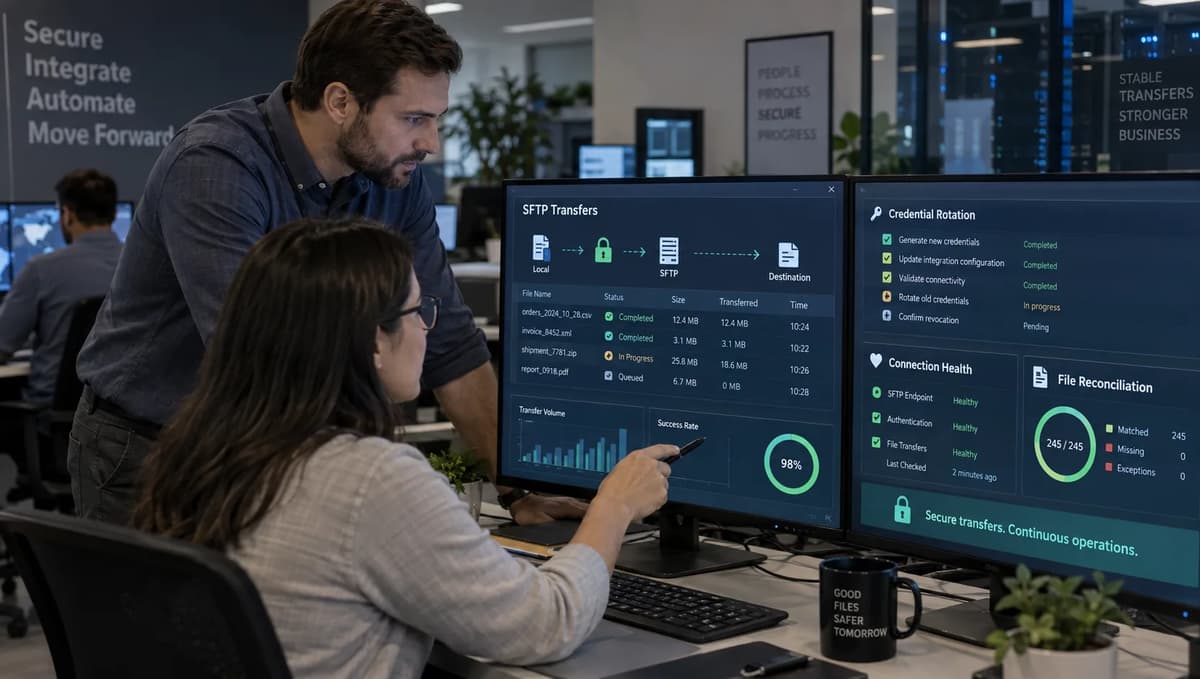
An overnight regulatory file leaves your source system, the partner changes the SFTP password minutes later, and the next retry fails. The secret in AWS is current, so the rotation ticket looks complete, but the partner has no file and nobody can immediately prove whether it was never sent, partially written, or duplicated by a retry. Private-key rotation can fail more quietly when the new key works but the old public key remains authorized on the partner server long after cutover.
AWS reduced one important part of that risk on September 4, 2026. The AWS Transfer Family announcement on continuing SFTP transfers during credential rotation introduced ordered AWS Secrets Manager version stages for SFTP connector authentication, so a connector can attempt configured secret stages instead of requiring operators to repoint it to a different secret version during every rotation. That is continuity at the connector credential boundary. It does not change the partner server, validate the network path, approve a host-key change, prove remote directory permissions, make a file transfer atomic, or reconcile a business acknowledgement.
A safe SFTP connector credential rotation is therefore a distributed production change. Secrets Manager, connector configuration, the partner account, SSH key material, network path, remote host key, retry behavior, and reconciliation need explicit states and owners. The acceptance test has two parts: the business file flow remains correct through the transition, and the previous credential is demonstrably dead everywhere it could still authenticate.
Understand What Rotation Continuity Does and Does Not Guarantee
An AWS Transfer Family SFTP connector is a managed client that connects Amazon S3-backed workflows to a remote SFTP server. The AWS Transfer Family connector configuration guide describes two egress choices, service managed and VPC Lattice, and requires connector credentials in AWS Secrets Manager. The new rotation behavior adds an ordered credential-version lookup. Treat that as one control inside a larger transfer system, not as a complete rotation workflow.
The cleanest operational boundary is to separate documented service behavior from the evidence your organization still has to produce. AWS can keep trying an allowed fallback stage during authentication. Your team still owns whether the partner has installed the new credential, whether the old one has an expiry, whether the partner's allowlist still recognizes the connector source, and whether a successful login can actually perform the contracted file operations.
Control boundary | What the AWS capability helps with | What still requires production proof |
Secret-version selection | The connector can use an ordered list of configured Secrets Manager stages during authentication. | The remote server must accept the intended credential, and the overlap list must be deliberately bounded. |
Connector configuration | No manual switch to a different secret version is required for each rotation when stages are preconfigured. | The connector still depends on the correct secret ARN, trusted host keys, access role, security policy, endpoint, and egress path. |
Authentication continuity | A previous credential can remain usable as fallback during a planned overlap. | Password policy, public-key installation, lockout behavior, server-side expiry, and removal remain partner operations. |
Transfer outcome | A working credential can allow the SFTP session to start. | List, read, write, rename, delete, checksum, acknowledgement, and downstream processing can still fail independently. |
Security closure | A bounded overlap enables safer transition. | Closure requires evidence that the old password or public key no longer authenticates, not just a staging-label change. |
Decision rule: approve the feature for production only if the change record identifies both the credential-control owner and the end-to-end file-flow owner. A rotation that ends at Secrets Manager is incomplete by design.
Inventory Every Connector, Partner, Credential, and File Flow
Rotation continuity is only as strong as the inventory behind it. Start with connectors in every AWS account and Region, then join them to partner contacts, secrets, S3 locations, schedules, remote directories, network paths, downstream applications, and recovery procedures. Do not assume one connector equals one business process. One partner endpoint can carry several file families with different deadlines, while one business process can involve outbound files, inbound acknowledgements, and later reconciliation feeds.
Build the inventory before automating rotation. Discovery should combine Transfer Family configuration, infrastructure-as-code repositories, Secrets Manager metadata, KMS key mappings, CloudWatch log groups, S3 event routes, scheduler or workflow definitions, partner contracts, and service-owner interviews. The broader cloud-security architecture foundations are useful here because the inventory has to describe identity, encryption, network boundaries, logging, and recovery as one control surface rather than independent checkboxes.
Inventory field | Required detail | Why it matters during rotation |
Connector | Connector ID, account, Region, endpoint, port, security policy | Pins the exact runtime object and prevents rotating the wrong integration. |
Partner | Legal/technical name, primary and emergency contacts, time zone, ticket route | Makes remote-side installation and rollback executable under pressure. |
File flow | Direction, schedule, file pattern, remote paths, data classification, SLA | Defines what must be tested beyond login. |
Credential | Authentication method, secret ARN, current/previous stages, planned expiry | Shows which secret versions and remote account controls are in scope. |
Encryption | KMS key, key owner, key policy, recovery authority | Prevents a rotation from failing on decrypt or ownership changes. |
Network | Service managed or VPC Lattice, DNS, route, source IP, firewall/allowlist | Separates credential failure from reachability failure. |
Host trust | Approved host key or fingerprint, source, last verification date | Detects server-identity changes rather than accepting them as a login issue. |
Ownership | Integration owner, security owner, partner manager, business reconciler | Assigns authority for proceed, rollback, replay, and closure. |
Recovery | Replay method, alternate path, escalation, maximum tolerable delay | Makes ambiguous transfer recovery a planned action rather than improvisation. |
For each flow, draw the business path from source-file creation through S3, connector invocation, remote directory placement, partner acknowledgement, downstream processing, archival, and reconciliation. A connector can report a completed operation while the business process remains incomplete because the partner has not consumed or acknowledged the file. Inventory the acknowledgement path with the same discipline as the outbound transfer.
Define the SFTP Secret Schema and Ownership Model
Do not invent an SFTP connector secret schema. The AWS Transfer Family procedure for storing SFTP connector credentials requires the key Username and allows Password, PrivateKey, or both. The private key must correspond to the public key installed for that user on the remote server, and AWS documents that a passphrase-protected private key is not supported for SFTP connector authentication. Those field names are an interface contract, so preserve their capitalization and validate every new version before promotion.
Password authentication
{
  "Username": "<partner-account>",
  "Password": "<stored-secret-value>"
}

Private-key authentication
{
  "Username": "<partner-account>",
  "PrivateKey": "<unencrypted-private-key-material>"
}

Combined authentication
{
  "Username": "<partner-account>",
  "Password": "<stored-secret-value>",
  "PrivateKey": "<unencrypted-private-key-material>"
}
Keep ownership separate from storage. Secrets Manager stores the credential material, but an integration owner still owns whether that credential should exist; a partner administrator owns the remote account configuration; security owns policy and exposure limits; and the business owner owns whether delayed or replayed files are acceptable. Tag the secret with connector ID, environment, partner, owner, rotation class, and exception expiry where your tagging standard permits it. Never copy the secret value into change tickets, chat threads, code repositories, or deployment variables as a convenience.
That last point is a lifecycle control, not an SFTP-specific trick. Refonte Learning's article on secret leakage from AI coding agents is relevant only at that boundary: credentials become harder to retire when they have been duplicated into build logs, prompts, repositories, or developer workstations. The connector should read the approved secret directly, and operators should work with metadata, version identifiers, fingerprints, and test results whenever possible.
Handle Password-Based Authentication Deliberately
Password rotation can fail even when the new value is correct. The partner account may be locked, expired, restricted by source address, or subject to rules the proposed value violates. Before the window, document password policy, expiry, lockout threshold, failed-attempt reset behavior, and the emergency reset route. If the partner generates the value, keep only installation evidence outside Secrets Manager, never the password itself.
Pre-check the partner account is enabled and not close to an administrative expiry.
Use a synthetic connection schedule that cannot trigger lockout through repeated retries.
Define exactly when the old password stops being accepted on the partner server.
If the partner supports only single-password replacement with no overlap, treat the change as a higher-risk coordinated cutover and shorten the observation window.
After promotion, perform a negative test with the old password through an approved isolated test path before closing the ticket.
Handle Private Keys and Combined Authentication Safely
SFTP private key rotation requires two different key-management actions. First, generate and protect the new private key in an approved process. Second, install only the corresponding public key on the partner account. The private key belongs in Secrets Manager; the public key belongs on the remote authorization list. Do not confuse the user authentication key with the SFTP server host key, which identifies the server and is governed separately.
A zero-downtime key rotation normally uses a bounded dual-public-key period: install the new public key while the old remains authorized, store the new private key as the candidate secret version, test, promote, observe, then remove the old public key. Capture both fingerprints. For combined authentication, confirm the partner actually requires both factors; placing both fields in the secret does not prove server-side enforcement.
Design the Ordered Version-Stage Strategy
Secrets Manager versions are identified by staging labels. The AWS Secrets Manager documentation on secret versions and staging labels defines AWSCURRENT, AWSPREVIOUS, and AWSPENDING, and it also permits custom labels. Transfer Family now lets the connector receive an ordered list of secret version stages, with a documented maximum of two stages for an SFTP connector. That small limit is useful: it pushes teams toward a simple current-plus-previous fallback instead of an indefinite chain of old credentials.
Stage labels are not the rotation policy. Define when the remote server accepts each credential, how long overlap is allowed, who can extend it, and what evidence permits promotion. AWSPENDING is a Secrets Manager rotation label, but it is not automatically in the connector's ordered list. With AWSCURRENT and AWSPREVIOUS, validate the candidate through a deliberate test path before promotion.
Rotation state | Secrets Manager state | Remote server state | Connector expectation | Exit evidence |
Proposed | New version created, commonly with AWSPENDING | New password/key not yet installed | Production still uses current stages | Schema validation, owner approval, partner change scheduled |
Installed | Candidate version retained; no production promotion yet | Partner has installed new credential alongside old where possible | Production continues on current/previous | Partner installation proof and isolated authentication test |
Promoted | New version becomes AWSCURRENT; former current becomes AWSPREVIOUS | Both credentials temporarily accepted | Connector order prefers current, then previous | Successful business transfer using new credential and healthy monitoring |
Observed | AWSCURRENT stable; AWSPREVIOUS still available only for bounded rollback | Old credential still accepted until expiry | Fallback remains available during observation | No unexplained auth errors, missing files, duplicates, or partner complaints |
Retired | Old version loses operational staging label when closure is approved | Old password disabled or old public key removed | Production uses current only or current plus next planned fallback | Negative authentication test for old credential and signed closure evidence |
Use AWSCURRENT and AWSPREVIOUS With an Expiry
For most rotations, configure AWSCURRENT first and AWSPREVIOUS second. Prefer the new credential and allow the previous one only during a defined overlap. Put an absolute expiry timestamp in the change record. If evidence is incomplete at expiry, escalate and explicitly renew the exception rather than letting the old credential persist by inertia.
Rollback meaning must also be explicit. If the new credential fails and the partner still accepts the old one, you may restore the previous version as current or rely temporarily on the configured fallback while fixing the candidate. If the partner has already removed the old credential, AWSPREVIOUS is no longer a real recovery path even though the label exists. A label describes a secret version, not remote-server validity.
Use Custom Stages Only With a Documented Contract
Custom labels can help when a regulated process needs a named acceptance state, but they increase coupling across automation and operations. Use one only when owner, creation event, remote prerequisite, lifetime, connector order, rollback meaning, and removal condition are documented. Because the connector accepts at most two ordered stages, a custom label displaces one of the standard fallback choices.
Acceptance rule: the ordered-stage list is configuration-controlled and versioned with infrastructure as code or an equivalent change mechanism. Operators should never add a third informal recovery credential outside Secrets Manager because the two-stage model feels restrictive. That workaround destroys retirement proof.
Coordinate the Remote Server's Credential Transition
The remote SFTP server is outside the AWS control plane, which means partner coordination is a first-class technical dependency. Open a change ticket that names the partner administrator, your integration owner, the business reconciler, the exact maintenance window in both time zones, the credentials being added and removed by fingerprint or version identifier, the expected source IP addresses, and the emergency contact path. The ticket should state whether the partner can support overlap or requires a single-step credential replacement.
Use the same discipline applied to compliance and governance in DevSecOps: an exception needs an owner, compensating control, and expiry. A partner request to 'leave the old key for a few weeks just in case' is a security exception, not an operational default. If the business needs that window, record why, cap it, monitor use, and require a renewal decision before expiry.
Partner checkpoint | Minimum evidence | Stop condition |
Change authority | Named partner admin and internal approver | No person is authorized to modify the account |
Maintenance window | Absolute start/end times and time zones | Partner window conflicts with a critical file SLA |
New credential installed | Server-side confirmation plus fingerprint/version correlation | Partner cannot prove which account or key was changed |
Source allowlist | Expected service-managed IPs or customer NAT/EIP addresses confirmed | Partner has not allowlisted the active egress source |
Host key | Expected server host-key fingerprint confirmed out of band | Partner changed server host identity without pre-approval |
Rollback | Named action and who can execute it | Old credential already removed before new path is proven |
Retirement | Date/time for disabling old password or removing old public key | No expiry or partner refuses negative-test support |
For private-key changes, send the new public key through the partner's approved channel and ask for server-side installation proof tied to the account. For password changes, agree who generates the value and how it reaches Secrets Manager without appearing in tickets. If the partner is late, do not silently extend overlap. Escalate against the defined expiry and decide whether to pause nonessential transfers, preserve the current credential, or move the maintenance window.
Automate Rotation Without Hiding Partner Failure
Automation should make the ordered state transitions repeatable, not turn an external coordination problem into a green pipeline. The automation boundary is cleanest when it prepares a candidate secret version, validates schema and metadata, waits for explicit partner installation evidence, runs controlled tests, promotes the version, observes production, and then opens a retirement step. Every wait state needs a timeout and owner. A pipeline that automatically promotes because a secret exists is unsafe for a partner-managed server.
AWS documents how to configure an existing connector's ordered stages in the SFTP connector management guide. A production pipeline can version-control the equivalent configuration, for example:
aws transfer update-connector \
  --connector-id <connector-id> \
  --sftp-config '{"OrderedUserSecretVersionStages":["AWSCURRENT","AWSPREVIOUS"]}'
Do not put credential values in command lines or pipeline logs. Treat the stage list, connector ID, secret ARN, fingerprints, test IDs, and change-ticket identifier as safe metadata; treat the secret value and private key as restricted data. Build idempotent automation so re-running the same step does not create extra secret versions, duplicate partner messages, or repeated file transfers.
Automation gate | Automated check | Human/partner evidence required |
Prepare | Secret schema valid; tags/owner present; no forbidden value logging | Change approved and maintenance window confirmed |
Partner install | Candidate version exists but is not assumed active | Partner confirms password or public key installed on correct account |
Test | Synthetic connection and allowed file operations pass | Partner confirms test artifact or acknowledgement where contract requires it |
Promote | Stage transition is performed once and recorded | Integration owner authorizes production observation |
Observe | Auth/transfer error rates, retries, missing files and acknowledgements monitored | Business reconciler confirms scheduled file completion |
Retire | Expiry reached and old credential is queued for remote removal | Partner removes old credential; security approves negative test and closure |
Failure visibility is part of automation quality. If the partner does not install on time, the pipeline should stop in a named state such as WAITING_FOR_PARTNER, not loop until the old credential happens to work. That distinction tells incident responders whether AWS, the network, or the remote change is actually failing.
Apply Least-Privilege IAM, KMS, and Secret Policies
The connector access role is part of the credential path. The AWS service-managed SFTP connector procedure states that the role needs access to the relevant S3 location and secretsmanager:GetSecretValue on the connector secret. If the secret uses a customer-managed AWS Key Management Service (KMS) key, the effective design must also allow the required decrypt path under IAM and the KMS key policy. Scope each permission to the connector's actual resources rather than copying a broad tutorial policy into production.
This is where zero-trust cloud architecture principles become concrete. The connector should be trusted for a named secret and named data path because the workload requires them, not because it runs inside an AWS account. Separate the runtime role from the rotation-automation role. The runtime role reads the credential and file objects; the rotation role may create versions or move staging labels but should not automatically gain broad S3 access or partner-management authority.
Principal | Allow only what is required | Negative test |
Connector access role | GetSecretValue on the named connector secret; required S3 list/get/put/delete actions only on contracted paths | Attempt to read a different partner secret and a sibling S3 prefix; both must be denied |
Rotation automation | Only the Secrets Manager version/stage operations used by the workflow plus narrowly scoped readback | Attempt to change an unrelated secret or KMS key; deny and alert |
KMS usage | Decrypt/use rights only for the key protecting the intended secret/data where customer-managed keys are used | Attempt decrypt under another key and cross-account use without approved grant |
Logging role | Only the CloudWatch Logs actions and log-group scope needed by Transfer Family | Attempt to write to an unrelated application log group |
Human operator | Describe/test/update actions required for assigned connectors, preferably through controlled roles | Attempt to retrieve secret value or modify production stage without approved role elevation |
Also test policy failure deliberately. A rotation is not ready until the team can distinguish an authentication rejection from AccessDenied on Secrets Manager, KMS, S3, or logging. Record CloudTrail evidence for operator and automation changes, and avoid permanent break-glass grants. Emergency access should be time-bounded, monitored, and reviewed after use.
Choose Service-Managed or VPC Lattice Egress
Credential continuity cannot compensate for a broken network path. The AWS VPC connectivity overview for SFTP connectors documents service-managed egress over AWS Transfer Family infrastructure and VPC-based egress through Amazon VPC Lattice. Service-managed connectors use AWS-owned NAT and service-supplied static IP addresses for public SFTP servers. VPC Lattice lets you route through your VPC, reach private or on-premises servers, and use customer-controlled NAT gateways and Elastic IP addresses for public destinations.
For teams building the VPC path, the AWS procedure for VPC-based SFTP connector egress requires the supporting VPC infrastructure, a Resource Gateway, and a Resource Configuration that identifies the target. Treat those objects as part of the connector dependency graph. A secret rotation can coincide with DNS, firewall, NAT, route, or partner allowlist drift and create a misleading 'credential failure' incident.
Decision factor | Service-managed egress | VPC Lattice egress |
Remote endpoint | Public internet-accessible SFTP server | Public, private in-VPC, or on-premises path through VPC connectivity |
Source IP ownership | AWS Transfer Family supplies static egress IP addresses | Customer can present its own NAT gateway and Elastic IP addresses |
Routing control | AWS-managed service path | Customer VPC route tables, security controls, Resource Gateway and Resource Configuration |
Partner allowlist | Allowlist the service-supplied connector IPs | Allowlist the customer-controlled public source address or approved private path |
Operational checks | Endpoint DNS, public reachability, service IP continuity | VPC DNS, routes, security groups/firewalls, NAT if public, Resource Gateway health |
Change risk | Lower network-management burden but less custom routing control | More control and observability, with more infrastructure that can independently fail |
Before every rotation window, capture the expected endpoint resolution and source address from the active design. If a partner allowlist is based on service-managed IPs, verify all assigned addresses remain authorized. If VPC egress uses a NAT gateway or centralized firewall, verify the actual production route and source IP rather than the infrastructure diagram. Do not change egress type and credential in the same maintenance window unless there is a tested reason; it multiplies failure causes and weakens rollback evidence.
Test Authentication, Reachability, and Host-Key Trust
AWS recommends testing an SFTP connector before transferring files, and the Transfer Family Test connection procedure returns success or an error reason. Use that test as the first gate, not the last one. A connection test can show that the connector reached a server and established enough of the session to validate configuration, but production acceptance must exercise the operations the partner contract actually permits.
Host-key verification is a separate trust decision. If you obtain a host key from an initial test or ssh-keyscan, verify the fingerprint out of band with the partner before trusting it. A changed host key can be legitimate during server maintenance or failover, but accepting it only because the new credential works defeats server authentication. Where an intentional host-key rotation is supported, pre-stage the new trusted host key alongside the old one, validate the fingerprint, observe, then remove the old host key after the partner confirms completion.
Test | Method | Acceptance evidence |
DNS and TCP reachability | Resolve endpoint from the active path and test port reachability without weakening firewall rules | Expected address/path, no unexpected public/private route change |
Host-key trust | Compare presented host key/fingerprint with out-of-band partner record | Exact approved fingerprint and key type |
Current-stage authentication | Run connector test and synthetic transaction on AWSCURRENT | Successful login with expected account and no fallback dependency |
Previous-stage fallback | Use a dedicated non-production connector or approved isolated client to validate the previous credential during overlap | Fallback credential works only during the documented window |
Directory permissions | List required paths and perform allowed read/write operations | No broader directory access than contract permits |
Write semantics | Upload a synthetic file; use temporary name plus rename if the partner contract supports it | Final filename, size and checksum match; no partial artifact remains |
Delete/rename | Exercise only where contractually permitted | Operation succeeds for test path and is denied elsewhere |
Large file and concurrency | Run representative file sizes and parallelism within partner limits | No timeout, throttling, corruption, or duplicate processing |
AWS documents send, retrieve, list, delete, rename, and move operations for SFTP connectors in the SFTP connector file-operations guide. Use only the subset allowed by your partner agreement. A test account that has broader permissions than production can produce false confidence, so acceptance must run under the same remote account and network boundary used by the real flow, with synthetic data appropriate for that environment.
Protect File Integrity, Idempotency, and Reconciliation
Credential rotation often reveals a deeper transfer-control weakness: the integration does not know whether a file was delivered once, partially delivered, or processed twice. SFTP itself gives you a byte-transfer channel and remote filesystem operations; it does not create business idempotency. Your application has to decide what constitutes the same business file and how a retry behaves after an ambiguous timeout.
The AWS Transfer Family file-transfer documentation describes connector transfer requests and tracking identifiers. Build a durable manifest around those service identifiers rather than treating logs as the ledger. The manifest should exist before the first send attempt and survive retries, operator intervention, and partner outages.
Manifest field | Purpose |
Business file ID | Stable idempotency key independent of filename changes |
File name and direction | Connects the business object to the remote contract |
Size and checksum | Detects truncation, corruption, or wrong-content replay |
Source timestamp/version | Identifies the exact source snapshot that was authorized for transfer |
Send attempt | Distinguishes retries while preserving one business identity |
Transfer/operation ID | Correlates AWS logs and events with the manifest |
Remote acknowledgement | Records partner receipt or explicit acceptance where available |
Downstream processing status | Separates file arrival from business consumption |
Reconciliation outcome | Closes the record as matched, duplicate, missing, partial, rejected, or manually resolved |
Prefer an idempotent naming or protocol rule agreed with the partner. Common patterns include a stable business file ID in the final filename, a companion manifest, or a partner-side deduplication key. If the remote server supports the necessary permissions, upload to a temporary name and rename only after the complete file is present; that reduces the chance that a downstream watcher consumes a partial file. Do not assume rename is atomic across every server implementation or filesystem. Test the actual partner behavior.
Never blindly retry an ambiguous write. First query the remote directory or partner acknowledgement channel, compare expected size and checksum where available, and determine whether the first attempt completed. If you cannot establish the state, quarantine the business file and require replay authorization. The cost of a late regulatory file can be high, but the cost of processing the same payment, trade, healthcare batch, or entitlement twice can be higher.
Monitor Connections, Transfers, Events, and Business Completion
Connector health is not one metric. The AWS guidance for monitoring SFTP connectors points operators to CloudWatch logs and connector events, while AWS example CloudWatch log entries for SFTP connectors show fields such as operation, connector ID, transfer ID, file-transfer ID, file path, status code, and timing. Use those technical signals, then join them to partner acknowledgements and business reconciliation so the monitoring stack can distinguish infrastructure success from process completion.
The operational principles also align with broader cloud-security engineering best practices: logs need ownership, actionable alert thresholds, retention, correlation, and a response path. A dashboard that shows green connection counts but cannot identify a missing 02:00 settlement file is not useful managed file transfer security.
Signal | Why monitor it | Rotation-specific action |
Connection test result | Detects reachability, host trust, role, or authentication changes | Block promotion when the test fails or changes error class |
Authentication failures | Shows credential rejection, lockout, wrong account, or stage fallback behavior | Correlate with promotion time and partner server logs |
Transfer status and bytes | Detects failed, partial, or unexpectedly small/large transfers | Compare with manifest size and checksum |
Latency and retries | Shows network degradation, throttling, remote slowness, or retry storms | Pause automation before retries trigger lockout or duplicates |
Partner acknowledgement | Shows remote receipt or acceptance beyond SFTP completion | Escalate missing acknowledgement against business SLA |
Missing/duplicate files | Direct business-integrity indicator | Quarantine replay and reconcile before resending |
Previous credential age | Shows exposure window remaining after promotion | Alert before expiry and escalate overdue removal |
Business completion | Confirms downstream process consumed the expected file once | Close rotation only after scheduled flows reconcile |
Create a rotation dashboard or incident view that overlays the change window with stage changes, authentication outcomes, transfer IDs, file IDs, partner acknowledgements, and credential-expiry timers. Use absolute timestamps in UTC plus partner local time when the operation spans time zones. The most useful alert during overlap is not simply 'authentication failed'; it is 'AWSCURRENT path is failing and production appears to be depending on the previous credential beyond the expected test period.'
Recover From Rotation and Transfer Failures
Recovery must preserve evidence before it changes state. When a rotation fails, capture the connector configuration, ordered stages, secret version IDs and labels, host-key fingerprints, network path, relevant CloudWatch entries, transfer IDs, manifest state, and partner response. Then choose the smallest rollback that restores service. Refonte Learning's discussion of cloud-native disaster recovery and resilience is relevant here because a recoverable integration needs a known-good path, replay rules, and evidence that the recovered state is actually correct.
Failure mode | Immediate containment | Recovery path | Closure proof |
Bad secret value/schema | Stop promotion; prevent retry storm | Correct candidate version or restore known-good current | Schema check and successful authenticated transfer |
Partner installation delayed | Hold current credential; stop expiry clock from silently passing | Reschedule window or explicitly approve time-bounded overlap | Partner installation evidence and revised expiry |
Account lockout | Stop automated retries | Partner unlock/reset; test once under controlled path | Lockout counters normal and synthetic transfer passes |
Host key changed | Do not accept new key automatically | Verify fingerprint out of band; update trusted set only if authorized | Approved fingerprint and connection test |
Network denial | Separate DNS/route/firewall/allowlist checks from credential checks | Restore known network path or partner allowlist | Reachability plus transaction test from production egress |
Partial transfer | Quarantine remote partial artifact if contract allows | Clean up or overwrite only after reconciliation decision | Checksum and single final file confirmed |
Ambiguous timeout | Do not blind-retry | Check remote state and acknowledgement; replay only with authorization | Manifest records one accepted business outcome |
Overlap expired | Do not extend automatically | Escalate risk owner; either complete retirement or authorize a new bounded exception | New expiry with approval or old credential disabled |
Partner unavailable | Protect current service and preserve evidence | Follow emergency escalation; pause risky replay/change steps | Partner contact restored and state reconciled |
Handle Authentication Failure Without Extending Exposure Indefinitely
If AWSCURRENT fails after promotion but AWSPREVIOUS still works, treat that as degraded service. Stop further rotations, confirm which credential the partner actually accepts, and start an incident timer. Fallback protects continuity while the intended state is repaired; it does not justify indefinite use of the previous credential. Any extension past expiry requires explicit risk approval.
Check failure classes in order: secret retrieval and decrypt, schema, username, password/key material, partner account state, source allowlist, host key, cryptographic negotiation, and remote permissions. The AWS Transfer Family connector troubleshooting guide documents host-key formatting, key-negotiation, throttling, and VPC connectivity failure modes that can otherwise be mistaken for credential issues.
Handle Partial, Duplicate, or Ambiguous File Transfers
For a partial file, determine whether the partner can see or consume it. If your protocol uses a temporary name, keep downstream processing limited to final names. Quarantine a truncated final file before cleanup and preserve the manifest. For duplicates, identify the partner's deduplication rule, if any, then suppress or reverse downstream processing through the business runbook.
For ambiguous completion, require evidence before replay. Query the remote directory where permitted, compare size and checksum, inspect acknowledgements, and correlate the transfer ID. If state remains unknown, escalate. Any manual replay gets a new send-attempt record tied to the same business file ID and a named authorization.
Remove Previous Credentials and Prove They No Longer Work
Rotation is not complete when the new credential works. It is complete when the previous credential is no longer accepted by the remote server and no production path depends on it. For a password, disable or replace the old value. For a key, remove the old public key from the partner account's authorized set. For combined authentication, retire the old factor according to the partner's enforcement model. Keep the removal event separate from the observation period so operators can prove the new path is stable before destroying rollback.
Secrets Manager staging labels are evidence about stored versions, not about remote validity. When AWSCURRENT moves, AWSPREVIOUS identifies the former current version. After the old remote credential is disabled and rollback no longer requires it, remove operational labels from the obsolete version according to your secrets lifecycle. Secrets Manager treats unlabeled versions as deprecated and may remove old deprecated versions later; the remote credential should already be dead before that storage cleanup becomes relevant.
Closure step | Required action | Negative evidence |
Remote password | Partner disables/replaces old password | Controlled login attempt with old value is rejected |
Remote public key | Partner removes old public key from account | Old private key can no longer authenticate to that account |
Connector dependency | Confirm production succeeds on current credential without old fallback | Observed scheduled transfers and acknowledgements remain healthy after removal |
Secrets Manager | Remove obsolete operational stage labels according to policy | No connector configuration references the retired stage as a required recovery path |
Copies and exports | Verify no approved systems retain usable copies outside Secrets Manager | Repository/log/ticket scans show no exposed credential material |
Governance | Close exception, update inventory, record next rotation date | Signed evidence package includes partner confirmation and negative test |
Run the negative test from an approved isolated path that cannot trigger account lockout or create a real file. Record timestamp, account, credential fingerprint or version ID, expected failure, actual failure, tester, and partner confirmation if available. A secret label, ticket comment, or 'we removed the key' message is not equivalent to evidence that authentication fails.
Execute a 30-Day Rotation-Continuity Rollout
A 30-day rollout should prove the operating model on a low-risk partner before applying it broadly. Choose a flow with a cooperative partner, recoverable data, predictable schedule, and clear acknowledgement. Do not pick the largest regulated batch as the first test simply because its rotation deadline is close. The first month should produce reusable inventory fields, state transitions, automation gates, test scripts, dashboards, recovery evidence, and a retirement checklist.
Days | Work | Required artifacts | Exit gate |
1-5 | Inventory connectors, secrets, partners, file flows, egress paths and owners | Estate register, data-flow maps, credential-age report, partner contact matrix | No unowned production connector or unexplained credential path in pilot scope |
6-10 | Build stage model, permissions, synthetic test data and monitoring | Rotation state diagram, IAM/KMS review, test matrix, manifest schema, alert plan | Denied-access tests pass and pilot partner accepts change protocol |
11-15 | Run low-risk partner rotation with bounded overlap | Partner installation proof, candidate validation, AWSCURRENT/AWSPREVIOUS configuration, transfer evidence | New credential handles scheduled flow; business reconciliation is clean |
16-20 | Conduct one planned failure exercise | Injected bad candidate or controlled partner delay, rollback log, incident timeline | Team restores service without indefinite overlap or duplicate business processing |
21-25 | Expand to a second partner or higher-risk flow | Updated runbook, automation improvements, exception register | Different auth/network pattern passes without manual secret copying |
26-30 | Retire previous credentials and formalize governance | Old-credential negative test, partner removal proof, signed closure packet, next-rotation schedule | Old credential is dead, production remains healthy, owners sign closure |
The planned failure exercise matters because normal fallback can hide weak controls. Introduce one controlled defect, such as an invalid candidate in a non-production connector or a delayed partner key installation. Confirm automation stops at the right gate, operators identify why fallback is active, and nobody extends the old credential without approval.
By day 30, create a reusable rotation package: inventory template, partner change template, stage-transition runbook, secret-schema validator, connector test procedure, file-operation test set, manifest and reconciliation model, observability dashboard, failure matrix, negative-test form, and closure sign-off. Future rotations should instantiate that package rather than rebuild the process from memory.
Credential rotation should be judged by two outcomes, not by a successful secret update. First, the file flow remains correct through the change: the connector reaches the intended server, verifies the right host identity, authenticates with the intended credential, performs only authorized file operations, and produces exactly one reconciled business outcome. Second, the previous credential is disabled everywhere it could still authenticate. That second condition needs negative evidence. AWSPREVIOUS can describe an old secret version while the partner still accepts the old password or public key, so a label alone never proves retirement.
AWS Transfer Family's ordered secret-version stages make one part of the process safer by removing a manual connector-repointing step and enabling bounded fallback. The operating model still belongs to the integration team: partner coordination, least privilege, KMS and secret policy, network continuity, host-key trust, idempotent transfer design, reconciliation, observability, rollback, and expiry enforcement.
Teams seeking structured foundations for these disciplines can review the Refonte Learning Cloud Security Engineer Program. The live page describes three months at approximately 10-12 hours per week and covers cloud-architecture security, identity and access management, encryption, threat detection, incident response, governance, secure software delivery, risk management, monitoring and logging, and zero-trust principles. It does not explicitly list AWS Transfer Family, SFTP connector secret schemas, VPC Lattice egress, SSH key rotation, or partner file reconciliation.