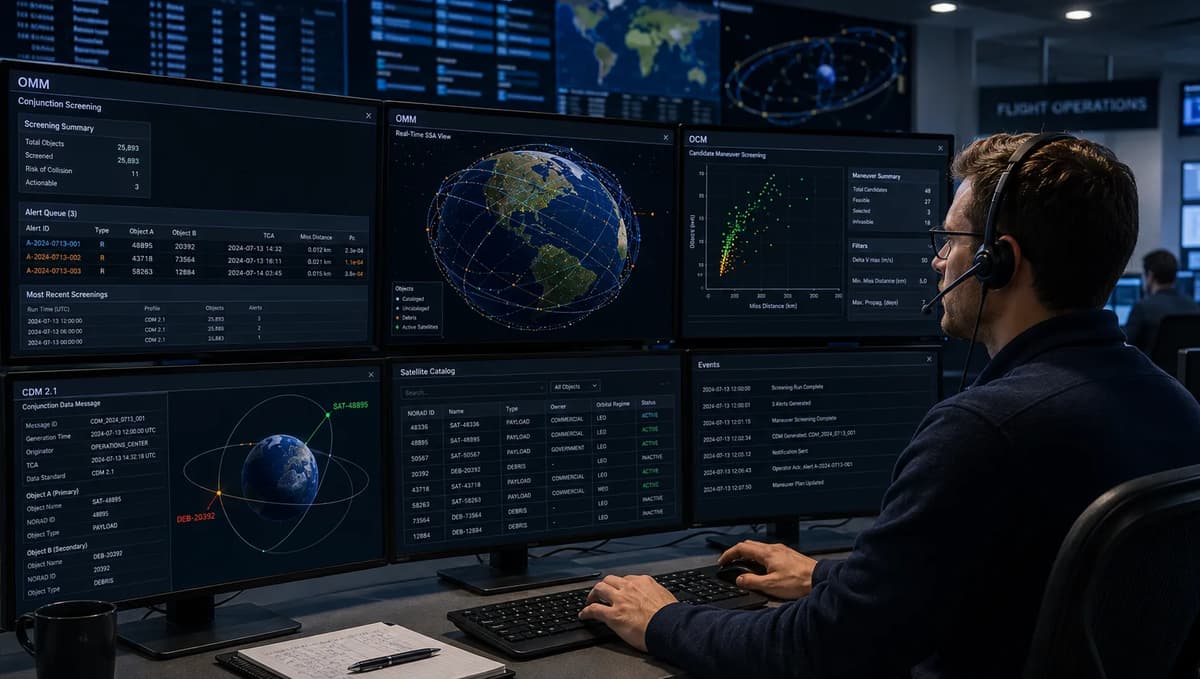
Satellite operators and flight-dynamics engineers know well that registering for a space-traffic service is only the first step. In August 2026, the TraCSS pilot had 70 registered “Pilot Users” with over 11,345 satellites onboarded, yet no account alone guarantees safe operations. Without clear processes in place, an urgent conjunction alert can trigger confusion or delay. This playbook shows exactly what must be working after registration: up-to-date catalog entries, regular OMM/OCM uploads, CDM ingestion pipelines, screening schedules, alert triage flows, and documented decision rules. It is written for operations teams who must act under time pressure: if you are, for example, serving as a Satellite Operations Specialist or Flight Dynamics Engineer managing on-orbit safety (see the Satellite Operator Jobs guide for context), the checklists and examples below show how to plug TraCSS into your workflow. We make clear the current date/status (pilot phase, August 27, 2026) and exactly what readiness outcomes to achieve (from validated data formats to rehearsed runbooks). The outcome is that once done, your team will be able to parse every TraCSS CDM, run routine and on-demand screening at scale, make timely go/no-go decisions on candidate maneuvers, and produce audit reports, all within the constraints of the pilot program and its service targets.
1. Direct Registration Is the Start, Not the Finish
Immediate post-registration tasks: After submitting a TraCSS user registration form (see TraCSS.gov instructions), assign an internal point person to complete the setup checklist. Merely having an account is not enough; you must provision contacts, upload data, and train personnel. For example, ensure the primary account admin accepts the TraCSS User Agreement and Data Policy (ensuring compliance with the CC0 open-data license). Then provide at least one secondary admin or backup in case of absence. Checklist:
Complete Account Profile: Fill in organization and primary POC (point-of-contact), including valid email and phone.
Sign Data Policy: Agree to the TraCSS Data Policy (CC0 open data). See the TraCSS User Agreement & Data Policy page for guidance. Ensure no sensitive/classified info is included (transmitting any export-controlled data is prohibited).
Submit Initial Catalog: Upload your satellite catalog entries to TraCSS (object IDs, sizes, etc.) in the TraCSS Catalog format (v2.0.5, JSON) so all your vehicles are recognized by the system.
Onboard Key Contacts: Add key team contacts (Orbit Analyst, Ops Lead, Command Authority) into the TraCSS directory fields. Maintain a 24/7 duty roster with at least two people on call. This is similar to roles in ground station operations (see VSAT, Teleport, and Ground Station Basics).
Establish Training Plan: Schedule a rehearsal of receiving a test CDM alert and walking through the runbook (see Section 11 below). Assign backup personnel and conduct knowledge transfer.
Internal Coordination: Inform your legal/data teams about TraCSS’s open-data policy. Confirm that providing orbital data (OCMs/OMMs) does not conflict with any national regulations.
Each of these steps has implementation details. For example, when uploading catalog data, use the TraCSS Satellite Catalog specification (v2.0.5) and include your own object IDs, launches, and cross-tag to e.g. NORAD IDs. The admin should verify each entry’s accuracy, an erroneous altitude or wrong catalog number will lead to missed or false alerts. Use configuration management: keep a local copy (version-controlled) of all files you send to TraCSS. At the end of this checklist, your account should be a living asset: updated daily with new objects and manned by trained personnel.
2. Understand TraCSS’s Current Pilot-at-Scale Status
TraCSS remains a pilot evaluation (not general availability), and OSC deliberately uses the term “Pilot Users” for participants. As of June 9, 2026, OSC reported 52 pilot organizations from 21 countries (over 11,000 spacecraft) active on TraCSS. By August 27, 2026, that grew to 70 pilot users and 10 national government accounts. In operational terms, this means: TraCSS can change rapidly, features or service levels are not guaranteed, and you must plan with the pilot scope in mind.
Who Can Register and Who Owns the Account
Eligible accounts: TraCSS currently allows two types of accounts: (a) Satellite Owner/Operator Accounts: for commercial or civil entities controlling on-orbit assets, and (b) National Government Accounts: government read-only dashboards for all spacecraft affiliated with that country. Only the actual owner or operator of satellites should create an account for those objects. In other words, a constellation operator should register with their company name and catalog; they must not upload satellites they do not own without permission. Similarly, National Government Accounts (Australia, UK, etc.) give countries a global view, but do not override operator submissions. If your country has an official TraCSS government account, coordinate with them for any boundary-crossing tasks. Ownership of data: The account owner is fully responsible for the accuracy of their catalog and ephemeris. Internally, assign one team/department (flight dynamics or mission ops) to “own” each satellite’s records, to avoid conflicting updates from multiple parties.
Services TraCSS Provides Versus Operator Responsibilities
According to the Office of Space Commerce’s May 2026 TraCSS overview presentation, TraCSS provides:
Routine Conjunction Screening: System runs checks against all registered satellites approximately every four hours (target) using your catalog and ephemerides plus space-weather updates.
Candidate Maneuver Screening: On-demand risk analysis for user-proposed maneuvers, with results in seconds or minutes.
Owner/Operator Contact Directory: A communal directory so operators can coordinate (coming soon).
Public Data Access: Open catalogs, ephemerides, and conjunction data (CC0-licensed) for anyone.
However, the operator must:
Provide and maintain data: Submit timely ephemeris (OMM/OCM) and catalog entries (Sec. 4).
Implement triage: Evaluate every alert, decide if a maneuver is needed, and act. OSC explicitly states TraCSS is “basic” SSA support; operators still do final risk calculations.
Coordinate externally: If another operator’s satellite is involved, use TraCSS’s contact info or other channels to coordinate a joint response. TraCSS itself does not coordinate maneuvers.
Meet any national regulations: TraCSS data may become public, but your organization must still comply with export control, spectrum licensing, or classified operations.
The table below contrasts TraCSS-provided items vs. operator tasks:
Provides | Operator Must Provide/Do |
Scheduled screening runs (aiming for four-hour cadence) | Timely updates of orbit data (OMM/OCM) |
On-demand maneuver screening (seconds/mins) | Accurate maneuver plans to submit |
Collision risk alerts (CDMs) | Parsing CDM, verifying details, and logging alerts (Sec. 6) |
Contact directory (pending) | Populate your own contact info; reach out to others |
Open data portal (catalog, ephemerides, CDMs) | Data governance (ensure sensitive info filtered) |
TraCSS explicitly disclaims warranties: data may contain errors and access may be intermittent. In practice, treat the four-hour routine-screening cadence and seconds-to-minutes candidate-screening response as service targets, not guaranteed service-level agreements (SLAs). Build redundancy, such as cross-checking another space situational awareness source when necessary, and document which process takes precedence when results disagree. Always verify alerts against your own tracking data.
3. Build Account, Contact, and Duty-Roster Governance
With the account created, establish clear internal roles and procedures. Use a simple organizational chart of responsibilities. For example:
TraCSS Administrator: Technologist who manages the TraCSS portal, uploads OMM/OCM and catalog, and troubleshoots data errors.
Operations Lead: Satellite operator (or Flight Director) responsible for reviewing alerts and making decisions, always available on-call.
Backup Contacts: Secondary operators/engineers to cover nights, holidays, or absences.
Communications Liaison: Person authorized to contact other operators, NASA/USSF, or government liaisons if needed.
Create a duty roster schedule (e.g. weekly rotation) so at any time someone is on call. Use reliable communication channels (voice, email, messaging) and define a backup path (e.g. if primary is unreachable, escalate to manager). For example, a mature team may follow a 24/7 shift schedule similar to mission ops centers, ensuring handovers when shifts change. The VSAT, Teleport, and Ground Station Basics guide notes that distributed ground operations rely on defined handoffs and shared logs; the same discipline applies here.
Maintain the TraCSS contact directory as soon as it’s available. Although that feature is still coming, be prepared: gather everyone’s names, roles, and non-sensitive contact info. Operators should consent to share business contact info into the TraCSS directory, which will let other pilots coordinate near-misses. Locally, keep a table or list of who is responsible for what (an example structure follows):
Role/Group | Name/Team | Contact Method | Backup |
TraCSS Admin | Alice (Orbits) | Bob | |
Conjunction Response Lead | Carol (Ops) | Dave | |
Ground Station Coordination | Erin (Ground Ops) | Frank | |
Flight Director | Grace (Mgmt) | Heidi | |
Legal/Data Policy Officer | Ivan (Legal) | – |
This table is an example. Tailor it to your organization. The key is that everyone knows their role and how to reach the next person. Conduct a drill: simulate a late-night alert and have the on-call engineer walk through the communication plan.
4. Establish Authoritative Catalog and Orbit Records
Before TraCSS can accurately predict conjunctions, you must give it truthful orbital data. In practice, this means building and maintaining an authoritative record of each satellite’s orbit. Many operators already have internal catalog spreadsheets or databases; align those with TraCSS requirements and formats.
OMM and OCM Publication, Versioning, and Ownership
Orbit Mean-Elements Message (OMM) v1.2: Each satellite should have an up-to-date OMM record. This format (CCSDS ODM-based) contains basic Keplerian elements (semi-major axis, eccentricity, inclination, etc.) and an epoch. Plan to publish your OMM at least daily (after propagating to current time) and after any maneuver. Label the epoch precisely. If you have multiple sources of orbit data (e.g. an onboard navigation solution vs. ground update), decide which is authoritative and stick to it. The TraCSS OMM spec v1.2 is based on the CCSDS ODM standards and defines the JSON/KVN fields. Implement a data pipeline (script or software) that exports your current orbit state to an OMM message automatically, rather than manual copy-paste.
Orbit Comprehensive Message (OCM) v2.1: The OCM is a superset format intended for more detailed data. It can include the OMM fields plus covariance, position/velocity time series, maneuver plans, etc. TraCSS expects user-submitted OCMs: according to OSC, “TraCSS will expect that users submit ephemeris... in the OCM format”. In practice, use OCM to convey anything beyond a single-epoch state: for example, after a maneuver you might upload an OCM containing the full post-maneuver trajectory or any attitude information. Treat your OCM as the official source of truth for that maneuver epoch.
Versioning: Include metadata in every record: object name/ID, epoch, and (if available in your system) a version or sequence number. While TraCSS may not enforce version fields, you should track them. One approach is to embed a timestamp in the message (like “ORIGINATOR: {your_org}” with time) or use the epoch as a natural version. Keep a local archive of every OMM and OCM you send (in a version-controlled repository). This way you can audit what data TraCSS saw if discrepancies arise.
Ownership: Ensure only one team is the “keeper” of an object’s orbit. If you have multiple campuses or contractors, reconcile data offline and appoint a single point of approval. If two teams independently push different OMMs for the same satellite, they will conflict. A good practice is a brief internal sign-off for each new OCM (e.g. “Ops Lead reviewed epoch, merging paths, and authorized upload”).
The table below summarizes your data feeds:
Format | Contents | Use Case | Owner |
TraCSS Catalog (v2.0.5) | Object identifiers (COSPAR/NORAD ID), basic physical attributes, operator info | Baseline registry of your objects (auto-merged with DoD/NASA catalog) | Your organization (submit corrections) |
OMM v1.2 | Kepler elements (a, e, i, RAAN, AOP, M), epoch, reference frame | Provides approximate orbit state for routine screening | Orbit team (daily update) |
OCM v2.1 | OMM fields + detailed data (covariance, maneuvers, ephemerides) | Describes updated trajectory (e.g. after maneuver) or enables higher-fidelity screening | Orbit team (after major update) |
Keep these records authoritative and current. For example, the day after a burn, upload a new OCM/OMM immediately. If possible, automate an OCM message to TraCSS via API or upload portal as part of your mission planning tools. Document the process: e.g., “at T+2 hours post-maneuver, run generate_ocm.py to send new orbit to TraCSS.” This disciplined approach ensures TraCSS alerts will use the latest data.
Spacecraft Software Engineer skills come in handy here. Treat your data pipeline like flight software: validate every field, watch for units and reference frames, and write tests that the OMM/OCM you output can be parsed by sample code. (You might, for instance, write a quick script that loads your OCM and checks “is the Epoch in UTC? Are angles in radians or degrees?”).
5. Ingest Conjunction Data Without Losing Context
TraCSS will send your team Conjunction Data Messages (CDMs) whenever a possible close approach is found. To respond effectively, capture all relevant CDM details without truncation. In practice:
Store raw messages: If TraCSS provides JSON or KVN, save the original message files or full text. Don’t only parse out a few values and discard the rest. Future analysis may require details like covariance matrices or screening thresholds.
Record metadata: Each CDM has an event ID, generation time, and lists of involved objects. Log these metadata in your alert database or ticketing system. Include the “SCREEN_VOLUME” and “APPROACH_ANGLE” if given, since they inform the collision geometry.
Check consistency: Immediately verify that the CDM’s object identifiers match your own catalog. If the CDM lists your satellite by a NORAD ID or catalog number, ensure you have an internal cross-reference. If needed, map the object to your local naming convention.
Preserve units and frame: The CDM spec defines certain fields (e.g. miss distance in km, probability as a unitless fraction). When ingesting, don’t convert or round them prematurely. For example, if the CDM reports a “COLLISION_PROBABILITY = 0.000123”, store it as a floating number without losing precision. Similarly, if position vectors or covariances are given in ECI/J2000 at TCA, keep the epoch. Losing context (e.g. forgetting that distances are in kilometers) will break later analysis.
Example ingest snippet (Python-like pseudocode):
cdm = json.load(open('TracssCDM_20260827.json'))
satA = cdm["ConjunctionData"]["OBJECT_NAME_1"]
satB = cdm["ConjunctionData"]["OBJECT_NAME_2"]
pc = float(cdm["ConjunctionData"]["COLLISION_PROBABILITY"])
tca = datetime.fromisoformat(cdm["ConjunctionData"]["TIME_OF_CLOSE_APPROACH"])
miss_dist_km = float(cdm["ConjunctionData"]["MISS_DISTANCE"])
# Store pc and miss_dist in database along with TCA and object IDs
Validate mandatory fields: each CDM should include ProbabilityOfCollision, TimeOfClosestApproach, and object IDs. If any are missing or null, flag it as a data error and contact TraCSS support. Because TraCSS provides CDMs “under open license”, you may also share sanitized examples internally for training or auditing.
By keeping raw context, your team can trace back any decision. For instance, if an alert later turns out to be a false alarm, having the full CDM means you can see “why” (maybe the threshold was marginal, or one object’s ephemeris had low accuracy). This provenance is crucial for both audit trails and improving your procedures.
6. Operationalize CDM 2.1 Parsing and Validation
Implement software or scripts to parse TraCSS CDM v2.1 messages (JSON, XML, or KVN). The official TraCSS CDM specification provides field definitions (e.g. COLLISION_PROBABILITY, APPROACH_ANGLE, etc. on page 7). Key steps:
Parsing: Use a reliable library for JSON or XML. If KVN is the only format (unlikely, JSON is available), write a parser or find one for CCSDS CDM. Map each field to a named variable in your code (e.g. cdm_obj1, cdm_obj2, pc, tca, cov_matrix).
Field checks: For each incoming CDM, check that required fields are present and within expected ranges. For example:
Probability of Collision (Pc) should be between 0 and 1. Flag if outside.
Miss distance should be non-negative and not huge (if it’s >106 km, it’s probably an error).
Time formats should parse to a valid datetime (no ambiguous strings).
Unit conversions: Note that CDM v2.1 uses specific units (kms for distance, km²/s² for covariances, etc.). Write conversion routines if your internal system uses different units. Include unit information in your variable names (e.g. miss_dist_km, pc_covariance).
Data integrity: Some CDMs will include covariance matrices. Check that matrices are positive semi-definite. If you find a covariance that is negative definite (due to rounding), apply the standard “Covariance Repair” (adding small positive values) but log this anomaly for later review.
Error handling: If a CDM fails validation (missing fields, parse error), have an automated alert. For example, your parser could email the operator on duty: “CDM ingestion error: Conjunction event XYZ missing required field.”
Storage schema: In your database or tracking system, store each CDM as an object with all its fields, plus metadata (ingest timestamp, raw JSON). This will make debugging easier.
One simple strategy: design a unit test suite of example CDMs. Include at least: 1. A CDM with a very low Pc (test that your code does not drop it), 2. A CDM with exactly 0.0 Pc, 3. A CDM where object1 or object2 has unknown ID (error case).
Example (Pythonic) validation snippet:
assert 0.0 <= pc <= 1.0, f"Invalid Pc: {pc}"
assert tca.year >= 2026 and tca.year <= 2030, "Unreasonable TCA year"
if abs(miss_dist_km) < 1e-9:
    warn("Zero miss distance: objects colliding!")
By coding these checks, you ensure no bad input silently corrupts your system. Store parse errors centrally so patterns can be identified (maybe the TraCSS message format changed unexpectedly, catch it before it causes a major gap).
7. Design Routine and On-Demand Screening Workflows
Your system must handle two screening workflows: the routine screening that TraCSS runs automatically (roughly every 4 hours), and the on-demand “candidate” screening triggered by a planned maneuver.
Routine Workflow: Plan to poll or pull TraCSS at least every 4 hours (or use their push mechanism if available) for new conjunction alerts. Each run may produce dozens or hundreds of potential events. For each batch, enqueue the new CDMs into your alert processing queue (Sec. 11). Ensure that updates to your catalog or ephemeris occur before the screening cut-off. For example, if your team updates an OMM at 10:00 UTC, you want that included in the 12:00 screening. The TraCSS team notes routine screening is twice as frequent as current systems. Design your pipeline so that as one screening completes, the results are parsed and handed to the operations lead within an hour; the next screening should not start until this processing is at least queued or under way.
On-Demand Workflow: For any planned maneuver or newly discovered conjunction (e.g. spotted by ground), your team may want an immediate screening. Use TraCSS’s candidate screening API or interface. Typically, this means constructing an OCM with the post-maneuver trajectory and sending it with a “request screening” flag. The response will be a CDM-like result. According to TraCSS’s overview, on-demand results arrive in seconds or minutes. In practice:
Prepare OCM: When planning a maneuver, run your orbital simulator to get the new state vectors or keplerian elements after burn. Fill those into an OCM file, marking the maneuver elements (the OCM spec allows maneuver data or indicating a new ephemeris series).
Submit and log: Send the OCM to TraCSS and log the request time. You might include a unique comment or identifier in the OCM’s metadata so you can match the incoming result.
Wait for results: Expect an email or file download of the screening CDM. If nothing is received within your expected maximum (say 5 minutes), check for errors or retry.
Process like any alert: Once the CDM arrives, feed it into your same alert pipeline (Sec. 11). The advantage of on-demand is that the numbers are usually small; you can assign a higher priority in the queue so engineers handle it immediately.
Cadence and Queuing: Treat routine vs on-demand results differently in your system. For instance, label routine CDMs as “Background Screening” and candidate CDMs as “Maneuver Screening.” You might want two priority queues: critical (maneuver) and standard (routine). Track metrics: e.g. average time from TraCSS release to parsing.
Freshness: Because orbital data can age, ensure your input OMM/OCM are recent. If your last OMM upload was >6 hours ago, consider uploading a new OMM before the next screening to avoid stale data. Likewise, if TraCSS’s four-hour target slips, note that your team may receive bursts of alerts.
The following table summarizes screening expectations:
Workflow | Trigger | Frequency / Latency | Output | Notes |
Routine Screening | Every four hours (OSC target) | ~four-hour cadence (aim, no guarantee) | Batch of CDMs for multiple objects | Ensure catalog is current; pipeline must handle many events |
On-Demand (Maneuver) | Manual submission of candidate OCM | Seconds–minutes | One or a few CDMs for affected objects | Use for planned maneuvers; results come with minimal delay |
Subscriber/Push Update | Potential future feature | Minutes after a run (if supported) | Notifications or updated alert list | If TraCSS adds a webhook or email push, integrate it |
Service expectations: It’s important to treat TraCSS’s stated targets (four-hour cadence and seconds-to-minutes responses) as design goals. They are not binding SLAs. Track real performance over time (next section). Also have backup planning: e.g. if TraCSS is unavailable for >6 hours, you should have the capability to run your own quick check (using an internal or commercial conjunction tool) until service is restored.
8. Integrate Candidate-Maneuver Screening
When an operator plans a collision-avoidance maneuver, it’s critical to verify safety before execution. TraCSS’s on-demand screening is designed for exactly this. Build this capability into your maneuver workflow:
Generate Candidate Orbit (OCM): After designing the burn, compute the expected post-burn orbit (e.g. using GMAT, Orekit, or your own propagator). Represent it in the TraCSS OCM v2.1 format, including any necessary covariance or stationkeeping information. Ensure the OCM’s epoch matches the maneuver time.
Submit to TraCSS: Use the TraCSS portal or API to upload the candidate OCM and request screening. If an API exists, script this step; otherwise, manually upload the JSON/XML. Include your account credentials.
Receive and Parse Results: TraCSS will return a CDM-like report. Treat it like any other CDM (parse via your CDM pipeline). The result will indicate the new predicted miss distance and collision probability for your post-maneuver trajectory.
Decision Gate: Compare the new risk metrics against your thresholds. For example, if the returned Probability of Collision (Pc) is still above 1×10⁻⁵, you may need to refine the maneuver or adjust timing. You may run a second iteration if needed.
Worked example: Suppose you plan a 10 m/s prograde burn on Satellite A at 2026-09-01T12:00 UTC to avoid a conjunction. You compute the new mean elements and create satA_maneuver.ocm. You submit it at 12:01 UTC. At 12:02 UTC, TraCSS returns a CDM with Pc=2×10⁻⁶ and minimum approach distance 500 m. If your company’s action threshold is Pc>1×10⁻⁶, you note this is slightly above threshold. You might simulate a minor tweak (e.g. add 0.5 m/s orthogonal burn) and resubmit an updated OCM, or decide to accept the residual risk. All these steps (recompute the orbit, update the OCM, and resubmit) should be documented in an operations log for audit.
Integrating maneuver screening is similar to a mini flight-dynamics portfolio project: you plan a trajectory, run a trade, and analyze the outcome. (See Refonte’s Orbital Mechanics Engineer Portfolio article for inspiration on structuring such simulations.) In practice, script this loop as much as possible so teams aren’t repeating manual uploads under stress.
This workflow depends on mission planning, orbit control, telemetry, tracking and command (TT&C), anomaly response, automation, and simulation skills. Train and rehearse those foundations before relying on candidate-maneuver screening under time pressure.
9. Govern Contact Data and Cross-Border Coordination
Satellite safety is an international concern. This section covers how to manage contact information and respect national boundaries.
National Government Accounts and Data-Policy Boundaries
TraCSS’s “National Government Accounts” (NGAs) give governments a read-only view of all spacecraft registered by operators of their nationality. As an operator, know if your satellites are tied to a nation that has an NGA. If so, the country’s space authority can access your objects’ safety data. Ensure you do not inadvertently upload technology-restricted information: only routine orbit data and publicly releasable metadata belong in TraCSS. The TraCSS Data Policy explicitly states “with extremely limited exceptions, TraCSS data and data from satellite owner/operators will be made publicly available under... CC0-1.0”. In practice, before uploading, consult your legal/export office: for example, if your spacecraft uses military-grade hardware, do not publish full covariance matrices beyond what regulations allow. (If in doubt, you may obfuscate some entries consistent with the policy’s “limited exceptions.”)
When a conjunction involves another operator, you may need to coordinate across borders. For example, if a U.S. operator’s satellite is in conflict with a spacecraft of a European company, the European partner’s respective government (one of those NGAs) can see the situation via TraCSS. Use the TraCSS contact directory (once available) or the government liaison to route communications. Remember that TraCSS does not mediate; it merely provides a channel. Operators must follow international protocols (e.g. share RSO contact info, propose a joint maneuver plan, etc.) in accordance with UN COPUOS or bilateral agreements. If you are unsure of foreign compliance, involve your government account manager early.
Cross-border governance table:
Scenario | Policy/Action |
Your satellite vs. another country’s satellite | Use TraCSS contact info or space agency liaison to notify the other operator. If risk is high, consider informing your national NGA. |
Data export concern (e.g. dual-use tech) | Redact or generalize any sensitive fields before upload; consult data-policy docs. |
Participating in joint screening (hypothetical future feature) | Use NGA or international SSA working groups (OSC engages globally) and standard data-sharing agreements. |
Always log when you contact another party. Include the TraCSS conjunction event ID, your risk assessment, and your mitigation plan in any communication. If a situation escalates, having a timestamped record of having followed procedures will protect your organization.
10. Test Conjunction-Assessment Algorithms
You need to trust that your team’s conjunction analysis is correct. TraCSS provides a powerful tool: an open Conjunction Assessment Verification Dataset (March 18, 2026) with answer keys. Use it to validate your algorithms and processes.
Dataset details: The OSC-published dataset (available on request) contains many synthetic conjunction events, their orbits, and the “correct” results. It’s licensed CC0. The answer key lists the expected conjunction parameters (time of close approach, miss distance, Pc, etc.).
How to use it:
Obtain the dataset (contact OSC or find it on the data portal).
Run your conjunction-assessment tool: input the provided orbits and execute your analysis routine on each scenario.
Compare results: for each event, compare your output (time of closest approach, probability of collision, and distance) with the answer key. Compute absolute or percentage differences.
Analyze discrepancies: if you find a significant mismatch (for example, more than 10%), debug common causes such as propagation methods, unit interpretation, or probability-of-collision calculations.
Iterate: fix errors and rerun until the output aligns with the key. For example, if the key gives Pc = 3.5×10⁻⁶ and you compute 3.2×10⁻⁶, a 10% tolerance may be acceptable under your test policy; a result of 0.035 would clearly indicate a bug.
Worked scenario: Suppose the dataset includes an event between “SAT-123” and “SAT-456” at 2026-07-01T12:00 UTC. The key lists Miss Distance = 0.2 km and Pc = 1.2×10⁻⁵. You run your algorithm and get Miss = 210 m (0.21 km) and Pc = 1.3×10⁻⁵. This is within 10%, so it passes. Now try another event where your output deviates by >50% from the key, investigate. This procedure provides concrete evidence your conjunction logic is sound.
Metrics table: You may track verification metrics like these:
Metric | Definition | Acceptance Criterion |
Pc accuracy | Difference between computed and reference Pc | ±10% (goal) or better |
Miss distance error | Difference between computed and reference miss distance | Within the documented test tolerance |
Detection completeness | % of key scenarios your tool flagged | 100% (no false negatives) |
False alarm rate (in test) | % of events your tool flags not in key | Ideally 0% (flag only true conjunctions) |
Archive your validation code and results. This “worked example” can become part of your operational portfolio (see Sec. 14). Write a short report explaining any differences and how you resolved them. Such documentation helps confirm readiness to internal management or regulators, and it directly exercises the Orbital Mechanics Engineer Portfolio skill of an end-to-end analysis project.
11. Build Alert-Triage and Escalation Runbooks
When a conjunction alert (CDM) arrives, your team needs a rapid triage process. A well-defined runbook (documented steps) ensures consistency. Below is an example runbook checklist for each incoming alert:
Acknowledge Receipt: Immediately log the alert (time, event ID). Notify the Conjunction Response Lead on duty.
Confirm Data Validity: Verify the CDM fields (Sec. 6). If the message is malformed, alert TraCSS support. If two CDMs for the same event appear (e.g. frequent updates), focus on the latest.
Identify Objects: Determine “Object1” and “Object2” (sat IDs) from the CDM. Use your catalog to fetch details (mass, maneuver status, etc.).
Calculate Risk Level: Use the provided Probability of Collision (Pc) and miss distance. Compare against your alert thresholds (e.g. Pc > 1×10⁻⁵ is “High” risk, 1×10⁻⁶–1×10⁻⁵ “Medium”, <1×10⁻⁶ “Low”). Also note if either object is a high-value asset.
Check for Correlation: See if the alert corresponds to a known situation (e.g. multiple objects in the same cluster). If many alerts involve the same pair, it may indicate an orbit model issue.
Review Maneuvers: If a maneuver is scheduled soon for either object, determine if it mitigates or worsens the conjunction.
Immediate Actions:
Low Risk: Note it in log; decide no action needed now. Possibly set a reminder to re-run analysis if conditions change.
Medium Risk: Contact the flight dynamics engineer or a subject-matter expert. Recompute using your own tool for confirmation. Possibly draft a preliminary plan or contact the other operator.
High Risk: Escalate at once to Flight Director/Management. Initiate coordination: use the TraCSS contact info or known channels to reach the other operator. Convene a go/no-go meeting and consider a contingency maneuver plan.
Record Decisions: Whatever decision is made (e.g. “no action”, “coordination under way”, “maneuver approved”), document it with timestamps. This becomes part of the audit trail.
Close the Alert: Once all actions are taken and the situation is resolved (or a plan is in motion), mark the alert closed in your tracking system. Include a final note on outcome (e.g. “Maneuver executed as planned on Sept 2, collision avoided.”).
A decision table can help clarify actions. For example:
Pc Range | Action Level | Typical Action |
Pc < 1e-6 | No Action (Monitor) | Log and revisit if conditions change |
1e-6 ≤ Pc < 1e-5 | Investigate | Validate with custom analysis; prepare to contact partner |
Pc ≥ 1e-5 | Alert (High) | Escalate to leadership, coordinate potential maneuver |
(These thresholds are illustrative; set yours based on your own risk policy.)
Train your team on this runbook. Use scenario drills: e.g., simulate receiving a CDM for a high-risk event and walk through steps 1 through 12. Ensure backups know who to call. Build templates for communications (e.g. an email template: “Subject: Urgent TraCSS Alert: Conjunction between SatA and SatB with Pc = X”). By codifying this, even a less-experienced operator can follow a clear path under time pressure.
12. Measure Operational Readiness and Response Quality
To know if you’re truly ready, track metrics around your use of TraCSS. This will guide improvements and prove to stakeholders (or auditors) that your system works. Focus on readiness (processes in place) and response quality:
Metric | Definition / Goal | Measurement Method |
Coverage | % of satellites with valid TraCSS data | Query TraCSS catalog vs fleet list (aim for 100%) |
Routine Screening Latency | Time from scheduled run to parse completion (goal ≤4h) | Compute average/99th percentile from logs |
On-Demand Turnaround | Time from OCM submission to CDM receipt (goal <1 min) | Timestamp differences on request vs result |
Alert Processing Time | Time from CDM receipt to decision/action (goal ≤4h for high risk) | Workflow logs or incident system |
False Positives | Alerts deemed non-issues (e.g. Pc found negligible) | % of CDMs logged vs those requiring action |
Missed Alerts (False Negatives) | High-risk conjunction not alerted by TraCSS (target 0) | Retrospective checks / alternate SSA tool |
Drill Completion | % of weekly/monthly drills conducted successfully | Training logs (goal: 100%) |
Satisfaction (internal) | Operator rating of system usability | Periodic survey or after-action review |
Keep a dashboard or simple report for leadership. For example, track that 95% of routine screening results were parsed within 4 hours, or that 100% of critical alerts were escalated. Define acceptance criteria for “ready.” For instance:
All satellites have an OMM updated within the last 24 hours.
The CDM parser successfully processed all events in the test verification dataset without errors.
At least one complete drill of the runbook (Sec. 11) has been run, with at least 90% of steps correctly followed.
Mean time to acknowledge a high-risk alert is <2 hours.
Create a small exit criteria table. For example:
Readiness Item | Measure | Criterion |
Catalog completeness | % fleet in TraCSS | 100% |
Ephemeris currency (OMM/OCM) | % updated in last 24 hours | ≥ 95% |
CDM ingestion health | Errors per week | 0 |
Alert triage test | Runbook steps executed | 100% of critical steps |
On-demand response test | Seconds per screening | <60 seconds (95th percentile) |
Algorithm verification | Pc error vs answer key | <10% (all tests) |
Once these criteria are met, consider the system “operational.” Continue to collect these metrics over time so you can detect drift (e.g. if coverage drops, or response lags as workload grows).
13. Plan the Transition Beyond the Pilot
Remember: TraCSS is a pilot system. Plan for change. The only guarantee is that the pilot will evolve. As OSC broadens international use (already adding more National Accounts), be ready for new features or modified workflows. For example:
New Data Products: TraCSS may later add re-entry/launch notifications or integrate with other SSA data. Architect your systems modularly (use APIs, avoid hard-coding file formats) so you can plug in new data types.
Policy Updates: Stay subscribed to OSC announcements. The Data Policy or user agreement could change (they do plan to update over time). Assign someone to review version changes quarterly.
Service Scaling: If and when TraCSS grows beyond pilot (or merges into another SSA system), ensure your procedures still apply or adapt them. For instance, if screening becomes even more frequent or automated, decide how that affects your triage load.
Fallback Options: Don’t assume TraCSS will always be available. Identify alternative SSA services (e.g. commercial conjunction alerts or direct DoD data) and document how you’d switch if needed.
Budget and Training: Keep your team’s skills sharp. Allocate time every few months for training on updated TraCSS features or relays. Document lessons learned (e.g. update this playbook after a near-miss).
A simple transition checklist may help:
Subscribe to TraCSS updates (mailing list, OSC social media).
Review and revise internal SOPs whenever the TraCSS spec is updated (the spec docs from Jan 2026 or CDM draft changes could affect your parser).
Archive examples of every CDM and OCM you’ve used; these can serve as reference if the service version changes.
Meet with your management periodically to revisit reliance on TraCSS. Plan what to do if TraCSS changes mission (e.g. if it transitions to a fee-based service or consolidates with another platform).
Update the runbook and training portfolio in Section 14 with real incidents and improvements. This will keep your process current.
14. Build a Spaceflight-Safety Operations Portfolio
Finally, document everything you’ve built into a professional portfolio. Beyond onboarding TraCSS, this is the evidence of your expertise in spaceflight safety operations, a strong asset for career development. Include:
Project Artifacts: The scripts and tools you wrote (e.g. OMM/OCM exporter, CDM parser) with source code. For instance, show how you parse a TraCSS OMM and feed it into your orbit propagator.
Case Study Write-Ups: A clear write-up of at least one worked scenario, such as the candidate maneuver example in Section 8 or a high-risk conjunction handled. Explain the context, what you did, and the result. Include key figures (e.g. before/after miss distances). This resembles the interplanetary or conjunction projects described in the Orbital Mechanics portfolio guide.
Metrics and Dashboards: Visualizations or tables of your readiness metrics (Section 12). For example, a chart showing alert processing times or a table of verification errors. This demonstrates data literacy and commitment to continuous improvement.
Runbook Documents: Publish your triage checklist (Sec. 11) and any flowcharts or decision tables. This shows your systematic approach.
Training Certificates: Include relevant training and internship certificates for collision avoidance, orbital mechanics, mission operations, or related disciplines.
Feedback and Learning: Note any after-action review findings or update logs that show you refined the process over time. This demonstrates learning ability.
By packaging these as a cohesive portfolio (on GitHub, a web page, or an internal wiki), you reinforce your team’s readiness and create proof of “evidence in action” for employers or auditors. Refonte’s Job-Ready Tech Portfolio guide recommends presenting complete workflows and clear documentation, exactly what this playbook produces. Frame the collection around real operational evidence: mission planning, orbit control, ground-station coordination, anomaly response, and decision-making under time pressure.
Key takeaways: After registration, an operator must have working systems for data governance, alert parsing, screening procedures, and response coordination. Keep the pilot nature in mind, continuously test your algorithms with the provided dataset, and document each part of the workflow. With these pieces in place, your team can trust TraCSS as a tool, not a magic solution, enabling you to make timely, confident decisions that keep satellites safe.
For a structured way to build the underlying mission-operations skills, review Refonte Learning’s Satellite Operations Specialist/Engineer Program. The live program page describes a three-month format with a stated commitment of 10 to 12 hours per week and covers mission planning, orbit control, ground-station operations, anomaly response, automation, and simulation. Exact TraCSS, CDM 2.1, OMM, or OCM lab coverage should be verified directly with the provider. Refonte’s How to Choose the Best Virtual Tech Internship guide can also help you evaluate whether a program includes hands-on projects, feedback cycles, and relevant operational scenarios.
TraCSS remains a pilot service, so contingency planning is mandatory. The first three actions are to finalize your data feeds, rehearse the alert runbook, and test your parser and analysis workflow with the OSC verification dataset. Those steps prepare the team for the next critical conjunction alert and create a durable foundation for future space-situational-awareness services and space-operations work.